Barcode Inventory Systems: Scanning, Labels, and Accuracy
A barcode is not magic — it is a number printed in a shape machines read quickly. For a shop, that speed at the counter and in the storeroom is the difference between stock records you trust and stock records you merely hope are right. This guide explains how barcodes work, when to use the manufacturer's code versus printing your own, which scanners and printers actually fit a small shop, and the daily habits that keep scanned inventory honest.
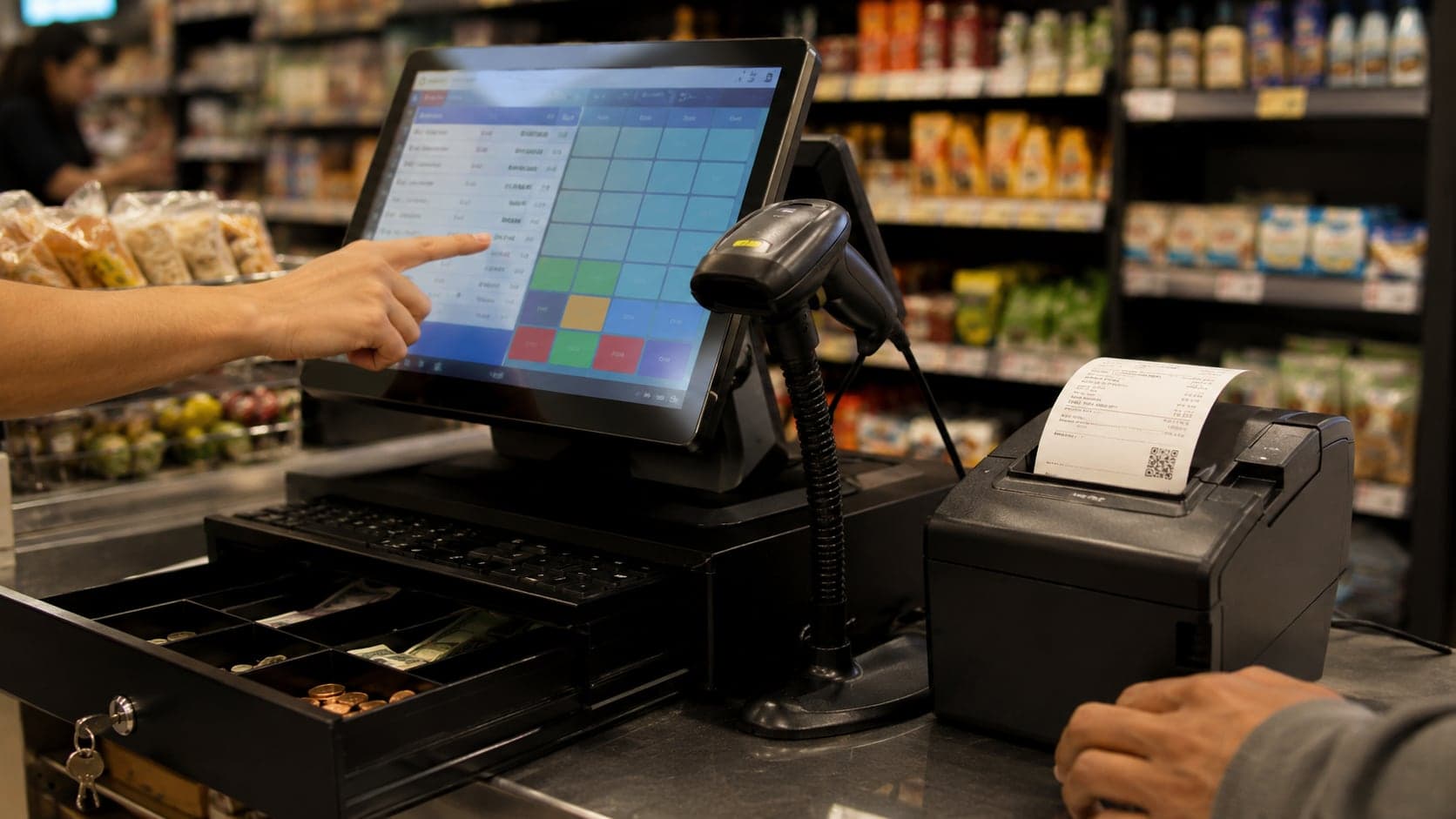
Why barcodes matter at the counter
Before hardware and label formats, the business case — because barcodes are an expense in time and money, and they earn their keep only when they solve problems you actually have. A shop gains from barcodes in four practical ways:
- Speed at the till. Scanning a code takes a second; searching a long list by name takes ten, and name searches fail when two products sound alike or staff spell differently. During a rush, that gap is the queue out the door.
- Fewer wrong-item sales.Picking “500 ml bottle” when the customer brought the 750 ml size is a margin error that repeats silently. A scan identifies the exact SKU.
- Stock that updates itself. When each sale carries a barcode, the inventory record can deduct the right product without a second person posting adjustments from memory at closing time.
- Receiving you can defend. Scanning inbound cartons against an expected list catches short deliveries and wrong items at the door — while the delivery person is still there to fix it.
Barcodes do not replace counting, supplier discipline, or good product naming. They make every other inventory habit faster and harder to fake. Shops with two hundred or more distinct SKUs and more than one person touching the counter usually cross the threshold where barcodes pay for themselves within a season.
How barcodes actually work
Strip away the mystique: a barcode is a machine-readable way to write a number. The black and white pattern (or, on newer labels, the QR square) is just encoding — like handwriting versus typing, except the reader is a scanner and the alphabet is bars of different widths.
The number underneath matters more than the pattern. For retail goods you buy from branded suppliers, that number is usually a GTIN (Global Trade Item Number), most often seen as a 13-digit EAN-13 code on packaged products worldwide. North American cartons may show a 12-digit UPC-Ainstead; functionally it is the same idea — one number, one product variant, registered so two manufacturers do not accidentally collide.
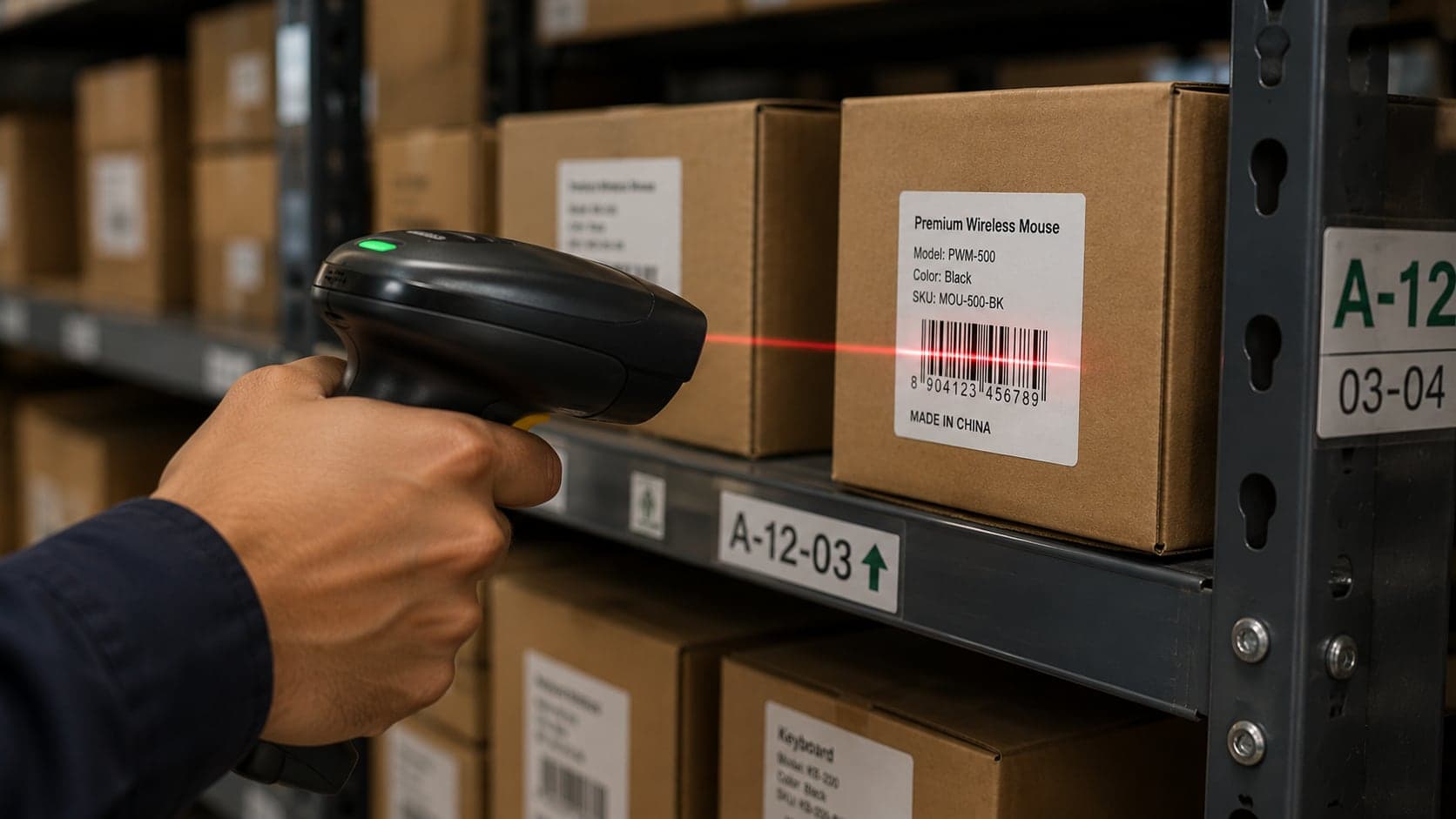
When a scanner reads a label, it decodes the pattern into digits and sends those digits to whatever software is listening — a POS system, a spreadsheet, a stock-taking app. The software looks up the number in a product table and finds name, price, tax category, and current stock level. If the number is not in the table, the scan fails: the hardware worked, the mapping did not.
Two details catch small shops off guard. First, the barcode identifies the sellable unit, not the brand in general — a six-pack and a single can need different numbers if you sell both. Second, check digits exist on formal GTINs; hand-typing numbers without verifying them invites lookups that never match. Use the scanner to enter new products whenever possible.
Manufacturer codes versus your own labels
You will run two barcode worlds in the same shop, and conflating them causes most setup pain.
Manufacturer barcodes come printed on goods from the factory or distributor. Use them whenever they exist and match how you sell — a sealed packet with an EAN on the back is free identity; scan it once at setup, attach price in your system, and every future scan is done. No label printer required for that SKU.
Internal barcodes are yours — numbers you assign to things the manufacturer never labelled for your shelf. Bulk rice scooped from a sack, hardware sold loose from bins, repackaged gift sets, bakery items weighed at the counter: all need an internal code and a printed label if you want scan speed. Internal numbers typically start with a shop-specific prefix or use a numeric range you document and never overlap with GTINs (many shops use 2xxxxxx internal codes precisely because real GTINs never start with 2 in retail).
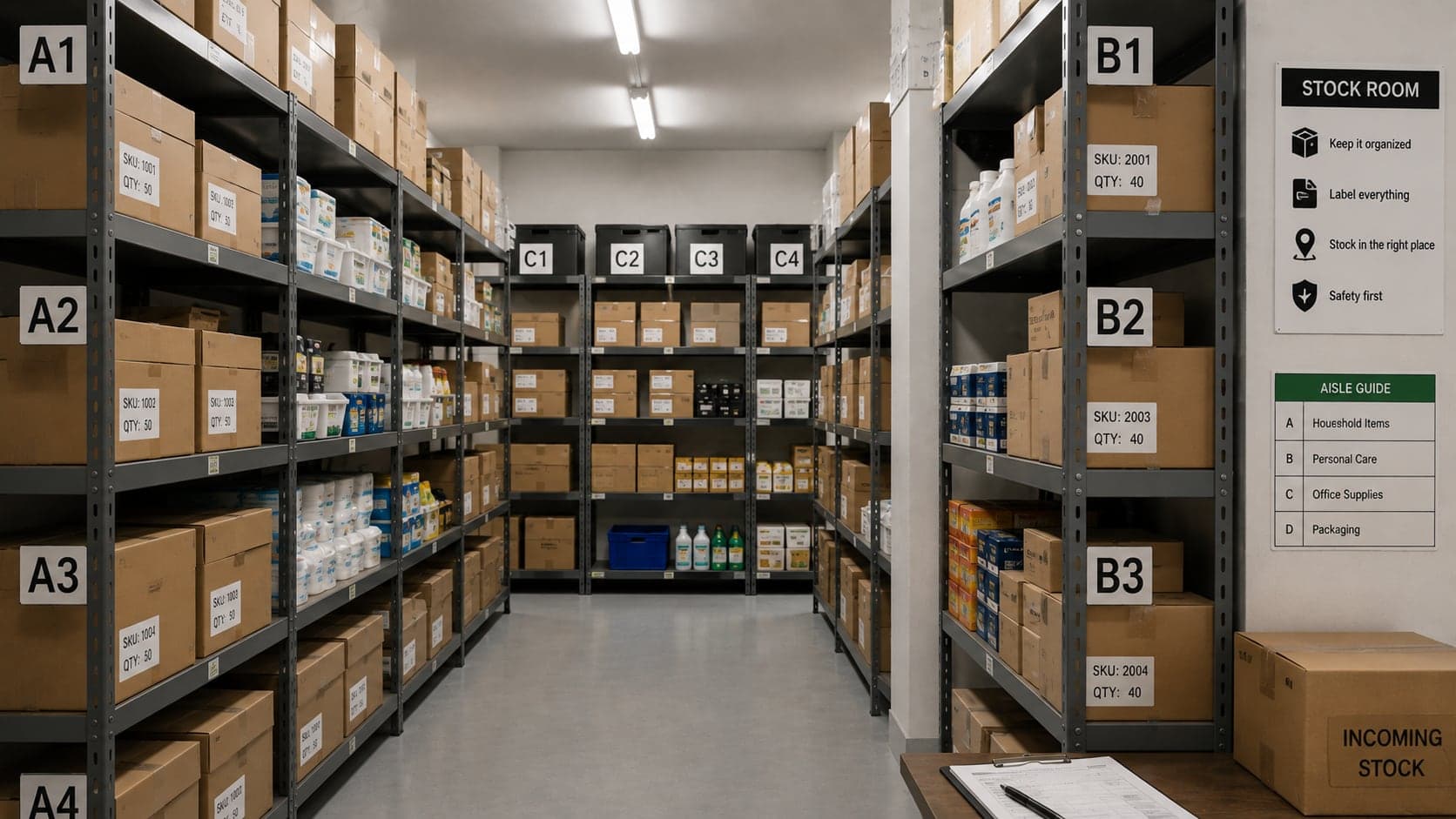
A workable rule: scan before you shelve.On delivery day, walk the carton once with a scanner hooked to your product list. Anything that beeps is already mapped. Anything that does not gets an internal code assigned before it touches the sales floor. Shops that defer labelling “until we are less busy” usually end up with a storeroom full of anonymous boxes and a counter staff guessing from memory — which is the world barcodes were meant to escape.
Do not photocopy manufacturer labels onto cheaper brands or unrelated items. Aside from being misleading to customers, it destroys inventory integrity — your system thinks it sold Brand A while Brand B left the building.
Scanner types and what to buy
Scanners differ less than sales brochures suggest. For a typical counter and storeroom, one of three categories fits:
1D laser or imager scanners (handheld or hands-free). These read traditional barcodes on labels and packaging — EAN, UPC, Code 128 internal labels. A USB model plugs into a PC or POS terminal and behaves as a keyboard wedge: open the sale screen, pull the trigger, digits appear. Bluetooth models do the same wirelessly, which helps when the PC is fixed but receiving happens in the back. 2D imagers add the ability to read QR codes and barcodes on phone screens; worth the small premium if suppliers send digital vouchers or if you plan QR-based shelf labels.
Presentation (multi-plane) scanners sit flat on the counter; staff slide items across them. Faster for high-volume grocery-style lanes, awkward for bulky cartons. Most small shops prefer a handheld for flexibility — counter, shelf audit, receiving dock.
Mobile computers with built-in scanners — rugged devices running inventory apps — suit large warehouses or multi-branch operations doing full cycle counts weekly. For a single shop under a thousand SKUs, they are usually overkill unless receiving volume is extreme.
Buying checklist in plain terms: wired USB if you want zero battery anxiety; Bluetooth if the scanner must roam; 2D imager if QR matters; IP rating only if the device lives in a wet or dusty back room. Avoid the cheapest no-name units if they cannot be reprogrammed — some ship with suffix keys or wrong keyboard layouts that confuse software. Any reputable brand publishes a configuration sheet; ten minutes with it saves months of mysterious extra characters in your product codes.
Label printers for the storeroom
Manufacturer codes cover packaged goods; internal codes need a printer. Label printers for shops fall into two families:
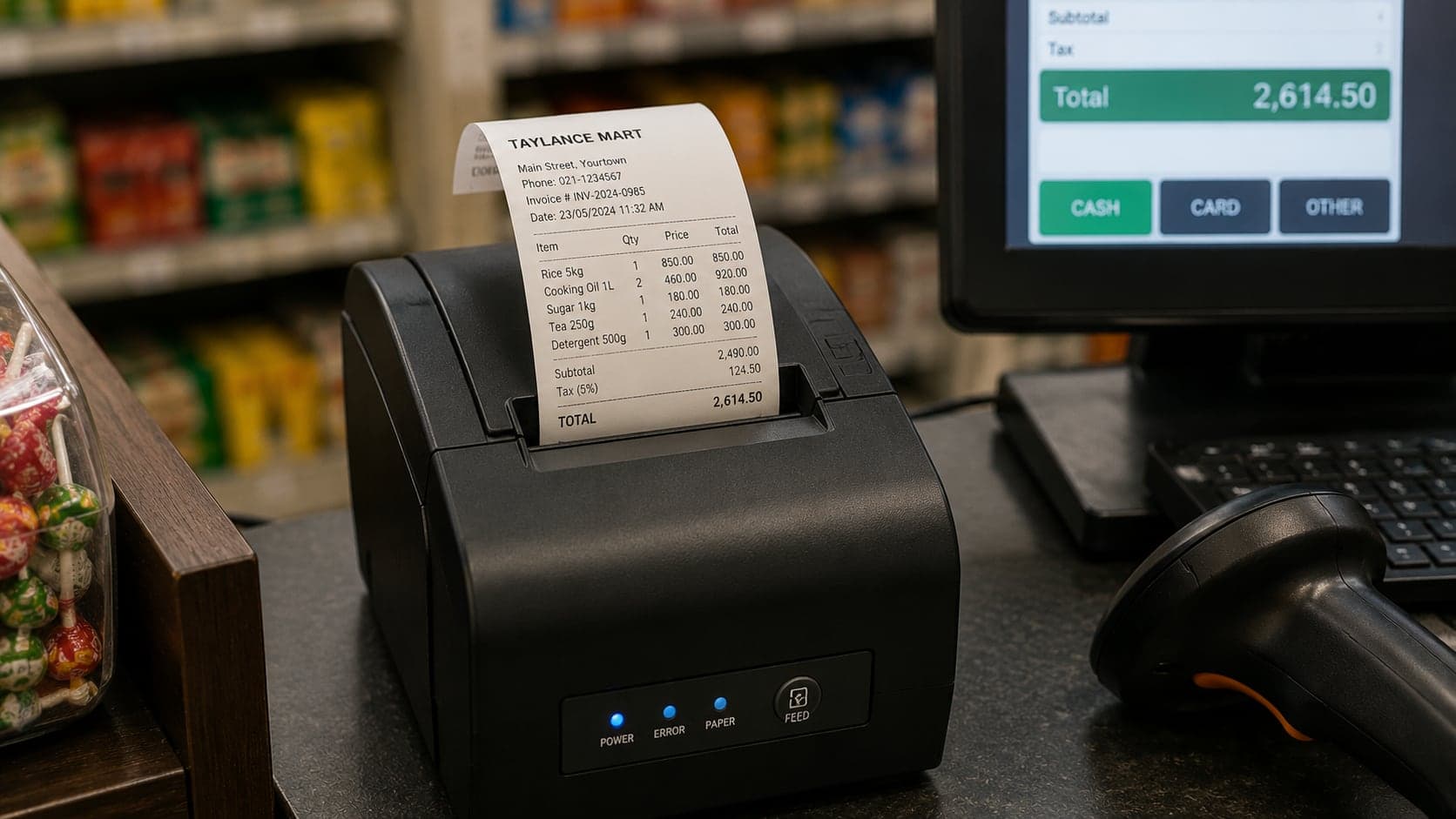
Thermal transfer / direct thermal desktop printers (common brands in the small-business market: Zebra, Brother, TSC, and others) print adhesive labels from a roll. Direct thermal fades in sunlight and heat — fine for back-room bins, risky for a shopfront window display. Thermal transfer uses a ribbon and lasts longer; slightly higher running cost, better for labels that stay months.
Label size and content. A 50 × 30 mm label carrying product name, variant, and barcode symbology Code 128 or EAN-13 is enough for most shelf edges. Print human-readable digits under the bars so staff can verify mismatches without another device. Skip decorative fonts — clarity beats branding on a storeroom sticker.
Software matters as much as hardware: the printer driver must integrate with your inventory or POS so printing is one click from the product screen, not copy-paste through a generic word processor. If integration is weak, batch-print labels when new lines arrive, never one-off from memory. Misprinted labels (wrong check digit, duplicated number) are a common source of the mistakes in the section below.
Running costs are modest — rolls and occasional ribbons, not ink cartridges — which is why thermal label printers dominate retail back offices. Budget one practice roll while learning; misaligned sensors waste labels until you learn the load path.
Linking barcodes to products
The scan is only as good as the product table behind it. Linking barcodes cleanly follows a short discipline:
- One product record per sellable SKU. Same rules as the inventory product list: if customers distinguish it, staff distinguish it, the system distinguishes it. Colours, sizes, and flavours are separate SKUs with separate barcodes — or separate internal codes if the manufacturer cheaped out on unique labels.
- Primary barcode field, optional alternates. Some items arrive with both a carton code and a unit code. Your system should accept multiple barcodes pointing to one SKU so either scan works at the till.
- Scan-to-create on first receipt. When a new branded line appears, scan the package during setup; let the software pull metadata from product databases if available, then verify name and unit locally. Names from global databases are not always how your customers ask for the item.
- Internal code ledger. Keep a simple register — even a spreadsheet tab — of internal numbers issued, product name, date assigned, and whether the SKU is active. Gaps and duplicates in internal ranges cause the same pain as duplicate names.
- Test scan before go-live. New product goes on shelf, someone scans at the POS in training mode, confirms name, price, and stock increment. One minute of ceremony prevents a week of wrong receipts.
Variants deserve explicit mention: clothing shops sometimes use one barcode for a style and select size on screen; grocers rarely can, because price and tax differ by size. If margin or price differs, give each variant its own code. Convenience at setup is expensive at the till.
Habits that keep stock counts honest
Barcodes accelerate honest work; they do not replace the habits that make inventory trustworthy. Six routines matter:
- Scan every sale.Manual overrides and “open item” buttons are emergency tools, not daily workflow. Each manual sale is a hole in the audit trail. Track override rate weekly; if it climbs above a few percent of lines, fix product gaps instead of normalising overrides.
- Scan inbound on receipt.Match delivery to expected quantities by scan or count before signing the supplier's docket. Shortages caught late become arguments; shortages caught at the door become corrected invoices.
- Cycle counts by aisle, not by crisis. Count a slice of the shop each quiet morning — one category, one bay — and compare to system quantity. Small frequent counts beat the annual close-the-shop panic described in the inventory guide.
- Adjust with reasons. When count differs from system, post an adjustment with a category: damaged, theft suspected, data entry error, unrecorded sale. Reasonless adjustments teach nothing and repeat forever.
- Shelf labels match system names. Staff trust scans when the spoken name, shelf tag, and screen line align. Drift between them drives manual picks and errors.
- Reconcile returns and voids. A returned item should scan back into stock; a voided sale should not have left. Returns processed without scans are a classic shrinkage hideout.
Tie these habits to accounting rhythm: monthly, compare stock valuation movement to gross profit in your shop accounts. Persistent gaps between “stock should have dropped this much” and “cost of goods sold says it did” mean scans or counts are lying somewhere.
Common barcode mistakes
Most barcode failures are process failures wearing a hardware costume. The ones worth naming explicitly:
- Duplicate mapping. Two products, one barcode — the system assigns every scan to whichever record was created first. Fix immediately; every sale until then poisons stock for both items.
- Recycled internal codes. Reusing a number because the old product discontinued six months ago sends historical reports nonsense and may resurrect dead SKUs at the till. Archive, do not reuse.
- Carton code at unit shelf. Staff scan the case barcode for single-unit sales; stock deducts by the case pack size. Train which code belongs on which shelf face, and label inner units when cases are broken open.
- Faded or damaged labels. Direct thermal labels on sunny shelves stop scanning; staff fall back to manual picks. Reprint on schedule or switch label stock.
- Wrong symbology settings. Printing Code 128 while the POS expects EAN-13, or omitting the check digit, yields scans that work in the test utility and fail at checkout. Standardise symbology per label type and document it on the storeroom wall.
- Skipping receiving scans. Bulk stock enters without updating quantities; the system shows zero while the shelf is full — or the reverse after a manual bulk add with no ongoing discipline.
- Trusting the database name blindly. Global product databases mislabel units, confuse regional packaging, and lag delistings. Always localise the name and price before the first customer scan.
When mystery scans appear — beeps with no product, or wrong product — treat them as inventory incidents, not annoyances. Log the digits, find the label or package, fix the mapping same day. Mystery tolerated becomes shrinkage normalized.
Barcodes without full software
Not every shop is ready for integrated POS and inventory. Barcodes still help in lighter setups:
A spreadsheet with columns for barcode, name, price, and quantity can pair with a USB scanner in the storeroom — scan to find the row, adjust quantity after a count. At the till, a simple billing tool that accepts scanned codes removes search friction even if stock does not deduct automatically. The software buyer's guide describes when that halfway state stops being enough.
Spreadsheet limits appear quickly: no concurrent edits, no audit trail, no automatic COGS posting. Use the lightweight setup as a bridge with a written migration date, not as a permanent ceiling. Photograph your product table monthly if it lives only in Excel — the scanner is useless if the file dies with a laptop.
A specimen day at a scanning counter
Picture a stationery shop that adopted barcodes six months ago. Morning receiving: a carton of notebooks arrives. The owner scans each variant's EAN against the purchase order — eighteen of one, twelve of another. Two units short on the second variant; the driver notes it on the delivery sheet before leaving. Labels are already on manufacturer packaging; no printer needed. Stock quantities increment in the system from the receiving screen.
Midday sales: walk-in buys three items — a pen with factory barcode, a custom stamp album with an internal 2000145 label printed last month, and a bargain bundle whose barcode maps to a kit SKU that deducts three components if configured. Each scan lands in under a second; the receipt shows exact descriptions. Afternoon cycle count: the owner scans the high-theft pen section, counts physically, posts a two-unit adjustment tagged “shrinkage — pens” when numbers disagree.
Evening: the daily sales report lists zero manual price lookups on coded items, one override for a damaged box sold at discount with manager approval, and stock on hand within one percent of the cycle-count sample. That is what barcodes are for — not theatre, but a day where every movement of goods left a digit trace worth trusting tomorrow.
FAQ
Frequently Asked Questions
Quick answers to common questions about this topic.
Can I reuse a barcode number for a different product?
Never on the same shelf. A barcode is a pointer — if two different products share one number, the system cannot know which you sold, and every stock figure downstream becomes fiction. When a product is discontinued, archive its barcode in your records rather than recycling it. If you must reuse a physical label, scrub the old association completely before assigning the number to something new.
My supplier's carton has no barcode. What do I do?
Assign an internal code and print a shelf label before the goods reach the sales floor. The receiving moment is the cheapest time to label — once loose units are mixed into a bin, you lose the chance to tie each one to a number without a full count. A handheld scanner and a roll of adhesive labels cost less than one month of unexplained shrinkage.
Do I need internet-connected scanners?
Not necessarily. A basic USB or Bluetooth wedge scanner behaves like a keyboard — it types the digits wherever your cursor sits. That works with spreadsheets, simple billing apps, and full POS systems alike. Wireless scanners that sync to cloud inventory are convenient for warehouse-style receiving but add cost and another failure point. Match the hardware to how your shop actually sells, not to how a trade show demo looks.
Will barcodes stop theft?
They reduce casual errors and speed up honest work; they do not magically prevent dishonesty. A barcode system makes discrepancies visible faster — if the shelf says twelve and the system says twenty after a busy Saturday, you know to investigate while the week is still fresh. Theft prevention still needs counts, camera coverage where appropriate, and the receiving habits described in this guide.
Should I print price on the barcode label?
Usually no — price belongs on the shelf edge or in the POS, where you can change it without reprinting hundreds of stickers. Labels that carry price go stale the moment a supplier raises cost or you run a promotion. Print product identity on the label (name, variant, unit); let the system hold today's price.
How do I handle products sold by weight?
Weigh-scale barcodes are a special case: the label encodes both the product code and the measured weight or price, and the POS must understand that format. If you sell loose goods by weight, confirm your software and scanner setup support embedded-weight barcodes before investing in a scale printer. Otherwise, use a fixed PLU code and enter weight manually — slower, but honest.