
 Tillqorin by Taylance Tech
What is thermal receipt printing — and why do shops need it in the POS?
Print 58mm and 80mm thermal receipts with store branding from the same sale at pos.taylancetech.com, and use A4/A5 layouts when a buyer needs a full document.
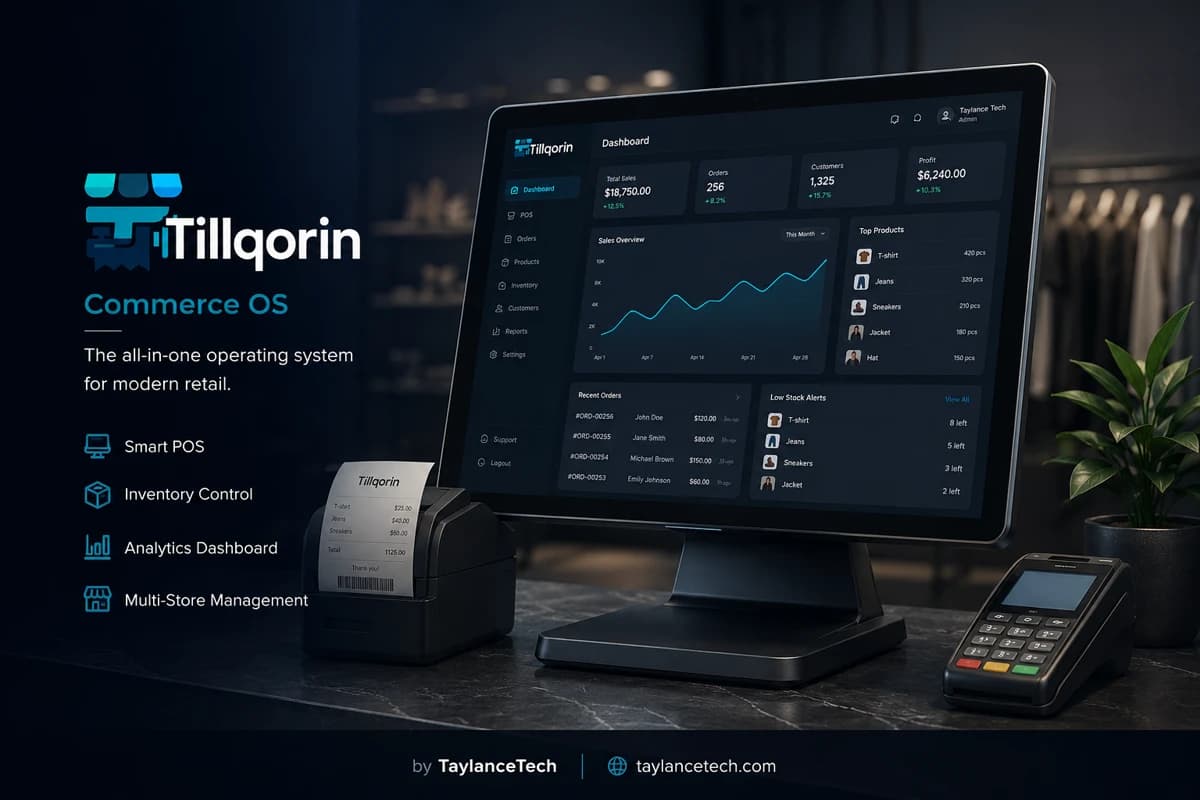
Thermal receipt printing is the POS habit of sending a completed sale to a heat-sensitive roll printer — usually 58mm or 80mm wide — so the customer leaves with a clear slip showing what was bought, what was paid, and which shop issued it.
Shops need it when handwritten notes slow the queue, when screenshots and chat bills cannot be verified later, or when a separate receipt app forces staff to retype totals after the sale. Printing that lives beside the POS creates two truths; printing inside the POS keeps one.
Tillqorin includes thermal receipt printing as a first-class counter setting: configure roll width and margins, apply store branding, print from the sales flow, and optionally include QR verification support on receipts. When a buyer needs a formal page invoice, A4/A5 layouts can come from the same posted sale without re-entering lines.
What it is
What is thermal receipt printing?
A plain definition for shops comparing slip printers and POS software.
Thermal receipt printing uses heat on special paper to create a till slip without ink ribbons for everyday tickets. The printer pulls a roll — commonly 58mm or 80mm wide — and prints item lines, totals, and shop details the customer can take away.
In a POS context, thermal printing means the software builds a receipt layout matched to that roll width and sends it through the device’s print path after a sale is posted. The slip is not a creative brochure; it is proof of the transaction the system just recorded.
People search for thermal receipt printer software, 58mm receipt printer POS, 80mm thermal POS, or POS receipt printer setups when queues demand speed and handwriting cannot keep up. They also search when branding and return references matter more than a blank number list.
Tillqorin supports thermal receipt printing inside the counter workflow at pos.taylancetech.com, with configuration for common roll widths and the option to produce A4/A5 documents from the same sale when a slip is not enough.
- Heat-based printing on 58mm or 80mm rolls
- Layouts sized for till speed
- Shop identity and transaction detail on the slip
- Same-sale path to page invoices when required
Why shops need it
Why shops need thermal receipts inside the POS
The practical reasons owners stop handwriting and screenshotting bills.
Shops need thermal receipt printing when speed at the counter matters. A clear slip finishes the sale, reduces verbal arguments about change, and gives the buyer something to check before leaving the counter.
They need it inside the POS because disconnected receipt tools force retyping. Retyping creates mismatches: the chat bill says one total, the system says another, and nobody can prove which was sold.
They need branded slips when returns, exchanges, or simple trust are part of trading. A receipt with shop identity and readable lines is easier to honor than a torn scrap with a scribbled sum.
They need format choice when the customer mix varies. Walk-in retail often wants a fast thermal slip. Some wholesale or accounts buyers want a page invoice. One system that can do both prevents parallel billing habits.
58 vs 80
58mm versus 80mm thermal receipts
Choosing roll width for real counter work.
58mm rolls are common on compact printers and tight counters. They save paper and space. They also give less horizontal room for long product names, so catalogs with lengthy titles need careful naming or wrapping expectations.
80mm rolls are common where shops want more readable lines, wider logos, or denser item detail without feeling cramped. Many retail counters standardize on 80mm when printer size is acceptable.
The wrong software width for the physical roll is a classic failure. Content designed for 80mm will clip on 58mm paper. Always match Tillqorin’s roll setting to the paper actually loaded.
If you change printers later, retest. A new 58mm device after years of 80mm habits will surprise staff with truncated lines unless settings and naming habits are updated.
- Match software width to loaded paper
- Test long product names on your chosen width
- Keep spare rolls of the correct size only
- Retest after any printer swap
Inside the POS
Why receipt printing must belong inside the POS
One posted sale, one printable truth.
A POS without reliable receipt printing pushes staff into screenshots, chat bills, or a second app that does not know what was just sold. Those workarounds feel fine until a dispute appears and nothing matches.
Printing inside the POS means the slip is generated from the posted sale: same items, same quantities, same totals, same shop record. That alignment is the professional standard for counter trading.
Integration also speeds training. Staff learn one ending action — complete sale, print slip — instead of exporting, copying, and pasting under pressure.
Tillqorin treats thermal printing as part of the sales flow, not as a bolted-on export hobby. Configure once, then print as a normal closing step of the ticket.
Branding
Store branding on thermal receipts
Identity that makes slips useful beyond the doorway.
Unbranded slips look like accidental printouts. Branded receipts remind the customer where the purchase happened and make returns or questions easier to route to the right shop.
Branding on thermal paper has limits. Extremely detailed logos may print poorly on low-density settings. Favor clear shop name, contact essentials you actually want called, and layout that stays readable at arm’s length.
Set branding before the first live customer day. Changing header details after hundreds of slips creates inconsistent paperwork in the wild.
In Tillqorin, store branding settings drive how receipts present your business. Complete them during trial so live week slips already look intentional.
QR receipts
QR codes on receipts — useful, not magical
Optional verification support with realistic expectations.
QR codes on receipts can support modern verification-style workflows when the shop wants a scannable reference on the slip. They are a tool, not a guarantee that every customer will scan or that every dispute disappears.
Use QR when it serves a real process you operate. Adding codes “because competitors do” without a verification habit creates clutter on a small thermal layout.
Keep the rest of the slip readable. A QR that crowds out item lines or totals harms the primary job of the receipt.
Tillqorin includes optional QR verification support for receipts. Enable and test it if your workflow needs it; skip it if your customers and staff gain nothing from it today.
A4 A5 path
Thermal slips and A4/A5 invoices from one sale
Format choice for mixed customer needs.
Thermal slips win on speed. Page invoices win on space for formal detail some buyers or bookkeepers expect. Hybrid shops need both without re-keying the sale.
Train staff on the decision rule. Default to thermal for walk-in retail. Offer A4/A5 when a buyer asks for a formal invoice or when your wholesale habit requires it.
Do not print both formats for every ticket “just in case.” Paper waste and time waste add up. Print the format the buyer needs.
Tillqorin supports thermal plus A4/A5 from the same posted sale so hybrid stores are covered without maintaining two billing truths.
Hardware path
Printers, drivers, and browser print reality
Honest hardware talk for web-based POS printing.
Tillqorin targets standard 58mm and 80mm thermal roll workflows through browser printing. The till device’s operating system must already be able to reach the printer. If Windows or your device OS cannot print a test page, the POS cannot invent a connection.
USB, network, and Bluetooth printers each have setup quirks. Network printers help when a backup laptop must print to the same unit. USB-only printers may require the spare device to sit where the cable reaches.
Browser print dialogs still matter. Staff should know which printer to select, whether silent defaults are configured, and how to cancel a bad job without reprinting three copies into the floor.
Test on the exact till browser you will use live. A setup that works in one browser profile can fail in another if defaults differ.
- OS-level test page before POS blame
- Know USB versus network printer limits on failover
- Train printer selection in the print dialog
- Retest after OS or browser updates
Paper and heat
Thermal paper quality, storage, and fading
Physical realities that software cannot override.
Thermal paper quality varies. Cheap rolls may print light, shed dust into the mechanism, or fade faster in heat and sunlight. For receipts customers might need later, slightly better paper often pays for itself.
Store rolls dry and away from direct sun or hot shelves. Heat-sensitive paper that pre-darkens in storage produces ugly slips and wasted money.
Fading is a known thermal trait over long periods, especially with poor storage. If a buyer needs long-life documentation, offer an A4/A5 print or another durable record path rather than promising eternal thermal clarity.
Keep the printer’s thermal head clean on a sensible schedule. Sticky residue and dust create stripes that look like software bugs.
Layout readability
Making thermal layouts readable in a queue
Design habits that reduce “what does this say?” moments.
Receipts fail when product names are cryptic abbreviations only the owner understands. Use names cashiers can find and customers can recognize on the slip.
Totals must stand out. If the grand total blends into item noise, change and payment conversations get longer. Visual hierarchy on a narrow roll still matters.
Avoid packing every possible field onto 58mm paper. Extra lines that nobody reads only push the important totals farther down and waste paper.
During Tillqorin trial, print a messy real basket: long names, multiple quantities, discounts if you use them. Fix what looks confusing before live week.
Returns and disputes
Receipts as return and dispute anchors
How slips support calm next-day conversations.
A readable receipt gives both sides a shared reference: date, items, totals, shop identity. Without it, disputes become memory contests.
Staff should hand the slip intentionally, not toss it. A customer who pockets a clear receipt is less likely to return with a vague complaint.
For partial returns, the original slip helps confirm what was sold. Shop policy still decides what you accept; the receipt simply reduces factual fog.
Because Tillqorin prints from the posted sale, the slip and the system record can be compared when something looks wrong. That comparison is harder when the bill lived only in a chat thread.
Handwritten upgrade
Moving off handwritten receipt books
A cutover plan for shops still writing totals by hand.
Handwritten books feel familiar and fail under speed. Numbers transpose, item names shorten into mystery codes, and carbon copies smear.
Cut over by proving the printer path first, then retiring the book for live sales once staff can print without panic. Keep the old book for a short reference window if you must, not as a second live authority.
Expect a few days of slower motion while muscle memory changes. That temporary slowdown is cheaper than permanent handwriting errors.
Celebrate the first clean peak hour on thermal. Confidence sticks when the queue survives.
Wholesale hybrid
Thermal printing in hybrid retail and wholesale shops
When some buyers want slips and others want pages.
Hybrid shops frustrate staff when every ticket defaults to the wrong format. Write a simple rule near the till: thermal for counter retail, A4/A5 for named wholesale invoices unless the buyer asks otherwise.
Do not assume wholesale never wants thermal. Some buyers take a slip for the driver and still request a page document later. The system should allow reprinting the right format from the same sale.
Accounts-heavy buyers may reject tiny slips for filing. Respect that preference instead of arguing about paper aesthetics.
Tillqorin’s dual-path printing is for this mix. Train the choice; do not leave it to guesswork during rush.
Failover printing
Printing when the main till device fails
Backup device habits for receipt continuity.
Cloud POS helps you open the shop on a spare device. Receipts still need a physical printer path on that spare. Plan whether the backup laptop can reach the thermal printer.
If the spare cannot print, decide the interim rule: pause for cable moves, use a network printer, or issue temporary handwritten notes to be reconciled — knowing the last option is emergency-only.
Test failover printing once before peak season. Untested plans fail in front of customers.
Store spare rolls with the backup kit. A working printer with empty paper is not a backup.
Staff training
Training cashiers on receipt printing habits
Short drills that prevent public printer theater.
Teach the end-of-sale print action until it is automatic. Hesitation after payment is where queues feel broken.
Teach failure recovery: paper out, printer offline, wrong printer selected. Cashiers should know the first three checks before calling the owner.
Teach when not to reprint endlessly. Three accidental copies waste paper and confuse which slip is “official” for the customer.
Rehearse once a week in the first month. Printer confidence decays if only the owner ever touches the settings.
- Know the default printer name
- Know where spare rolls live
- Know the offline/unplug checks
- Know thermal versus A4/A5 rule
Choosing software
How to choose thermal receipt printer software
Selection tests tied to paper, branding, and POS integration.
Choose receipt software by printing your real sale on your real roll width. If the tool only exports awkward PDFs you crop by hand, it will fail at 1 p.m. on Saturday.
Ask whether branding is configurable. Ask whether 58mm and 80mm are first-class settings. Ask whether a page invoice can come from the same sale. Ask whether printing is inside the POS or bolted on.
Avoid promises of “every printer on earth.” Prefer clear guidance: use a printer your OS can already reach, then configure width in the POS.
Tillqorin fits shops that want thermal receipt printing inside a real sales system, with 58mm/80mm configuration, branding, optional QR support, and A4/A5 when needed.
Myths
Myths about thermal receipt printing
Claims that waste setup time.
Myth: any PDF export equals POS receipt printing. Reality: width, speed, and integration matter at the till.
Myth: thermal slips never fade. Reality: heat, sun, and poor paper affect longevity; use page documents for long-life needs.
Myth: branding requires a design agency. Reality: clear shop name and essentials beat ornate logos that print as blobs.
Myth: one roll width fits every shop forever. Reality: changing printers without changing settings causes cropped receipts.
Myth: QR codes alone prevent disputes. Reality: readable item lines and matching posted sales do more of the work.
Mistakes
Thermal receipt launch mistakes
Errors that create queue embarrassment.
Going live without a quiet-hour test print on the real basket mix.
Loading 58mm paper while software still assumes 80mm.
Leaving branding blank, then wondering why slips look unprofessional.
Letting staff retype sales into a second receipt app “temporarily” until it becomes permanent.
Ignoring paper dust and dirty heads until stripes appear on every ticket.
First month
First-month thermal printing plan
A grounded sequence for trustworthy slips.
Week one: OS print test, width setting, branding, and ten live thermal receipts on real sales.
Week two: train thermal versus A4/A5 choice and fix product names that wrap badly on your roll.
Week three: practice printer failure recovery and confirm spare rolls are stocked.
Week four: test backup-device printing if you rely on failover, and review any dispute that a clearer slip could have prevented.
- Width matched to paper
- Branding complete
- Staff recovery checks known
- Format choice rule posted near till
Metrics
Simple metrics that show receipt printing is working
Operational signals, not vanity design scores.
Count sales that left without any receipt because printing failed. That number should fall quickly after setup.
Count customer questions about unreadable lines or missing shop identity. Improve naming and branding when those questions repeat.
Count accidental reprint stacks. High numbers mean dialog defaults or training need attention.
Count times staff used chat bills instead of POS print. Any recurring use means the printer path is still untrusted.
Ownership
Who should own receipt printing in the shop
Named responsibility keeps paper and settings healthy.
Someone owns roll stock. Someone owns printer cleanliness. Someone owns width and branding settings. Someone owns training new cashiers on print habits. Write the names even in a tiny shop.
Cashiers own selecting the right format and reporting printer faults immediately. Managers own whether chat-bill workarounds are allowed to return.
When ownership is vague, the printer becomes “mysterious” and everyone waits for the owner. When ownership is clear, small faults get fixed before peak hour.
Tillqorin provides the print-capable POS. The shop keeps the physical printer path alive.
Peak readiness
Receipt printing readiness for peak days
Busy periods punish weak paper plans.
Stock extra rolls before festivals and payday rushes. Running out mid-queue forces bad workarounds.
Clean the printer before the peak week, not during it. Schedule a five-minute check.
Confirm the default printer on the till the night before. Surprise default changes create public delays.
After the peak, note which failures happened: paper, offline printer, wrong format choice. Fix those before the next rush.
Poor fit
When thermal-first printing is a poor fit
Boundaries that keep recommendations honest.
If every buyer requires archival page documents and nobody wants a slip, you may print A4/A5 most of the time. Thermal still helps for quick counter copies, but it may not be your primary format.
If the shop cannot provide any OS-reachable printer, no receipt software will help until hardware is fixed.
If leadership insists on chat billing as the official customer document, POS printing will remain unused. Culture must allow the slip to matter.
Tillqorin remains a poor fit for teams seeking permanent unpaid write access after trial. Printing sits inside an active subscribed organization model via Paddle after evaluation.
Professional limits
Professional expectations and limits
What Tillqorin thermal printing is for — and what it is not.
Expect 58mm and 80mm oriented thermal receipt workflows configurable in settings, store branding on slips, printing from the sales flow, optional QR support, and A4/A5 layouts from the same sale when needed.
Do not expect a guarantee that every obscure printer model on earth will work without OS-level setup. Do not expect thermal paper to last forever in heat and sun. Do not expect QR codes to replace clear item lines and posted records.
Do not expect printing to fix catalog chaos. Cryptic product names stay cryptic on paper. Do not expect results if staff bypass the POS with chat bills.
Within those limits, thermal receipt printing is how shops finish sales with speed and proof. Tillqorin is built by Taylance Tech to keep that proof inside the POS at pos.taylancetech.com.
Customer feel
How receipts shape customer trust at small counters
The slip as a quiet professional signal.
Customers judge professionalism partly by paperwork. A clear, branded thermal slip signals that the shop tracks what it sells. A smeared handwritten total signals the opposite, even when the owner is honest.
Trust also comes from consistency. If one day produces chat screenshots and the next produces partial handwritten notes, buyers learn that records are optional. Optional records invite optional payment memories.
Use receipts as part of service: face the customer, offer the slip, confirm the total aloud when change is involved. Software printing supports that service; it does not replace courtesy.
Over time, solid receipt habits reduce friction more than any single marketing slogan on the header. Substance first, decoration second.
The problem
Receipt printing problems shops hit first
These failures appear at the till long before owners search for thermal receipt printer software.
Printing treated as an afterthought
Generic tools export a PDF and leave staff fighting paper size while customers wait.
Unbranded number dumps
Slips show totals with no shop identity or usable return reference.
One format for every buyer
Retail queues hate full-page waits; wholesale buyers often reject tiny slips for accounts.
Handwritten receipts under rush
Errors and unreadable totals create disputes the next day.
Chat bills with no system trail
Screenshots leave the shop without a matching posted sale when questions arise.
Wrong roll width in software
80mm content forced onto 58mm paper crops lines and destroys trust in the slip.
Tillqorin
How Tillqorin handles thermal receipt printing
Roll-width settings, branding, sales-flow printing, optional QR support, and page invoices when needed.
58mm and 80mm thermal configuration
Set roll width and margins for the thermal printer your operating system can already reach.
Store branding on the slip
Put shop identity on the receipt customers take home and may use for returns.
Print from the posted sale
Send the thermal slip from the same sales flow that updated stock and totals.
Optional QR on receipts
Support modern verification-style receipt workflows where QR on the slip is useful.
A4/A5 when a full document is required
Produce formal invoice layouts from the same sale for accounts-heavy buyers.
Browser-based print path
Use standard printing from the web POS at pos.taylancetech.com on devices you control.
Who it’s for
Who thermal receipt printing fits
Counters that need fast slips, clear branding, and a path to page invoices.
- Retail counters with 58mm or 80mm thermal roll printers
- Shops upgrading from handwritten receipt books
- Hybrid stores that need thermal speed and A4/A5 formality
- Owners who treat the receipt as a branded customer touchpoint
- Teams tired of retyping sales into a separate receipt app
- Wholesale-leaning shops that still want a till slip option
Getting started
How to start thermal receipts in Tillqorin
A practical path from settings to a trusted customer slip.
- 1
Confirm the printer on the till device
Make sure the operating system can already print to your thermal printer before blaming the POS.
- 2
Set roll width and branding
Choose 58mm or 80mm, adjust margins, and apply store identity in settings.
- 3
Complete a test sale
Ring a real product mix and print during a quiet hour — not during peak queue.
- 4
Check cut, density, and readability
Confirm lines are complete, totals are clear, and paper advances cleanly.
- 5
Train the thermal vs A4/A5 choice
Teach staff when a fast slip is enough and when a buyer needs a page invoice.
Checklist
Thermal receipt printing go-live checklist
Confirm these items before you promise every customer a clean slip.
- Thermal printer passes an OS-level test page from the till device
- Correct roll size loaded — 58mm or 80mm
- Tillqorin width setting matches the loaded paper
- Margins checked so left/right text is not clipped
- Store branding completed for live receipts
- Test sale printed with long product names included
- Totals readable at arm’s length
- Spare rolls stored dry and labeled by width
- Staff know thermal versus A4/A5 choice rule
- Paper-out and printer-offline recovery practiced once
- Default printer name confirmed in the browser dialog
- Backup device print path tested if failover matters
- Chat-bill workaround officially retired for normal sales
- QR option enabled only if you have a real use for it
- Peak-week extra roll stock counted in advance
Compare
Tillqorin thermal printing vs disconnected receipt methods
What changes when the slip comes from the same posted sale.
| Criterion | With Tillqorin | Typical alternative |
|---|---|---|
| Integrated print | Print from the POS sale itself | Copy totals into a separate receipt app |
| Roll sizes | 58mm and 80mm configuration in settings | Guess-and-crop PDFs on the wrong width |
| Branding | Store settings drive receipt identity | Generic unbranded text dumps |
| Format flexibility | Thermal slip plus A4/A5 from one system | Two printers, two softwares, two truths |
| Queue speed | Fast roll printing for walk-in buyers | Handwriting or full-page waits for every sale |
| Dispute readiness | Slip matches the posted sale record | Chat screenshots with no system anchor |
FAQ
Thermal receipts — frequently asked questions
Practical answers about thermal receipt printer software and how Tillqorin handles it.
What is thermal receipt printing in a POS?
It is printing a till slip on heat-sensitive roll paper — usually 58mm or 80mm — from the same sale the POS just posted, so the customer leaves with item and total proof tied to the shop record.
Which thermal printers work with Tillqorin?
Tillqorin targets standard 58mm and 80mm thermal roll workflows via browser printing. Use a printer your operating system can already print to, then configure width in Tillqorin settings.
Can receipts show my shop name and branding?
Yes. Store branding settings control how receipts present your business. Set them up before serving live customers.
Do I need thermal printing for wholesale?
Not always. Many wholesale buyers prefer A4/A5 invoices. Tillqorin supports thermal and page formats so hybrid shops can choose per sale.
What about QR codes on receipts?
Tillqorin supports optional QR verification-style receipt workflows. Use QR when it serves a real process; keep item lines and totals readable either way.
Why do my receipts look cut off?
Usually the software width does not match the loaded roll, or margins are too tight. Confirm 58mm versus 80mm settings and reprint a test basket.
Do thermal receipts last forever?
No. Heat, sunlight, and paper quality affect fading over time. For long-life documentation needs, use A4/A5 or another durable record path.
Who builds this POS printing workflow?
Taylance Tech builds and operates Tillqorin. Shops configure and print from the web app at pos.taylancetech.com during trial and after subscription.
Keep exploring
Related Tillqorin guides
More pages on billing, stock, cloud setup, and small-shop use — same product, different focus.
Create bills & invoices
What invoice software is, how to create bills, and how Tillqorin prints saved sales invoices.
Read guideRetail POS
What retail POS is, why stores need it, and how Tillqorin runs walk-in checkout.
Read guidePOS system
What a POS system is, why shops need one, and how Tillqorin runs the counter sale.
Read guideBilling software
What billing software is, why shops need it, and how Tillqorin creates customer bills.
Read guideWant to try Tillqorin at your counter?
Start a trial on the live app at $9/month after trial, or contact Taylance Tech if your shop needs a custom setup.