
 Tillqorin by Taylance Tech
What is invoice software — and how do shops create bills?
Create clear sales invoices, print the format your customer needs, and keep every document findable with Tillqorin at pos.taylancetech.com.
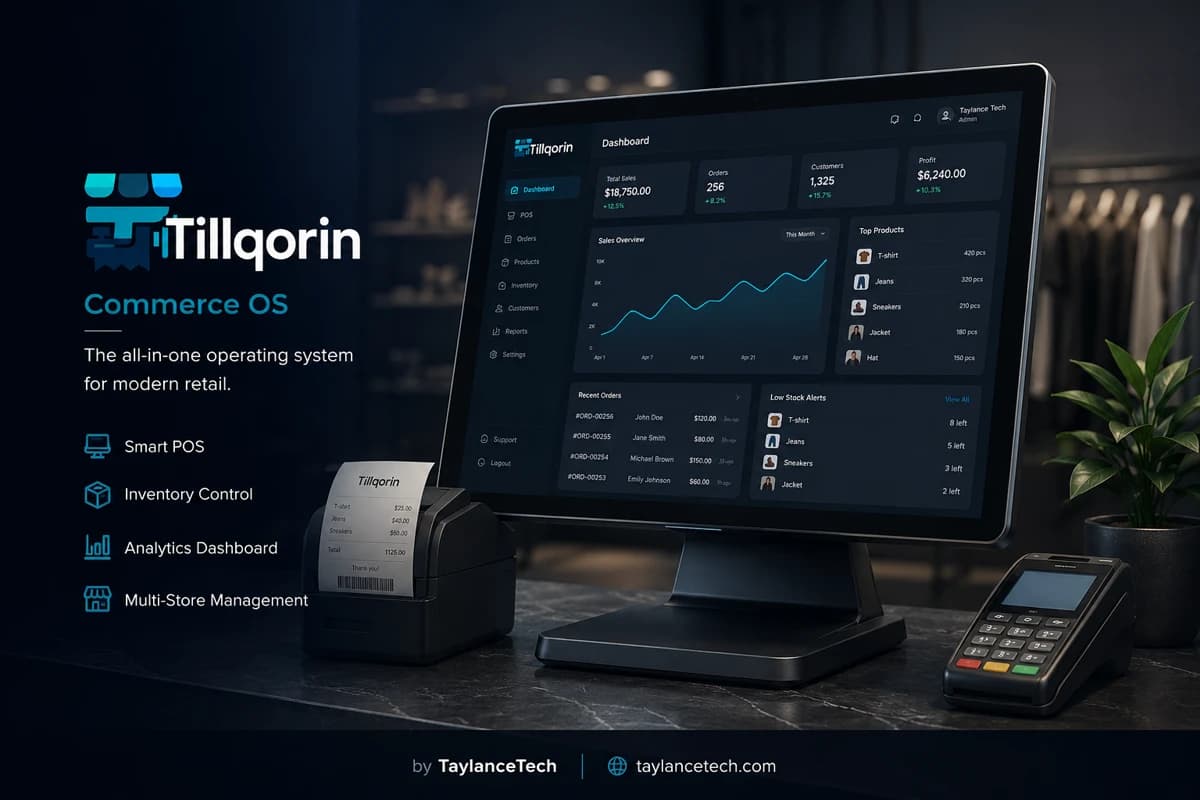
Invoice software helps a shop create a clear sales invoice for a customer: the list of items, quantities, rates, any discount or tax lines, the total due, and enough shop identity for the buyer to recognize who issued the document. People also search “create bill” when they want that same outcome quickly at the counter.
Shops need invoice software when Word templates, bill books, or calculator totals produce inconsistent documents. Problems appear as duplicate invoice numbers, missing item lines, reprints that do not match the original, and buyers who reject unclear papers for their own records.
Tillqorin creates invoices through its sales workflow at pos.taylancetech.com. You build the invoice from your product list, complete payment or credit details, and print a thermal slip or a larger invoice layout from the same saved sale. The invoice remains in history so copies and reviews do not depend on a single paper stub.
What is invoice software
What is invoice software?
Invoice software is used to create, print, and store customer invoices for goods sold.
An invoice is a commercial document that states what was sold, at what price, in what quantity, and what amount the buyer should pay. Invoice software is the tool that builds that document from structured data instead of freehand writing or ad-hoc file edits.
In shops, the words “invoice,” “bill,” and “receipt” are often mixed. A receipt often means proof of payment for a completed counter sale. An invoice often means a formal itemized charge document, sometimes paid later. Many shops need both styles of print from one sale. Invoice software should support that without forcing two different totals.
Invoice software typically includes a product or service list, line entry, automatic line totals, a document total, optional discount and tax lines, customer details when needed, and print or download output. For a shop, storage and retrieval matter as much as layout. An invoice you cannot find next week is a weak invoice.
Search phrases like “invoice software,” “create bill,” “sales invoice software,” and “invoice generator for shop” usually share one intent: produce a correct customer document quickly and keep a copy. Tillqorin addresses that intent inside its sales order flow rather than as a disconnected PDF designer.
Invoice software is not a substitute for professional tax advice. Tax rules differ by place and business type. Tillqorin provides fields you can use on sales documents; your accountant or local rules decide how tax must be treated for compliance.
A practical definition for shop owners: invoice software lets you create an itemized sales invoice, print the format the buyer needs, and reopen that same invoice later without rebuilding it from memory.
That definition excludes tools that only decorate a page. If staff cannot retrieve yesterday’s invoice during today’s argument, the shop does not yet have working invoice software — only a printer workflow.
- Itemized sales document for the customer
- Structured lines and calculated totals
- Print or copy from a saved record
- Optional credit settlement on account
- Retrieval when the paper is lost
Why you need it
Why shops need invoice software
You need invoice software when document quality and retrieval start affecting cash, trust, or time.
You need invoice software when buyers ask for clearer papers. Business customers often refuse vague totals. They want item names, quantities, and a total they can file.
You need it when invoice volume rises. Handwriting remains possible at low volume. At high volume, wrong rates and skipped lines become routine.
You need it when more than one person issues invoices. Shared templates on one laptop create bottlenecks and version chaos. A shared sales catalog with saved history scales better.
You need it when reprints are common. Delivery staff lose papers. Accounts offices request copies. Retrieving a saved invoice is safer than inventing a replacement document.
You need it when discounts and tax must appear openly. Spoken discounts disappear from evidence. Documented lines reduce later conflict.
You need it when credit invoices are part of trade. An invoice on account is still an invoice. It must identify the customer and the amount due, not only the goods.
If your shop only issues a few simple cash slips a day and never reprints, paper may still work. The switch becomes urgent when documents are questioned, shared across staff, or required in a clearer format.
Another signal is time cost: if creating each invoice takes longer than handing over the goods, document work is stealing counter capacity. Structured line entry from a product list usually shortens that gap after a short learning period.
- Buyers who need file-ready invoices
- High daily invoice count
- Frequent reprint requests
- Visible discount or tax lines
- Credit invoices with customer identity
Invoice vs receipt
Invoice, bill, and receipt — plain differences
Clear words help staff choose the right print and the right conversation with the customer.
A bill, in everyday shop language, often means any charge paper given to a customer. It is a broad word.
A receipt usually confirms that payment happened, or at least presents the sale for a paid counter handover. Thermal slips are common for this moment because they are fast.
An invoice usually presents the detailed charge. It may be paid immediately or later. Larger print layouts are common when the buyer’s office will keep the paper.
Tillqorin allows thermal and larger formats from the same sale record. That means the underlying invoice data stays one source of truth even when the paper size changes.
Do not create a “formal invoice” in a separate Word file after already saving a different total in software. Two documents for one sale is how disputes begin.
Train staff with one rule: the saved sale is the invoice record; print is only an output of that record.
Invoice contents
What a clear sales invoice should include
Strong invoices are easy to read. They are not decorated for decoration’s sake.
Shop identity should appear so the buyer knows who issued the charge. Branding settings in Tillqorin support recognizable print output.
Invoice identity matters. A sequence or reference helps you and the buyer point to the same document later. Tillqorin uses per-organization sequences for sales documents.
Each line should identify the product clearly enough that a third person can understand it next week. Vague lines such as “misc goods” weaken the invoice.
Quantity and rate should be visible. Hidden math invites suspicion even when the total is fair.
Discount and tax, when used, should appear as explicit lines or fields rather than silent changes to a single total.
Settlement status should be obvious in your process: paid now, partly paid, or on credit. The invoice conversation changes with that status.
Date and, when relevant, customer name strengthen the document for credit and wholesale use. Cash walk-in slips can be shorter, but credit invoices should not be anonymous.
- Readable shop identity
- Stable document reference
- Clear item lines
- Visible qty, rate, and total
- Explicit discount or tax when used
- Customer identity on credit invoices
Create invoice
How to create an invoice in Tillqorin
The create-invoice path is the sales order completed carefully and printed deliberately.
Start a new sales order. Add products by barcode or search. Set quantities. Confirm rates before you proceed. Most invoice errors begin on the first wrong line.
Add discount or tax according to your shop policy. Do this while the customer can still review the breakdown. Changing totals after cash is awkward and avoidable.
If the customer needs a moment, hold the invoice and resume it later. Rebuilding long invoices under pressure is a common source of missing lines.
Choose settlement. Paid invoices should reflect how money was taken, including split payment when that is real. Credit invoices should select the customer account.
Post the sale so the invoice becomes a saved record. Then print the format required: thermal for a quick handover, or a larger A4/A5 layout for filing needs.
Open history once after your first practice invoice and confirm you can find it. Retrieval practice is part of learning invoice software, not an advanced topic.
- Build lines from the product list
- Review discount and tax before posting
- Hold if interrupted
- Post, then print the needed format
- Verify the invoice in history
Numbering
Invoice numbering and why it matters
Numbering protects both the shop and the buyer when documents multiply.
Invoice numbers help people refer to one sale without describing every line. They also help detect missing documents in a sequence during review.
Problems start when reprints are treated as new invoices, when two pads run in parallel, or when staff invent numbers on the fly. Those habits create colliding references.
Tillqorin assigns sales document identity through organization-level sequences. That supports consistent numbering as more staff create invoices.
If a customer asks for a copy, reprint the existing invoice. Do not allocate a fresh number for the same sale unless your controlled process explicitly requires a replacement document for a true correction case.
Keep a simple staff rule: one sale, one primary invoice record, as many prints as needed from that record.
Print formats
Choosing thermal slips vs larger invoice pages
Print format is a customer experience choice, not a second accounting system.
Thermal slips suit busy retail handoffs. They are quick to print and easy to take away. Configure 58mm or 80mm width and branding before go-live so early customers do not receive poorly framed test output.
Larger invoice pages suit buyers who keep paperwork for their own accounts. Wholesale and B2B-style purchases often need this. Printing from the same sale keeps the total aligned.
Match format to audience, not to habit alone. A wholesale buyer may accept thermal in a rush once, then ask for a fuller page the next day. Be ready to reprint the saved invoice in the larger layout.
Paper quality and printer readiness are operational details. An invoice system that cannot print during peak hours fails in practice. Keep supplies stocked and printers tested.
Avoid decorative clutter that hides totals. Invoice print should prioritize item clarity and the amount due.
Corrections
Corrections, reprints, and invoice integrity
How you fix mistakes decides whether invoice history stays trustworthy.
Mistakes happen: wrong quantity, wrong rate, wrong customer on a credit invoice. The response should preserve a clear trail.
Prefer controlled correction paths in the product over deleting history. Silent deletion teaches staff that invoices are disposable, which weakens every future dispute review.
Reprints are not corrections. A reprint duplicates the same record for a lost paper. A correction changes the commercial facts. Keep those ideas separate in training.
If a posted invoice is wrong, follow the sale update or reverse process your team learned in trial, then issue the corrected customer document according to that process. Practice this with sample data before a live conflict.
Never “fix” an old dispute by creating an unrelated new invoice with a guessed total. Link actions to the original sale whenever the system allows.
Wholesale invoices
Invoices for wholesale and account customers
Wholesale invoice expectations are stricter because another office may process the paper.
Account customers often need the business name correct, lines that match dispatched goods, and a total they can approve for payment later.
Issue credit invoices only with a selected customer. Anonymous credit invoices recreate notebook dues inside software.
Partial payments against invoiced dues are normal in wholesale rhythm. Keep settlement activity connected to accounts so the invoice’s unpaid remainder stays visible over time.
When goods and paperwork travel separately, confirm that the invoice lines match what left the shop. Quantity mismatches between invoice and delivery are a common B2B complaint.
Tillqorin supports credit sales and customer balances alongside invoice creation. Use that for account trade, while still treating each invoice as a concrete document in history.
Choosing software
How to choose invoice software for a shop
Evaluate invoice tools with real create-print-retrieve tests.
Create an invoice with your own product names, including two items that sound alike. Confirm the correct lines appear.
Add a discount and, if you use tax on sales documents, a tax line. Print and check that the breakdown is understandable.
Hold an invoice halfway, resume it, and complete it. Interruption handling is daily reality.
Post, print thermal, then reprint a larger format from the same record if you need both. Totals must match.
Ask a second user to find and reprint the invoice. Shared retrieval is a shop requirement.
Confirm who can create invoices versus who can change settings. Role separation protects document rules.
Tillqorin is built and operated by Taylance Tech. The application runs at pos.taylancetech.com. Choose it when you want invoices inside the same sales system that runs the counter, not a disconnected template toy.
Customer handoff
Handing the invoice to the customer without confusion
The last meter of invoice work is human: how staff explain the paper.
A correct invoice can still create confusion if staff cannot explain the total. Train a short handoff: name the total, mention discount or tax if present, and state whether payment is complete or due later.
For credit invoices, say the customer name on the account and the expectation for payment timing your shop uses. Ambiguity at handoff becomes an argument next week.
If the buyer wants a photo of the invoice, allow it from the printed page or from a reprint. Do not invent a second unofficial total in a chat message that disagrees with the saved invoice.
When a buyer claims a line is wrong at the counter, fix it before posting when possible. Fixing after posting requires the correction process and more time. Prevention is cheaper.
Keep spare paper and a working printer in the counter routine. An excellent invoice system with an empty roll still fails the customer standing in front of you.
Data habits
Catalog habits that improve every invoice
Invoice quality depends on product names and rates long before the print button.
If product names are unclear, every invoice inherits that unclear language. Rename items the way customers and cashiers speak, while keeping enough detail to avoid SKU mix-ups.
If rates change often, update the product rate instead of relying on one-off edits on each invoice. Constant manual rate overrides make monthly review impossible.
If two products share nearly identical names, invoices will show the wrong one under pressure. Distinct names and barcodes protect invoice accuracy.
Archive or stop using discontinued products rather than recycling old records for new goods. Recycled identities make historical invoices misleading.
Spend one quiet hour improving the top fifty invoiced products. That hour improves hundreds of documents afterward.
Myths
Myths about invoice software
These myths delay useful upgrades.
Myth: “A PDF template is enough.” Truth: templates print; shops also need shared history, stable identity, and consistent rates.
Myth: “Invoices are only for big companies.” Truth: small shops issue invoices every day under other names — bills and slips — and still need accuracy.
Myth: “Fancy design means professional.” Truth: clear lines and correct totals are what buyers and staff trust.
Myth: “We can rewrite copies by hand.” Truth: handwritten copies often change numbers and create parallel truths.
Myth: “Invoice software will make tax decisions for us.” Truth: software provides fields and totals; tax treatment needs local guidance.
Myth: “Once we print, we are done.” Truth: retrieval, credit follow-up, and corrections are part of invoice work.
Mistakes
Common invoice mistakes during software launch
Avoid these errors to keep invoice quality high from week one.
Launching without practice reprints, then panicking when a buyer asks for a copy on day two.
Letting staff keep Word invoices “for official use” beside Tillqorin sales, producing two totals.
Skipping customer selection on credit invoices.
Editing rates casually on every invoice until the price list means nothing.
Sharing the owner login so any helper can change print and billing settings.
Going live on the busiest day of the month with no sample invoices completed in trial.
Quality
Invoice quality standards customers notice
Customers may not use software words, but they notice document quality immediately.
They notice whether item names are understandable.
They notice whether the total is easy to find.
They notice whether the shop name looks intentional or like a blank test print.
They notice whether a reprint matches what they were told earlier.
They notice whether credit terms are clear enough to avoid awkward follow-up calls.
Invest first in clarity and consistency. Those traits improve collection, reduce arguments, and make staff faster because fewer invoices need verbal explanation.
Tillqorin gives you the structure. Your catalog names, branding settings, and staff habits determine whether the invoice feels professional in the customer’s hand.
First month
First-month plan for invoice software
Measure success by cleaner documents and faster retrieval, not by unused features.
Week one: issue all routine invoices in Tillqorin for entered products. Retire the daily Word template for those items.
Week two: standardize when to use thermal versus larger print. Put the rule on a card near the counter.
Week three: handle at least one real reprint from history and one credit invoice review using saved records.
Week four: review common invoice errors from the month — wrong qty, missing customer on credit, rate edits — and retrain once.
Keep examples of good invoices as internal samples for new staff. Showing a correct print teaches faster than abstract policy.
If an invoice requirement in your trade cannot be expressed with lines, totals, and print formats, capture one real sample and discuss it with Taylance Tech.
Professional use
Professional use and realistic limits
Good invoice practice includes knowing what software can and cannot do.
Invoice software improves document control and speed. It does not guarantee higher sales by itself, and it does not replace bookkeeping judgment or licensed tax advice in your area.
Choose tools based on demonstrated create-print-retrieve workflows with your own products. Avoid buying only because a brochure uses strong adjectives.
Tillqorin is operated by Taylance Tech for day-to-day shop sales documents. Use the trial to prove the invoice flow with sample data before you move every customer onto it.
Handle customer details carefully. Keep names and contact data only as needed for invoicing and account follow-up, according to your local obligations and shop policy.
The problem
Invoice problems shops face without proper software
These document failures appear before owners search for invoice software or “create bill” tools.
Templates that drift from real prices
Each edited Word invoice becomes a one-off document with rates nobody can audit later.
No stable invoice identity
Reprints and fresh handwritten copies create conflicting numbers for one sale.
Buyers reject incomplete papers
Business customers ask for clearer item lines and totals than a rushed notepad provides.
Mid-sale interruptions break the invoice
A customer steps away and the unfinished list is lost, then rebuilt with errors.
Discount shown only in spoken words
The printed invoice hides the reduction, so later disputes have no shared reference.
Invoice exists as a PDF only on one laptop
The file is not a shared shop record, so staff cannot retrieve it during the next shift.
Tillqorin
How Tillqorin creates and prints invoices
Sales-order invoicing with hold, settlement options, print formats, and history.
Create invoice from products
Add lines by scan or search, set quantities and rates, and review the total before posting.
Discount and tax fields on the invoice
Show adjustments on the document so the printed total matches what was agreed.
Hold an unfinished invoice
Park a sale mid-way and reopen it without retyping every line.
Thermal slip or larger invoice print
Choose the output format the buyer needs from the same saved sale.
Invoice history and reprints
Open the original sale later and print again without inventing a new document.
Credit invoices on customer accounts
Issue an invoice on account when payment will follow after delivery or agreement.
Who it’s for
Who this invoice software fits
For shops that must issue correct customer invoices every day and retrieve them later.
- Retail counters that must create bills quickly and accurately
- Wholesale desks that issue formal invoices to business buyers
- Owners replacing Word or Excel invoice templates
- Shops that need reprints without rewriting history
- Teams that create many invoices daily and need consistent numbering
Getting started
How to start creating invoices in Tillqorin
Practice create, hold, print, and reprint before peak hours.
- 1
Open your Tillqorin shop
Sign up at pos.taylancetech.com and verify email to start a trial.
- 2
Load products you invoice often
Enter names and rates for items that appear on most invoices.
- 3
Set print preferences
Configure thermal width and shop branding, then print a sample invoice.
- 4
Create practice invoices
Build paid and credit examples, including one held invoice you resume later.
- 5
Confirm history and reprint
Find a practice invoice in history and print a second copy on purpose.
Checklist
Invoice go-live checklist
Complete these steps before you issue every customer invoice from Tillqorin.
- Enter products that appear on most invoices, with correct rates
- Set shop branding and print sizes; print one sample invoice
- Create a paid practice invoice and find it in history
- Create a credit practice invoice with a named customer
- Hold an invoice, resume it, and complete it
- Reprint one invoice on purpose
- Write the staff rule for thermal vs larger print
- Create cashier logins for people who issue invoices
- Stop daily use of Word/Excel templates for entered products
- Confirm trial timing and where subscription billing is managed in the app
Compare
Tillqorin invoices vs templates and bill books
A direct comparison for shops still building invoices by hand or by disposable file edits.
| Criterion | With Tillqorin | Typical alternative |
|---|---|---|
| Creating the invoice | Lines from the live product list | Copy an old Word file and edit by hand |
| Invoice total | Calculated from lines, discount, and tax fields | Manual calculator total written at the bottom |
| Interrupted sale | Hold and resume the same invoice | Restart and hope you remember every line |
| Reprint request | Print again from saved history | Write a new paper and risk a new number |
| Credit invoice | Tied to a customer account | “Pay later” note with no document trail |
| Staff creating invoices | Shared catalog with role-based logins | One person’s laptop holding all templates |
FAQ
Create bills & invoices — frequently asked questions
Practical answers about invoice software and how Tillqorin handles it.
What is invoice software?
Invoice software helps you create itemized sales invoices, calculate totals, print or copy the document, and keep a record you can open later.
Is “create bill” the same as creating an invoice?
In shop language, yes — both mean producing the customer charge document. Tillqorin does that through the sales order and print flow.
Can Tillqorin create sales invoices?
Yes. Build the sale from products, apply discount or tax when needed, post it, and print a thermal slip or larger invoice layout.
What is the difference between a receipt and an invoice?
A receipt is often the quick proof at payment handover. An invoice is the itemized charge document, sometimes used for credit or filing. Tillqorin can print different formats from the same sale.
Can I hold an invoice and finish it later?
Yes. Hold the sales invoice mid-way and resume it so you do not rebuild lines from memory.
Can I reprint an invoice?
Yes. Open the saved sale in history and print again. Avoid writing a new handwritten invoice with a new number for the same sale.
Can I issue a credit invoice?
Yes. Select the customer account and complete the invoice so the due remains visible.
Does invoice software handle my tax compliance automatically?
No software should be treated as automatic legal compliance. Tillqorin provides fields for amounts on sales documents; follow your local rules and advisor guidance for tax treatment.
Do I need special hardware to create invoices?
A computer or tablet with a browser is enough to start. A thermal printer and optional office printer support physical copies.
Can multiple staff create invoices?
Yes. Use separate logins and roles so daily invoice creation does not require sharing the owner account.
Who provides Tillqorin?
Taylance Tech builds and operates Tillqorin at pos.taylancetech.com.
Will invoice software replace my accountant?
No. It improves daily sales documents and retrieval. Accountants still help with books, filings, and advice.
Keep exploring
Related Tillqorin guides
More pages on billing, stock, cloud setup, and small-shop use — same product, different focus.
Billing software
What billing software is, why shops need it, and how Tillqorin creates customer bills.
Read guidePOS system
What a POS system is, why shops need one, and how Tillqorin runs the counter sale.
Read guideThermal receipts
What thermal receipt printing is, why shops need 58mm/80mm slips inside the POS, and how Tillqorin also covers A4/A5 when needed.
Read guideAccounts & ledgers
What accounts ledger software is, why shops need party balances tied to real sales, and how Tillqorin keeps customers, suppliers, cash, and banks clear.
Read guideWant to try Tillqorin at your counter?
Start a trial on the live app at $9/month after trial, or contact Taylance Tech if your shop needs a custom setup.