
 Tillqorin by Taylance Tech
What is billing software — and why does your shop need it?
Create clear customer bills, track credit charges, and keep invoice history in one place with Tillqorin at pos.taylancetech.com.
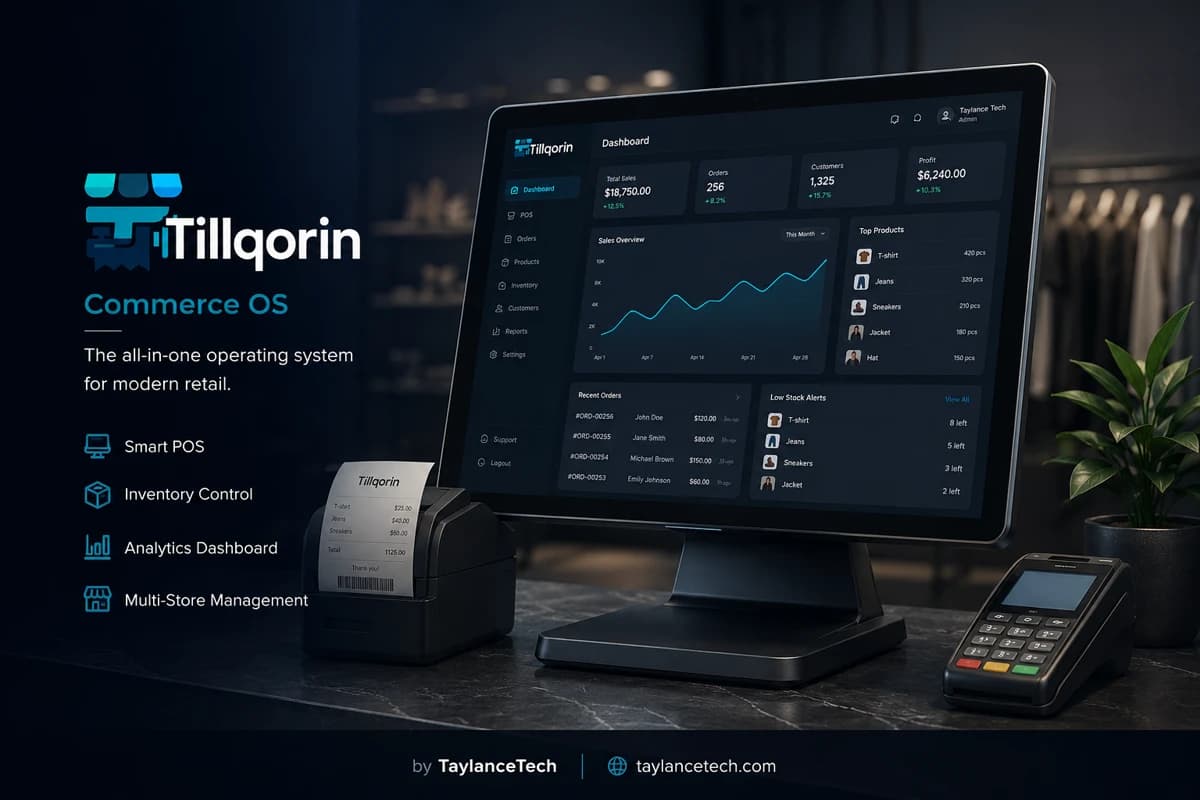
Billing software is the tool shops use to create bills and invoices for customers. A bill lists what was sold, at what rate, in what quantity, with any discount or tax, and shows the total the customer must pay now or later. Without billing software, that work usually sits in a bill book, a Word file, or a spreadsheet that someone rewrites for every sale.
Shops look for a billing system when creating each bill takes too long, invoice numbers get mixed up, credit sales are hard to track, or printed bills do not match what was actually charged. Retail needs speed at the counter. Wholesale needs clearer invoices and customer dues. Both need a record they can find again next week.
Tillqorin includes billing inside its sales workflow at pos.taylancetech.com. You build a bill from your product list, adjust lines, apply discount or tax when needed, take cash or put the amount on a customer account, and print a thermal slip or a larger invoice. The bill is saved in your shop history so you are not reconstructing charges from memory.
What is billing software
What is billing software?
Billing software helps a shop create, print, and keep customer bills in order.
Billing software is used to prepare the commercial document of a sale: the bill or invoice. That document tells the customer what they bought, what it cost, and what they owe. In a shop, billing happens many times a day. The software’s job is to make each bill correct, readable, and findable later.
A billing system usually starts from a list of products or services with rates. The user adds lines to a bill, changes quantities, and lets the software calculate line totals and the grand total. Many shops also need discount fields, tax fields, and a place to record whether the bill was paid or left on credit.
Billing is related to point of sale work, but the focus is different. Point of sale talk often centers on counter speed and the sale moment. Billing talk centers on the document itself: clear lines, correct totals, invoice identity, payment status, and copies for the customer or their accounts team. Tillqorin handles both in one sales flow. This article stays on the billing side of that work.
People search for “billing software,” “billing system,” “shop billing software,” and “retail billing software” when paper methods fail. They want to create a bill quickly, print it, and stop losing track of what was charged. Wholesale buyers add another need: invoices that look formal enough to file, plus dues that do not vanish.
Good billing software does more than design a pretty layout. Layout matters, but the record behind the print matters more. If you can print a beautiful invoice and still cannot answer “what did we bill Ali last Thursday?”, the tool is incomplete for shop use.
Tillqorin’s billing path is the sales order: products become bill lines, payment or credit is chosen, and print finishes the customer-facing step. The saved bill remains in your organization history so reprints and reviews do not depend on carbon copies.
In short: billing software exists so every charge to a customer is itemized, totaled, settled or marked on credit, printed when needed, and stored where your team can open it again without hunting through paper.
- Create itemized bills from a product list
- Calculate totals with discount and tax as needed
- Record paid vs credit settlement
- Print a slip or a fuller invoice from the same bill
- Keep bill history you can open later
Why you need it
Why shops need billing software
You need billing software when making and finding bills by hand starts costing money or trust.
You need billing software when bill volume rises. Writing twenty neat bills by hand is possible. Writing two hundred with stable rates and clean numbers is where mistakes multiply.
You need it when more than one person creates bills. Two bill books in one shop almost guarantee overlapping invoice numbers or missing pages. Shared software with one product list keeps numbering and rates under control.
You need it when customers ask for copies. Business buyers lose papers. Account offices request duplicates. Retrieving a saved bill is faster and safer than rewriting from memory.
You need it when discounts are common. Festival rates, bulk rates, and “special for this customer” deals are hard to police on paper. Fields on the bill make the reduction visible instead of hidden in a rewritten total.
You need it when tax must appear on the bill. Even a simple tax line is easy to forget under pressure. Billing software keeps the field in the same place on every document.
You need it when credit sales are normal. Wholesale and neighborhood retail both use pay-later. Billing software should connect the bill to a customer so the unpaid amount has a home. Without that, collection becomes personal negotiation instead of a list.
You may still bill on paper if you sell only a handful of items and one person handles every charge. The switch becomes urgent when lines form, staff grow, or dues become a second job after closing.
A practical signal: if you cannot produce yesterday’s full bill list before lunch, your billing method is already behind your shop. Software will not remove the need for honest entry, but it removes the scavenger hunt.
- High daily bill count
- More than one person creating bills
- Frequent reprint or copy requests
- Regular discounts or tax lines
- Credit bills that must stay visible
Bill contents
What a proper shop bill should contain
Before you choose software, know what the bill itself must show.
Every useful bill needs a shop identity: name and enough detail for the customer to know who charged them. Tillqorin store settings support branding on printed output so slips do not look anonymous.
Every bill needs clear lines: item name, quantity, rate, and line amount. Vague lines like “goods” help nobody when a dispute appears three days later.
Every bill needs a total the customer can trust. If discount or tax applies, those lines should be visible, not buried inside a single unexplained number.
Every bill needs an identity in your records. Shops rely on sequences so two invoices are not confused. Tillqorin uses per-organization sequences so bill numbering stays consistent as your team grows.
Every bill needs a settlement story: paid now, partly paid, installment, or on credit. If settlement is only spoken, the paper lies by omission.
Optional but valuable: customer name on credit or wholesale bills, and a print size that matches the situation — small thermal for a quick retail handoff, larger page when the buyer’s office will file it.
If your current bill book skips half of these, billing software is not a luxury. It is how you stop arguing about incomplete documents.
Create bill
How to create a bill in Tillqorin
The billing path in Tillqorin follows the sales order from empty bill to printed document.
Open the sales screen and start a new bill. Add the first product by barcode or search. Add the remaining products the customer is taking. Set quantities carefully. A wrong quantity is as bad as a wrong rate.
Review rates on each line. Change a rate only when the shop means to offer a special price. Habit-editing rates on every bill destroys consistency and makes later comparisons useless.
Apply discount or tax according to your shop rules. Do this before you take payment, while the customer can still see the breakdown. Surprises after cash is taken create conflict.
Choose settlement. If the customer pays now, record the payment method your shop uses, including split payment when needed. If they will pay later, put the bill on their customer account instead of writing “credit” in a margin.
Post the bill and print. For a walk-in retail handoff, thermal output is usually enough. For a buyer who needs a filing copy, use a larger A4 or A5 layout from the same bill. Do not create a second document in Word with a different total.
After posting, confirm the bill appears in history. That confirmation is part of learning the system. If staff skip it, they will not trust reprints later.
If the customer steps away mid-bill, hold the bill and resume it. Restarting from zero is how lines get dropped and totals drift.
- Add lines from the product list
- Check qty, rate, discount, and tax
- Choose paid or credit settlement
- Post and print the correct format
- Confirm the bill in history
Credit billing
Credit bills and customer dues
Credit billing is where many paper systems fail hardest.
A credit bill is still a real bill. The goods left the shop. The only difference is settlement timing. Treating credit as an informal favor is how dues grow without a list.
In Tillqorin, credit billing uses customer accounts. You select the customer, complete the bill, and leave the amount on that account. Later you can see what remains due instead of reconstructing chats.
Wholesale billing leans on this heavily. Traders expect invoices on account and partial payments over time. Retail shops use the same pattern for trusted regulars. The software path is the same idea: the bill must know who owes.
Collection work becomes simpler when each unpaid bill has a customer home. You still have to call and collect. Software cannot replace follow-up. It can replace guesswork about the amount.
Do not mix cash and credit carelessly on the same habit. If a bill is credit, post it as credit. If part is paid now, use the payment options the sales flow supports instead of a private side note nobody else can read.
Train staff that a credit bill without a customer name is incomplete. Nameless credit is how money disappears politely.
Print and copies
Printing bills, receipts, and reprints
Billing is not finished until the customer has a document that matches the saved record.
Thermal printing suits fast retail billing. The slip is small, quick, and enough for most walk-in buyers. Set width (58mm or 80mm) and shop branding in settings before go-live so the first real customer does not receive a blank-looking test page.
Larger invoice layouts suit buyers who file paperwork. Wholesale desks hear this request often. Printing A4 or A5 from the same bill keeps one total and one record.
Reprints should come from the saved bill. Writing a “copy” by hand with a new number creates false history. If a customer lost the paper, open the original bill and print again.
Corrections need discipline. A wrong bill should be fixed through the product’s controlled sale paths, not by deleting evidence. Learn the correct correction habit on trial with sample bills before you need it with an angry customer waiting.
Bill design should stay boring and clear. Fancy decoration does not help if item names are truncated or totals are hard to find. Clarity beats decoration in shop billing.
Retail and wholesale billing
Retail billing and wholesale billing in one shop
Many local businesses do both. The bill requirements change even when the product list is shared.
Retail billing prioritizes speed and a compact slip. The buyer is present. They want the total now. Long invoice ceremonies slow the queue.
Wholesale billing prioritizes identity and dues. The buyer may represent a business. They want the customer name right, the lines clear, and a page they can photograph or file. Payment may come later.
Tillqorin uses one billing flow for both. You change how you fill the bill — customer account, print format, settlement — not which software you open. That prevents the common failure of “software for retail, notebook for wholesale.”
Hybrid shops should write two short rules for staff: when to use thermal vs larger print, and when a bill must be on a customer account. Without rules, staff choose the fastest private method under pressure, and records suffer.
If your work is almost only formal invoices with no counter rush, you will still care about sequences, reprints, and credit. If your work is almost only rush retail, you will still care about correct totals and findable history. Billing software earns its place in both cases for different reasons.
Choosing software
How to choose billing software for a shop
Judge billing tools by bill quality and record quality, not by brochure adjectives.
Test create-bill speed with your real product names. If search fails on the names you actually use, daily billing will frustrate staff.
Test discount and tax on a sample bill. Confirm the printed breakdown matches the screen before payment.
Test a credit bill on a named customer. Then ask: where do I see what they still owe? If the answer is unclear, keep looking.
Test reprint from history. Lose the paper on purpose during trial. Recover the bill. If recovery needs a technician, the tool is too fragile for a normal shop.
Test two users creating bills. Confirm rates come from one list and numbers do not collide in confusing ways.
Ask who operates the product. Tillqorin is built and run by Taylance Tech. The live app is at pos.taylancetech.com. Support and customization conversations go to the same studio.
Avoid tools that only export a PDF and leave no shop history. A file on one laptop is not a billing system for a team.
Start with the bills you create every day. Do not delay launch until every rare document type is perfect. Daily billing discipline beats perfect templates you never finish.
Disputes
Using billing records when customers disagree
Clear bills reduce arguments. Saved history ends arguments that paper cannot settle.
Disputes usually start from three gaps: unclear lines, unclear totals, or missing proof of what was agreed. Billing software helps when each bill shows items and amounts the customer saw at the time.
When a customer says the total was different, open the saved bill. Compare lines together. If your team printed from the same record they posted, the conversation stays factual instead of emotional.
When a customer says they already paid a credit bill, review the account activity around that bill. You may still need bank proof for some payments, but you will not begin from a blank notebook.
When a staff member is unsure what was charged last week, bill history protects both the shop and the employee. Guessing under pressure is how goodwill burns.
Teach a simple rule: do not invent a new bill to settle an old argument. Open the original. Reprint if needed. Correct through the proper path if a true error exists. Parallel “adjustment bills” without links create new confusion.
Myths
Myths about shop billing software
These beliefs keep shops on broken bill books longer than they should.
Myth: “Any invoice template is billing software.” Truth: a template prints. Billing software also stores history, totals, and often payment or credit status.
Myth: “We only need billing, never records.” Truth: the record is why you bill in software. Without history, reprints and dues become new work.
Myth: “Wholesale needs completely different billing software from retail.” Truth: many shops need one bill engine with different customer and print choices.
Myth: “Handwritten bills look more trustworthy.” Truth: customers trust clear item lines and correct totals. Neat handwriting does not fix a wrong rate.
Myth: “We will move old dues into software next month.” Truth: next month rarely comes. Enter active credit customers early or staff will keep dual systems forever.
Myth: “The fanciest invoice design wins.” Truth: readable lines and correct math win. Decoration that hide totals lose arguments.
Mistakes
Common billing mistakes when switching to software
Most billing launches fail from process gaps, not missing buttons.
Entering products without stable rates. Staff then edit prices on every bill and you lose a standard price list.
Allowing credit bills without customer selection. Nameless credit recreates the notebook problem inside the software.
Printing from Word “for official invoices” while Tillqorin holds the real bill. Two totals will diverge.
Never checking bill history after posting. Staff who never look back will not trust reprints.
Giving every helper the owner login so anyone can change billing rules. Use cashier roles for daily bill creation.
Launching on a busy festival day with no practice bills. Practice on a quiet window first.
Ignoring tax or discount policy differences between staff. Write the rule once. Train everyone on the same rule.
First month
Getting value from billing software in the first month
Success is cleaner bills and fewer night rebuilds — measured in daily work, not slogans.
Week one: make every counter charge in Tillqorin for the products you have entered. Keep a short emergency paper plan only if systems fail, then enter those bills the same day.
Week two: stop maintaining a parallel Excel invoice sheet. Parallel billing guarantees mismatch.
Week three: use bill history in a real customer conversation — a reprint request or a due discussion. That is the moment owners feel the upgrade.
Week four: review which bills are unpaid on account customers and start collection from the list, not from memory.
Throughout the month, fix naming problems that slow bill creation. If search fails, rename products to match how cashiers speak. Billing speed is partly catalog hygiene.
If a billing rule in your shop cannot be expressed on the bill, write it down and contact Taylance Tech with a sample. A concrete sample bill explains more than a vague complaint.
Bill vs books
Billing software and your books
Billing creates commercial documents. Books summarize money. They connect, but they are not identical jobs.
Shop owners sometimes expect billing software to replace a full accountant on day one. That expectation causes disappointment. Billing’s first duty is correct customer-facing charges and a usable history of those charges.
When bills are posted in Tillqorin, they feed the operational picture of the shop: what was charged, what was paid, what sits on customer accounts. That helps daily control even before a formal monthly closing with an accountant.
If you work with an external bookkeeper, clean digital bills reduce their cleanup time. Bring them readable history instead of a bag of slips. Ask what export or report view they need, then use Tillqorin’s reports and ledgers as you grow into them.
Do not delay billing software until your full accounting chart is perfect. Start by making bills you trust. Expand into deeper accounts work after daily billing is stable.
The problem
Billing problems shops hit with paper and templates
These issues show up before owners search for billing software.
Rewriting the same bill layout every time
Copying last week’s Word invoice and changing three lines wastes time and invites wrong rates.
Invoice numbers that collide or skip
Two people billing from the same pad, or reprints treated as new bills, create duplicate numbers and messy books.
Credit billed with no clear due amount
“Pay later” written on paper does not tell you what is still owed next Friday.
Discount and tax mistakes under pressure
Mental math during a rush is how shops give away margin or overcharge and lose trust.
Customer asks for a copy and you cannot find the original
If bills live only on paper slips, a reprint request becomes a search through drawers.
Pretty PDF bills that never become shop records
Some tools print well but leave no usable history of what was billed, paid, or pending.
Tillqorin
How Tillqorin handles shop billing
Bill creation, settlement, print, and history in the live sales flow.
Create a bill from your product list
Add lines by scan or search, set quantities and rates, then review the total before you post.
Discount and tax on the bill
Apply the adjustments your shop uses so the printed total matches what you charged.
Cash, split pay, installments, or credit
Record how the bill will be settled instead of leaving payment notes on sticky paper.
Print thermal or larger invoice formats
Give walk-in customers a receipt slip, or print a fuller invoice page when a buyer needs it — from the same bill.
Bill history you can open again
Find what was billed, reprint when needed, and stop rebuilding old charges from chat screenshots.
Customer accounts for credit bills
When a bill goes on account, the due stays visible on that customer instead of disappearing into a notebook.
Who it’s for
Who this billing software fits
For shops that create customer bills every day and need records they can trust.
- Retail shops replacing handwritten bill books
- Wholesale traders who invoice buyers on credit
- Owners tired of Word or Excel invoice templates
- Counters that need both quick slips and formal invoice pages
- Teams that must create many bills a day without losing number order
Getting started
How to start billing in Tillqorin
Practice real bills on trial before you move the whole shop.
- 1
Sign up and open your shop
Register at pos.taylancetech.com, verify email, and start on trial.
- 2
Add products with selling rates
Enter the items you bill most often, with the rates customers already expect.
- 3
Create customers you bill on credit
Add account customers before you need them in a rush.
- 4
Create and print a practice bill
Build a bill with a few lines, apply a discount if you use one, print it, and confirm it appears in history.
- 5
Train staff on one billing path
Agree how discounts, credit, and reprints are handled so every bill follows the same rules.
Checklist
Billing go-live checklist
Complete these steps before you rely on Tillqorin for every customer bill.
- Enter top products with the rates you actually charge
- Add the credit customers you bill most often
- Set shop branding and thermal width; print a test bill
- Create a practice bill with discount or tax if you use them
- Create one credit bill on a named customer and confirm the due shows
- Reprint a bill from history on purpose
- Agree staff rules for credit, discounts, and reprints
- Create cashier logins for people who will bill
- Retire the Word or Excel invoice template for daily bills
- Note the trial end date and open Billing once in the app
Compare
Tillqorin billing vs paper or Word invoices
A direct comparison for owners still creating bills by hand or template.
| Criterion | With Tillqorin | Typical alternative |
|---|---|---|
| Creating a bill | Lines from your product list with live rates | Rewrite a Word template or bill-book page |
| Bill total | Software calculates qty × rate, discount, tax | Calculator and crossed-out handwritten totals |
| Credit bill | Saved against a customer account | “Udhar” note with no running total |
| Finding an old bill | Open sales/bill history | Search paper stacks or WhatsApp photos |
| Reprint | Print again from the saved bill | Write a second bill and risk a second number |
| Many staff billing | Shared catalog, separate logins | Two pads, two handwriting styles, mixed numbers |
FAQ
Billing software — frequently asked questions
Practical answers about billing software and how Tillqorin handles it.
What is billing software?
Billing software helps a shop create itemized bills or invoices, calculate totals, record payment or credit, print the document, and keep a history of what was charged.
What is a billing system for a retail shop?
It is the daily method for creating customer bills at volume — with stable rates, clear totals, and records you can find again. Tillqorin provides that through its sales billing flow in the browser.
Is Tillqorin billing software?
Yes. Tillqorin’s sales order is used to create bills, apply discount or tax, take payment or credit, print receipts or invoices, and store bill history for the shop.
Can I create a bill with discount and tax?
Yes. Add line items, then apply the discount and tax fields your shop uses so the printed total matches the charge.
Can I bill a customer on credit?
Yes. Place the bill on a customer account so the due remains visible instead of living only in a notebook or chat.
Can I print both small receipts and larger invoices?
Yes. Thermal slips suit quick retail handoff. A4 or A5 layouts suit buyers who need a fuller invoice page. Both can come from the same bill.
How do invoice numbers work?
Tillqorin uses per-organization sequences so bill numbering stays consistent as your team creates sales.
What if a customer loses the bill?
Open the saved bill from history and print again. Avoid writing a new handwritten copy with a new number.
Do I need the internet to bill in Tillqorin?
Yes. Tillqorin runs online at pos.taylancetech.com. Use a stable connection and a backup hotspot if outages are common.
Can more than one person create bills?
Yes. Invite staff with roles so cashiers can create bills without sharing the owner login.
Is billing software only for wholesale?
No. Retail shops use it for speed and accurate slips. Wholesale uses it for clearer invoices and credit dues. Many shops need both patterns.
Who builds Tillqorin?
Taylance Tech builds and operates Tillqorin. The app is at pos.taylancetech.com. Contact Taylance Tech for demos or custom needs.
Keep exploring
Related Tillqorin guides
More pages on billing, stock, cloud setup, and small-shop use — same product, different focus.
Create bills & invoices
What invoice software is, how to create bills, and how Tillqorin prints saved sales invoices.
Read guidePOS system
What a POS system is, why shops need one, and how Tillqorin runs the counter sale.
Read guideWholesale billing
What wholesale billing is, why traders need it, and how Tillqorin handles account invoices and dues.
Read guideAccounts & ledgers
What accounts ledger software is, why shops need party balances tied to real sales, and how Tillqorin keeps customers, suppliers, cash, and banks clear.
Read guideWant to try Tillqorin at your counter?
Start a trial on the live app at $9/month after trial, or contact Taylance Tech if your shop needs a custom setup.