
 Tillqorin by Taylance Tech
What is retail POS software — and why do stores need it?
Run faster walk-in checkout, print clear thermal receipts, and keep retail sales recorded with Tillqorin at pos.taylancetech.com.
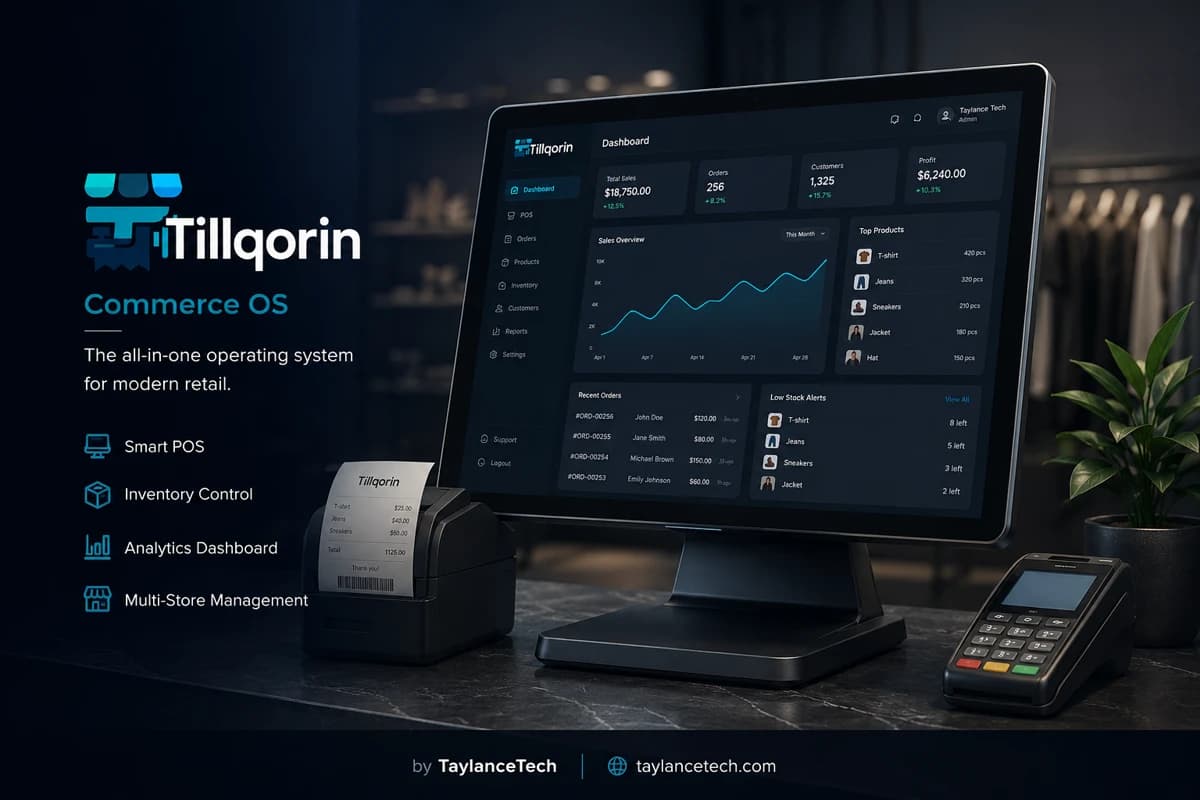
Retail POS software is the counter system a store uses to check out walk-in customers quickly and accurately. In a retail shop, buyers stand in line, expect a fast total, take a receipt, and leave. The software must support that rhythm: find items fast, finish payment, print a slip, and keep the sale recorded for the shop.
Retail stores need a retail POS when handwritten rates, shared calculators, or slow desktop tools create queues and mistakes. Peak evenings expose every weak step. A missed barcode, a forgotten discount rule, or a single shared computer login becomes a customer-facing problem within minutes.
Tillqorin is used as retail POS at pos.taylancetech.com. Cashiers scan or search products, hold a sale if a shopper steps away, take payment, print thermal receipts, and work under staff roles designed for store counters. Inventory and accounts sit in the same product for owners who need more than a standalone cash register screen.
What is retail POS
What is retail POS software?
Retail POS is point of sale software shaped for store checkout traffic.
Retail POS software is the system a store uses at the checkout counter to process walk-in sales. The typical retail moment is short: items are presented, prices are applied, payment is taken, a receipt is printed, and the next person in line moves forward. The software is judged by how safely that moment repeats hundreds of times.
Retail POS differs in emphasis from wholesale desk work. Retail prioritizes speed, scanning, short receipts, and high transaction counts. Wholesale often prioritizes account invoices and dues. Many shops do both, but a retail POS page should speak to the queue first.
A useful retail POS includes product lookup by scan or search, clear line totals, payment capture, receipt printing, and a sales history the owner can review after closing. Staff logins matter because retail stores often hire helpers who should sell without changing store configuration.
Tillqorin serves retail counters through its sales order screen in the browser. It is not a toy cash register theme. It is store operations software where retail checkout sits beside stock and accounts when the owner needs them.
Search terms such as “retail POS,” “retail POS software,” “POS for retail store,” and “shop POS system” usually mean the same buying intent: improve checkout reliability for walk-in trade.
Definition in one line: retail POS software runs the store checkout so each walk-in sale is fast, correct, printed, and recorded.
That definition keeps evaluation honest. A tool may include rich reports and still fail as retail POS if cashiers cannot finish a basket while three people wait. Start with checkout fitness, then judge surrounding modules.
Retail POS also implies resilience to ordinary store mess: wrinkled barcodes, customers adding one last item, payment method changes at the last second, and staff who are skilled with people but new to software. Good retail systems expect those events.
- Built for walk-in checkout speed
- Scan or search product entry
- Payment and receipt in one flow
- Staff logins for retail teams
- Sales history after the rush
Why retail needs it
Why retail stores need a POS
Retail needs POS when checkout friction starts costing sales and reputation.
Retail customers compare experiences quickly. A slow till feels like disrespect even when products are good. POS software reduces avoidable delay by keeping rates and item identity on screen.
Retail hiring depends on teachable checkout. If only the owner can price items, growth stalls. A retail POS holds product rates so a trained cashier can complete sales.
Retail peaks are unforgiving. Weekends and evenings compress volume into short windows. Systems that feel fine at noon can fail at 7 p.m. Retail POS must stay usable under that pressure.
Retail proof matters. Many buyers still want a printed slip. Thermal receipts from the sale give shared numbers for returns conversations and basic trust.
Retail owners need day summaries without unpaid night labor. When every sale is already recorded, closing becomes review rather than reconstruction.
A tiny counter with very few items and one seller may survive without software briefly. As soon as assortment and staffing grow, retail POS becomes the cheaper path.
There is also a trust cost. When totals feel improvised, shoppers question fairness even if your prices are honest. A consistent on-screen basket and printed slip reduce that suspicion without requiring a long explanation at the till.
Finally, retail owners pay in personal time. If every closing requires reconstructing sales from memory, the store steals evenings from the same person who already worked the floor. Recorded checkout returns those evenings.
- Faster, calmer queues
- Cashiers who can sell without owner hovering
- Stable performance in peak hours
- Printed proof for walk-in buyers
- Same-day sales records for owners
Retail counter
What makes retail checkout different
Retail checkout design follows the physical line at the counter.
Retail shoppers are physically present and time-sensitive. Long explanations at the till create visible queue stress. Screens should keep actions obvious.
Retail baskets vary: one item, or twenty. The POS must handle both without feeling heavy on small sales or fragile on large ones.
Retail interruptions are common. A shopper forgets a bag and leaves the line. Hold-and-resume prevents discarded carts and angry re-entry to the queue.
Retail payment mixes are local and practical. Cash remains common in many stores. Split payments and credit for known regulars also appear. The till should record what actually happened.
Retail receipt expectations are usually compact. Thermal output matches the moment. Larger invoices are occasional for specific buyers, not the default for every walk-in.
Retail success is measured in line movement and error rate, not in how many unused modules surround the checkout button.
Sound matters too in a literal sense: scanners, drawers, and printers create a checkout tempo staff can feel. When software breaks that tempo with laggy search or unclear buttons, retail fatigue rises and mistakes follow.
Layout of the counter still matters. Place scanner, keyboard or touch target, and printer so hands travel short distances. Retail POS software cannot compensate for a counter built against the cashier’s body.
Checkout flow
A retail checkout in Tillqorin
This is the store-floor path cashiers repeat.
Open the sales screen. Scan the first item. Scan or search the rest. Confirm quantities, especially on loose or multi-unit items where mistakes are common in retail.
Apply discount only according to store policy. Retail discounts under pressure need rules, not improvisation, or margin disappears quietly.
If the shopper steps away, hold the sale. Serve the next person if your process allows, then resume the held sale when they return.
Take payment. For paid retail sales, record the settlement clearly. For known customers buying on account, select the customer rather than writing informal notes.
Post the sale and print the thermal receipt. Confirm the slip shows the store identity you configured.
If something looks wrong immediately, use the proper correction path learned in trial. Do not invent a second conflicting paper sale.
- Scan or search each item
- Check quantities before payment
- Hold when interrupted
- Post and print the retail slip
- Correct through controlled steps
Peak hours
Running retail POS during peak hours
Peak hour readiness is part of retail POS selection, not an afterthought.
Before peak, confirm printers have paper and the browser session is signed in on the till device. Mid-rush setup is how lines explode.
Keep the retail catalog searchable for the names cashiers actually say. Peak failures often come from naming, not from missing advanced features.
Limit policy debates during the rush. Discounts, returns timing, and credit approval should have predetermined rules so the till does not become a meeting room.
If internet is required, as with Tillqorin’s online app, keep a backup connection plan for outages. Retail customers will not wait for a philosophical discussion about networks.
Assign till roles clearly. One person stuck both selling and solving stockroom questions slows everyone. Retail POS works best when the cashier can stay in the sale screen.
After peak, do a short review: failed scans, held sales left open, receipt complaints. Small fixes between peaks improve the next rush more than annual software shopping.
If held sales are often abandoned, ask whether staff understand resume steps or whether customers are being forced into hold too early. Peak metrics are about behavior, not only software capacity.
Protect one rule in peak: no catalog redesign at the till. Renaming products or creating duplicates during rush creates lasting inventory and search damage for a short perceived gain.
Staffing
Cashiers, training, and retail POS roles
Retail POS succeeds when people can use it under fatigue.
Train cashiers on a short script: scan, review total, take payment, print, next customer. Extra modules can wait until the script is fluent.
Give each cashier a login. Shared passwords destroy accountability and make retail shrinkage discussions harder.
Tillqorin roles help separate selling from administration. Cashiers should complete retail sales without access to sensitive store controls.
Use sample baskets in training: single-item sale, ten-item sale, held sale, discount sale if your store uses discounts. Practice beats lecture.
Watch the first live shifts. Note where hands hesitate. Hesitation points are design or training issues you can fix quickly.
Replace blame with process notes. If every cashier misses the same step, the step is unclear. Retail teams improve faster that way.
Receipts
Retail receipts that support the store brand
The receipt is often the last branded object a shopper touches.
Configure thermal width and store branding before launch. A blank or cut-off slip makes the store look careless.
Keep receipt content clear: items, totals, and store identity. Avoid clutter that hides the amount paid.
Retail returns and complaints often start at the slip. A readable receipt reduces “I was charged differently” arguments.
When a shopper needs a larger invoice page, print from the same sale rather than rebuilding totals elsewhere.
Test print quality at the start of day. Retail trust is practical: paper present, printer alive, branding correct.
Scanning
Barcodes and retail speed
In retail, scanning is checkout speed infrastructure.
Put barcodes on the products that appear in most baskets first. That delivers speed where volume lives.
Ensure each retail barcode maps to one product. Duplicate codes create the wrong line at the worst time — in front of a queue.
Teach cashiers what to do when a code fails: controlled search by name, then fix the product record after the rush if needed. Do not invent prices silently as a habit.
Print shelf or pack labels from the same catalog when stickers are required, so the floor matches the till.
Measure scan success informally for a week. Repeated failures on the same item are catalog debt, not cashier failure.
Retail stock link
Why retail POS should not ignore stock
Retail checkout and shelf quantity are connected even when roles differ.
Retail stockouts become public instantly: the shopper is standing there. A POS that never updates quantities forces owners into blind reordering.
Tillqorin updates stock when sales are posted, which helps retail operators keep till activity and shelf reality aligned. Deep stock strategy belongs in inventory practice; at retail checkout, the key is that selling reduces quantity.
Cashiers should not become full-time stock clerks during peak. Still, obvious zero-stock warnings and owner reviews after peak prevent repeat embarrassment.
Receiving goods matters for retail too. If purchases never enter stock, the till will eventually sell against empty truth. Coordinate receiving outside the peak when possible.
Choosing
How to choose retail POS software
Choose retail POS with peak-hour tests, not demo-hour theater.
Bring your real product names and barcodes to any evaluation. Ask the cashier candidate on your team to run ten sales.
Test hold-and-resume. Retail interruptions are not edge cases.
Test receipt printing until it is boring. Boring printing is good retail engineering.
Test a second user login selling while the owner account is not shared.
Confirm what happens if your main till PC fails. With a browser POS like Tillqorin, another device can continue if connectivity is available.
Be clear about internet needs. Online retail POS requires a connection plan. Do not pretend otherwise.
Tillqorin is built by Taylance Tech for shop operations including retail checkout. Evaluate it on your counter workflow at pos.taylancetech.com during trial.
Returns desk
Retail returns and complaint conversations at the till
Retail POS records make return talks shorter and fairer.
Retail returns are emotional when proof is weak. A clear receipt from the original sale gives both sides a shared starting point.
Train staff to open the sale record when a slip is missing and the purchase was recent enough to find. Guessing refunds from verbal descriptions creates loss and inconsistency.
Set a store policy for return windows and condition of goods. Software supports the conversation; policy decides the outcome.
Do not handle returns by inventing a random negative note disconnected from history if your process supports proper correction flows. Linked history protects the shop during later review.
Separate “customer is upset” from “record is unclear.” Retail teams that keep records clear spend less time in avoidable conflict.
Store devices
Devices and counter setup for retail POS
Retail software needs a counter that can survive a full shift.
Use a stable browser-capable computer or tablet as the till device. A spare charged device reduces panic when hardware fails mid-evening.
Prefer a USB scanner that behaves like a keyboard for retail speed. Test it on your real packs, not only on perfect demo labels.
Keep the thermal printer powered and loaded before doors open. Retail customers experience your printer readiness as store professionalism.
Cable management is retail safety. Loose charger cables at the till cause delays and accidents during rush.
With Tillqorin online, place the router or backup hotspot plan where staff can switch quickly. Connectivity is part of the retail counter kit.
Owner view
What retail owners should review after closing
A short owner review turns retail POS data into better decisions.
Look at total sales first, then at unusual voids or corrections. Patterns matter more than one noisy transaction.
Check whether cashier activity looks plausible for the shift. Separate logins make this review possible.
Note top-selling items from the day or week. Retail buying should follow what checkout actually moves.
Review receipt complaints, if any. Print issues are operational defects, not minor annoyances.
Keep reviews short and consistent. A ten-minute daily habit beats a monthly crisis meeting.
Myths
Myths about retail POS
These myths keep stores on weak checkout methods.
Myth: “Retail POS is only for malls.” Truth: neighborhood stores with queues need checkout software as soon as volume rises.
Myth: “A calculator till is fine if we are careful.” Truth: care declines exactly when retail gets busy.
Myth: “Any billing screen is retail POS.” Truth: retail POS must survive scanning, interruptions, receipts, and staffing — not only print a total.
Myth: “We will train staff later.” Truth: untrained retail staff invent unsafe shortcuts during the first peak.
Myth: “Hardware brands matter more than workflow.” Truth: workflow and receipt reliability usually decide daily pain.
Myth: “Software guarantees higher retail sales.” Truth: POS improves checkout control; merchandising and service still drive demand.
Mistakes
Retail POS launch mistakes
Avoid these store-floor mistakes during go-live.
Entering only half the retail assortment, then falling back to paper for “everything else.”
Skipping cashier logins and sharing the owner account on day one.
Going live on the biggest sale day without rehearsal baskets.
Ignoring printer prep until the first real customer is waiting.
Changing discount policy verbally every hour during the first week.
Running parallel paper checkout for months with no end date.
Floor rhythm
A practical daily rhythm for retail POS
Retail POS works best inside a simple store routine.
Open: sign in, test print one slip, confirm scanner responds on a sample item.
Day: post sales as they happen. Do not batch retail slips for night entry.
Peak: keep cashiers in the sale screen; move non-till tasks off the counter.
Close: review sales totals and obvious exceptions while memory is fresh.
Weekly: fix top scan failures and rename confusing products.
Monthly: review which retail items dominate sales so buying matches checkout reality.
Hybrid stores
Retail-first stores that also invoice accounts
Many stores are retail-first with occasional account sales.
Keep retail checkout as the default path for walk-ins. Do not force every shopper through a heavy account invoice ritual.
When a regular buys on credit, switch to customer selection deliberately. Staff should know that this is a different settlement, not a casual exception without records.
Print format can change for those account buyers without changing the underlying sale record.
Write two short rules on a card: default retail path, account path. Hybrid confusion at the till creates both queue delay and messy dues.
Professional use
Professional expectations for retail operators
Clear limits keep decisions honest and content trustworthy.
Retail POS improves checkout control, receipt quality, and sales records. It does not automatically increase foot traffic or replace store management judgment.
Online systems require connectivity planning. Build a backup internet option if outages are common in your area.
Tax and fiscal rules vary by location. Use document fields appropriately and follow local guidance for compliance obligations.
Tillqorin is a real operations product from Taylance Tech. Validate it with your own retail baskets during trial before full rollout.
Avoid extravagant promises to staff or partners about what software will fix. Retail POS fixes checkout execution when people use it consistently. It will not repair poor assortment, weak suppliers, or unstaffed shifts.
Customer trust
Building shopper trust through consistent retail checkout
Retail trust is built in small repeated moments at the till.
Shoppers notice when every cashier quotes prices the same way from the same screen. Consistency feels fair.
Shoppers notice when receipts match spoken totals. Mismatch destroys trust faster than a slow line.
Shoppers notice when staff stay calm because the till is predictable. Panic at checkout is contagious in a queue.
Use retail POS as a stability tool: same steps, same records, same print path. Stability is a professional standard, not a luxury feature.
First month
First month on retail POS
Judge the first month by queue calm and cashier confidence.
Week one: retail fast movers only, every walk-in sale in Tillqorin, receipts printing reliably.
Week two: cashier-only logins on all shifts; owner account off the open till.
Week three: measure repeated scan failures and fix product codes/names.
Week four: add remaining assortment in priority order while protecting checkout speed.
Keep a short incident list: printer jams, held sales forgotten, discount confusion. Resolve from the list weekly.
If a retail workflow cannot be completed on the sale screen with your real products, capture one example basket and discuss it with Taylance Tech.
The problem
Retail checkout problems stores feel first
These counter failures appear before owners search for retail POS software.
Queues grow while prices are checked manually
Retail customers rarely wait patiently while staff hunt rates in a notebook.
Evening rush multiplies small errors
Wrong quantities and hurried discounts pile up when the line is long.
One slow till blocks the whole floor
Retail traffic concentrates at checkout; a stuck sale freezes the store experience.
New cashiers freeze without price knowledge
Retail hiring fails when the till depends on the owner’s memory.
Receipts look unfinished or unbranded
Walk-in buyers notice careless slips even when the total is correct.
After closing, nobody can reconstruct the day
Retail volume makes paper reconstruction painful and unreliable.
Tillqorin
How Tillqorin works as retail POS
Checkout speed, held sales, receipts, scanning, and cashier roles for store floors.
Fast retail checkout screen
Scan or search items, set quantities, and finish the sale without fighting the interface.
Hold sale during interruptions
Park a bill when a shopper leaves mid-checkout, then resume without rebuilding the cart.
Thermal receipts for walk-ins
Print 58mm or 80mm slips with store branding for the queue.
Barcode-friendly product entry
Use codes on fast movers so retail scanning stays quicker than typing.
Cashier and owner roles
Let floor staff sell while protecting settings and subscription controls.
Same-day sales visibility for owners
Review retail sales after the rush without retyping every slip.
Who it’s for
Who this retail POS fits
For stores whose main pressure is the walk-in queue at the counter.
- General retail stores with walk-in traffic
- Specialty shops replacing cash registers or bill books
- Owner-operated stores hiring a first cashier
- Retail counters that already use scanners and thermal printers
- Stores that need faster checkout during evenings and weekends
Getting started
How to launch Tillqorin as retail POS
Start with fast movers, receipt printing, and cashier practice baskets.
- 1
Create the store organization
Open pos.taylancetech.com, register the shop, and verify the email address that will receive admin notifications.
- 2
Load retail fast movers first
Enter the products that appear in most checkouts, with rates and barcodes.
- 3
Set receipt printing
Configure thermal size and branding, then print a test slip.
- 4
Practice peak-style checkouts
Run several sample sales including one held sale and one multi-item cart.
- 5
Add cashier logins before go-live
Train helpers on the retail sale screen using their own accounts.
Checklist
Retail POS go-live checklist
Complete these steps before you put live retail queues on Tillqorin.
- Enter top retail fast movers with correct rates
- Add barcodes on the highest-volume scan items
- Configure thermal receipts and print a test slip
- Practice ten checkouts including one held sale
- Create cashier logins for every till user
- Test scanner and printer at opening time
- Write peak-hour discount and credit rules on a card
- Prepare backup internet if outages are common
- Retire parallel paper checkout for entered products
- Schedule a week-one review of scan failures and receipt issues
Compare
Tillqorin retail POS vs manual checkout
A direct comparison for stores still checking out with notebooks, calculators, or fragile desktop habits.
| Criterion | With Tillqorin | Typical alternative |
|---|---|---|
| Checkout speed | Scan-led sales on a web retail POS | Manual price lookup and rewritten bills |
| Interrupted shopper | Hold and resume the sale | Cancel and start again |
| Staff coverage | Cashier logins with limited permissions | Owner account shared at the till |
| Customer proof | Thermal receipt from the posted sale | Handwritten total on scrap paper |
| Busy-day records | Sales stored as they happen | Night reconstruction from memory |
| Device backup | Sign in on another browser device | Till trapped on one failing PC |
FAQ
Retail POS — frequently asked questions
Practical answers about retail POS and how Tillqorin handles it.
What is retail POS software?
It is checkout software for store counters that process walk-in sales: find items, take payment, print receipts, and record sales for the shop.
Is Tillqorin a retail POS?
Yes. Tillqorin’s sales screen is used for retail checkout with scanning, held sales, payments, thermal receipts, and staff roles.
Do I need barcodes for retail POS?
Not required for every item on day one, but barcodes on fast movers usually improve retail speed a lot.
Can cashiers use Tillqorin without full admin access?
Yes. Create cashier logins so staff can sell while sensitive settings stay protected.
Does retail POS need internet with Tillqorin?
Yes. Tillqorin runs in the browser at pos.taylancetech.com. Plan a stable connection and a backup option if outages are common.
Can I hold a sale if a customer leaves the line?
Yes. Hold the sale and resume it later so you do not rebuild the cart.
Can I print thermal receipts for retail customers?
Yes. Configure 58mm or 80mm printing and store branding, then print from the sale.
Will retail POS alone grow my store sales?
No. It improves checkout execution and records. Marketing, assortment, and service still drive demand.
Can a retail store also do credit sales?
Yes. Use customer accounts when that is part of your trade, while keeping walk-in checkout fast for normal retail sales.
What hardware do I need?
A browser-capable computer or tablet, ideally a barcode scanner and thermal printer. Special branded terminals are not required to start.
Who makes Tillqorin?
Taylance Tech. The live app is at pos.taylancetech.com.
How should we train retail staff?
Practice real baskets: small sale, large sale, held sale, and your discount rules. Short repeated practice beats long lectures.
Keep exploring
Related Tillqorin guides
More pages on billing, stock, cloud setup, and small-shop use — same product, different focus.
POS system
What a POS system is, why shops need one, and how Tillqorin runs the counter sale.
Read guidePOS for small business
What POS for small business is, why small shops need it, and how Tillqorin starts simple without enterprise theater.
Read guideBarcode inventory
What barcode inventory is, why shops need scan identity, and how Tillqorin links codes, labels, and till scans.
Read guideShop management
What shop management software is, why stores need one daily loop, and how Tillqorin unifies selling, stock, buying, and spending.
Read guideWant to try Tillqorin at your counter?
Start a trial on the live app at $9/month after trial, or contact Taylance Tech if your shop needs a custom setup.