
 Tillqorin by Taylance Tech
What is POS for small business — and why do small shops need it?
Start selling and stocking in a real system at pos.taylancetech.com without enterprise theater — trial first, then subscribe when the shop is ready.
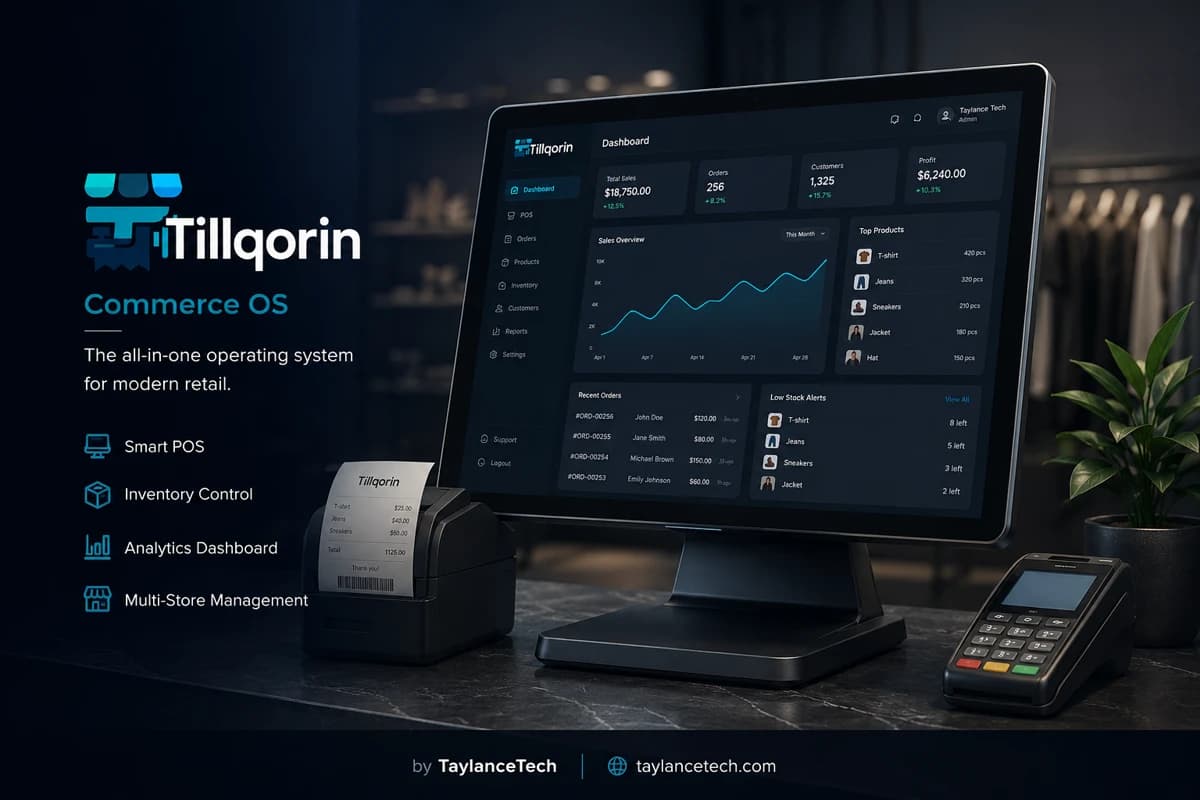
POS for small business is point-of-sale software sized for shops that need serious billing and stock records without a months-long enterprise project. It covers counter selling, product quantities, basic buying and spending visibility, and staff logins when the first hire arrives.
Small shops need it when notebooks break during a busy season, when Excel billing cannot keep credit dues straight, or when a second worker needs access without sharing the owner’s full control. The need is professional daily trading — not a toy that collapses at fifty products, and not a consultant-heavy suite.
Tillqorin is built by Taylance Tech for that middle path: scan-friendly billing, inventory, purchases, expenses, accounts, and roles in a web app at pos.taylancetech.com. Sign up, verify email, trial real workflows, then subscribe through Paddle. Invite a cashier when you hire one.
What it is
What is POS for small business?
A clear definition for owners comparing their first real till system.
POS for small business is counter software that lets a shop sell, print receipts, keep product records, and track stock without requiring an enterprise implementation team. It is built for owners who still work the till, order goods, and close the day themselves.
Small business POS software usually includes billing, a product catalog, quantity tracking, and a path to record purchases and expenses as the shop matures. Many also include basic party balances and staff roles so the first hire does not inherit every admin key.
Owners search for POS for small shop, affordable POS system, startup retail POS, or small store billing software when paper and spreadsheets start failing. The goal is dependable daily trading — not a showcase demo that collapses under a real Saturday.
Tillqorin matches this definition for retail and wholesale small shops: web-based selling and stock work at pos.taylancetech.com, with room to use purchases, expenses, accounts, and roles as the business is ready.
- Counter billing sized for owner-operated shops
- Catalog and stock beside the till
- Room to add buying, spending, and staff roles
- Trial-first evaluation before subscription
Why small shops need it
Why small shops need a POS system
The moments when notebooks stop being enough.
Small shops need POS when volume outruns handwriting. One busy season can multiply SKUs, price changes, and credit dues until paper cannot answer simple questions at closing time.
They need it when a helper joins. Teaching a relative to sell from the owner’s head does not scale. A cashier login with limited power lets help arrive without handing over subscription billing and settings.
They need it when “good sales” still leave the account empty. Seeing purchases and expenses beside sales is how small owners learn whether a loud week was actually a healthy week.
They need it when hardware failure should not erase the business. A web POS means a backup laptop can reopen the shop organization instead of trapping years of history on one dead disk.
Middle path
Between toys and enterprise theater
Where serious small-shop POS should sit.
Small business POS buyers are allergic to two extremes. Toys break when the catalog grows, history lengthens, or a second user appears. Enterprise suites can require consultants to add a product and months of training before the first calm week.
The middle path is software that is ready for real Saturday pressure and still understandable on a Tuesday morning when the owner is alone. Features should appear as the shop needs them, not as a wall of modules on day one.
Affordable POS does not mean disposable POS. Paying a clear subscription for a system that survives growth is often cheaper than rebuilding process after a free tool collapses mid-season.
Tillqorin is built for that middle. It is serious enough for stock and accounts visibility, approachable enough to start with a starter catalog this week, and honest about trial-then-subscribe commercial terms.
First week
What a strong first week looks like
A realistic launch for owner-operated counters.
A strong first week is not a perfect database. It is live selling on the goods that matter, receipts that staff accept, and opening quantities close enough that the till does not invent fantasy stock.
Add the top movers first. Rare items can wait. Owners who spend a month polishing unused SKUs delay the only test that counts: real customers, real printers, real mistakes fixed quickly.
Keep the owner on the till for early days. Watching where cashiers will hesitate teaches better naming than any setup wizard. Rename confusing products immediately.
On Tillqorin, treat the trial as a live rehearsal. Ten honest sales teach more than a hundred sample clicks on demo data you will never sell.
- Starter catalog of daily sellers
- Printer path proven on real paper
- Opening stock for fast movers only
- Owner present for the first live shifts
One-person shop
POS for a one-person small shop
How solo owners use serious software without drowning in settings.
A one-person shop can run Tillqorin with a single admin user for sales and stock. The point is not to create a corporate org chart on day one. The point is to stop losing history to paper and to be ready when help arrives.
Solo owners should still use clean product names and post purchases they personally make. Future you is the second user who will thank present you for not inventing nicknames only one brain understands.
Avoid turning setup into a hobby that steals selling hours. Schedule a short evening block for catalog work. Protect trading hours for customers.
When the first hire is near, create the cashier role before their first shift. Do not improvise password sharing on a busy morning.
First hire
Adding the first worker without losing control
The hiring moment that separates notebooks from POS.
The first hire is when many small shops finally need POS roles. A helper who sells must not automatically edit subscription billing, delete products casually, or see every owner setting.
Train the happy path: find item, sell, print. Train the escalation path: missing item, wrong price, call the owner. Panic improvisation creates duplicate products and silent discounts.
Review early voids and discounts together. Coaching beats surveillance theater. The goal is shared standards, not fear.
Tillqorin’s cashier-style access exists for this moment. Use it. Shared owner logins recreate the exact risk you bought software to reduce.
Family shops
Family shop POS realities
Trust is high; process still needs structure.
Family shops often trust everyone and document nothing. That works until two relatives remember different prices or different credit balances. POS introduces a shared record without removing trust.
Give relatives the role that matches the shift job. A sibling covering the till needs cashier tools. A parent reviewing the week may need manager visibility. Not everyone needs admin.
Agree that the system is the live price list after cutover. Phone notes can be temporary; they should not remain a second authority.
Offboard kindly and clearly when someone stops helping. Disable logins. Family comfort is not a reason to leave permanent access open.
Outgrowing Excel
Leaving Excel billing and paper hybrids
When spreadsheets stop being a POS.
Excel helps early because it feels flexible. It fails when two people need the file at once, when formulas break, or when stock and sales need to stay linked under queue pressure.
Paper hybrids — spreadsheet prices plus notebook dues — create three truths. Closing time becomes a debate. Small business POS replaces the hybrid with one live organization.
Migrate active goods and open balances that still matter. Leave museum rows behind. A clean starter catalog beats a messy import that confuses every sale.
After cutover, stop updating the old sheet as live authority. Reference history if needed; post new work in Tillqorin.
Affordable meaning
What “affordable POS” should mean for a small shop
Honest cost talk without fake free-forever promises.
Affordable POS should mean predictable cost for real capability: billing, stock, and room to grow. It should not mean a free cracked installer that dies when you need support, or a tool that forces a rebuild every year.
Trial-first models let small shops test printers and workflows before paying. That is fair. After the trial, uninterrupted writing requires an active subscription — a clear commercial boundary, not a trick.
Count the cost of failure too. Lost sales during a system collapse, hours rebuilding catalogs, and collection fights from missing dues records are expensive even when the software seemed free.
Tillqorin uses trial evaluation and Paddle subscription billing for the organization. Plan the subscribe date early so a small shop never discovers write pauses in front of customers.
- Prefer clear subscription terms over mystery freeware
- Use the trial for live tests, not sightseeing
- Calendar the trial end on day one
- Budget hotspot backup if your internet is unstable
Grow modules
Growing into purchases, expenses, and review
How small shops add depth without boiling the ocean.
Many small shops should sell live first. Once tickets and stock feel steady, post purchases for the deliveries you already accept. That single habit improves quantity truth and payable awareness.
Next, capture recurring expenses that always surprise you at month end. Small spends explain why loud sales weeks still feel poor.
Then use owner review weekly. Look at what sold, what you bought, and what you spent. Decisions beat dashboard sightseeing.
Tillqorin includes these areas in one organization so you are not buying a new app each time the shop matures. Turn habits on when ready; do not pretend every module must be perfect on night one.
Startup retail
Startup retail POS: opening with discipline
New counters that want professional habits from week one.
Startup retail often begins with enthusiasm and messy naming. POS rewards early discipline. Clear product names, honest opening stock, and receipt printing on day one prevent painful cleanup later.
Do not wait for the “perfect” catalog before accepting money. Sell what you have, name it cleanly, and expand. Perfectionism before revenue is how openings stall.
Choose hardware you can support: a reliable till device, a receipt printer you tested, and a scanner if barcodes matter. Fancy extras can wait.
Tillqorin gives startups a hosted shop organization quickly. Use the speed to trade — not to endlessly rearrange empty categories.
Small wholesale
Small wholesale traders and POS needs
When ticket sizes grow but the team is still small.
Small wholesale traders need named customers for credit, clear product identity for bulk packs, and purchase posting that matches how cartons arrive. A billing-only toy leaves dues and stock blind.
Keep the system light enough that one owner can bill and one helper can prepare orders. Heavyweight warehouse theater is rarely the first need.
Collection rhythm matters as soon as credit appears. Review balances on a fixed day even if the party list is short.
Use Tillqorin’s selling, stock, and party-capable workflows for that stage, and add process depth only when volume demands it.
Hardware budget
A practical hardware budget for small-shop POS
What to buy first — and what to postpone.
Start with a stable computer or tablet that can run a modern browser, a receipt printer matched to your paper width, and a basic scanner if you sell barcoded goods. These three do more than decorative displays.
A backup device is insurance, not luxury, once sales depend on software. A charged spare laptop that already signs into your organization can save a peak day.
Postpone exotic hardware until the loop is calm. A second printer, customer display, or specialty scale can wait if the first till path is still shaky.
Test Tillqorin printing during the trial on the exact device you will use live. Assumptions about “any printer” waste opening-day patience.
Time poverty
Choosing POS when the owner has no spare time
Setup patterns for overloaded small-business owners.
Small owners are time-poor. POS projects fail when they demand a clean week that never appears. Design setup as short blocks: thirty minutes for top products, one evening for printers, one quiet hour for a backup device test.
Refuse scope creep. You do not need every historical product entered before the first live sale. You need the goods that will walk out this week.
Use staff or family help for data entry only with rules: no duplicate names, no guessing prices, owner reviews the list once.
Tillqorin’s browser access helps because setup can happen on the same machine used for selling without a separate install project that eats a weekend.
Choosing software
How to choose POS for a small business
Selection questions that protect small shops from regret.
Choose by running your real day in the trial: sell three common items, adjust one stock figure, post one purchase or expense if you can, print your real receipt size, and invite a test cashier role.
Ask what happens when the trial ends. Ask whether inventory lives beside billing. Ask how roles work when you hire. Ask whether the vendor is a real team you can contact.
Avoid pirated desktop copies marketed as “lifetime free.” Avoid enterprise quotes that require consultants before a single SKU exists. Avoid toys with no stock path.
Tillqorin is a fit when you want a hosted small-shop POS with trial evaluation, Paddle billing, stock and growth modules in one organization, and roles for the first hire — built in-house by Taylance Tech.
Myths
Myths about POS for small business
Ideas that delay good decisions.
Myth: small shops should wait until they are “bigger.” Reality: messy history is harder to clean after growth. Starting sooner keeps records honest while the catalog is still small.
Myth: free cracked software is the smart budget move. Reality: unsupported tools fail during peak season when recovery costs more than a clear subscription.
Myth: any billing app is a POS for small business. Reality: without stock and a path to buying and spending visibility, you still manage by memory.
Myth: enterprise software is safer because it has more menus. Reality: unused complexity slows small teams and often never goes live.
Myth: one shared login is fine for a family. Reality: limits protect relationships when mistakes happen.
Mistakes
Small-business POS mistakes to avoid
Errors that waste the first month.
Importing every dusty SKU before the first live sale delays learning and confuses the till.
Skipping printer tests until opening day creates public failure.
Sharing the owner login with the first hire teaches the wrong access model forever.
Ignoring the trial end date causes a write pause in front of customers.
Running Excel as a second live price list guarantees drift within a week.
First month
First-month plan for small-shop POS
A calm sequence from signup to steady habits.
Week one: starter catalog, live sales, receipt printing, opening stock for fast movers.
Week two: post purchases for real deliveries and capture one recurring expense category you always forget.
Week three: if help exists, invite a cashier role and retire shared passwords on the till.
Week four: review a full week of sales against drawer reality, clean confusing names, and confirm subscription billing is active.
- Live selling proven
- Purchases beginning to post
- Roles ready for helpers
- Subscribe date respected
Metrics
Simple metrics for small business POS success
Signals owners can check without corporate dashboards.
Count how often staff ask “what is the price?” for items already in the catalog. Falling questions mean names and prices are trusted.
Count days the till could not sell because of software or device issues. Investigate network, printers, and backup device readiness.
Count shared-login incidents after a hire. The number should fall as roles settle.
Compare a sample week’s sales totals to drawer and known receipts. Large unexplained gaps mean posting coaching is needed.
Ownership
Who owns POS habits in a small shop
Even tiny teams need named responsibility.
Someone owns product naming. Someone owns printer paper and device health. Someone owns the subscribe date. Someone owns inviting and removing staff logins. In a one-person shop, write the list anyway so coverage weeks are possible.
Helpers own clean selling and asking for help when an item is missing. Owners own whether Excel stays retired as live authority.
When ownership is unspoken, small-shop POS becomes another abandoned app. Named ownership is what makes a modest POS outperform a feature-heavy tool nobody maintains.
Tillqorin provides the product. The shop assigns the humans who keep it useful.
Customization
When a small shop needs tailored help
Practical customization without turning into an endless project.
Most small shops should start on standard Tillqorin workflows. Customization helps when branding, receipt details, or specific operational needs are genuine — not when the team is avoiding basic posting discipline.
Because Taylance Tech builds Tillqorin in-house, shops can discuss tailored workflows, branding, or deployment needs through the company’s contact path when standard setup is not enough.
Keep custom work scoped. A narrow receipt change is different from rewriting the entire business process in software before the shop can sell.
Prove the standard trial first. Custom requests are clearer after you know which friction is real.
Poor fit
When this small-business POS path is a poor fit
Honest boundaries for responsible buying.
If you need a large multi-branch control tower on day one with corporate approvals, you may need a heavier class of system and staffing. Small-business POS optimizes for owner-operated reality first.
If you refuse any subscription and want permanent unpaid write access, Tillqorin’s trial-then-subscribe model will frustrate you. The commercial boundary is intentional.
If leadership will not stop maintaining a second live price list in Excel, software will not create a single source of truth.
If the location has long internet outages and no backup link, plan connectivity before depending on web POS for every sale.
Peak season
Preparing a small shop POS for peak season
Busy periods test setup quality quickly.
Before peak season, verify printers, paper stock, scanner habits, and the backup device login. Small shops feel peak pain faster because there is little spare labor to invent workarounds.
Pre-count fast movers and fix names that already confuse people. Peak week is a bad time for catalog archaeology.
Keep roles stable. Promoting everyone to admin “for the rush” creates cleanup that lasts longer than the season.
After the peak, spend one short meeting on what broke. Fix those items while memory is fresh.
Professional limits
Professional expectations and limits
What Tillqorin offers small businesses — and what it does not.
Expect a hosted POS organization for small retail and wholesale shops with billing, stock, room to post purchases and expenses, accounts visibility, roles, trial evaluation, and subscription billing through Paddle.
Do not expect enterprise ERP project delivery packaged as a toy. Do not expect automatic tax filing or legal advice. Do not expect perfect stock without counting and honest receiving.
Do not expect unlimited free writes after trial. Do not expect results if the team keeps a second live spreadsheet authority.
Within those limits, POS for small business is how owner-operated shops trade professionally. Tillqorin is built by Taylance Tech for that job at pos.taylancetech.com.
Confidence
Building owner confidence without overclaiming
How small shops should judge whether the POS is working.
Confidence comes from repeated calm closes, not from marketing adjectives. If the owner can answer what sold, what remains, and what is owed — without digging through chats — the system is doing its job.
Early confidence should be modest. Trust grows after weeks of posting, not after one successful demo print.
Share confidence with staff through clear habits: where to find items, when to ask for help, how to end the day. Software screens alone do not create confidence.
Revisit goals monthly: faster billing, cleaner stock, safer hiring, fewer Excel arguments. Tick what improved. Adjust what did not. That is professional small-business software use.
The problem
Small-shop POS problems owners feel first
These pressures appear before anyone types “POS for small business” into a search box.
Notebooks fail in one busy season
Paper billing cannot keep SKU counts, prices, and credit dues straight when volume jumps.
Fear of complex software projects
Owners avoid tools that feel like ERP implementations with months of training.
Toys that break at fifty products
Cheap billing apps work for a week, then choke when the catalog and history grow.
Good sales weeks, empty accounts
Without purchase and expense visibility, strong tills still hide weak cash outcomes.
No safe way to add a helper
Sharing one login gives a new worker every setting the owner meant to protect.
Fragile single-PC installs
A dead store computer freezes billing because the only system lived on that disk.
Tillqorin
How Tillqorin fits small business POS needs
Trial-first setup, room to grow modules, safe hiring roles, and hosted counter software.
Trial on your real catalog
Evaluate billing, stock, and printing with the products you actually sell before you subscribe.
Start simple, add depth later
Use sales first; bring in purchases, expenses, and richer review as habits settle.
Hire with cashier roles
Give staff selling access while owners keep admin settings and subscription billing.
Web POS for small shops
Work in the browser at pos.taylancetech.com instead of trapping the shop on one fragile desktop install.
Stock beside selling
Keep quantities and bills on the same product records so growth does not reopen the notebook split.
Clear subscribe path
Activate Paddle billing while the trial still allows writes so daily posting never stalls mid-week.
Who it’s for
Who POS for small business fits
Owners who need professional tools without enterprise ceremony.
- First-time POS buyers leaving notebooks or Excel
- One-person shops preparing for a second worker
- Family shops professionalizing day-to-day selling
- Small wholesale traders with growing credit tickets
- Startup retail counters that need receipts and stock now
- Owners allergic to consultant-heavy software rollouts
Getting started
How a small shop starts Tillqorin
A same-week path from signup to live selling.
- 1
Create your organization
Register at pos.taylancetech.com and verify email so the trial unlocks.
- 2
Load a starter catalog
Add top products and opening quantities you trust — not every dusty SKU from storage.
- 3
Complete ten live sales
Print on your real receipt path and fix naming issues while the queue is still forgiving.
- 4
Subscribe before writes pause
Activate billing through Paddle while posting still works normally.
- 5
Invite help when you hire
Add a cashier login instead of sharing the owner account on the till.
Checklist
Small business POS go-live checklist
Confirm these items before you rely on the system for a full trading week.
- Small business organization set up and owner email confirmed at pos.taylancetech.com
- Starter catalog of daily sellers loaded with clear names
- Opening stock set for fast movers
- Ten live sales completed on the real printer path
- Scanner tested if barcodes are part of selling
- Owner calendar marked with trial end date
- Paddle subscribe path known before writes can pause
- Excel or notebook retired as live price authority after cutover
- Cashier role planned before the first hire’s shift
- Backup device signed in once during a quiet hour
- Purchase posting started for real deliveries
- One recurring expense category assigned an owner
- Peak-season paper and device checks scheduled
- Contact path saved if you need Taylance Tech customization talk
- First-month review date booked with yourself
Compare
Tillqorin for small shops vs common alternatives
Practical contrasts owners use when choosing their first serious POS.
| Criterion | With Tillqorin | Typical alternative |
|---|---|---|
| Time to first bill | Same-day setup in the browser on a starter catalog | Weeks of vendor onboarding before a live ticket |
| Cost model | Trial then SaaS subscription via Paddle | Large upfront license — or unreliable pirated copies |
| Scope for a small shop | Selling plus stock, buying, spending, and accounts room to grow | A cheap billing app that ignores inventory until crisis |
| Hiring a helper | Cashier role with limited access | One shared password for everyone |
| Complexity | Serious shop workflows without enterprise theater | Consultant-shaped projects that stall the counter |
| Device risk | Hosted web POS you can open on a backup device | Single store PC as the only living system |
FAQ
POS for small business — frequently asked questions
Practical answers about POS for small business and how Tillqorin handles it.
What is POS for small business?
It is point-of-sale software sized for owner-operated shops: counter billing, product and stock records, and room to add purchases, expenses, roles, and basic accounts without an enterprise project.
Is Tillqorin good for a one-person shop?
Yes. Many small shops start with a single admin user for sales and stock, then invite cashiers later when help arrives.
Do I need a card to start the trial?
You can explore during the trial after email verification. Subscribe via Paddle when you want uninterrupted write access after the trial period.
Is this only a cheap billing app?
No. Tillqorin is built so small shops can sell and keep stock together, then grow into purchases, expenses, accounts visibility, and staff roles in the same organization.
Can Taylance Tech customize it for my small business?
Yes. Because Tillqorin is built in-house, you can discuss tailored workflows, branding, or deployment needs via taylancetech.com/contact after you have tried the standard product.
What happens if I do not subscribe after the trial?
When the organization is no longer active, write operations pause until billing is active again. You can still use billing access to subscribe or update payment.
Will this replace my accountant or file my taxes?
No. A small-business POS helps you keep operational records. Tax returns, legal questions, and formal compliance stay with you and qualified professionals under your local rules.
Can I use it if I only have a small budget for hardware?
Yes — start with a reliable browser device, a tested receipt printer, and a scanner if needed. Add backup devices and extras after the core till path is stable.
Keep exploring
Related Tillqorin guides
More pages on billing, stock, cloud setup, and small-shop use — same product, different focus.
Cloud POS
What cloud POS is, why shops need browser-based tills, and how Tillqorin hosts selling at pos.taylancetech.com.
Read guideRetail POS
What retail POS is, why stores need it, and how Tillqorin runs walk-in checkout.
Read guideShop management
What shop management software is, why stores need one daily loop, and how Tillqorin unifies selling, stock, buying, and spending.
Read guideBilling software
What billing software is, why shops need it, and how Tillqorin creates customer bills.
Read guideWant to try Tillqorin at your counter?
Start a trial on the live app at $9/month after trial, or contact Taylance Tech if your shop needs a custom setup.