
 Tillqorin by Taylance Tech
What is cloud POS — and why do shops need it?
Run selling and stock work in the browser at pos.taylancetech.com so a failed store PC does not trap your catalog, sales history, or staff logins.
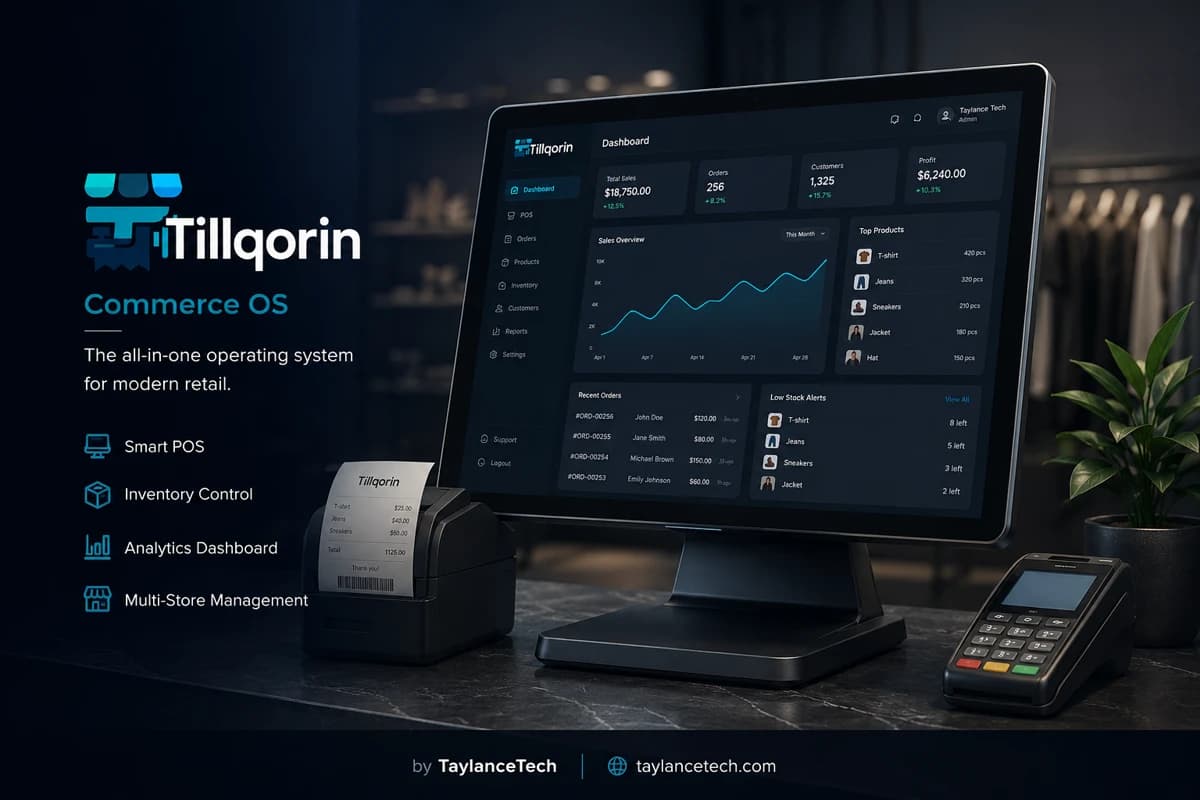
Cloud POS is point-of-sale software hosted online and opened in a browser. The till is a login, not a single Windows install. Catalog, sales, purchases, and staff accounts live on the vendor’s infrastructure instead of one store hard drive.
Shops move to cloud POS when a dead PC freezes billing, when a second device is needed on busy days, or when desktop versions diverge and nobody trusts the numbers. The need is continuity: sell and review records without depending on one machine’s health.
Tillqorin is a cloud POS built by Taylance Tech. Shops register, verify email, use a trial, then subscribe through Paddle. Roles separate admin, manager, and cashier work. When a subscription lapses, write actions pause until billing is active again so the commercial model stays clear.
What is cloud POS
What is a cloud POS system?
A plain definition shops can use when comparing online and desktop tills.
A cloud POS system is selling software delivered as a hosted service. Staff open a browser, sign in, and work against a shared live database. The application code and shop data sit on infrastructure operated by the software provider, not on a single store hard drive as the only copy.
People also call this online POS, web-based POS, browser POS, or SaaS POS. The labels vary; the operating idea is the same. The till is an authenticated session. Catalog changes, sales posts, and purchase entries land in one place that every allowed user can reach when the network is up.
Cloud POS still needs shop-side hardware: a computer or tablet, a receipt printer, often a scanner, and a network path to the internet. Hosting the software does not remove those tools. It removes the habit of treating one PC as the only place the business can exist.
Tillqorin follows this model at pos.taylancetech.com. Shops create an organization, invite staff with roles, and run sales, stock, purchases, and related shop work through the web interface while Taylance Tech hosts the application.
- Hosted application plus shop logins instead of a lone local install
- Browser sessions on devices the shop controls
- Shared live records for allowed users in one organization
- Subscription commercial model after a trial period
Why shops need it
Why shops need cloud POS
The practical reasons owners leave one-machine software behind.
Shops need cloud POS when continuity matters more than keeping an old installer forever. A fried motherboard should not erase the only working copy of prices, stock, and customer balances. Moving the system online turns that risk into a device swap instead of a multi-day rebuild.
They also need it when more than one person must work without sharing a single Windows account. Cashiers need limited access. Managers need broader tools. Owners need billing and settings. Cloud POS with roles makes that separation normal rather than improvised.
Busy seasons expose a third need: a backup till. When the main PC slows or fails, a prepared laptop that already signs into the same hosted shop keeps queues moving. Desktop licenses often refuse that flexibility without a fresh install and a fragile database copy.
Owners who travel or watch multiple counters need a fourth reason: visibility. Signing in from another location to review today’s sales is a cloud habit, not a desktop one. That does not replace being present in the store; it reduces blind spots between visits.
Cloud vs desktop
Cloud POS versus desktop POS in real shop terms
Trade-offs shops should weigh without marketing fog.
Desktop POS installs software and often the database on a local machine. When that machine is healthy and the shop never needs a second device, the setup can feel simple. The weakness appears on failure day: restoring a local database, matching printer drivers again, and proving the numbers still match yesterday’s close.
Cloud POS moves the application and primary database to hosted infrastructure. The shop’s job becomes network quality, device discipline, and subscription health. The gain is signing in elsewhere when hardware breaks. The cost is dependence on connectivity during selling hours.
Neither model removes operational work. Desktop shops must own backups and version control. Cloud shops must own internet reliability and password hygiene. Choosing cloud POS is choosing which failure mode the team is better prepared to handle.
Tillqorin is built as cloud POS. Comparing it to a locked desktop tool is fair only when the shop also plans hotspot backup and clear staff logins. The product is not a local offline database that keeps selling for hours without a network.
- Desktop strength: possible local work when the PC is fine
- Desktop weakness: hardware failure can strand the only system
- Cloud strength: another browser device can reopen the shop system
- Cloud requirement: steady internet plus a backup data path
Browser access
What web-based POS access actually means
How browser tills behave on store computers and spare devices.
Web-based POS means the interface runs in a modern browser. Staff bookmark the URL, sign in with their credentials, and work in pages designed for selling and back-office tasks. There is no need to install a heavyweight desktop package only to begin the trial.
Browser access does not mean “any public computer is a good till.” Shops should prefer dedicated store devices, keep sessions locked when unattended, and avoid shared café machines for day-to-day selling. Convenience is real; so is the need for controlled hardware.
Printers and scanners still connect to the device in front of the cashier. Cloud hosting does not invent wireless magic for every old parallel printer. Test the exact browser and device combination you will use before promising the team a smooth launch day.
On Tillqorin, the practical habit is simple: primary till bookmarked and tested, backup device signed in once during quiet hours, and staff trained to reopen the URL rather than hunting for a desktop icon that no longer exists.
Internet reality
Internet dependency for online POS — said plainly
AdSense-safe honesty about connectivity without scare tactics.
Online POS requires an internet connection for normal selling and posting. If the shop link drops and no backup path exists, the browser cannot reach the hosted system. That limit is real. Denying it in marketing copy helps nobody on a rainy afternoon when the ISP fails.
Shops in areas with unstable service should treat connectivity as part of the POS budget. A prepaid hotspot, a second ISP where available, or a known failover phone tether can keep the till alive during short outages. The plan must be practiced once, not invented during a queue.
Cloud POS is a poor fit for locations that routinely lose service for hours and refuse any backup link. In those cases, a carefully backed-up local system may still be the lesser risk. Choosing cloud while pretending the network never fails is how teams get angry at software for a telecom problem.
Tillqorin expects a working connection. Owners should measure real uptime at the counter, not the brochure claim from the ISP. If lunch-hour drops are common, fix the network before blaming the POS for stalled scans.
- Primary shop broadband for daily selling
- Documented hotspot or tether for short failures
- Test failover during a quiet hour before peak season
- Do not promise offline-all-day selling on a pure cloud till
Device flexibility
Backup devices and flexible till hardware
How cloud POS turns spare laptops into operational insurance.
Device flexibility is one of the clearest gains of cloud POS. The main counter PC can be a desktop. The spare can be a laptop kept charged in the office. A manager tablet can review reports. Each device opens the same organization when credentials and permissions allow it.
Flexibility fails when nobody prepares the spare. Signing into a cold laptop for the first time during a crash wastes the advantage. Create the bookmark, confirm printer pairing if that device will print, and let a trusted staff member complete one test sale on the backup path.
Not every device should have admin rights. Cashiers on a spare till still need cashier scope. Owners should keep billing and destructive settings on fewer accounts. Cloud access multiplies convenience; roles keep that convenience from becoming unrestricted power on every screen.
With Tillqorin, treat the backup device as part of opening procedures in peak months. If the primary machine feels slow or noisy, switch early instead of waiting for a hard failure in front of customers.
SaaS model
SaaS POS software and the subscription bargain
What shops pay for when they choose hosted point of sale.
SaaS POS software charges a recurring fee for access to the hosted system. In return, the vendor maintains the application, applies updates, and keeps the multi-tenant service running. Shops trade a large one-time installer myth for an ongoing commercial relationship that stays visible on the calendar.
The bargain is clearer when owners separate two kinds of money. Customer invoices and retail receipts belong to the shop’s trading. The SaaS subscription pays for the software seat of the organization. Mixing those ideas causes confusion at renewal time.
Subscription software also means access can pause when payment fails. That is not a secret punishment; it is how SaaS stays sustainable. Shops should calendar renewal reminders the same way they calendar rent and inventory orders.
Tillqorin uses Paddle as merchant of record for organization billing. Shop-issued customer bills remain the shop’s commercial documents. Admins manage subscription actions from the in-app Billing area when they need to subscribe or update payment details.
Trial and writes
Trials, write blocks, and keeping the till writable
How evaluation periods behave in a professional cloud POS.
A trial lets a shop test real workflows before paying. That only helps if the team loads real products and completes real sales. Empty demos hide printer quirks, role mistakes, and catalog gaps that appear on the first busy Saturday.
When a trial ends without an active subscription, Tillqorin blocks write operations until the organization is active again. Staff may still reach billing paths needed to subscribe or fix payment. The design keeps the commercial boundary obvious instead of silently accumulating unpaid usage.
Owners should subscribe while the trial still allows normal posting if the shop has already decided to stay. Waiting until the first blocked sale teaches the lesson the hard way in front of a customer. Calendar the trial end date on day one.
Payment failures after subscribe can create the same write pause. Treat card updates as operational work, not as an afterthought for the accountant alone. An admin with billing access should know the portal path before anything expires.
- Load real catalog items during the trial
- Complete live sales and at least one purchase post
- Note the trial end date on the owner calendar
- Subscribe early enough that writes never stall mid-shift
Organization isolation
Multi-tenant cloud POS and shop data boundaries
What “your organization” means in hosted software.
Multi-tenant cloud POS hosts many shops on shared infrastructure while keeping each organization’s data scoped to that organization. Your products, sales, and staff invitations belong to your tenant boundary, not to a neighbor shop on the same platform.
Isolation is a design goal shops should understand without turning the conversation into a fake absolute. Responsible vendors separate tenants in software and operations. Shops still protect passwords, limit admin seats, and avoid sharing credentials across people.
For day-to-day work, the practical meaning is simple: when a cashier signs into your organization, they see your catalog and your tickets. They do not browse another store’s stock because they happen to use the same product brand.
Tillqorin is built as multi-tenant SaaS for shop organizations. That architecture is what allows many businesses to use one hosted application while keeping records separated by organization scope.
Updates
Central updates instead of version drift
Why hosted POS reduces “which build is this counter on?” arguments.
Desktop POS often ages unevenly. One machine gets an update stick. Another never does. Reports then disagree because fields or calculations differ. Owners waste hours deciding which export is “the real one.”
Cloud POS updates the hosted application for everyone on the same release path. Shops still need change communication when workflows shift, but they avoid hunting installers across every till PC. Training focuses on one current interface.
Central updates are not a promise that nothing will ever change. Features improve; layouts tighten; printers may need a retest after a browser update on the local device. Good shops schedule a short check after major browser upgrades on the till machine.
With Tillqorin, plan a quiet-hour smoke test after you change the till browser or OS: open the URL, complete a test sale, print a receipt, and confirm a scan still resolves. Local device changes matter even when the POS itself is hosted.
Staff logins
Staff logins without sharing a Windows account
Cloud POS makes individual accountability practical at the counter.
Shared desktop accounts erase accountability. When everyone uses the same Windows user, voids, discounts, and late edits become anonymous. Cloud POS with individual logins restores a basic professional habit: each person signs in as themselves.
Roles keep that habit useful. Cashiers need selling tools. Managers need broader stock and purchase visibility. Admins need organization and billing controls. Handing every staff member full admin access recreates the shared-account problem inside the cloud product.
Owners should revoke access when staff leave. Cloud convenience makes forgotten accounts dangerous. A short offboarding checklist — disable login, change shared device passwords, confirm no personal email remains on admin seats — closes that gap.
Tillqorin supports admin, manager, and cashier style role separation so shops can invite people without handing over the entire organization. Use the narrowest role that still lets each person finish their shift work.
Owner visibility
Reviewing the shop without being glued to one PC
Remote visibility for owners — with sensible limits.
Cloud POS lets an owner sign in from another location to review sales activity and operational status. That visibility helps when travel, illness, or multi-site attention pulls the owner away from the main counter.
Visibility is not the same as unmanaged remote selling. Opening the till on an unsecured personal device in a public place creates risk. Prefer trusted devices, lock screens, and short sessions when reviewing from outside the shop.
Owners should also decide what managers may do when the owner is away. Cloud access can support temporary coverage without sharing the owner password. Create a manager login before the first emergency instead of texting credentials in a hurry.
Use remote review to spot problems early — unusual discount patterns, stalled purchases, missing day sales — then fix process in the store. Software alerts do not replace walking the floor.
Peripherals
Printers, scanners, and cloud POS hardware habits
Hosted software still depends on local devices done right.
Cloud POS does not remove printers and scanners. Receipt printers still sit beside the till. Scanners still feed barcodes into the browser session. The hosted app supplies the workflow; the local device supplies the physical input and output.
Test the exact combination you will use live: browser brand, operating system, printer model, and paper width. A setup that works on a manager laptop may fail on the counter PC if drivers or USB ports differ. Document the working pair so staff do not “fix” it with random settings each morning.
When switching to a backup device, know whether that device can print. If the spare laptop cannot reach the receipt printer, decide in advance whether handwritten interim slips are allowed or whether the spare must sit where the printer cable or network printer is reachable.
Tillqorin supports thermal receipt sizes such as 58mm and 80mm plus A4/A5 document printing in the product workflow. Confirm your shop’s printer path during the trial rather than on the first festival weekend.
Security habits
Practical security habits for browser POS
Realistic controls shops can keep without fake absolute promises.
No vendor can honestly promise that every shop will be immune to every threat. Professional cloud POS talk stays concrete: strong unique passwords, limited admin seats, signed-out idle tills, and careful handling of shared devices.
Shops should avoid writing passwords on monitors. They should avoid reusing the owner email password on the POS. They should lock the till when a cashier steps away. These habits matter more than debating jargon about hosting regions during the first month.
Public Wi-Fi is a poor home for unsupervised selling. If a temporary stall must use a hotspot, prefer the shop’s own tethered connection and keep admin work for later on a trusted network. Convenience sales on unknown café Wi-Fi are an avoidable risk.
Tillqorin provides role-based access inside the organization. Pair that with shop-side device control. Software permissions and physical till discipline work together; neither replaces the other.
- Unique passwords for each staff login
- Few admin accounts, reviewed quarterly
- Lock or sign out when the counter is unattended
- Keep billing access off cashier devices
Network setup
Shop network setup that supports cloud POS
Connectivity work that belongs beside the software decision.
Cloud POS quality tracks network quality. A till that shares bandwidth with heavy staff streaming will feel slow even when the POS itself is fine. Separate guest Wi-Fi from the counter network when possible so customers are not competing with scans and receipt posts.
Place the router where the counter signal is strong. Weak wireless at the till creates timeouts that look like “POS bugs.” A short ethernet run to the primary till PC often pays for itself in fewer stalled checkouts.
Name the failover method in writing: hotspot device location, SIM data remaining, who is allowed to switch, and how staff announce a temporary slowdown to the queue. Unspoken failover plans fail under stress.
Revisit the network before peak seasons. Festival weeks are the wrong time to discover the ISP throttle or the dead spare SIM. Cloud POS rewards shops that treat connectivity as inventory for selling hours.
Migration
Moving from desktop POS to cloud POS without chaos
A calm cutover plan for shops leaving local installs.
Migration fails when teams try to copy every historical quirk on day one. Start with active products, current prices, and open customer balances that still matter. Archive dead SKUs instead of dragging them into the new catalog as noise.
Run the cloud POS in parallel for a short window if risk is high: desktop for reference, Tillqorin for live selling once the catalog is trusted. Parallel weeks should be short. Double entry for months burns staff and creates conflicting truths.
Train on the new login path before retirement day. Staff who still reach for the old desktop icon will invent workarounds. Remove the old shortcut only after the team completes a full shift on the browser till with printers working.
Export or print critical desktop reports you may need for old disputes, then freeze the legacy system as read-only history if the old tool allows it. Do not keep two live selling systems after cutover day.
- Migrate active catalog first
- Verify opening stock once, in writing
- Complete one full live shift before retiring desktop selling
- Keep old reports for disputes, not for dual live posting
Choosing software
How to choose cloud POS software
Selection questions that stay tied to shop reality.
Choose cloud POS software by mapping your daily loop: sell, adjust stock, buy, review cash movement, and control who may do what. A pretty demo that cannot print your receipt size or invite a cashier role will frustrate the floor by week two.
Ask how trials end. Ask what happens when payment fails. Ask whether the product is truly browser-based or a remote desktop wrapped in marketing language. Clear answers beat vague “enterprise cloud” adjectives.
Check device plans. If you need a backup laptop, confirm the vendor expects multi-device browser access for your organization. If your area has weak internet, confirm you are willing to fund failover before you subscribe.
Tillqorin is a fit when you want a hosted shop system with trial evaluation, Paddle subscription billing, role-based staff, and browser access at pos.taylancetech.com — and when you accept internet dependency as part of the design.
Myths
Myths about cloud POS
Claims that waste time during software selection.
Myth: cloud POS means you never need good hardware. Reality: slow tills and bad printers still hurt. Hosting the software does not upgrade a dying counter PC.
Myth: cloud POS works without internet if you believe hard enough. Reality: online systems need a network path. Hotspots help; fantasy does not.
Myth: SaaS is always more expensive than a one-time crack or old disc. Reality: unpaid desktop tools often fail at the worst moment, and recovery labor has a cost even when the installer was “free.”
Myth: cloud POS automatically makes a shop multi-branch ready overnight. Reality: multi-location discipline is a separate operating problem. Hosted software can support growth, but naming and stock rules still need ownership.
Myth: once you subscribe, security is “handled.” Reality: weak passwords and shared admin logins undermine any hosted design. Shops share the responsibility.
Mistakes
Cloud POS launch mistakes shops regret
Avoidable errors during the first weeks online.
Launching without a backup device wastes the core advantage of cloud POS. The first hardware glitch then feels identical to desktop failure.
Skipping printer tests during the trial creates opening-day theater. Receipts are not optional for many shops; prove them early.
Giving every staff member admin access turns cloud convenience into uncontrolled edits. Start narrow; widen roles only when a job truly requires it.
Ignoring the trial end date produces a blocked-write surprise. Put the date on a calendar the owner checks.
Running dual live systems for months after cutover doubles work and invites conflicting stock. Pick a retirement day for the old till.
Poor fit
When cloud POS is a poor fit
Honest boundaries protect both the shop and the product choice.
Cloud POS is a poor fit when the location loses internet for long stretches and leadership refuses any backup link. In that setting, a hosted till will frustrate staff regardless of feature depth.
It is also a poor fit when the shop wants a permanent unpaid system with no subscription. Tillqorin’s model is trial then paid access with write pauses when billing is inactive. Fighting that model wastes time.
Shops that need a highly customized offline appliance with local-only databases may need a different class of tool. Cloud POS optimizes for hosted continuity and browser access, not for air-gapped warehouses.
If your main pain is deep accounting law advice, tax filing automation, or custom manufacturing routing, do not expect any general shop cloud POS to replace specialists. Keep the till choice focused on selling and operational records.
First month
First-month cloud POS operating plan
A grounded sequence for shops that just went live online.
Week one: stabilize the primary till. Confirm bookmarks, roles, receipt printing, and a short list of fast-moving products. Fix login confusion before expanding the catalog to every rare SKU.
Week two: activate the backup device path. Complete a test sale on the spare machine. Note printer limitations. Teach the closing cashier how to switch if the main PC fails.
Week three: tighten permissions. Remove unused admin seats. Confirm cashiers cannot reach billing settings. Review a few voids and discounts for training follow-up.
Week four: confirm subscription health and calendar the next billing checkpoint. Export or screenshot any owner metrics you review weekly so the team knows what “normal” looks like on the new system.
- Primary till proven on live customers
- Backup device proven once in a quiet hour
- Roles narrowed to real job needs
- Billing path known to at least one admin
Peak readiness
Preparing cloud POS for peak selling days
Seasonal pressure tests connectivity and device plans.
Peak days multiply small weaknesses. A flaky Wi-Fi channel that merely annoys on Tuesday will stall a festival queue. Re-test the counter network and hotspot before the rush week starts.
Charge the backup laptop nightly during peak season. Keep the spare power adapter in the same drawer every time. Cloud flexibility means nothing if the only spare device is dead.
Pre-assign who may approve exceptions when the network blips: pause the queue, switch hotspot, or take temporary manual notes for later entry. Undirected staff invent conflicting workarounds.
After the peak, hold a fifteen-minute review: what failed, which device saved the day, which password got shared under stress. Fix those items while memory is fresh.
Metrics
Simple signals that cloud POS is working
Operational measures that stay honest and useful.
Count unplanned till downtime minutes in a month. Cloud POS should turn hardware failure into short device switches, not multi-hour rebuilds. If downtime stays high, inspect network and backup readiness before blaming features.
Track how often staff fall back to a shared login. The number should fall as roles settle. Rising shared use means training or permission design is wrong.
Note printer failure rate on the primary till. Hosted software cannot hide a dying printer. Replace hardware that fails weekly instead of restarting the browser endlessly.
Confirm subscription status monthly. A surprise write block is an operations failure, not a mystery. Admins should know the Billing path without searching chat history.
Ownership
Who should own cloud POS reliability in the shop
Clear human ownership beats vague “IT will handle it.”
Someone must own the primary till device and its browser profile. Someone must own the backup device. Someone must own the hotspot and SIM balance. Someone must own admin billing access. When those names are missing, cloud POS feels fragile.
In a small shop, one owner may wear every hat. Write the hats down anyway. When a relative covers a week, they need the list. Cloud systems fail socially when knowledge stays only in one person’s head.
Cashiers own scan-and-sell discipline and locking the screen. Managers own day checks and exception reviews. Admins own invitations, role changes, and subscription health. Overlap those duties on purpose during training weeks.
Tillqorin gives the software surface. The shop still assigns humans to connectivity, devices, and permissions. That pairing is what makes cloud POS professional rather than merely online.
Professional limits
Professional expectations and limits of cloud POS
What Tillqorin cloud POS is for — and what it is not.
Expect browser access to your organization, role-based staff logins, hosted continuity when a till PC fails, trial evaluation, and subscription billing through Paddle with a clear write pause when the organization is not active.
Do not expect a guarantee of uninterrupted ISP service. Do not expect cloud POS to replace legal, tax, or accounting advice. Do not expect an air-gapped offline mode that sells all day without a network path.
Do not expect unlimited free use after trial without subscribe. Do not expect every old printer to work without local testing. Do not expect multi-branch policy discipline to appear automatically without naming and process ownership.
Used within those limits, cloud POS is a practical upgrade for shops that want the till to survive a dead PC and a changing staff roster. Tillqorin is built for that job at pos.taylancetech.com by Taylance Tech.
The problem
Problems that push shops toward cloud POS
These failures show up before owners type “cloud POS” into a search box.
The only till PC fails mid-day
Local installs turn hardware failure into a full stop on billing and stock updates.
History lives on one disk
Theft, ransomware, or a corrupted drive can erase years of sales unless backups were perfect.
One shared Windows login for everyone
Cashiers, managers, and owners leave the same session open with no clean role boundary.
Desktop versions drift across machines
One counter runs an old build; another runs a patched one; reports disagree.
Backup laptop cannot open the real system
Licenses and local databases stay locked to the original PC.
Owner travel means flying blind
Without a browser login, reviewing today’s sales from outside the shop is guesswork.
Tillqorin
How Tillqorin works as cloud POS
Browser access, organization isolation, trial-to-subscribe billing, and role-based staff logins.
Web app at a stable URL
Open pos.taylancetech.com on an allowed store computer, backup laptop, or tablet browser.
Organization-scoped data
Each shop’s records stay inside its organization in the multi-tenant design.
Trial, then paid subscription
Evaluate real workflows; subscribe via Paddle. Expired or unpaid states block writes until active again.
In-app billing for admins
Store admins manage checkout and the customer portal from the Billing area inside the product.
Role-based staff access
Invite cashiers and managers with limited permissions instead of sharing one desktop account.
One update path for everyone
Feature and fix releases apply on the hosted app rather than per-machine installers.
Who it’s for
Who cloud POS fits
Teams that accept a reliable internet link in exchange for device flexibility and hosted continuity.
- Shops escaping one-PC desktop POS risk
- Owners who need a spare laptop ready on peak days
- Teams that want individual staff logins without sharing a Windows account
- Businesses comfortable with SaaS subscription software
- Retailers and wholesalers who review sales from more than one place
- Stores rebuilding after a local-database scare
Getting started
How to start Tillqorin cloud POS
A practical path from first signup to steady browser selling.
- 1
Register and verify email
Create the organization at pos.taylancetech.com and confirm the inbox so the trial unlocks.
- 2
Set the primary till browser
Bookmark the URL, test printers, and confirm login roles on the main store device.
- 3
Load products and run live sales
Enter the catalog you sell every day and complete real transactions during the trial.
- 4
Prepare a backup device
Sign in once on a spare laptop or tablet so failover is muscle memory, not panic.
- 5
Subscribe before write access pauses
Activate billing through Paddle while the trial still allows normal posting.
Checklist
Cloud POS go-live checklist
Confirm these items before you rely on the browser till for a full trading week.
- Cloud POS organization registered and owner email verified at pos.taylancetech.com
- Owner admin login stored securely, separate from daily cashier credentials
- Staff invited as cashier or manager roles with the narrowest permission set needed
- Primary till browser bookmarked and tested on live products
- Receipt printer path confirmed for the primary device
- Scanner confirmed inside the browser session if you sell by barcode
- Backup laptop or tablet signed in once during a quiet hour
- Hotspot or secondary link labeled, charged, and understood by closing staff
- Trial end date on the owner calendar
- Paddle subscription path known to at least one admin
- Old desktop selling shortcut removed only after a full live shift on cloud
- Guest Wi-Fi separated from the counter network where possible
- Idle screen lock habit trained for every cashier
- Opening stock and active catalog reviewed after first live week
- Peak-season device charging routine assigned to a named person
Compare
Tillqorin cloud POS vs single-machine desktop POS
Honest contrasts shops use when choosing where the till should live.
| Criterion | With Tillqorin | Typical alternative |
|---|---|---|
| Where the system runs | Hosted web app opened in a browser | Installed only on one store PC |
| Failed till hardware | Sign in on another allowed device and continue | Restore from local backup or rebuild the install |
| Staff access | Individual logins with admin, manager, cashier roles | One shared desktop session |
| Software updates | Released once on the hosted application | Manual patches per machine, often skipped |
| Commercial model | Trial then SaaS subscription via Paddle | One-time local license that ages quietly |
| Internet dependency | Required for normal use; plan a hotspot backup | May work offline until the PC itself fails |
FAQ
Cloud POS — frequently asked questions
Practical answers about cloud POS and how Tillqorin handles it.
What is cloud POS in simple terms?
Cloud POS is point-of-sale software you open in a browser while the application and shop database are hosted online. Staff sign into an organization instead of depending on one local install as the only copy of the system.
Is Tillqorin a cloud POS or a desktop install?
Tillqorin is a cloud / web-based POS at pos.taylancetech.com. Taylance Tech hosts the application. You subscribe for your organization after the trial when you want continued write access.
Do I need internet for Tillqorin?
Yes. Like other online POS systems, normal use needs a working connection. Plan reliable shop internet and keep a backup hotspot if your area drops service during trading hours.
What happens when the trial ends?
After trial expiry or payment failure, write operations are blocked until the organization is active again. You can still use billing access to subscribe or update payment through Paddle.
Who processes the software subscription payment?
Paddle acts as merchant of record for Tillqorin SaaS billing. That subscription is separate from the invoices you issue to your own customers inside the shop system.
Can I use a backup laptop if the main till PC fails?
Yes — that is a core reason shops choose cloud POS. Sign into the same organization on the spare device. Test printing on that device in advance if you need receipts during failover.
Does cloud POS mean my data is mixed with other shops?
Tillqorin is multi-tenant: many organizations use the hosted product, and each shop’s records are scoped to its organization. Staff still must protect passwords and limit admin access.
Will Tillqorin keep working if my subscription payment fails?
If payment fails and the organization is no longer active, write operations pause until billing is fixed. Use the in-app Billing path to update payment through Paddle, then resume normal posting.
Keep exploring
Related Tillqorin guides
More pages on billing, stock, cloud setup, and small-shop use — same product, different focus.
POS system
What a POS system is, why shops need one, and how Tillqorin runs the counter sale.
Read guidePOS for small business
What POS for small business is, why small shops need it, and how Tillqorin starts simple without enterprise theater.
Read guideMulti-tenant POS
What multi-tenant POS is, why shops need organization walls and multi-user roles, and how Tillqorin runs separate shops as separate organizations.
Read guideRetail POS
What retail POS is, why stores need it, and how Tillqorin runs walk-in checkout.
Read guideWant to try Tillqorin at your counter?
Start a trial on the live app at $9/month after trial, or contact Taylance Tech if your shop needs a custom setup.