
 Tillqorin by Taylance Tech
What is shop management software — and why do shops need it?
Run selling, stock, purchases, expenses, cash, and owner review in one place at pos.taylancetech.com instead of juggling disconnected tools.
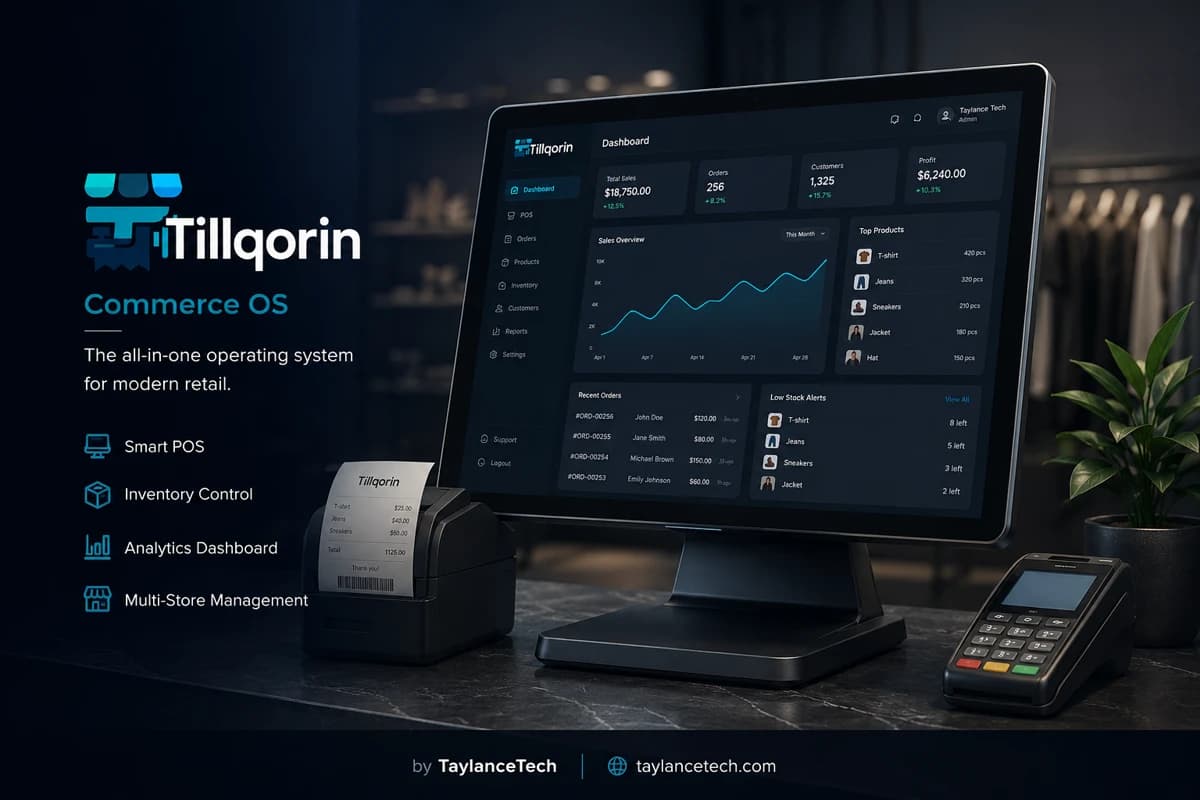
Shop management software is the daily operating system of a store. It connects selling at the counter with stock, buying, spending, cash movement, and owner review so yesterday’s numbers live in one place instead of five notebooks.
Shops need it when billing, stock lists, purchase notes, and expense scraps disagree; when only the owner can explain the week; or when closing time becomes storytelling instead of a clear ritual. The pain is fragmentation, not laziness.
Tillqorin is shop management software in practice: products and inventory, sales billing, purchases and demands, expenses, cash, accounts, roles, and analytics for retail and wholesale shops. Built by Taylance Tech and used at pos.taylancetech.com after signup, trial, and subscription through Paddle.
What it is
What is shop management software?
A clear definition for owners comparing store tools.
Shop management software is software that runs the store’s daily operating loop: selling, keeping product and stock records, recording purchases, capturing expenses and cash movement, and giving owners a way to review how the shop performed. It is broader than a cash drawer app and lighter than a full enterprise ERP project.
People search for store management software, retail shop software, kirana store software, or business management for shops when they want one place that answers operational questions. How much did we sell? What moved? What did we buy? What did we spend? Who still owes what? Those questions belong together.
Shop management is not a promise that software will run the business alone. Staff still greet customers, count shelves, and negotiate with suppliers. The software’s job is to stop those actions from vanishing into disconnected notes that never rejoin a weekly picture.
Tillqorin fits this definition for retail and wholesale shops: counter billing, catalog and inventory, purchases and demands, expenses, cash, accounts, roles, and analytics inside one organization at pos.taylancetech.com.
- One operating loop instead of five disconnected tools
- Counter work tied to stock and purchase history
- Spending and cash movement included in the same week view
- Owner review without waiting for spreadsheet merges
Why shops need it
Why shops need shop management software
The practical reasons owners leave notebooks and tool piles behind.
Shops need shop management software when fragmentation starts costing money and calm. If sales live in one place, stock in another, and expenses in a chat thread, every owner question becomes a research project. Research projects at closing time create arguments, not clarity.
They need it when the business cannot pause because the owner is sick or traveling. If only one person can explain stock, prices, and payables, the shop is fragile. Software with roles lets trusted people continue the loop without inheriting every admin key.
They need it when growth outruns memory. A small counter can survive on recall. A larger catalog, more suppliers, and more staff cannot. Shop management software turns memory into posted records that survive a busy Saturday.
They need it when “profit” is a feeling. Revenue without purchases and expenses is a story. Owners who want a grounded week review need those pieces in the same system, even if a certified accountant still handles formal filings later.
Not POS only
Shop management versus narrow POS versus heavy ERP
Where store management software sits between simple tills and enterprise suites.
A narrow POS may print receipts and little else. That helps the queue and still leaves stock, buying, and spending outside the system. Many owners then paste exports into spreadsheets and call the mess “management.”
A heavy ERP may offer deep modules the shop will never staff. Implementation stretches for months, training never finishes, and daily selling feels like filling forms for a distant headquarters. Neighborhood shops often need less ceremony and more daily truth.
Shop management software aims at the middle: enough structure to run the store loop, not so much process that cashiers freeze. The test is simple. Can the team sell, receive, record a spend, and review the day without switching products?
Tillqorin is built for that middle. It is serious shop software without pretending to replace specialized legal, tax, or manufacturing systems. Keep expectations on the operating loop, not on automatic compliance certificates.
- Narrow POS: fast bills, weak shop picture
- Heavy ERP: deep modules, heavy adoption cost
- Shop management: daily loop in one organization
- Tillqorin: retail and wholesale shop operations, not enterprise theater
Daily loop
The daily shop management loop
What “managing the shop” looks like hour by hour in software.
Morning starts with a usable catalog and known opening conditions. Prices should match what cashiers will charge. Stock figures should be close enough that selling does not invent fantasy quantities. Shop management fails when the day begins on stale lists.
Daytime is selling and small corrections. Items leave through sales. Occasional adjustments happen when damage or counting errors appear. The point is that movement posts into the same records the owner will read at night.
Deliveries and supplier bills belong in the same day when they happen. Parking purchase paperwork for “later” is how payables and stock drift. Expenses for transport, packing, or minor repairs should land beside sales so the week’s economics stay honest.
Evening is review, not archaeology. A manager or owner checks sales totals, obvious exceptions, cash notes, and whether purchases or expenses still sit in someone’s pocket. Shop management software makes that ritual shorter because the posts already exist.
Billing and stock
Why billing and stock must share one catalog
The core link inside store management software.
When billing uses one product list and stock uses another, lookalike items steal each other’s history. Cashiers sell “the blue pack” from memory while the stock notebook tracks a differently named line. Shop management software prevents that split by making the sellable item and the stocked item the same record.
Shared catalogs also protect price discipline. A sticker change that never reaches the till is a customer conflict waiting to happen. Updating the product once and selling from that record keeps the counter honest.
Owners reviewing margin need the same link. Revenue without quantity movement is incomplete. Quantity movement without revenue is incomplete. Shop management ties both so weekly questions have somewhere to land.
In Tillqorin, products sit at the center of selling and inventory work. Train staff to fix the product record when names or prices drift, not to invent parallel nicknames in chat.
Buying and spending
Purchases, demands, and expenses as management work
Back-office posts that belong beside counter sales.
Buying is shop management, not a side hobby. Goods arrive, quantities change, and money or credit moves toward suppliers. If purchases stay on paper while sales sit in software, the week’s picture is half-blind.
Demand lists help shops ask suppliers for what is missing without relying on memory during a rushed call. They are management tools when they feed the same product identities used at the till.
Expenses are easy to ignore because each one feels small. Transport, tape, cleaning, and minor repairs still change whether a strong sales day was actually a strong business day. Capturing them in the same system keeps owner review grounded.
Tillqorin includes purchases, demands, expenses, and cash-related entries as part of the shop loop. Use them at the time of the event. Delayed posting recreates the notebook problem inside new software.
- Post purchases when goods are accepted
- Keep demand lists tied to real product records
- Record recurring small expenses weekly at minimum
- Do not leave supplier chats as the only payable history
Cash and accounts
Cash movement and accounts in shop management
How money trails support owner calm without pretending to be a law firm.
Shops move cash, bank transfers, and customer balances every day. Shop management software should hold those movements close to sales and expenses so “where did the money go?” is answerable from records, not from reconstructed memory.
Accounts and ledgers help owners and bookkeepers see parties and balances that matter operationally. That support is valuable. It is not automatic tax filing, legal advice, or a certificate of compliance. Keep those duties with qualified professionals where required.
Family shops often confuse “we have cash in the drawer” with “we made profit.” Software that shows sales beside spends and payables reduces that confusion. It still requires humans to read the numbers honestly.
Tillqorin provides accounts-oriented views alongside operational posting. Use them for operational clarity. Do not treat any shop system as a substitute for filing rules in your jurisdiction.
Owner review
Owner review without spreadsheet archaeology
What weekly and daily review looks like when posts are unified.
Owner review is the reason many people buy shop management software. They want to know which days sold, which goods moved, which suppliers matter, and which expenses quietly rose. That review should take minutes when posting discipline is real.
Analytics help when they read from the same events cashiers and receivers already posted. Dashboards fed by ignored modules become decoration. The habit is: post during the day, read at the end, adjust next week’s buying.
Standout customers and suppliers matter for neighborhood shops. Knowing who buys on credit, who pays cleanly, and which suppliers deliver reliably is management information, not vanity ranking.
In Tillqorin, use analytics after you trust a week of live posting. Fake perfection in week one helps less than honest totals that match the drawer and the deliveries you accepted.
People and roles
People, roles, and family-shop reality
How store management software supports teams without chaos.
Many shops are family businesses. Relatives cover shifts. Trust is high; process is low. Shop management software must respect that reality by offering roles that let helpers sell without opening every setting.
Cashiers need speed and limited power. Managers need broader visibility into stock and purchases. Admins need organization controls and subscription billing. Collapsing those roles into one shared login recreates the “only the owner knows” problem with extra risk.
Offboarding matters even in family shops. When a helper leaves, disable the login. Cloud convenience makes forgotten accounts easy to ignore until something changes that should not have changed.
Tillqorin supports role-based access so owners can invite staff into the loop. Start narrow. Widen only when a person’s real job requires more.
Closing ritual
A closing ritual that shop management can support
Turning end-of-day from argument into routine.
A closing ritual is a short, repeatable check: sales posted, obvious voids reviewed, cash notes captured, purchases and expenses not left in pockets, and tomorrow’s openers aware of anything incomplete. Software makes the ritual faster when the day’s posts already exist.
Without a ritual, each closer invents a method. One counts cash only. Another glances at sales. A third forgets expenses entirely. Shop management software cannot invent discipline, but it can hold the fields that discipline needs.
Write the ritual in plain language near the till. Two to five minutes is enough for many shops. Longer rituals get skipped. Skipped rituals return you to storytelling.
Use Tillqorin screens the closer actually opens every night. If a report is never read, remove it from the ritual instead of pretending it happens.
- Confirm day’s sales are posted
- Note cash and known exceptions
- Capture same-day purchases and expenses
- Flag incomplete supplier paperwork for morning
Notebooks and Excel
Outgrowing notebooks and spreadsheet patches
When familiar tools stop being enough for store management.
Notebooks are honest teachers. They show what the shop valued enough to write down. They fail when multiple people must write at once, when history must be searched quickly, or when stock and sales must stay linked under pressure.
Spreadsheets help for a while. Then formulas break, copies multiply, and the “master file” becomes three masters. Shop management software earns its keep when the spreadsheet merge becomes a weekly unpaid job.
Migration should respect what notebooks got right: short names staff understand, supplier habits, and credit realities. Do not import every dusty line. Import what you still sell and still owe.
Tillqorin replaces the operating loop, not your judgment. Keep a short written price policy if you need it; put the live prices and quantities in the system staff actually use.
Kirana and general
Kirana and general store management needs
Neighborhood retail patterns that software must respect.
Kirana and general stores often mix fast counter selling with mixed units, local credit, and frequent small purchases. Shop management software for these stores must stay quick at the till while still accepting back-office posts the same day.
Assortments change with seasons and supplier visits. The catalog must be easy to update without a project committee. Owners should fix a price or add a pack between customers, not after a weekend of data entry.
Trust-based credit still needs records. A neighbor balance that lives only in memory becomes a relationship problem. Posting sales and receipts against parties keeps respect intact when memories differ.
Tillqorin is aimed at shops in this practical middle: serious enough for stock and accounts visibility, light enough for daily neighborhood trading at pos.taylancetech.com.
Wholesale hybrid
Hybrid retail and wholesale shop management
When one counter serves walk-in and bulk buyers.
Many neighborhood businesses sell retail packs and wholesale quantities from one catalog. Shop management software must let both patterns post against the same goods without inventing parallel “retail only” and “wholesale only” worlds that drift apart.
Pricing rules may differ by customer type, but identity should not. The item that leaves the shelf should be the item that stock decreases. Management fails when wholesale tickets quietly use a different naming scheme.
Purchasing for hybrid shops is often bulk-oriented while selling is mixed. Owner review should show both streams so buying decisions match what actually moved, not what the owner remembers selling to one large client.
Use Tillqorin’s shared product and sales flow for both patterns, and keep party records clean so wholesale balances do not hide inside unnamed walk-in tickets.
Choosing software
How to choose shop management software
Selection questions tied to daily store work.
Choose shop management software by walking your real day. Sell three common items. Receive one delivery. Record one expense. Invite a cashier role. Print the receipt size you actually use. If any of those steps require a second product, keep looking.
Ask what happens after the trial. Ask how roles work. Ask whether purchases and expenses live beside sales or in an export graveyard. Ask whether owner analytics read from live posts.
Avoid tools that only market “AI insights” while leaving the posting loop weak. Insights on incomplete data create false confidence. Prefer boring reliability in the daily loop over decorative dashboards.
Tillqorin is a fit when you want one hosted shop organization for selling, stock, buying, spending, accounts visibility, and roles — with trial evaluation and Paddle subscription billing — without buying an enterprise ERP project.
Myths
Myths about shop management software
Claims that waste selection time.
Myth: installing any billing app equals shop management. Reality: without stock, buying, and spending in the same loop, you still manage by memory.
Myth: software removes the need for closing discipline. Reality: tools hold records; people still close the day.
Myth: one shared login is fine because “we trust everyone.” Reality: trust and role limits can coexist. Limits protect relationships when mistakes happen.
Myth: shop management software files your taxes automatically. Reality: operational records help bookkeeping; filing rules stay with you and your advisors.
Myth: you must digitize twenty years of history before go-live. Reality: active goods, open balances, and clean opening stock matter more than museum imports.
Mistakes
Shop management launch mistakes
Errors that recreate chaos inside new software.
Entering only sales while leaving purchases and expenses outside the system recreates fragmentation on day one. Commit to the loop you claimed you wanted.
Building a perfect catalog for a month without live selling delays learning. Sell live early with the goods that matter, then expand.
Giving every relative full admin access turns helpful coverage into uncontrolled edits. Use cashier and manager roles on purpose.
Skipping a written closing ritual means each closer improvises. Improvisation looks fine until the week’s numbers argue.
Running the old notebook as a second live truth guarantees drift. Pick a cutover week and retire duplicate posting.
First month
First-month shop management plan
A grounded sequence for stores going live.
Week one: active catalog, opening stock you trust, live selling, and receipt printing that staff accept. Do not chase rare SKUs yet.
Week two: post purchases and at least the recurring expenses you always forget. Teach one manager the evening review.
Week three: invite cashier logins, remove shared passwords, and review voids or discounts for training follow-up.
Week four: read a full week of analytics against drawer reality and supplier bills. Fix naming messes that confuse the floor. Confirm subscription billing is active before trial pressure arrives.
- Live sales on real goods
- Purchases and expenses posting in the same system
- Roles narrowed to job needs
- One closing ritual used nightly
Metrics
Simple metrics that show shop management is working
Signals owners can check without vanity dashboards.
Measure how long evening review takes. If it still needs three apps and a chat scroll, the loop is incomplete.
Count days where purchases or expenses were forgotten. Falling numbers mean management habits are sticking.
Track shared-login incidents. They should decline as roles settle. Rising incidents mean permission design failed.
Compare software sales totals to drawer and known electronic receipts for a sample week. Large unexplained gaps mean posting discipline needs coaching, not more charts.
Ownership
Who should own shop management habits
Human ownership that keeps software useful.
Someone owns the product catalog’s naming quality. Someone owns purchase posting. Someone owns expense capture. Someone owns the closing ritual. Someone owns admin invitations and billing. In a tiny shop, one person may hold every hat — write the hats down anyway.
Cashiers own clean selling and asking for help when an item is missing. Managers own day exceptions and supplier paperwork follow-up. Owners own whether the week review actually happens.
When ownership is vague, software becomes a filing cabinet nobody opens. When ownership is named, even a simple system outperforms a fancy one.
Tillqorin provides the shared organization. The shop assigns the humans. That pairing is shop management in the professional sense.
Training
Training staff on shop management software
Short training that sticks on a busy floor.
Train with the goods you sell today, not with abstract sample catalogs. Muscle memory forms on real names and real printers.
Teach the happy path first: find item, sell, print. Then teach the recovery path: missing item, wrong price, manager help. Panic training during a queue fails.
Separate cashier training from manager training. Mixing them overloads new staff and accidentally teaches dangerous shortcuts into admin screens.
Revisit training after the first live week. The questions staff ask on day eight are more valuable than the script you wrote on day zero.
Peak weeks
Shop management during peak weeks
Festival and rush periods test whether the loop holds.
Peak weeks increase sales speed and also increase forgotten purchase posts and skipped expenses. Assign a person to back-office capture even when the queue is loud.
Pre-count opening stock for the fastest movers before the rush. Shop management software cannot invent accurate quantities you never verified.
Keep roles steady during peaks. Promoting everyone to admin “just for the week” creates cleanup work that lasts a month.
After the peak, hold a short review: which posts were skipped, which names confused cashiers, which expenses never landed. Fix those before the next rush.
Poor fit
When shop management software is a poor fit
Honest boundaries protect the purchase decision.
If the shop refuses to post purchases and expenses at all, software will only digitize billing. That may still help the queue, but it is not shop management. Wait until leadership wants the full loop.
If you need deep manufacturing routing, warehouse automation theater, or jurisdiction-specific tax filing robots, a general shop system will not replace specialists. Buy the right tool for that job.
If nobody will own closing rituals or role hygiene, results will disappoint. Tools amplify habits; they do not replace them.
Tillqorin is a poor fit for teams seeking a permanent unpaid system with no subscription. The product uses trial then paid access, with write pauses when the organization is not active.
Professional limits
Professional expectations and limits
What Tillqorin shop management is for — and what it is not.
Expect one organization for selling, stock, purchases, demands, expenses, cash-related posting, accounts visibility, roles, and owner analytics, hosted for browser use at pos.taylancetech.com.
Do not expect automatic legal compliance, tax filing, or profit guarantees. Do not expect perfect stock without counting and honest receiving. Do not expect results if the team posts only half the loop.
Do not expect enterprise ERP project services packaged as a simple shop tool. Do not expect unlimited write access after trial without subscription through Paddle.
Within those limits, shop management software is how owners stop running the store from memory. Tillqorin is built by Taylance Tech for that practical job.
Weekly cadence
A weekly cadence that keeps shop management alive
Rhythm beyond the daily close.
Daily close keeps the drawer honest. Weekly cadence keeps buying and spending honest. Pick a weekday to review slow movers, supplier balances, and expense drift. Same day each week beats occasional heroic audits.
Use the weekly slot to clean naming problems that irritated cashiers. Small catalog hygiene prevents big Saturday mistakes.
Check role list weekly in the first month, then monthly. Remove logins that should not exist. Shop management includes people hygiene, not only product hygiene.
End the weekly slot with one decision: what to buy, what to stop reordering, or what expense to challenge. Review without decisions becomes sightseeing.
Single source
Building a single source of truth for the shop
How to retire competing “official” lists.
A single source of truth means the system staff sell from is also the system managers receive into and owners review. Parallel price lists in phones destroy that goal.
Announce cutover clearly. After the date, notebooks become historical reference, not live authority. If someone updates only the notebook, coach them the same day.
Suppliers may still send paper. Fine — post the accepted quantities into the shop system when goods are checked. Paper can arrive; truth still has one home.
Tillqorin becomes that home when the team refuses duplicate live posting. The software cannot enforce culture alone; owners set the rule and keep it.
The problem
Shop management problems owners feel first
These fractures appear before anyone searches for store management software.
Tool sprawl across the day
One place for bills, another for stock, another for expenses — none agree by evening.
Only the owner understands the week
A day off means the business goes blind because knowledge never left one head.
Closing is storytelling
Without unified sales, cash, and spend data, “how did we do?” is opinion.
Stock and sales live in separate worlds
Counters sell from memory while the notebook stock list ages in a drawer.
Purchases and expenses vanish into chats
Supplier payments and small spends never rejoin the same weekly picture.
Staff cannot help without full control
Sharing one login to “manage the shop” also shares settings the cashier should not touch.
Tillqorin
How Tillqorin supports shop management
One organization loop for counter work, back-office posting, people, and owner review.
Counter and catalog together
Sell from the same product and stock records you maintain for the shop.
Buying and spending in the same system
Post purchases, demands, expenses, and cash movement beside sales history.
Accounts and owner analytics
Review ledgers and trends for revenue, purchases, expenses, and standout parties.
Roles for real shop teams
Invite cashiers and managers without handing over full admin and billing control.
Receipts and documents from live work
Print thermal or page documents from the same operational records you just posted.
Hosted shop organization
Work in the browser at pos.taylancetech.com with trial evaluation and Paddle subscription billing.
Who it’s for
Who shop management software fits
Owners who need one daily system, not a pile of disconnected apps.
- Independent shop owners wearing every hat
- Family stores professionalizing day-to-day operations
- Retailers outgrowing notebooks and spreadsheet patches
- Hybrid retail and wholesale neighborhood businesses
- Kirana and general stores ready for one selling-and-stock loop
- Managers who must close the day without calling the owner for every total
Getting started
How to start shop management in Tillqorin
A practical path from empty organization to a usable daily loop.
- 1
Create the shop organization
Register at pos.taylancetech.com, verify email, and set the basics your receipts need.
- 2
Load the goods you sell every day
Enter active products and opening quantities before chasing rare SKUs.
- 3
Sell and post one full day live
Complete real counter sales, at least one purchase or expense, and a simple close review.
- 4
Invite staff with narrow roles
Give cashiers selling access; keep admin and subscription billing with trusted owners.
- 5
Subscribe while writes still flow
Activate Paddle billing before trial expiry so daily posting never pauses mid-week.
Checklist
Shop management go-live checklist
Use this before you call the new system the shop’s daily operating home.
- Shop management organization created and email confirmed at pos.taylancetech.com
- Active products loaded with prices staff will actually charge
- Opening stock reviewed for fast movers
- Live sales completed on the real counter printer
- At least one purchase posted against real goods
- Recurring expenses identified and posting habit assigned
- Cash or drawer note method agreed for closing
- Staff accounts created with role-appropriate permissions — no shared admin logins
- Shared owner password removed from daily cashier use
- Written closing ritual posted near the till
- Weekly review weekday chosen and kept
- Old notebook retired as live authority after cutover
- Trial end date on the owner calendar
- Paddle subscription path known to an admin
- One full week of analytics compared to drawer reality
Compare
Tillqorin shop management vs scattered shop tools
What changes when billing, stock, buying, and spending share one organization.
| Criterion | With Tillqorin | Typical alternative |
|---|---|---|
| Daily scope | Sell, stock, buy, spend, and review in one system | Separate apps or notebooks that disagree by night |
| Closing ritual | Sales, cash, and expenses readable from live records | Mental math and chat screenshots |
| Staff help | Role-based logins for cashiers and managers | One shared password or no help at all |
| Owner questions | Analytics and ledgers from the same posts | Waiting for someone to merge files |
| Tool count | One shop organization for the operating loop | Five tools and no single source of truth |
| Growth path | Add catalog depth and staff without changing systems | Rebuild process every time volume rises |
FAQ
Shop management — frequently asked questions
Practical answers about shop management software and how Tillqorin handles it.
What is shop management software?
It is software for the store’s daily operating loop: selling, stock, purchases, expenses, cash movement, and owner review in one place — broader than a narrow billing app and lighter than a heavy ERP project.
Is Tillqorin only billing, or full shop management?
Tillqorin supports practical shop management: billing, inventory, purchases, demands, expenses, cash-related posting, accounts visibility, roles, and analytics for retail and wholesale shops.
Can a cashier work without seeing everything?
Yes. Role-based access keeps day-to-day selling available while protecting admin settings and subscription billing.
Does shop management software replace my accountant?
No. It helps you keep operational records organized. Tax filing, legal advice, and formal compliance remain with you and qualified professionals where required.
Will it work for a small family shop?
Yes, when you want one loop for selling and back-office posting without enterprise complexity. Start with active goods, live sales, and narrow roles, then grow the catalog.
What if we still use a notebook for some notes?
Short temporary notes are fine. Problems start when the notebook remains a second live price or stock authority. After cutover, post live truth in Tillqorin.
Who builds Tillqorin?
Taylance Tech builds and operates Tillqorin. The product runs at pos.taylancetech.com; company marketing lives on taylancetech.com.
How does pricing for the software work?
Shops evaluate on a trial, then subscribe through Paddle for the organization. If the organization is not active, write operations pause until billing is fixed.
Keep exploring
Related Tillqorin guides
More pages on billing, stock, cloud setup, and small-shop use — same product, different focus.
POS for small business
What POS for small business is, why small shops need it, and how Tillqorin starts simple without enterprise theater.
Read guideInventory management
What inventory management is, why shops need stock control, and how Tillqorin tracks quantities.
Read guideBilling software
What billing software is, why shops need it, and how Tillqorin creates customer bills.
Read guideRetail POS
What retail POS is, why stores need it, and how Tillqorin runs walk-in checkout.
Read guideWant to try Tillqorin at your counter?
Start a trial on the live app at $9/month after trial, or contact Taylance Tech if your shop needs a custom setup.