
 Tillqorin by Taylance Tech
What is a barcode inventory system — and why do shops need one?
Link packs to product records with scannable codes, print labels from your catalog, and scan with confidence using Tillqorin at pos.taylancetech.com.
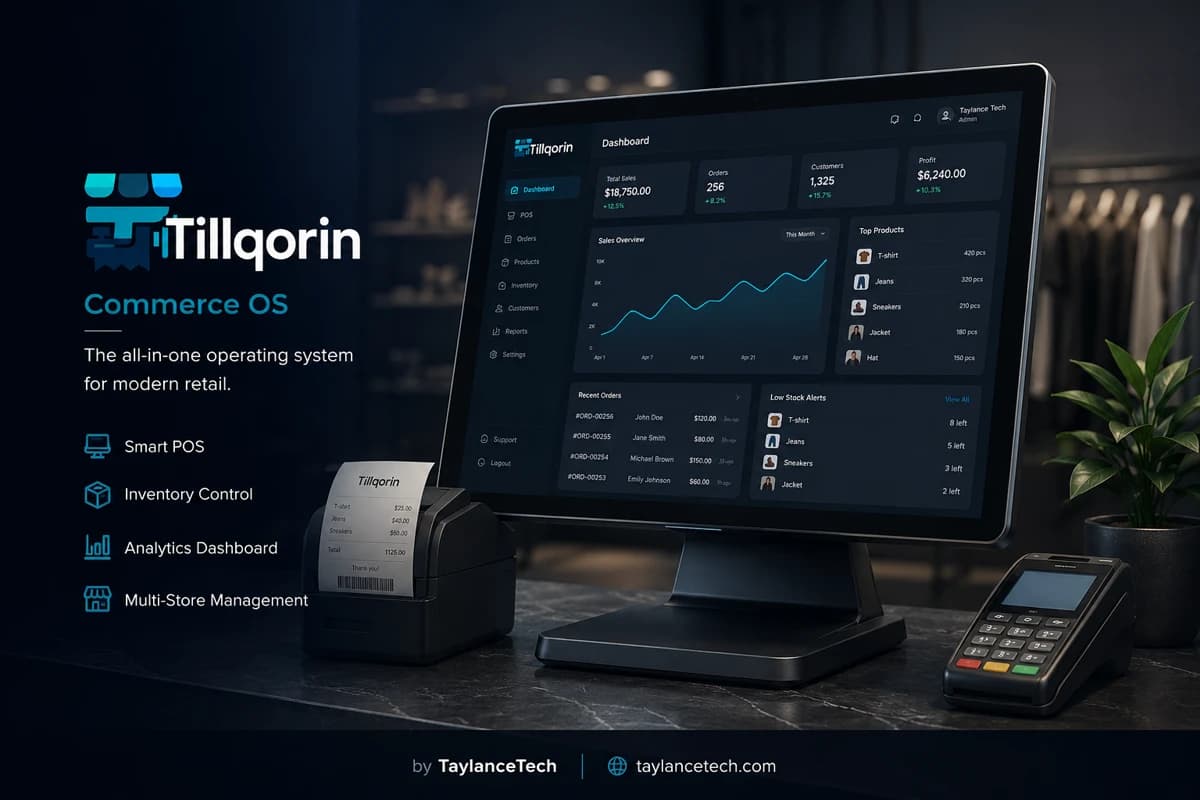
A barcode inventory system links each product’s physical pack to one software record through a scannable code. When the code on the shelf matches the code in the catalog, staff can sell, receive, count, and label without retyping names under pressure.
Shops adopt barcode inventory when scanning fails at the till, stickers do not match software, or similarly named items keep getting mixed up. The problem is usually identity, not motivation. Without unique codes on real product records, every busy hour becomes a guessing contest.
Tillqorin stores barcodes on products, supports scan entry during sales, and includes barcode label printing so packs and shelf stickers can match the catalog at pos.taylancetech.com. Quantity control still depends on posting sales and purchases; barcodes make sure those movements hit the correct item every time staff scan under pressure.
What is barcode inventory
What is a barcode inventory system?
Barcode inventory uses scannable codes as the reliable link between packs and product records.
A barcode inventory system is inventory control where each tracked product has a scannable code stored in software and usually printed or present on the physical pack. Scanning reads that code and opens the correct product so quantity and price movements apply to the right item.
Barcodes do not replace inventory management. They protect identity inside inventory management. Quantities still change when sales and purchases are posted. Counts still verify reality. The barcode’s job is to stop staff from choosing the wrong product while doing those tasks.
Shops use manufacturer codes when packs already carry them, and shop-printed codes when items arrive unmarked or when local labeling is clearer. Both approaches work when one code maps to one product record inside the store.
Tillqorin keeps barcodes on product records used for sales and stock, and supports label printing from that catalog. That design avoids the common failure where stickers live in one file and products live in another.
Search phrases such as “barcode inventory system,” “barcode POS,” “barcode inventory software,” and “barcode label printing” usually target this identity-plus-scan workflow.
One-line definition: barcode inventory means every important pack can be scanned to the exact product record that holds its quantity and selling data.
That definition excludes sticker decoration projects. Pretty labels that do not match software codes create false confidence and louder till arguments.
It also excludes scanner purchases without catalog work. Hardware cannot invent missing product codes.
- Code stored on the product record
- Physical label or pack code matches software
- Scan opens the correct SKU
- Quantity movements hit that SKU
- Labels reprint from the live catalog
Why shops need it
Why shops need barcode inventory
Barcode inventory becomes necessary when name-based selection starts failing under speed.
You need barcode inventory when checkout delays come from searching near-identical names. Scanning removes that hesitation for coded items.
You need it when receiving errors create false stock on lookalike goods. A scan confirmation is cheaper than a month of mystery shortages.
You need it when price stickers drift from software rates. Labels printed from the catalog reduce that drift.
You need it when new staff cannot memorize the assortment. Codes teach the system to carry memory for them.
You need it when packaging changes frequently. Updating one product code is manageable; ignoring code changes is not.
If you sell only a handful of obviously different items, urgency is lower. As soon as packs look alike or volume rises, barcode identity pays for itself.
There is also a fatigue cost. Typing long names for the hundredth time in an evening is how wrong near-matches get accepted. Scanning reduces that fatigue for coded goods.
Barcode discipline is therefore a quality system for busy humans, not only a technology upgrade.
- Faster correct item selection
- Fewer lookalike receiving mistakes
- Labels aligned with live product data
- Easier training for new staff
- Safer handling of packaging changes
Identity rules
Barcode identity rules that keep inventory sane
Most barcode failures are rule failures, not scanner failures.
One sellable product should have one primary barcode in the shop whenever the goods are interchangeable. Splitting one item across multiple coded records splits stock history.
Two different products must never share one barcode. Collisions cause the worst class of error: confident wrong scans.
If a manufacturer prints a new code on new packaging, update the product record and manage transition stock deliberately. Do not hope both codes magically resolve forever without a plan.
If you print internal codes, keep them unique inside your organization and resistant to casual reuse.
Retire codes when products are discontinued. Reusing an old code on a new unrelated item contaminates history.
- One primary code per interchangeable product
- No shared codes across different goods
- Update codes when packaging changes
- Never recycle retired codes onto new items
Factory vs shop codes
Manufacturer barcodes versus shop-printed barcodes
Both can work. Mixing them carelessly does not.
Manufacturer barcodes are convenient when packs already carry clean, unique codes. Store those codes on the matching Tillqorin products.
Shop-printed barcodes help when items arrive unmarked, when supplier codes collide across categories, or when local stickers are easier to scan in your lighting and distance conditions.
Do not print a shop code while also leaving a different unused factory code on the record without training staff which one matters. Pick a primary scan path.
When both appear on a pack during transition, train cashiers which code to prefer and update records quickly after old stock clears.
Label print quality matters as much as code choice. A perfect database cannot scan a smeared sticker.
Label printing
Barcode label printing from the live catalog
Labels should be outputs of product records, not a separate universe.
Print labels from the same catalog that holds barcodes, names, and rates whenever possible. That is how Tillqorin label printing is meant to be used.
After price changes, reprint affected stickers. Old price labels create till arguments even when software is right.
Place labels where scanners can read them without destroying packaging information customers need.
Test a sample label on the actual till scanner before printing hundreds. Alignment and size issues are cheaper to catch early.
Control who can print mass labels. Uncontrolled reprinting from outdated assumptions reintroduces drift.
- Print from live product data
- Reprint after price or code changes
- Test-scan before bulk printing
- Place labels for real scanner angles
Checkout scanning
Using barcodes at checkout without chaos
Scan discipline at the till determines whether barcodes feel like speed or friction.
Cashiers should scan first and search only on failure. Typing every item defeats the investment.
When a scan opens the wrong product, stop and fix identity later; do not silently continue if the error is clear. Wrong confident scans are dangerous.
For weighted or loose goods without barcodes, keep a clean search path. Not everything must be coded on day one.
Hold sales still work with scanned lines. Interruptions should not force re-scanning an entire basket from scratch.
Track repeated failures by code. The same failing item usually means a bad label, wrong stored code, or damaged print.
Watch for “almost right” mistakes: the screen shows a sibling product. Those are more dangerous than hard failures because they look successful.
If customers frequently dispute an item after scan, verify both the code mapping and the shelf label in the same visit to the aisle.
Receiving scans
Scanning during receiving and counts
Barcodes protect stock movements before the till ever sees the item.
Receiving by scan reduces lookalike mistakes when supplier packs are similar.
Cycle counts move faster when staff scan and confirm instead of reading long names in dim storerooms.
If receiving staff cannot scan, they will guess. Guessing is how inventory systems are blamed for human identity errors.
Use scan confirmation especially on high-value goods and on items with known twin packaging.
After a packaging change wave, prioritize recounting and relabeling those SKUs first.
Hardware
Scanners and label hardware that fit shop reality
Buy tools your staff can replace locally and use in a browser till.
Most shops do well with USB scanners that act like a keyboard wedge. They type the code into the field and confirm.
Test scanners on reflective packs, curved bottles, and small stickers. Demo codes on flat paper are not enough.
Choose label sizes your printer and shelf edges can support. Tiny unreadable labels waste money.
Keep spare labels and clean print heads in routine supplies. Barcode programs die from empty rolls during peak hours.
Tillqorin runs in the browser, so scanner input must work as ordinary keyboard-style entry in the sales screen.
- Keyboard-wedge USB scanner
- Label printer matched to sticker size
- Spare labels and cleaning habit
- Real-pack scan testing before rollout
Rollout
Rolling out barcodes without freezing the shop
A phased barcode rollout beats a big-bang sticker festival.
Code the top sellers first. That is where scan speed returns value immediately.
Do not delay launch until every rare item is perfect. Perfectionism leaves the till on typing forever.
Relabel in zones: one aisle or category at a time, with test scans after each zone.
Communicate the fallback: if scan fails, search, complete the customer, fix later. Customers should not wait for catalog therapy.
Set a weekly cleanup of failed-scan notes until failure volume drops.
Packaging changes
Handling supplier packaging and code changes
Packaging changes are normal. Unmanaged code changes are outages.
When new cartons arrive with new barcodes, update the product record before those cartons hit the till in volume.
If old and new stock will coexist, decide whether both codes temporarily point to the same product or whether staff must use one labeled path. Ambiguity creates collisions.
Tell receiving and cashiers about the change on the same day. Split knowledge creates split errors.
Reprint shelf labels that still show obsolete codes.
Keep a short log of packaging-driven code updates. Patterns may show unstable supplier coding worth discussing.
Duplicates
Finding and fixing barcode-related duplicates
Duplicate products are often a barcode hygiene problem in disguise.
Staff create duplicates when they cannot find an item quickly and add a near-copy. Missing or wrong barcodes make that more likely.
Search for products with empty codes on fast movers and fill them. Empty codes push people toward risky name picks.
Search for colliding codes and resolve them immediately. Collisions are emergencies for data integrity.
Merge or retire true duplicates carefully so stock history is not abandoned without a plan.
After cleanup, enforce the rule: new products require a code plan before they are sellable at volume.
Choosing
How to choose barcode inventory software
Evaluate barcode features with your real packs and scanners.
Scan twenty real products. Measure how many open correctly on the first try.
Print a label, stick it, scan it back. Confirm round-trip identity.
Create a temporary packaging-change scenario and update a code without breaking history expectations.
Have a cashier candidate complete sales using scan-first habits.
Confirm codes are unique per organization and visible on the product record used for stock.
Tillqorin is built by Taylance Tech with barcodes on products, scan entry in sales, and label printing from the catalog. Test those loops at pos.taylancetech.com during trial.
Shelf vs pack
Shelf labels versus pack labels
Where the code lives changes how staff and shoppers interact with it.
Pack labels travel with the unit and help till scanning when items are brought to the counter.
Shelf labels help staff locate and verify the intended product in the aisle, especially during restocking and counts.
Many shops need both for fast movers. If you can only do one first, prioritize the scan path that fails most often in your store.
Keep shelf and pack codes synchronized to the same product record. Split coding schemes create split realities.
When rearranging aisles, update shelf labels the same day. Old shelf codes are a quiet source of wrong replenishment.
Promotions
Promotions, bundles, and barcode complications
Promotional packaging can break scan habits if identity is not planned.
Promo packs sometimes carry temporary codes. Decide whether they map to the standard product or to a distinct promo product.
If promo and standard goods are commercially different, separate records may be safer than forcing one code to mean two deals.
End-of-promo cleanup must include label removal or reprinting. Leftover promo stickers create price conflicts.
Train cashiers on the promo mapping before the campaign starts, not during the first queue of the campaign weekend.
After promotions, review failed-scan spikes. Campaign packaging is a common cause.
Offline moments
What to do when scanning fails in the moment
A clear failure playbook protects customers and data.
Hard failure: code not found. Search by name, complete the sale if the product is certain, then queue a catalog fix.
Soft failure: code found but wrong name on screen. Stop. Do not post the wrong item to “keep the line moving” as a habit.
Unreadable label: try alternate angles once or twice, then fall back to search rather than delaying the queue endlessly.
Write the product location and symptom in the failed-scan log. “Scanner bad” without item context wastes the next morning.
Never invent a one-off product at the till to bypass a scan failure for an item that already exists.
Bulk receiving
Barcodes on bulk cartons and inner packs
Wholesale-style packs often have codes on outer cartons that differ from inner units.
Decide which code represents the sellable unit in your catalog. Outer carton codes may be logistics codes, not till codes.
If you sell by inner pack, ensure receiving staff do not scan outer carton codes into the wrong quantity model.
Document the rule near the receiving area with one example carton your team actually buys.
When suppliers change carton coding but not inner coding, update training the same week.
Mixed coding is manageable with rules; it is destructive without rules.
Myths
Myths about barcode inventory
These myths waste sticker money and staff patience.
Myth: “Buying scanners is enough.” Truth: scanners need codes on correct product records.
Myth: “Barcodes replace stock posting.” Truth: barcodes identify items; sales and purchases still must post.
Myth: “Any sticker from Word is fine.” Truth: labels disconnected from the live catalog drift quickly.
Myth: “All factory codes are unique forever across every pack you buy.” Truth: shops still must validate uniqueness inside their own catalog.
Myth: “We can label everything next month.” Truth: delayed labeling keeps cashiers typing through the busiest season.
Myth: “Barcode inventory is only for supermarkets.” Truth: any shop with lookalike packs or rising volume benefits.
Mistakes
Barcode inventory launch mistakes
Avoid these errors during sticker and scan rollout.
Printing hundreds of labels before test-scanning one.
Allowing two live products to share a code.
Leaving top sellers unscanned while coding obscure items first.
Ignoring unreadable prints because “the database is correct.”
Updating prices in software while leaving old price stickers on shelves.
No fallback training, so a single failed scan freezes the queue.
Quality control
Barcode quality control in weekly shop routine
Small weekly checks prevent sudden till paralysis.
Review failed-scan notes every week and fix the top offenders first.
Spot-scan ten shelf labels against software during quiet minutes.
Inspect label stock and printer cleanliness before weekends.
Confirm new arrivals that carry new codes are updated the same day.
Praise staff who report bad labels early. Silence lets failures reach customers.
Professional use
Professional expectations and limits
Clear limits keep barcode projects honest and content trustworthy.
Barcode inventory improves item identity and scan speed. It does not by itself create perfect stock counts or prevent theft.
Hardware results vary by pack materials and lighting. Test your actual assortment rather than assuming every code will read perfectly.
Tillqorin is a real operations product from Taylance Tech. Validate barcode storage, scan entry, and label printing with your own products during trial.
Do not promise staff that scanning removes the need for careful receiving counts on high-value goods.
First month
First-month barcode inventory plan
Measure success by first-pass scan rate on top sellers.
Week one: code and test-scan the top fast movers; print labels only for those that need stickers.
Week two: enforce scan-first at the till for coded items; log failures.
Week three: extend coding to the next assortment tier and clean collisions.
Week four: review failure logs, relabel problem packs, and remove duplicate products created during rollout.
Keep a visible “bad label” tray or note channel so issues do not depend on memory.
If a barcode workflow cannot complete with your real packs and scanner, capture one failing example and discuss it with Taylance Tech.
Price labels
Price changes and barcode stickers
Price integrity is part of barcode labeling discipline.
When rates change, software updates are not enough if stickers still show old prices. Customers argue with the paper they see.
Reprint price-bearing labels in the same cycle as the rate change for affected items.
If you keep price off the barcode sticker and on a separate tag, still ensure the scanned product rate matches the shelf promise.
Run a quick audit after promotions end. Expired promo stickers are a classic trust problem.
Assign ownership for price-label updates so the task is not everyone’s vague responsibility.
Training
Training cashiers and receivers on barcode habits
Short role training beats a one-time speech.
Cashiers: scan first, verify the name on screen, then continue. Wrong names must be stopped.
Receivers: scan to confirm SKU before posting quantity.
Everyone: report unreadable labels immediately with the product name and location.
Practice with damaged stickers and reflective packs so failure handling is familiar.
Retrain after packaging change waves. Old habits linger and cause avoidable queue delays.
Metrics
Simple metrics that show barcode inventory is working
You do not need a complex analytics program to see progress.
First-pass scan success on top sellers: how often the first scan opens the correct item.
Failed-scan count per week: should fall after cleanup if the program is real.
Time-to-fix for labeled items after price changes: delayed reprints predict disputes.
Duplicate product creations per month: should fall as codes make search less desperate.
Cashier confidence comments: qualitative, but useful. Fear of scanning usually means identity is still unstable.
Review these monthly with the person who owns catalog hygiene. Metrics without ownership become wallpaper.
Ownership
Who should own barcode hygiene in a shop
Unowned barcode programs decay within weeks.
Assign one catalog owner for code uniqueness and product record quality.
Assign one label owner for reprint cycles after price and packaging changes.
Cashiers own immediate failure reporting; they should not be expected to redesign the catalog mid-queue.
Receivers own scan-confirm habits on high-risk arrivals.
The owner or manager reviews metrics and removes blockers when suppliers change packaging suddenly.
Write the names on a card. “Everyone” is not an owner.
The problem
Barcode and labeling problems shops hit first
These identity failures appear before owners search for barcode inventory software.
Scanner beeps, software finds nothing
The pack has a code, but the product record does not.
Two products share one barcode
The wrong item is sold or received while the queue waits.
Shelf stickers show old prices or old codes
Labels were printed from a stale sheet disconnected from the catalog.
Staff type names because stickers are unreadable
Poor print quality destroys barcode value.
Receiving uses the wrong lookalike SKU
Without scan confirmation, similar packs absorb each other’s stock.
New packaging arrives with a new factory code
Old records are never updated, so scanning breaks overnight.
Tillqorin
How Tillqorin supports barcode inventory
Product barcodes, scan entry, label printing, and catalog identity control.
Barcodes on product records
Store unique codes per shop organization on the items you scan.
Scan-led sales entry
Add lines at checkout by scanning instead of hunting names.
Barcode label printing
Print stickers from the same catalog that holds stock and prices.
Catalog identity protection
Keep one product record per physical sellable item whenever goods are interchangeable.
Support for shop-printed codes
Label items that arrive without usable factory barcodes.
Scan discipline across selling and receiving habits
Use codes to confirm the right SKU before quantities move.
Who it’s for
Who this barcode inventory system fits
For shops that need correct item identity at speed — at the till, in receiving, and on the shelf.
- Retail stores adding scanners for the first time
- Shops reprinting labels after price or packaging changes
- Wholesale packs that need SKU identity under bulk handling
- Teams replacing typed till entry with scan entry
- Owners cleaning duplicate products caused by weak coding
Getting started
How to start barcode inventory in Tillqorin
Code fast movers first, test-scan, then expand labeling in zones.
- 1
Create your Tillqorin shop
Register a shop organization at pos.taylancetech.com and verify the admin email so barcode and inventory tools unlock in the trial.
- 2
Enter fast movers with barcodes first
Put codes on the items that appear in most baskets.
- 3
Print labels for items that need stickers
Use catalog printing so shelf codes match software codes.
- 4
Test scan at the till and during a sample receive
Confirm the correct product opens before go-live.
- 5
Train the fallback when a code fails
Search by name, finish the sale safely, then fix the record after the rush.
Checklist
Barcode inventory go-live checklist
Complete these steps before you rely on scanning during peak hours.
- Add barcodes to top fast movers in Tillqorin
- Test-scan each of those items at the till
- Print and test-scan labels for items that need stickers
- Remove or fix any duplicate barcode collisions
- Train cashiers on scan-first habits and a calm failure fallback when a code does not resolve
- Train receivers to scan-confirm high-risk SKUs
- Create a failed-scan log for the first month
- Assign who reprints labels after price changes
- Check label supplies before the weekend
- Schedule a week-two review of the worst scan failures
Compare
Tillqorin barcode inventory vs name-only catalogs
A direct comparison for shops still relying on typed names and disconnected sticker sheets.
| Criterion | With Tillqorin | Typical alternative |
|---|---|---|
| Product identity | Unique barcode on the catalog record | Names only, easy to mix up |
| Checkout entry | Scan into the sale line | Type and hope the closest name is right |
| Label source | Print from live product records | Mail-merge stickers from an old spreadsheet |
| Receiving confirmation | Scan to confirm SKU before stock rises | Guess from packaging artwork |
| Packaging change | Update code on the same product | Ignore new codes until scanning collapses |
| Duplicates | Prevent colliding codes in the organization | Multiple items accidentally sharing one sticker logic |
FAQ
Barcode inventory — frequently asked questions
Practical answers about barcode inventory system and how Tillqorin handles it.
What is a barcode inventory system?
It is inventory control where products have scannable codes linked to software records, so selling, receiving, counting, and labeling hit the correct item.
Do barcodes replace inventory software?
No. Barcodes identify products. Inventory still needs quantity posting from sales, purchases, and counts.
Does Tillqorin support barcodes?
Yes. Products can store barcodes, sales can use scan entry, and labels can be printed from the catalog.
What scanners work with Tillqorin?
Most USB scanners that act like a keyboard wedge work in the browser sales screen.
Should I use factory codes or print my own?
Use factory codes when they are clean and unique in your catalog. Print shop codes when packs are unmarked or factory codes are impractical.
What if two products share one barcode?
Treat it as an emergency data error. Separate the codes immediately to protect sales and stock integrity.
Why does my scanner fail on some packs?
Causes include missing stored codes, damaged labels, glare, curved surfaces, or wrong code on the record. Fix identity and print quality, not only hardware.
Can barcodes help receiving?
Yes. Scanning confirms the SKU before stock increases, which reduces lookalike mistakes.
Do I need to barcode every item on day one?
No. Start with fast movers and expand. Waiting for total coverage delays value.
Who builds Tillqorin?
Taylance Tech. The live app is at pos.taylancetech.com.
Will barcode inventory stop theft?
It improves identity and process control. It is not a complete security system by itself.
How do price changes affect barcode labels?
Update software rates and reprint price-bearing stickers for affected items so shelf promises match scanned prices.
Keep exploring
Related Tillqorin guides
More pages on billing, stock, cloud setup, and small-shop use — same product, different focus.
Inventory management
What inventory management is, why shops need stock control, and how Tillqorin tracks quantities.
Read guideRetail POS
What retail POS is, why stores need it, and how Tillqorin runs walk-in checkout.
Read guidePOS system
What a POS system is, why shops need one, and how Tillqorin runs the counter sale.
Read guideCreate bills & invoices
What invoice software is, how to create bills, and how Tillqorin prints saved sales invoices.
Read guideWant to try Tillqorin at your counter?
Start a trial on the live app at $9/month after trial, or contact Taylance Tech if your shop needs a custom setup.