
 Tillqorin by Taylance Tech
What is multi-tenant POS — and why do shops need isolated organizations?
Each Tillqorin shop is its own organization with staff, catalog, stock, and subscription walls — on one cloud platform at pos.taylancetech.com.
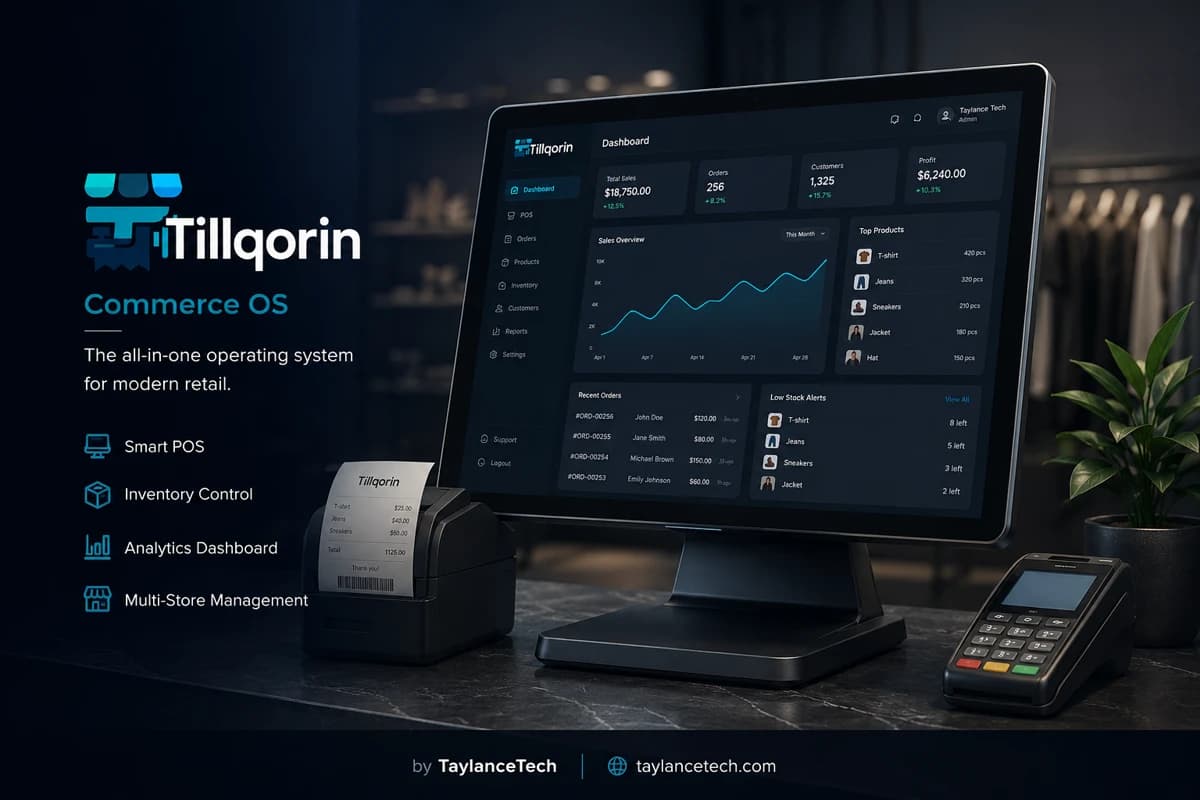
Multi-tenant POS means one hosted product serves many shops while keeping hard walls between their data. Your catalog, sales, staff, and subscription belong to your organization — not to a neighbor business on the same platform.
Shops need this model when staff require individual logins, when a second location must not inherit another shop’s stock and ledgers, or when trial and paid status must be enforced per business fairly. The need is isolation and clean multi-user access — not a shared spreadsheet hoping nobody opens the wrong file.
Tillqorin is built as organization-based multi-tenant SaaS by Taylance Tech. Register a shop, invite admin, manager, and cashier users inside that tenant, and subscribe per organization through Paddle. Operators with more than one shop can run separate organizations today; a unified chain dashboard across tenants is not required for isolation and is not claimed as a live control tower here.
What it is
What is multi-tenant POS?
A clear definition for owners comparing shared platforms and private shop walls.
Multi-tenant POS is point-of-sale software where many shops use the same hosted product while each shop’s operational data stays scoped to its own tenant organization. The platform is shared; the business records are not.
This is different from simply having two computers. Two computers can still open the same mixed file. Multi-tenant design means the software enforces organization boundaries on catalogs, sales, stock, staff invitations, and subscription state.
People also search for multi store POS, multi-user POS software, SaaS POS multi tenant, cloud POS for multiple shops, or organization based POS when they need either several staff inside one shop, several shops without mixed books, or both.
Tillqorin follows the organization model at pos.taylancetech.com: one signup creates one shop tenant; users inside that tenant see that shop’s world; other tenants remain outside that wall.
- Shared platform, separate shop organizations
- Staff and catalog scoped to the tenant
- Subscription status owned per organization
- Self-serve onboarding for each shop business
Why shops need it
Why shops need multi-tenant and multi-user POS
The practical reasons isolation and roles beat shared logins.
Shops need multi-user POS when more than one person sells. Individual logins restore accountability for voids, discounts, and shift work. A single shared password makes every mistake anonymous.
Shops need multi-tenant walls when more than one business entity trades. Mixing two locations into one catalog creates false stock, false revenue, and unfair blame when numbers disagree.
They need per-organization billing when each shop must stand on its own commercial feet. Fair trial enforcement and paid status belong to the business that signed up — not to a vague platform-wide handshake.
They need self-serve organization creation when growth should not wait for a vendor to manually provision a database row. Modern SaaS POS scales because shops can start themselves inside the guarded model.
Terms clarified
Multi-user, multi-store, and multi-tenant — clarified
Three phrases owners mix up during software shopping.
Multi-user means several people can sign into one shop organization with different roles. That solves staffing inside a single business.
Multi-store, in everyday owner language, often means more than one physical location or trading counter. The operational question is whether those locations share one stock brain or keep separate truths.
Multi-tenant means the vendor’s cloud product hosts many customer organizations with isolation between them. It is the architecture that makes secure SaaS possible at scale.
On Tillqorin today, multi-user roles live inside one organization. Multiple shops are handled cleanly as multiple organizations. That is honest multi-shop capability without pretending a single live HQ dashboard already unifies every tenant.
- Multi-user: people inside one shop tenant
- Multi-store: more than one location or entity in business language
- Multi-tenant: many shops on one platform with walls
- Tillqorin live model: roles per org; separate orgs per shop
Organization walls
What organization isolation means in daily work
Practical walls cashiers and owners can understand.
When a cashier signs into your organization, they work your products, your tickets, and your shop context. They should not browse another tenant’s stock because they happen to use the same POS brand.
Isolation is a design and enforcement goal. Shops still must protect passwords and limit admin seats. Soft habits can undermine hard walls if credentials are shared across businesses.
For owners, isolation means cleaner audits. If Shop A’s week looks wrong, you investigate Shop A’s posts — not a blended workbook where Location B’s returns quietly landed.
Tillqorin scopes shop work to the organization. That is the foundation of its multi-tenant POS design.
Second shop
Running a second shop as a second organization
The live multi-shop pattern without fake chain theater.
If you operate two shops, register two organizations when their catalogs, staff, cash, and legal footing should stay separate. Each organization gets its own trial or subscription path, its own users, and its own stock truth.
This pattern prevents the classic failure of “one system, two doors” where Location 2 sells Location 1’s quantities. Separate organizations make that failure harder.
Yes, it means more than one admin surface. That cost buys clarity. A premature shared catalog across locations often costs more in correction labor than two clean tenants.
A unified chain dashboard across organizations is not required for isolation to work, and it is not presented here as an already-live control tower. Operators who need that style of HQ view should treat it as future product direction, not as today’s promise.
When one org
When one organization is enough
Not every second counter needs a second tenant.
One organization is enough when you have one business brain: one catalog truth, one stock pool, one set of ledgers, and multiple devices or staff serving that same business. Extra tills are not automatically extra tenants.
A backup laptop signing into the same shop is still one organization. That is device flexibility, not multi-store architecture.
If two counters share inventory in real life and report as one business, forcing two organizations will create reconciliation pain. Match software boundaries to business boundaries.
Choose Tillqorin organization count based on how you actually account for stock and money — not based on how many doorways you can count from the street.
Multi-user roles
Multi-user POS roles inside one organization
People access that keeps one shop safe as it grows.
Inside a single Tillqorin organization, invite users with roles that match the job. Cashiers need selling tools. Managers need broader operational visibility. Admins need organization settings and subscription billing.
Multi-user design fails when everyone is an admin. That recreates the sticky-note password problem with more accounts. Start narrow and widen only when the job requires it.
Offboarding is part of multi-user hygiene. Disable access when someone leaves. Organization isolation does not help if ex-staff still hold a live login.
Train each role on its happy path. Cashiers should not learn admin screens “just in case.” Curiosity without need is how settings drift.
Per-org billing
Per-organization trial and subscription billing
Fair commercial state for each shop tenant.
In a multi-tenant POS, trial dates and paid status should sit on the organization. Shop A’s unpaid state should not silently dictate Shop B’s ability to post — and the reverse should also be true.
Tillqorin mirrors that idea: subscription and trial live on the organization, with write access pausing when the organization is not active. Admins can still reach billing paths to subscribe or fix payment through Paddle.
For operators with two organizations, calendar both renewals. Two shops mean two commercial checkpoints. Treat that as normal operating discipline.
Do not share one Paddle customer story mentally across two tenants without checking each org’s Billing screen. Clarity beats assumptions.
- Each organization owns its trial clock
- Inactive status pauses writes for that org
- Paddle subscription is per shop tenant
- Admins fix billing on the affected organization
Self-serve onboarding
Self-serve organization onboarding
How shops start without manual vendor provisioning.
Self-serve onboarding means a shop creates its organization, verifies email, and begins trial work without waiting for a technician to open a database tool. That speed is a core multi-tenant SaaS benefit.
Speed still needs discipline. An empty rushed catalog creates a messy tenant that staff distrust. Use the first day for active goods and printer proof, not for racing through every setting.
Email verification protects the admin identity of the organization. Use an inbox the business controls. Personal addresses that vanish later make recovery harder.
Tillqorin’s signup path at pos.taylancetech.com is built for this self-serve tenant creation model.
Operator playbook
Playbook for operators with two or three shops
Habits that keep separate organizations healthy.
Name organizations clearly after the trading identity staff recognize. Ambiguous tenant names cause login mistakes when owners manage more than one.
Assign a primary admin per organization. If one person admins all, document recovery paths and avoid identical passwords across tenants.
Keep product naming standards similar for human comfort, but never assume stock quantities can be compared casually across organizations without a transfer process you actually run outside blended books.
Review each shop’s week on its own. Blended mental averages hide a failing location behind a strong one.
Transfers honesty
Stock movement between shops — said honestly
What separate organizations imply for transfers.
When two shops are two organizations, goods moving from one door to the other are not magic mirrored stock. You need an operational habit: reduce stock in the sending shop’s records through the posting method you use, and increase stock in the receiving shop’s records when goods arrive.
That honesty prevents fantasy inventory where both locations still show the same carton. Multi-tenant isolation protects boundaries; humans still record reality across boundaries.
If your business truly shares one warehouse brain across counters, one organization may be the better model. Do not force multi-org structure onto a single stock pool.
Tillqorin’s live strength here is clear per-shop truth. Transfer discipline remains an operating procedure you own.
Security habits
Security habits across organizations and users
Practical controls that support multi-tenant walls.
Unique passwords per user are non-negotiable. Reused owner passwords across two organizations amplify blast radius if one device is compromised.
Limit admin seats in every tenant. Billing and destructive settings should not live on cashier tablets.
Sign out on shared counters. Multi-user software still fails when the morning cashier leaves an admin session open.
Review user lists monthly when you operate more than one organization. Forgotten logins accumulate quietly.
Family entities
Family groups and related but separate entities
When related people run shops that must still stay walled.
Family businesses often share labor across doors while keeping money and stock separate. Software should respect that split. Separate organizations keep peace when memories differ about which shop owns which goods.
Cross-helping staff need the correct login for the shop they are standing in. Signing into the wrong tenant is a training issue you can fix with clear bookmarks and naming.
Do not use one organization as a “family master” if legal and stock realities are separate. Convenience today becomes dispute fuel tomorrow.
Tillqorin’s tenant model supports related owners running distinct shop organizations on the same platform without merging their books.
Architecture buyers
What architecture-minded buyers should verify
Evaluation points for people comparing SaaS POS tenants.
Ask how shop data is scoped. Ask whether staff invitations are tenant-bound. Ask whether subscription status is per organization. Ask what happens to writes when a tenant is inactive.
Ask how a second business is created. Self-serve organization signup is a different experience from waiting for manual provisioning.
Ask what is live versus planned for chain-wide views. Honest vendors separate isolation (live necessity) from HQ dashboards (optional future). Buy for today’s walls first.
Tillqorin is built for organization isolation, multi-user roles, and per-org Paddle billing on a hosted platform operated by Taylance Tech.
Choosing software
How to choose multi-tenant or multi-store POS software
Selection tests tied to real staffing and location boundaries.
If you have one shop and several staff, test role-based invites and confirm cashiers cannot open billing admin. That is the multi-user test.
If you have two shops with separate stock, test creating two organizations and confirm catalogs do not leak. That is the multi-shop isolation test.
If a vendor only offers one shared company file for every door you own, demand a clear explanation of how stock and permissions stay sane. Vague “multi-store ready” adjectives are not a design.
Choose Tillqorin when you want live organization walls and roles now, with an honest stance that separate orgs are the multi-shop path today.
Myths
Myths about multi-tenant POS
Fear and hype that confuse buying decisions.
Myth: multi-tenant means competitors can see your data. Reality: multi-tenant means shared platform software with organization-scoped records — not shared ledgers.
Myth: two tills automatically require two organizations. Reality: two tills for one stock pool are usually one organization with multiple devices.
Myth: a chain dashboard is required before isolation matters. Reality: walls matter on day one; HQ views are a separate product question.
Myth: one shared login is simpler for multi-store families. Reality: shared logins create anonymous mistakes across every door.
Myth: you can merge two live catalogs later with no pain. Reality: delayed separation is usually more expensive than starting clean.
Mistakes
Multi-store and multi-tenant mistakes to avoid
Errors that destroy clarity across shops and users.
Blending two locations into one organization when stock and cash are truly separate.
Creating two organizations for what is actually one shared warehouse brain, then wondering why numbers never match.
Giving every helper admin rights in every tenant “for convenience.”
Ignoring the second organization’s trial end date while focusing only on the first shop.
Using identical bookmarks and identical org nicknames so staff constantly sign into the wrong shop.
First month second shop
First-month plan when opening a second organization
A grounded sequence for Shop B without harming Shop A.
Week one: create Shop B’s organization, verify email, load only Shop B’s active goods, and prove printing on Shop B’s till device.
Week two: invite Shop B staff with correct roles; ban reuse of Shop A passwords; complete live sales in Shop B only.
Week three: define the transfer habit if goods move between shops; post both sides; stop verbal-only transfers.
Week four: subscribe Shop B on time, review Shop B’s week separately, and confirm admin ownership for both tenants is documented.
- Shop B catalog is Shop B’s alone
- Roles invited per tenant
- Transfer posting rule written
- Both subscription calendars visible
Metrics
Simple metrics for multi-tenant POS health
Signals that isolation and roles are working.
Count wrong-organization login incidents. If staff often land in the wrong shop, fix naming, bookmarks, and training.
Count shared-password incidents across counters. Falling numbers mean multi-user design is being used as intended.
Count stock disputes caused by blended location assumptions. If you chose separate orgs, disputes should shift toward transfer posting quality — not mystery merges.
Count surprise write pauses from forgotten tenant billing. Each surprise is a calendar failure, not a platform mystery.
Ownership
Who should own each organization
Human ownership for every tenant you operate.
Every organization needs a named admin owner, a named person for staff invites, and a named person who watches subscription status. In small groups one human may hold every hat — write the hats per shop anyway.
Cashiers own signing into the shop they are standing in. Managers own day review inside that tenant. Owners own whether a new doorway deserves a new organization.
When ownership is vague across multi-shop families, tenants rot at different speeds. When ownership is explicit, weak shops get attention earlier.
Tillqorin provides the organization surfaces. Operators assign the humans who keep each wall meaningful.
Poor fit
When this multi-tenant model is a poor fit
Honest boundaries for responsible expectations.
If you need a live single-pane chain HQ that consolidates every location’s stock and staff into one dashboard today, do not buy on that promise here. Tillqorin’s live emphasis is organization isolation and multi-user roles; separate shops are separate organizations.
If you want one unpaid forever system spanning every business you touch, the trial-then-subscribe model will frustrate you. Each active organization needs healthy billing for uninterrupted writes.
If you refuse role limits and insist on one password everywhere, multi-user benefits will not save you from anonymous edits.
If two counters truly share one inventory brain and one set of books, forcing multi-org structure may be the wrong shape — use one organization instead.
Professional limits
Professional expectations and limits
What Tillqorin multi-tenant POS is for — and what it is not.
Expect organization-scoped shop data, self-serve tenant signup, multi-user roles inside a shop, per-organization trial and Paddle subscription status, and the ability to run multiple shops as multiple organizations on the hosted platform.
Do not expect a claim that competitors can see your ledgers because the product is multi-tenant. Do not expect isolation to survive shared passwords. Do not expect a live unified chain control tower across tenants as a current guarantee.
Do not expect software alone to post inter-shop transfers you never record. Do not expect inactive organizations to keep accepting writes.
Within those limits, multi-tenant POS is how modern shops get staff access and business walls on one cloud platform. Tillqorin is built by Taylance Tech for that job at pos.taylancetech.com.
Vendor trust
Trusting the platform operator
Why who runs the multi-tenant POS matters.
Multi-tenant software places many shops on infrastructure run by a vendor. Buyers should know who that vendor is, where the app lives, and how shop billing works.
Taylance Tech builds and operates Tillqorin. Marketing and product information live on taylancetech.com; the application runs at pos.taylancetech.com.
Trust also means clear commercial mechanics: trial, subscribe, write pauses when inactive. Ambiguous enforcement across tenants is how platforms lose professional credibility.
Evaluate support and customization paths when your shops have special needs, but prove standard organization workflows first so custom talk stays grounded.
Growth path
Growing from one till to multi-shop operations
A staged path that avoids premature complexity.
Stage one: one organization, owner admin, live selling, clean catalog. Prove the shop loop.
Stage two: invite cashiers and managers inside that organization. Prove multi-user discipline.
Stage three: if a true second business appears, create a second organization. Prove isolation and separate billing calendars.
Stage four: tighten transfer habits and monthly user reviews across tenants. Growth without these habits only multiplies confusion.
Meeting talk
How to explain the model to partners and staff
Plain language that prevents fear and folklore.
Tell staff: “Each shop has its own login world. Use the bookmark for the shop you are in today.” Avoid technical lectures during rush.
Tell partners: “Multi-tenant means the software platform is shared; our sales and stock are not shared with other customers.” That sentence kills the most common fear.
Tell family co-owners: “Separate organizations keep arguments about stock and cash cleaner.” Structure is not distrust; it is clarity.
Tell yourself: buy the walls you need now. Do not delay isolation waiting for a future dashboard that is not part of today’s go-live.
The problem
Multi-shop and multi-user problems that force better POS architecture
These failures show up when one login, one folder, or one mixed database tries to serve too many realities.
Mixed shop data without walls
Homegrown tools that dump every client into one pile create leak and confusion risk.
One password for every counter
Desktop or spreadsheet sharing erases accountability and training boundaries.
Second location inherits the wrong catalog
Copy-paste “multi-store” habits blend stock truths that should stay separate.
Billing status tangled across businesses
When trial and paid state cannot sit per shop, enforcement becomes unfair or manual.
Staff from Shop A seeing Shop B numbers
Without organization scope, curiosity and mistakes become data exposure.
No clean way to add a second business
Owners either overshare one system or start an unsupported second install that drifts.
Tillqorin
How Tillqorin supports multi-tenant and multi-user POS
Organization isolation, per-org subscriptions, multi-user roles, and self-serve shop onboarding.
Organization-scoped data
Shop records are kept inside the organization boundary for catalogs, sales, stock, and related modules.
Per-organization SaaS billing
Trial and Paddle subscription status live on the organization; inactive orgs pause writes independently.
Multi-user roles inside one shop
Invite admin, manager, and cashier users under one tenant without sharing a single password.
Self-serve organization signup
Shops register and verify email themselves — no manual database provisioning for each customer.
Separate orgs for separate shops
Run more than one business as more than one organization, each with its own staff and subscription.
Hosted platform by Taylance Tech
One cloud product at pos.taylancetech.com serves many tenants while keeping shop walls intact.
Who it’s for
Who multi-tenant POS fits
Owners who need secure staff access, clean shop boundaries, and fair per-business billing.
- Shop owners who want secure staff logins inside one business
- Operators opening a second shop without mixing stock and ledgers
- Teams comparing single shared files to organization-based cloud POS
- Businesses that need trial and subscription enforcement per shop
- Family groups running related but separate trading entities
- Managers evaluating SaaS POS architecture before committing
Getting started
How to use Tillqorin for one shop — or more than one
A practical path from first organization to disciplined multi-shop operation.
- 1
Register the first organization
Sign up at pos.taylancetech.com, verify email, and treat this tenant as Shop A’s only live system.
- 2
Invite users with narrow roles
Add cashiers and managers for that shop only; keep billing admin limited.
- 3
Subscribe that organization
Complete Paddle checkout for Shop A before writes pause at trial end.
- 4
Open a second organization for a second shop
If you operate another location or entity, register it separately instead of blending catalogs.
- 5
Keep naming and ownership rules per shop
Assign who admins each organization so passwords, stock truth, and subscriptions never blur.
Checklist
Multi-tenant and multi-shop go-live checklist
Confirm these items for one organization — and again for each extra shop tenant.
- Organization created with a clear business name staff recognize
- Admin email inbox controlled by the business
- Cashier and manager roles assigned with permissions scoped to each tenant
- Shared sticky-note passwords removed from counters
- Catalog and stock truth confirmed for this organization only
- Trial end date calendared for this tenant
- Paddle billing path known to an admin of this organization
- Bookmarks labeled per shop if you operate more than one tenant
- Second shop decision documented: same org vs new org
- Inter-shop transfer posting rule written if goods move between doors
- User list reviewed for stale logins
- Backup device signs into the correct organization
- Weekly review done per shop without blending totals by memory
- Admin ownership named for every organization you run
- Staff taught what multi-tenant isolation means in one plain sentence
Compare
Tillqorin multi-tenant POS vs shared-shop shortcuts
What changes when each business has walls, users, and billing of its own.
| Criterion | With Tillqorin | Typical alternative |
|---|---|---|
| Data boundaries | Organization isolation across shop modules | Shared folders and spreadsheets with hope |
| People access | Multiple profiles with roles per organization | One login on a sticky note at every counter |
| Second shop | Separate organization with its own catalog and staff | Copy of a file that slowly diverges |
| Subscription | Paddle billing status per organization | Honor-system licenses across mixed businesses |
| Onboarding | Self-serve signup and email verification | Vendor manually creates each company row |
| Write enforcement | Inactive org pauses writes until billing is active | Unclear who is paid and who is still posting |
FAQ
Multi-tenant POS — frequently asked questions
Practical answers about multi-tenant POS and how Tillqorin handles it.
What is multi-tenant POS?
It is POS software where many shops use one hosted platform while each shop’s records stay inside its own organization. The product is shared; the business data is isolated by tenant.
Does multi-tenant mean my competitor can see my data?
No. Multi-tenant means many shops share the platform software, not each other’s catalogs, sales, or ledgers. Tillqorin scopes work to your organization.
Can I run two shops today?
Yes — register separate organizations with separate staff and subscriptions. That keeps stock and books from blending. A unified chain dashboard across tenants is not claimed here as a live HQ control tower.
Is multi-user the same as multi-store?
No. Multi-user means several people inside one shop organization with roles. Multi-store usually means more than one location or entity. You can need one, the other, or both.
How do trials and subscriptions work per shop?
Trial and subscription status sit on the organization. When an organization is not active, write operations pause for that tenant until billing is fixed through Paddle.
Should two tills in one shop be two organizations?
Usually not. Multiple devices serving one catalog and one stock pool belong in one organization. Create another organization when the business boundary and stock truth are truly separate.
Who operates Tillqorin?
Taylance Tech builds and operates the platform. Product marketing lives on taylancetech.com; the app runs at pos.taylancetech.com.
Can staff have different permissions?
Yes. Invite admin, manager, and cashier users inside an organization so helpers can sell without receiving full billing and settings access.
Keep exploring
Related Tillqorin guides
More pages on billing, stock, cloud setup, and small-shop use — same product, different focus.
Cloud POS
What cloud POS is, why shops need browser-based tills, and how Tillqorin hosts selling at pos.taylancetech.com.
Read guidePOS for small business
What POS for small business is, why small shops need it, and how Tillqorin starts simple without enterprise theater.
Read guidePOS system
What a POS system is, why shops need one, and how Tillqorin runs the counter sale.
Read guideShop management
What shop management software is, why stores need one daily loop, and how Tillqorin unifies selling, stock, buying, and spending.
Read guideWant to try Tillqorin at your counter?
Start a trial on the live app at $9/month after trial, or contact Taylance Tech if your shop needs a custom setup.