€500 a Day for an Inaccessible Website: The Accessibility Crackdown Has Started, and Small Businesses Are the Easiest Targets

On June 4, 2026, a court in Caen, France handed down a ruling that should make every business owner with a website pay attention. It ordered Carrefour — one of Europe's largest retailers — to make its e-commerce site and mobile app fully accessible to people with disabilities within six months, with a penalty of €500 for every day of delay after the deadline, plus €10,000 in damages.
The detail that matters most isn't the money. It's the defense the court threw out. Carrefour argued its site already scored roughly 71% against France's accessibility standard — proof of good faith, surely. The court rejected that outright, calling accessibility an obligation of result: a website is accessible or it isn't. Effort is not the standard. A percentage on your accessibility statement is a claim, not a defense.
If your reaction is "that's a giant retailer, not me," the numbers say otherwise. In the United States, more than 5,000 digital accessibility lawsuits were filed in 2025 according to UsableNet's tracking, and 68% of the defendants generate less than $50 million in annual revenue. Roughly 70% of the targets are e-commerce businesses — ordinary stores, restaurants with online ordering, service companies with booking forms. UsableNet's midyear report projects around 6,176 lawsuits for 2026, another 20% increase, which would make it the busiest year on record.
We build websites for a living, and accessibility has quietly moved from "nice to have" to the most underestimated legal and commercial risk on the modern web. Here's what actually changed, who's genuinely in scope, why the popular one-line-of-code shortcut is backfiring in court, and the specific fixes that eliminate the vast majority of the risk. (One note up front: we're engineers, not lawyers — treat this as a technical field guide, and get proper legal advice for your specific situation.)
What changed: the law grew teeth on two continents
In Europe, enforcement machinery switched on
The European Accessibility Act (EAA) has applied since June 28, 2025. It requires e-commerce sites, banking services, apps, and other digital services sold to EU consumers to be accessible, generally measured against the EN 301 549 standard — which is built on WCAG, the same web accessibility guidelines used worldwide. Year one wasn't the "fine tsunami" some consultants predicted, but the machinery is now visibly running:
- France: disability rights organizations sued four major grocery retailers in late 2025. The Carrefour ruling above is the first landmark result; a case against E.Leclerc is scheduled for hearing on September 22, 2026. The playbook — associations sue, courts impose deadlines with daily penalties — is now public.
- Germany: a professionalized wave of Abmahnungen — formal warning letters sent by competitors and specialized law firms — is hitting small shops. Industry reporting from mid-2026 describes letters arriving backed by formal audit reports, typically demanding around €1,780 in legal fees plus roughly €490 for the audit, before you've spent a cent actually fixing anything.
- Netherlands: the consumer authority ACM has sent information requests to e-commerce operators worldwide — including companies headquartered outside the EU that sell to Dutch consumers — with formal enforcement expected in the second half of 2026.
- Italy: launched its citizen complaint platform in March 2026.
Who's exempt? Microenterprises — under 10 employees and under €2 million turnover — are excluded for services. Everyone above that line who sells to EU consumers is in scope, regardless of where the company is based.
In the US, lawsuits became an industry
There is no small-business exemption under the ADA, and the litigation data reads like a volume business because it is one: a group of just 16 law firms filed over 90% of US website accessibility lawsuits in the first half of 2025. Plaintiffs' firms use automated scanners to find violations, which means your site gets evaluated by the same tools whether you have five employees or five thousand — small businesses simply settle faster. Defense costs alone typically run tens of thousands of dollars; Fashion Nova's class action settled for $5.15 million in 2025. And a bad settlement doesn't end it: 1,427 of 2025's lawsuits targeted companies that had already been sued at least once.
The US legal standard is also crystallizing. A Department of Justice rule now requires large state and local government websites to meet WCAG 2.1 Level AA by April 2027 — it doesn't bind private businesses directly, but it cements WCAG as the benchmark courts reference in private lawsuits too.
The uncomfortable statistic: almost every website fails
The WebAIM Million — an annual automated audit of the top one million homepages — found in its 2026 report that 95.9% had detectable WCAG failures, averaging 56.1 errors per page. That's up 10.1% from the previous year. The web is getting less accessible, not more, even as enforcement accelerates.
Here's the part that should actually reassure you: the failures are overwhelmingly basic. Six error types account for roughly 96% of everything WebAIM detects:
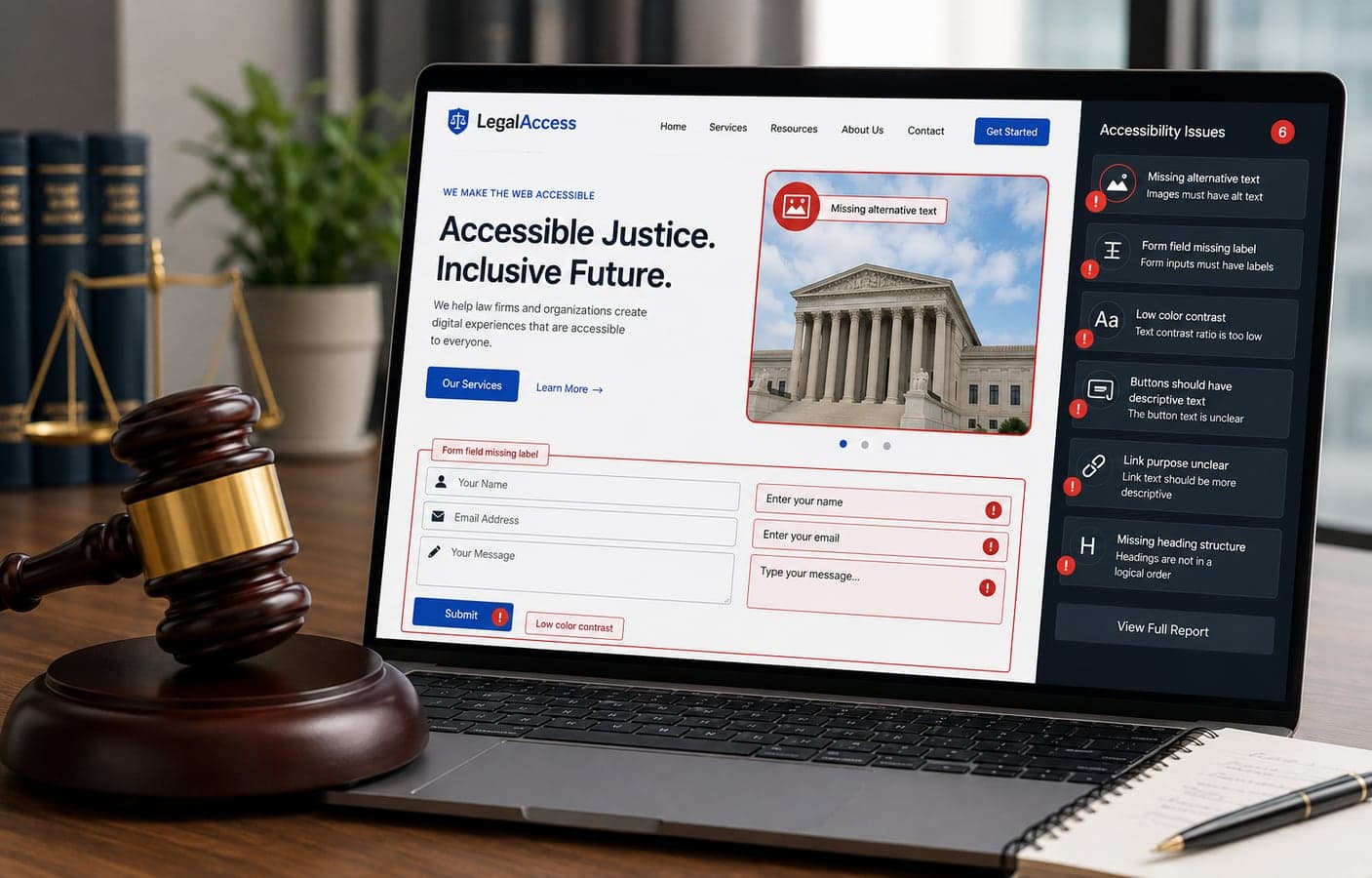
- Low-contrast text — on 83.9% of homepages. Grey-on-white body text and pale placeholder labels that people with low vision simply cannot read.
- Missing image alt text — 53.1%. Screen readers hit your product photo and announce "image" — nothing else.
- Missing form labels — 51%. If your quote request or checkout form has unlabeled fields, a blind customer literally cannot buy from you. This is the error most directly tied to lost revenue and lawsuits.
- Empty links — 46.3%. Icon links with no text a screen reader can announce.
- Missing document language — a one-attribute fix that tells assistive technology how to pronounce your page.
- Empty buttons — 30.6%. Buttons that announce as "button" with no hint what they do.
None of this is exotic engineering. It's HTML done carelessly — usually by templates, page builders, and years of small edits nobody reviewed. Which is exactly why automated scanners find it so easily, on both sides of the lawsuit.
Why the "install a widget" shortcut backfires
The tempting fix is an accessibility overlay: a JavaScript widget that adds a little accessibility menu to your site and promises compliance for a monthly fee. The 2026 evidence against this shortcut is now overwhelming, from three separate directions:
- Widget users still get sued — a lot. UsableNet counted roughly 1,400 companies with accessibility widgets among 2025's lawsuit defendants, and AudioEye's 2026 analysis found 38.5% of sued businesses already had an accessibility "solution" installed when the complaint arrived. Monthly filing data shows no meaningful reduction in suits against widget users.
- A regulator fined a vendor over the promise itself. The US Federal Trade Commission's action against overlay vendor accessiBe — finalized in April 2025 — imposed a $1 million penalty and prohibits claims that an automated tool makes websites compliant without reliable evidence.
- The technical reason is simple. Overlays paint a menu on top of your page; they don't fix the underlying code that screen readers actually parse. An unlabeled form field is still unlabeled with a widget floating next to it. Under the Carrefour standard — accessible or not, no partial credit — a cosmetic layer changes nothing.
Overlays aren't entirely useless as a stopgap while real work happens. But budgeting for a widget instead of remediation is paying monthly to remain exposed — and, per the sued-with-widget-installed numbers, possibly to look negligent while doing it.
How to actually fix it (in the order that reduces risk fastest)
1. Run the free scans first
Point Lighthouse (built into Chrome's developer tools) and the free WAVE browser extension at your five most important pages: homepage, product or service pages, and — above all — every form and checkout step. These automated tools catch the same class of issues the plaintiff-side scanners catch, which makes them the right first filter. Expect findings; remember 95.9% of sites have them.
2. Fix the six killers on your money pages
Contrast, alt text, form labels, link text, document language, button names. A competent developer can clear these on a typical small-business site in days, not months, because they're markup fixes, not redesigns. Prioritize checkout and contact forms — they carry both the legal risk and the lost customers.
3. Test the two things automation can't
Unplug your mouse and complete a purchase or inquiry using only the Tab and Enter keys — can you see where you are at every step, and does anything trap you? Then do the same with a free screen reader (NVDA on Windows, VoiceOver already on every Mac and iPhone). Automated scanners catch roughly a third of real-world barriers; these two manual tests catch most of the rest, and they take an afternoon.
4. Publish an honest accessibility statement
State what standard you target (WCAG 2.1 AA is the sensible benchmark), what you've tested, what's still being fixed, and how users can report problems — then actually respond when they do. In the EU this documentation is expected; everywhere, a genuine feedback channel plus prompt fixes is the difference between a complaint that becomes an email and one that becomes a filing. What the Carrefour ruling punished wasn't imperfection on day one — it was treating a conformance percentage as the finish line.
5. Make it a habit, not a project
Every new page, template, or plugin can reintroduce errors — that's how the average site got to 56 of them. Add an accessibility check to your content workflow and re-scan quarterly. Sites that treat this as maintenance stay clean for a fraction of what a panicked, deadline-driven remediation costs.
The upside nobody mentions in the lawsuit headlines
Here's the reframe worth ending on: roughly 1.3 billion people worldwide live with a significant disability. That's the largest minority market on earth, and it's the one your competitors — 95.9% of them, per WebAIM — are actively turning away.
And the work pays for itself twice, because accessible code and search-friendly code are substantially the same code. Descriptive alt text, proper heading structure, labeled forms, real link text, semantic HTML — every item on the fix list is also a signal Google and AI search engines use to understand and rank your pages. We've made this point from the SEO side in our technical SEO checklist; accessibility is the other half of the same discipline. Faster forms and clearer navigation also convert better for every visitor — nobody has ever abandoned a checkout because it was too easy to use.
It's also worth knowing that this problem is heavily concentrated in template-built sites: page builders and off-the-shelf themes optimize for looking good in a demo, not for how a screen reader parses the result — one more entry in the cost comparison in website builders vs custom development. A site built properly the first time doesn't need rescuing later.
If you'd rather know exactly where you stand than wonder, we bake accessibility into every site we ship — semantic HTML, WCAG-checked components, keyboard and screen-reader testing — as part of our web development and UI/UX design work. Send us your URL and we'll tell you plainly what a scan finds, what it costs to fix, and what can wait.
FAQ
Frequently Asked Questions
Quick answers to common questions about this topic.
Is my small business website really at risk from accessibility lawsuits?
The data says yes, more than most owners assume. In the US, 68% of businesses sued for digital accessibility in 2025 made under $50 million in revenue, and about 70% of suits target e-commerce sites — plaintiff firms find defendants with automated scanners that don't care about company size. In the EU, the European Accessibility Act applies to businesses selling to EU consumers unless they're microenterprises (under 10 employees and under €2 million turnover). The practical takeaway: if customers can buy, book, or submit forms on your site, you're in the target zone.
What is the European Accessibility Act and does it apply outside Europe?
The EAA is an EU law, in force since June 28, 2025, requiring e-commerce and other digital services sold to EU consumers to be accessible, measured against the EN 301 549 standard (built on WCAG). It applies based on who you sell to, not where you're based — Dutch regulators have already sent information requests to companies headquartered outside the EU. Enforcement so far includes a French court ruling ordering Carrefour to reach full compliance under a €500-per-day penalty, and formal regulator action is expected to increase in the second half of 2026.
Do accessibility overlay widgets make my website compliant?
No. Overlays add a menu on top of your page but don't fix the underlying code that screen readers parse, which is why roughly 1,400 companies with widgets installed were still sued in 2025, and AudioEye found 38.5% of sued businesses already had an accessibility "solution" in place. The US FTC fined overlay vendor accessiBe $1 million for claiming its widget delivered compliance. Widgets can be a temporary stopgap, but real remediation of the underlying HTML is the only fix courts and regulators recognize.
What accessibility standard should my website meet?
WCAG 2.1 Level AA is the practical worldwide benchmark. It's the standard the EU's EN 301 549 builds on, the level a US Department of Justice rule mandates for large government websites by April 2027, and the reference point courts most often use in private ADA lawsuits. Six basic error types — low-contrast text, missing image alt text, missing form labels, empty links, missing document language, and empty buttons — account for roughly 96% of detected failures, so meeting the standard is more about disciplined HTML than expensive redesigns.
How do I check if my website is accessible right now?
Start free: run Lighthouse (built into Chrome DevTools) and the WAVE browser extension on your homepage, key product or service pages, and every form. Then do two manual tests automation can't: navigate your site and complete a purchase or inquiry using only the keyboard (Tab and Enter), and try the same with a free screen reader like NVDA on Windows or VoiceOver on Mac and iPhone. Automated tools catch roughly a third of real barriers; the keyboard and screen-reader tests catch most of the rest in an afternoon.
 Tayyab Aslam