You No Longer Need a Subscription — or the Internet — to Use AI. Serious Models Now Run Free on an Ordinary Laptop

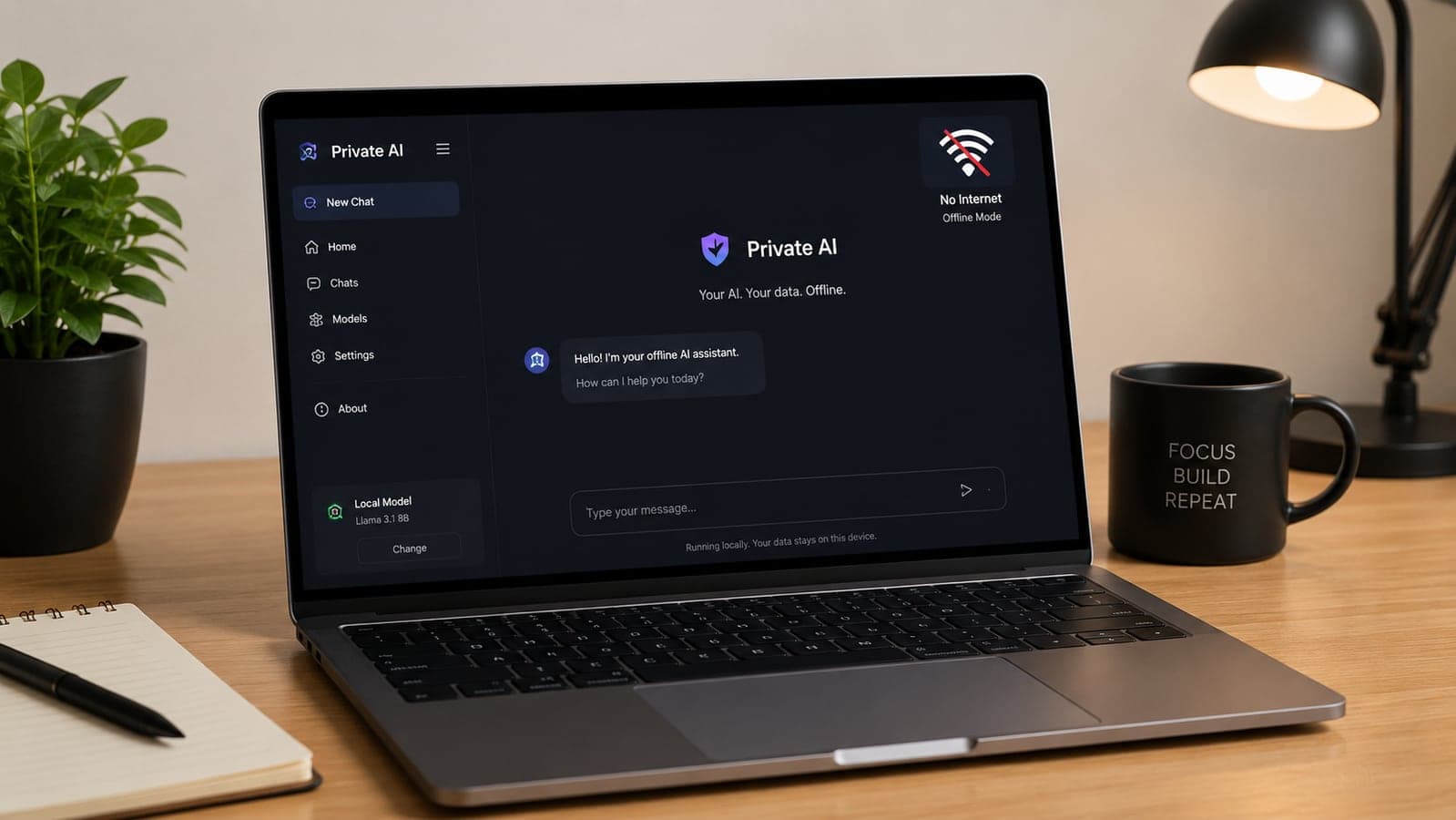
For three years, "using AI" has meant the same thing: type into a website, pay a monthly subscription, and accept that everything you write — questions, documents, customer details — travels to someone else's servers. That's simply what AI was.
This month, the industry's biggest players started competing to break that model. Today, Alibaba released Qwen3.8-27B — an AI model explicitly designed to run on consumer hardware, which CNBC reports became one of the top five most-liked models on Hugging Face (the main repository for open AI models) within two days. It came a week after Meta announced its own family of laptop-ready open models, in what CNBC describes as a new battleground: AI that runs on the "edge" — your device — instead of in a data center.
Strip away the industry rivalry and something genuinely useful falls out for ordinary people and small businesses: capable AI that is free to run, works without an internet connection, and never sends a word of your data anywhere. Not a demo — a tool people now use daily. Here's a plain-language guide to what that means, what your existing computer can handle, and where the honest limits are.
What "running AI locally" actually means
When you use a cloud chatbot, your text goes to a remote data center, a huge model processes it there, and the answer comes back. Running AI locally means the model itself — a single large file, typically a few gigabytes — is downloaded onto your computer, and everything happens on your own processor. Once the file is downloaded:
- It costs nothing per use. No subscription, no per-message billing. The only cost is the electricity your laptop was already using.
- It works offline. On a plane, in a village with poor connectivity, during an outage — the model neither knows nor cares.
- Nothing leaves your machine. There is no server on the other end. The privacy question that hangs over every cloud AI tool — who sees this, who stores this, who trains on this — simply doesn't arise.
The catch, historically, was that local models were toys compared to the cloud ones. That's the part that changed: the gap has narrowed enough that for everyday tasks — summarizing documents, drafting emails and descriptions, answering questions about pasted text, basic coding help — current small models are genuinely good, and this month's releases moved the bar again.
What your current computer can run (the honest table)
The single spec that matters most is memory (RAM). A rough map, based on what practitioners consistently report in 2026:
- 8 GB RAM (a typical budget laptop): Small models (3–8 billion parameters). Fine for summaries, simple drafting, and Q&A about text you paste in. Don't expect deep reasoning. This tier is free to try and surprisingly usable.
- 16 GB RAM (a mid-range laptop): The sweet spot. 7–14B models run comfortably and are genuinely helpful for drafting, coding assistance, and document work.
- 32 GB+ RAM or a gaming-class graphics card: The larger open models — including laptop-class releases like today's — run well. This is where local AI starts feeling close to the cloud experience for many tasks.
- Apple MacBooks (M-series) punch above their weight here — their unified memory design happens to suit AI models well, so even a base MacBook Air handles the small tier smoothly.
One term you'll meet immediately: quantization — usually a label like "Q4" on the download. It just means the model file has been compressed to fit in less memory, with surprisingly little quality loss. The practical rule: pick the Q4 version of a model, and if it won't load, pick a smaller model.
The 15-minute setup (no command line required)
- Install one free app. The two standard choices: LM Studio (lmstudio.ai) — a friendly point-and-click app with a built-in model browser, best for non-technical users — or Ollama (ollama.com) — leaner and beloved by developers, one command in a terminal. For most readers: LM Studio.
- Download a model inside the app. Search the built-in browser for a well-known small model (Llama, Qwen, Mistral, and Phi are the established families), choose the Q4 version, and let it download — usually 2–8 GB. The app shows you which models fit your machine.
- Chat. That's it. The interface looks like any chatbot — except you can switch your Wi-Fi off mid-conversation and nothing changes.
A sensible first test: paste in a long document and ask for a summary, then ask follow-up questions about it. That's the use case where local models shine earliest — and notice what just happened: you ran a confidential document through an AI without it leaving your laptop.
The honest limits
AdSense-style honesty matters here, so: local models are not a full replacement for frontier cloud AI, and anyone telling you otherwise is selling something.
- Hard reasoning still favors the cloud. Complex multi-step analysis, cutting-edge coding tasks, and very long documents are where the largest cloud models keep a real lead.
- No built-in web access. A local model knows what it learned in training — it can't look up today's news or prices unless you wire that up yourself.
- Speed depends on your hardware. On an old 8 GB laptop, responses stream noticeably slower than a cloud chatbot. On a modern machine, the small models feel snappy.
- You manage updates. Cloud models improve silently; a local model improves when you download a newer one.
The emerging pattern — for individuals and companies alike — is hybrid: local models for the routine, high-volume, or sensitive work; a cloud model for the occasional heavy lift. Which is exactly why the giants are suddenly fighting over your laptop.
Why businesses are quietly taking this very seriously
For a business, "the data never leaves the building" isn't a nice-to-have — it dissolves entire categories of problems:
- Privacy and compliance. The EU AI Act reached full enforcement this month, sitting on top of GDPR and a growing pile of data-residency laws (over 75 countries now have some form of data-localization rules, by one industry count). Cloud AI means data-processing agreements, transfer mechanisms, and vendor audits. Local AI means the customer data, patient records, or contract drafts simply never left your hardware — the simplest possible compliance story. We flagged the same concern from the other direction in our piece on how much data AI coding tools quietly see.
- Cost at volume. Cloud AI bills per use, which is fine at ten requests a day and painful at ten thousand. A local model's marginal cost per use is effectively zero — one industry analysis this year found the share of enterprise AI workloads running on-premise or on-device has jumped from roughly 12% in 2023 to over half today, driven largely by exactly this math. For usage-priced cloud tools, the budgeting discipline we described in our ChatGPT Work guide still applies — local models are the escape hatch when volume grows.
- Resilience. A tool that works offline keeps working during outages, in the field, and in places with expensive or unreliable connectivity — which matters rather a lot outside the world's best-connected cities.
Concrete small-business examples of what a local model on a normal office PC can already do: summarize and draft replies to customer emails (without a single customer name leaving the machine), generate first-draft product descriptions from spec sheets, answer staff questions from your own policy documents, and clean up meeting notes — all day, at zero per-use cost.
The short version
- This month, Alibaba and Meta both released serious AI models built to run on ordinary laptops — free to download and use.
- Local AI costs nothing per use, works offline, and sends your data nowhere. Those three properties are the whole story.
- 8 GB of RAM runs small models; 16 GB is the sweet spot; Q4 versions are the ones to download. LM Studio is the easiest way in — 15 minutes, no technical skill.
- Honest limits: frontier cloud models still win at hard reasoning and live information. The smart pattern is hybrid — local for routine and sensitive work, cloud for the heavy lifts.
- For businesses, "data never leaves the building" simplifies privacy compliance dramatically — and zero marginal cost changes the math on high-volume AI tasks.
Wondering which of your workflows could run on a private, local model instead of a metered cloud subscription — and which genuinely can't? That's an assessment we do for clients in a single working session. Send us a note and we'll map your tasks to the cheapest private setup that actually works, with no hardware you don't need.
Model releases and figures verified against CNBC's and Alibaba Cloud's August 17, 2026 announcements, Meta's prior-week announcement as reported by CNBC, and practitioner-reported hardware guidance current as of August 17, 2026. Hardware requirements are approximate — check the model size guidance inside LM Studio or Ollama for your specific machine before downloading.
FAQ
Frequently Asked Questions
Quick answers to common questions about this topic.
Can I really run AI on a normal laptop without paying anything?
Yes. Free apps like LM Studio (point-and-click) or Ollama (for developers) let you download open AI models — including the Llama, Qwen, Mistral, and Phi families — and run them entirely on your own computer. Once a model is downloaded (typically 2–8 GB), there's no subscription and no per-message cost, and it works without an internet connection. An 8 GB RAM laptop handles small models for summaries and drafting; 16 GB runs mid-size models comfortably.
Is local AI as good as ChatGPT or other cloud AI?
Not across the board, and it's important to be honest about that. The largest cloud models still lead clearly on complex reasoning, cutting-edge coding, and very long documents, and local models can't look up live information by default. But for everyday tasks — summarizing documents, drafting emails and descriptions, Q&A over text you provide, basic coding help — 2026's small models are genuinely good, and releases like Alibaba's laptop-class Qwen3.8-27B have narrowed the gap further. Most people land on a hybrid: local for routine and private work, cloud for the occasional heavy lift.
How much RAM do I need to run AI models locally?
As a rule of thumb: 8 GB of RAM runs small models (3–8 billion parameters, in compressed "Q4" form) — usable for summaries and simple drafting. 16 GB is the sweet spot, running 7–14B models comfortably. 32 GB or a gaming-class graphics card opens up the larger open models. Apple's M-series MacBooks do especially well because their unified memory suits AI workloads. Apps like LM Studio show which models fit your machine before you download.
Is running AI locally actually private?
Yes — that's its defining property. The model file sits on your computer and all processing happens there; there is no server receiving your text. You can switch off Wi-Fi mid-conversation and nothing changes. That's why local AI is increasingly used for confidential material — customer data, contracts, medical notes — where sending text to a cloud service would raise privacy, GDPR, or client-confidentiality questions. The one caveat: download models only through the established apps (LM Studio, Ollama) and well-known model families, the same basic hygiene as any software.
What is "quantization" and which model version should I download?
Quantization is compression for AI models — storing the model's internal numbers at lower precision so the file fits in less memory. A "Q4" version is roughly four times smaller than the original with surprisingly little quality loss, which is why it's the standard recommendation. Practical rule: download the Q4_K_M version of whichever model you choose; if it won't load or runs too slowly, switch to a smaller model rather than a lower quantization, since below Q4 quality degrades noticeably.
Why are big companies suddenly releasing free models that run on laptops?
Competition moved to the "edge." On August 17, 2026, Alibaba released Qwen3.8-27B, built to run on consumer hardware — CNBC reported it became one of the top five most-liked models on Hugging Face within two days — one week after Meta announced its own laptop-ready open model family. Running AI on-device is faster (no network round trip), more private, and free at the point of use, and businesses are shifting high-volume work there: one industry analysis found on-premise and on-device AI's share of enterprise workloads grew from about 12% in 2023 to over half in 2026. Giving away capable local models is how these companies compete for that future.

 Tayyab Aslam