OpenAI Just Gave Every Small Business a $20 Employee. Here's What ChatGPT Work Can Do, What It Costs, and What to Never Hand It

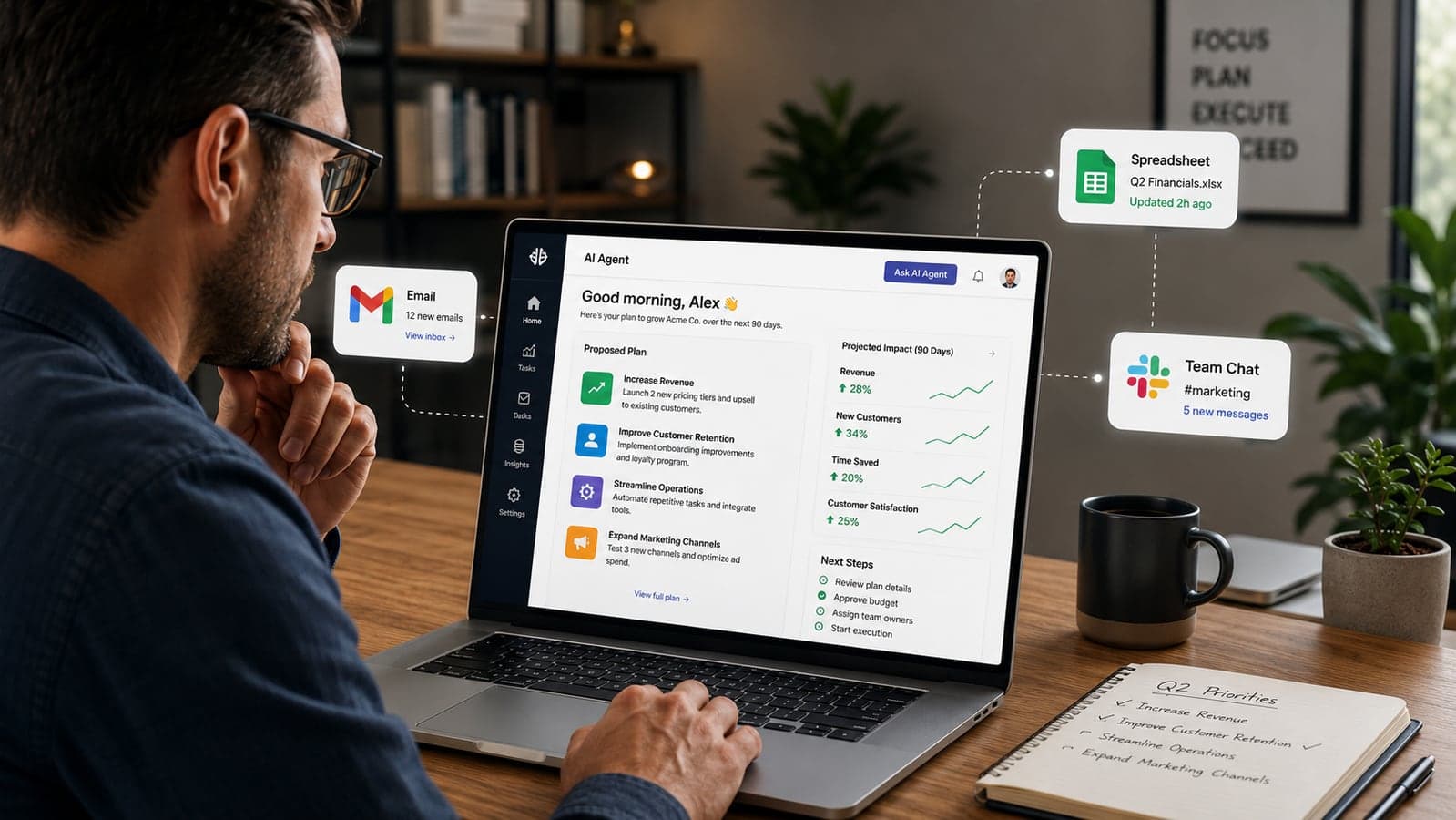
Twice this month, OpenAI aimed a launch squarely at small businesses. On July 9, 2026 it released ChatGPT Work — not a chatbot, but an agent that connects to your apps, works on a task for minutes or hours, and hands back a finished document, spreadsheet, slide deck, or even a small web app. Then on July 21 it followed up with the ChatGPT for Small Business program: free webinars, in-person workshops across the US, workflow guides, and partner tools from Shopify, Intuit, Slack, Dropbox, Atlassian, and Wix.
Put those together and the message is hard to miss: OpenAI wants your business running on its agent, and it's willing to teach you personally. The company says that at its small-business events last year, 78% of participants built a working AI workflow in a single day, and 42% reported saving more than five hours a week afterward. Those numbers are self-reported — worth remembering — but even discounted heavily, they explain why OpenAI is investing in hand-holding rather than just shipping features.
We deploy AI automation for small businesses, so we've spent the past two weeks testing ChatGPT Work against the workflows we normally build by hand. This is the guide we wish the announcement had included: what the agent genuinely does well, where the "$20 per user" price hides a variable cost, which five tasks to delegate first, which three to keep away from it — and the honest answer to whether it replaces custom automation. (Short version: sometimes, and knowing when saves you real money.)
What ChatGPT Work actually is — and how it differs from the ChatGPT you know
ChatGPT Work is an agent, not a chat window. Regular ChatGPT answers a message and stops. ChatGPT Work takes a goal — "pull this month's sales from the spreadsheet and CRM and build me a summary deck" — makes a plan, connects to the apps you've authorized, executes the steps, and returns a finished deliverable. It can keep working in the background after you close the laptop, ask you questions mid-task, and pause for your approval before doing anything consequential.
Under the hood it runs on GPT-5.6, the model family OpenAI released the same day, and it merges the engine behind Codex — OpenAI's coding agent — with the everyday ChatGPT interface. That's why it can produce working spreadsheets and simple web apps, not just text about them.
Four capabilities matter most for a small team:
- App connections. Through a plugin directory, it reads from and writes to tools you already pay for: Slack, Microsoft Teams, Gmail, Outlook, Google Drive, SharePoint, Salesforce, Google Calendar, and a growing list of others. This is the difference between an assistant that knows the internet and one that knows your business.
- Plan mode and approvals. Before executing, the agent shows you its step-by-step plan. You can edit it, and you can require sign-off before specific actions. Treat this as a seatbelt, not decoration — more on that below.
- Scheduled Tasks. It can run a job once, on a repeating schedule, or when something changes — a supplier updates a price list, a form gets filled, an inbox goes quiet. This is the feature that moves it from "helper" toward "employee."
- Finished artifacts. The output isn't a wall of text you reformat. It's the actual spreadsheet, the actual deck, the actual one-page brief — built to match your existing templates and files.
Availability rolled out fast: desktop apps first (including free accounts, running the mid-tier GPT-5.6 Terra model), then web and mobile for paid plans. If you have ChatGPT on a Mac or Windows machine today, you very likely already have ChatGPT Work sitting in it, unused.
What the Small Business program adds on top
The July 21 program is training and tooling, not a new product. It has four pieces:
- Product webinars showing specific use cases — accounting, marketing, e-commerce — with live Q&A, plus on-demand guides and short videos.
- In-person "AI academies" run by OpenAI Academy across US cities: guided instruction, hands-on exercises, and other local owners in the room. (International schedules haven't been announced; the materials and webinars are online regardless of where you operate.)
- Partner skills and offers. Pre-built workflows connecting ChatGPT Work to Shopify, Intuit (QuickBooks), Slack, Dropbox, Atlassian, and Wix, with promotional deals attached. If your stack already includes these tools, the setup cost of your first automation just dropped near zero.
- Customer stories and templates you can copy rather than inventing workflows from scratch.
One honest caveat: OpenAI hasn't published full eligibility rules, event schedules, or the terms behind the partner promotions. Register on the program page and treat the details as evolving.
The real cost math (the part the headline price skips)
The sticker prices are simple. The free tier includes ChatGPT Work on desktop. The Business plan is $20 per user per month billed annually ($25 monthly), with a two-seat minimum — so the practical entry point for a team workspace is about $40/month, and it comes with the thing solo plans don't: your business data excluded from model training by default, plus admin controls and SSO.
The part that surprises people is that ChatGPT Work is metered. Agent tasks draw from your plan's usage allowance — the same budget Codex uses — and the burn rate varies with complexity: how many apps it touches, how many files it reads, how long it reasons. A five-minute summary sips the allowance; a two-hour scheduled job that reads your CRM, three spreadsheets, and a quarter of Slack drinks it. Light users pay nothing beyond the subscription. Heavy users hit ceilings and buy additional workspace credits.
What this means in practice: you can't precisely forecast the cost until you've run your actual workload for a month. Our advice is the same we give for any usage-priced tool — pick one recurring task, run it for two to four weeks, and check the workspace usage dashboard before you roll anything out team-wide. It's the same discipline we recommended in our guide to AI agents for small business, and it matters more now that the agent can run for hours unattended.
Five tasks worth handing it this week
The pattern behind every good first delegation: time-consuming, repetitive, low-stakes, and easy to verify. These five fit for almost any small business:
1. The weekly or monthly report you assemble by hand
Sales summaries, project status roundups, month-end numbers. The agent pulls figures from your connected sheet or CRM and produces the formatted deck or document. OpenAI reports finance teams cutting month-end close work from days to hours; even at half that, it's the single highest-ROI starting point because the output is easy to check against the source.
2. First drafts of proposals and quotes
Give it your last five winning proposals and the notes from a new inquiry, and it drafts a matching document in your voice and format. You still review every line before it goes out — but reviewing is a fraction of drafting.
3. The pre-meeting briefing
Before a client call, have it scan recent email threads, support tickets, and Slack mentions of that client and hand you a one-page brief. This is the kind of one-off, cross-referencing task where a general agent genuinely beats a purpose-built automation — you'd never justify building a dedicated workflow for it.
4. Inbox and channel triage on a schedule
A Scheduled Task that checks a shared inbox or Slack channel each morning and posts a summary of what changed and what needs a human. It doesn't answer anyone — it just makes sure nothing sits unseen for three days.
5. Turning meeting notes into action items
Feed it raw notes or a transcript; get back an organized task list, updated project tracker, and a follow-up email draft. Small, boring, and it compounds every single week.
Notice what's not on the list: anything customer-facing, anything financial that executes (not just reports), anything legal. That's deliberate.
Three things to keep away from it
1. Broad data access it doesn't need
The plugin directory makes connecting your entire Google Drive, inbox, and CRM a three-click affair — which means over-granting access is also a three-click affair. Connect the minimum: the specific folders, channels, and accounts a task needs, not "everything, to be safe." Write down what you've connected and review it monthly. We've written before about how easily AI tools end up seeing far more data than anyone intended; the lesson transfers directly. If you handle regulated data — health records, EU customer data under GDPR — get a professional read on OpenAI's business data terms before connecting anything.
2. Actions that are hard to undo
Sending customer emails, changing prices, paying invoices, deleting records. Plan mode and approvals exist precisely for this: configure the agent so anything irreversible requires your sign-off, and keep it that way until months of output have earned looser reins. An agent that works unsupervised for two hours is a delegation problem, and the rule is the same as with a new hire — expand trust with evidence, never ahead of it.
3. Recurring processes your business depends on
This one is less obvious. ChatGPT Work runs in OpenAI's cloud, on OpenAI's terms, with no audit trail designed for compliance and no fallback if pricing, features, or availability change. For ad hoc tasks that's a fine trade. For the process that qualifies every lead or syncs every order — the one where an hour of downtime costs real money — you want infrastructure you control, with logging, error handling, and the ability to swap the underlying model. Which brings us to the question we've heard most since July 9.
Does this replace custom automation? An honest answer from people who build it
Sometimes yes — and we'll tell you when. If your need is one-off, employee-triggered, and low-stakes — the report, the brief, the draft — ChatGPT Work is now the fastest and cheapest option, and paying a developer to build it would be wasting your money. Genuinely. Use the agent.
Custom automation earns its cost in three specific situations:
- Event-triggered, always-on processes. A new order arrives, a form submits, a payment fails — and something must happen within seconds, every time, with retry logic when an API hiccups at 3 a.m. Agents are prompted; systems are triggered. Different tools.
- Data that can't leave your control. Regulated records, sensitive client data, anything requiring an audit trail. Self-hosted automation keeps the data on infrastructure you own and logs every step for compliance.
- Deep integration with your own systems. When the workflow lives inside your custom database, your POS, your internal tools — a plugin directory of mainstream SaaS apps won't reach it, and duct-taping around that limit costs more than building it right.
The businesses getting the most from AI in 2026 run both: ChatGPT Work in every employee's hands for ad hoc work, and a small number of hardened, custom-built automations underneath the processes that keep the lights on. A Federal Reserve district report this month found the top small-business AI adoption barriers are still skills, data readiness, and technical infrastructure — not model quality. The models are ready. The gap is knowing which tool goes where.
Your two-week starter plan
- Days 1–2: Open the ChatGPT desktop app and confirm ChatGPT Work is there (free accounts included). Register for the small-business program webinars. List every repetitive task your team does weekly, with rough hours attached.
- Days 3–7: Pick the one task with the best hours-saved-to-risk ratio — usually the recurring report. Connect only the data it needs. Run it three times, checking output against source data every time.
- Days 8–12: Add one Scheduled Task (morning triage summary is the safe pick). Set approvals on anything that writes or sends.
- Days 13–14: Check the usage dashboard. Total the hours saved, honestly. Then decide: expand the agent to a second task, or — if the task you actually need is event-triggered, compliance-bound, or wired into your own systems — scope it as custom automation instead.
The window here is the usual one: right now, most of your competitors haven't opened the desktop app either. Six months from now, "we use AI for reports" won't be an edge — it'll be table stakes, and the edge will belong to whoever wired it into their operations first.
If step four lands you on the custom side — or you'd rather have someone map which of your workflows belong in ChatGPT Work and which need real infrastructure — that audit is exactly what our AI automation service does for small businesses. Get in touch and we'll walk your workflow list with you, no pitch attached to the parts an agent can already handle for $20 a month.
FAQ
Frequently Asked Questions
Quick answers to common questions about this topic.
What is ChatGPT Work and how is it different from regular ChatGPT?
ChatGPT Work is an AI agent OpenAI launched on July 9, 2026. Instead of answering one message at a time, it takes a goal, connects to apps you authorize (Slack, Gmail, Google Drive, Salesforce, and others), plans the steps, and works for minutes or hours to produce a finished deliverable — a document, spreadsheet, slide deck, or simple web app. It shows you its plan before executing, can pause for your approval on sensitive actions, and can run tasks on a schedule or when something changes.
How much does ChatGPT Work cost for a small business?
There's no separate fee — it's included in existing ChatGPT plans, including the free desktop app. The Business plan is $20 per user per month billed annually ($25 monthly) with a two-seat minimum, and it excludes your data from model training by default. The catch is that agent tasks are metered against your plan's usage allowance and burn varies with task complexity, so heavy use can hit ceilings that require purchasing extra workspace credits. Run one real task for a few weeks and check the usage dashboard before rolling it out widely.
What is the ChatGPT for Small Business program?
It's a free support program OpenAI launched on July 21, 2026 to help small businesses adopt ChatGPT Work. It includes product webinars with live Q&A, in-person OpenAI Academy workshops across US cities, on-demand guides and videos, and pre-built workflow skills plus promotional offers from partners including Shopify, Intuit, Slack, Dropbox, Atlassian, and Wix. Full eligibility rules and event schedules are still being published, so register on OpenAI's program page for updates.
What tasks should a small business automate first with ChatGPT Work?
Start with tasks that are repetitive, low-stakes, and easy to verify: recurring reports assembled from spreadsheets or a CRM, first drafts of proposals and quotes, pre-meeting client briefs, scheduled inbox or Slack triage summaries, and turning meeting notes into action items. Avoid starting with anything customer-facing, anything that moves money, or anything irreversible — keep approval checkpoints on until months of output have earned trust.
Does ChatGPT Work replace custom AI automation?
For one-off, employee-triggered, low-stakes tasks — yes, and it's cheaper. Custom automation still wins in three cases: event-triggered processes that must run reliably 24/7 (new orders, failed payments, lead routing), workflows involving regulated or sensitive data that needs audit trails and controlled hosting, and deep integrations with your own databases or internal systems that a plugin directory can't reach. Most well-run small businesses in 2026 use both: the agent for ad hoc work, custom automation under business-critical processes.
 Tayyab Aslam