Microsoft Is Retiring Text-Message Login Codes — Starting September 1. Here's What Passkeys Are, and What to Do Before the Switch

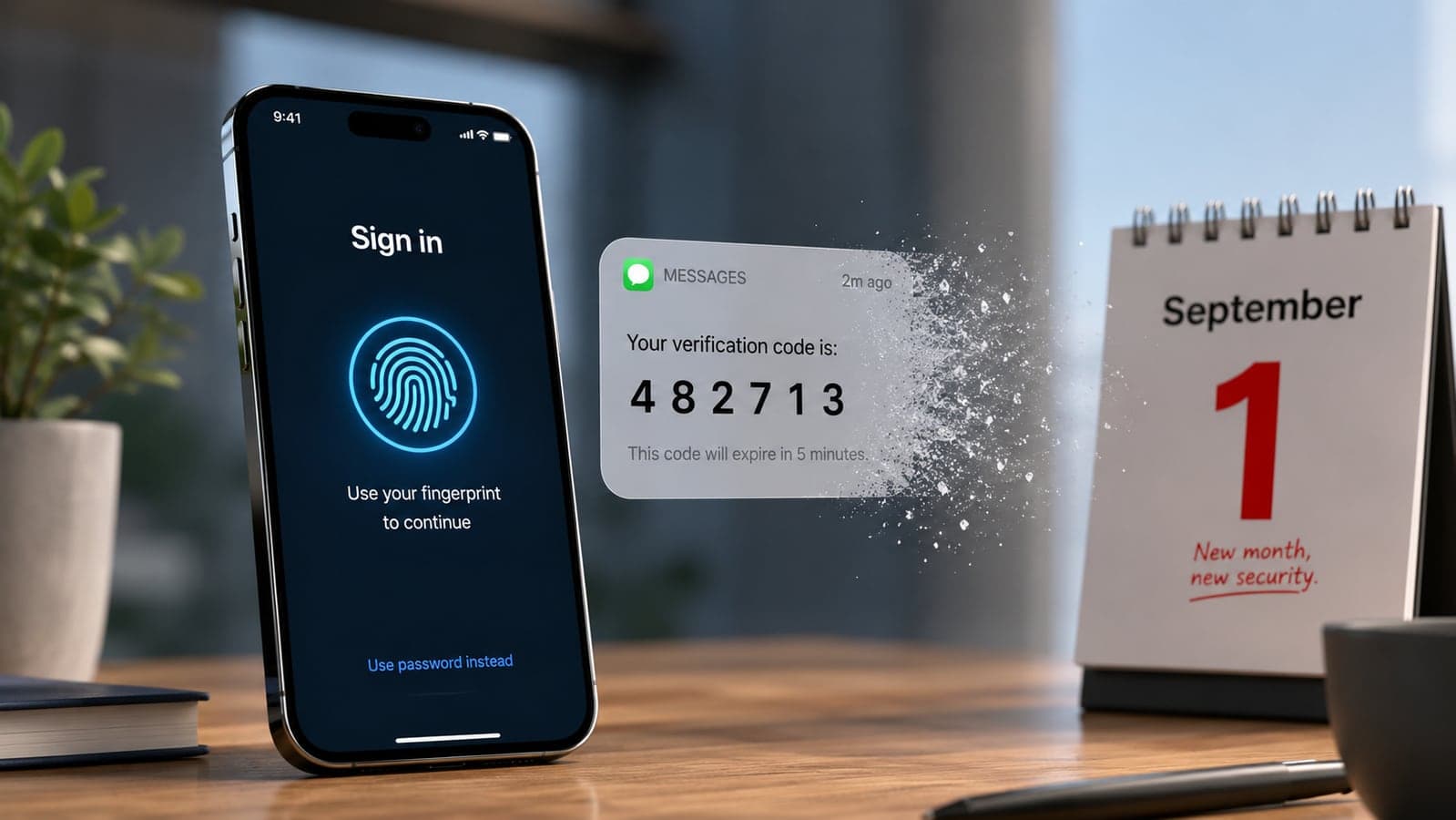
For twenty years, the routine has been the same: type your password, wait for the six-digit code to arrive by text, type that too. Microsoft has now put an end date on that ritual — and the first deadline is less than three weeks away.
On July 13, Microsoft announced on its official Security Blog that starting September 1, 2026, passkeys become the default sign-in method for Microsoft Entra ID — the login system behind Microsoft 365 business accounts, Outlook for work, Teams, and thousands of company applications. Employees who currently verify logins with a text message or voice call will be automatically switched on for passkeys and prompted to set one up the next time they sign in.
Then comes the hard cutoff: on February 1, 2027, Microsoft retires its text-message and voice-call verification entirely. After that date, per Microsoft's own documentation, anyone whose only verification method is SMS or voice will hit a blocking screen — they must register a passkey before they can sign in at all. Microsoft states plainly that there is no opt-out.
If you run a business on Microsoft 365, this affects you directly. If you don't, it still affects you — because Microsoft is the third and largest domino in an industry-wide shift that Google, Apple, PayPal, and Salesforce are all pushing in the same direction, and your customers will increasingly expect the same thing from your website. Here's the whole picture, in plain language.
First: what is a passkey, without the jargon?
A passkey is a way to sign in with the same gesture you use to unlock your phone — your fingerprint, your face, or your device PIN. No password to remember, no code to wait for.
Under the hood, when you create a passkey for a site, your device generates a matched pair of cryptographic keys. The site keeps the public half; the private half stays locked inside your device or password manager and never leaves it. When you sign in, your device proves it holds the private key — that's it. Three practical consequences follow:
- There's nothing to steal in a data breach. The site only ever stores the public half, which is useless to an attacker on its own.
- There's nothing to phish. A passkey is bound to the real website's address. A fake "microsoft-login-secure.com" page can't use it, no matter how convincing it looks — the passkey simply won't respond. This is why security folks call passkeys "phishing-resistant," and it's the single biggest reason for this whole transition.
- There's no code to trick out of you. The classic scam — "we've sent you a verification code, please read it back to us" — has no equivalent. There is no code.
Text-message codes, by contrast, have aged badly. They can be intercepted through SIM-swapping (where a scammer takes over your phone number), and — far more commonly — simply phished: a convincing fake login page asks for your password and your texted code, and relays both to the real site in seconds. Microsoft's stated reasoning for the retirement is exactly this: with AI making phishing pages and voice scams cheaper and more convincing, codes that a human can be talked into revealing are no longer considered secure.
The timeline, so you can put dates in a calendar
- September 1, 2026 — Rollout begins, gradually across organizations. Users who verify by SMS or voice are auto-enabled for passkeys and nudged to register one at their next sign-in. At this stage, they can still skip the prompt.
- September 18, 2026 — Microsoft publishes pricing and a list of approved telecom partners for the minority of organizations that genuinely must keep SMS or voice verification (some regulated industries do).
- October 30, 2026 — Businesses that need to keep SMS/voice must pick and configure one of those telecom partners through the Microsoft Security Store — and pay the telecom costs themselves from then on.
- February 1, 2027 — Microsoft-provided SMS and voice verification ends. Users with no phishing-resistant method registered are blocked at sign-in until they set one up. No opt-out.
One scope note: these dates apply to Microsoft's standard public cloud. Government and other special cloud environments follow a separate, later timeline.
This isn't just Microsoft — the password itself is being retired
Microsoft's move is the most forceful, but it's following an industry consensus, not creating one:
- The FIDO Alliance — the industry body behind the passkey standard — reported in May that 5 billion passkeys are now in active use worldwide. Its 2026 survey found 90% of consumers have heard of passkeys, 75% have enabled one on at least one account, and about half use them whenever they're offered.
- Google made passkeys the default suggestion for personal Google accounts back in October 2023. Microsoft did the same for consumer accounts in May 2025. Apple has supported them across iPhone, iPad, and Mac since 2022.
- Salesforce recently announced phishing-resistant sign-in requirements for privileged accounts, with a passkey-first registration flow — a sign that business software vendors beyond Microsoft are heading the same way.
There's also a commercial reason this is accelerating, and it's one every online business should sit with for a moment: the same FIDO survey found that nearly half of consumers have abandoned a sign-in or a purchase because they couldn't remember a password. Passwords don't just get stolen — they quietly cost sales every day.
"But what if I lose my phone?" — the honest answer
This is the question that stalls most people, so it deserves a straight answer rather than reassurance.
Most passkeys today are synced passkeys: they're stored in a password manager that backs them up, end-to-end encrypted, across your devices. Create a passkey on your iPhone and it's in iCloud Keychain — available on your iPad and Mac automatically, and recoverable through Apple's account-recovery process even if every device is lost (Apple's escrow system allows ten recovery attempts before requiring a call to support). Create one on Android or in Chrome and it lives in Google Password Manager, which syncs anywhere you're signed into Chrome; recovering on a new device requires your Google account plus your old screen-lock PIN or password-manager PIN. Third-party managers like 1Password and Bitwarden sync passkeys across both ecosystems.
So losing one phone doesn't mean losing your accounts — if your passkeys are synced and your recovery details (recovery phone, recovery contact, backup codes) are current. Two honest caveats:
- Apple and Google don't sync with each other. Switch from iPhone to Android and your iCloud passkeys don't come along; you'd re-register, or use a cross-platform manager from the start.
- Register more than one method wherever it matters. The practical rule for important accounts — email, banking, your Microsoft work account — is two independent ways in: for example, a synced passkey plus a passkey on a second device, or plus a hardware security key kept in a drawer. Microsoft's own deployment guidance for businesses says the same thing.
If your business runs on Microsoft 365: the checklist
For a small business, this transition is genuinely manageable — the pain only arrives if it's ignored until February. In order:
- Find out who still verifies by text or call. Your Microsoft 365 admin center shows each user's registered methods (under Entra ID's authentication-methods reporting). Those people are the ones who'll hit prompts from September and a wall in February.
- Tell your team before Microsoft does. From September 1, employees will start seeing "register a passkey" prompts. An unannounced security prompt looks exactly like a phishing attempt to a well-trained employee — so announce it first, in writing.
- Decide where passkeys will live. Microsoft Entra supports synced passkeys (iCloud Keychain, Google Password Manager), passkeys in the Microsoft Authenticator app, Windows Hello, and physical FIDO2 security keys. For most small teams, Authenticator or the platform managers are the path of least resistance; hardware keys suit shared computers and high-privilege accounts.
- Register a second method per person. One passkey per employee is a lockout waiting to happen the day a phone dies. Two independent methods is the standard.
- If you truly need SMS to survive (regulatory or field-work reasons), diary September 18 to review Microsoft's telecom-partner pricing and October 30 as your configuration deadline — and budget for the telecom fees, which shift to you.
- Warn everyone about transition scams. Every big, publicized security change breeds impersonation: expect fake "Microsoft passkey migration" calls and emails asking people to visit a link or read out a code. The real process happens only inside the normal sign-in flow — nobody legitimate will ever call you about it. (We covered the same dynamic around WhatsApp's username rollout — new feature, same scam playbook.)
If this is landing on you at a busy time: it's the second Microsoft deadline this quarter for many small businesses, alongside the Windows 10 extended-updates cutoff in October. The same one-hour audit can cover both.
What this means for your own website or app
Here's the part most coverage misses. Once your customers unlock their bank, their email, and their work account with a fingerprint, typing a password into your site starts to feel like the odd one out — and forgotten-password friction starts costing you more, not less, by comparison.
Passkey sign-in is no longer exotic to build. The standard behind it (WebAuthn) is supported by every modern browser, and mature authentication providers make "sign in with a passkey" an add-on rather than a rewrite — typically offered alongside existing passwords, not instead of them, so nobody gets stranded. For a store or SaaS product, the business case is the FIDO abandonment statistic above: fewer password resets, fewer abandoned checkouts, and a support inbox with fewer "locked out" emails. It's the same reasoning we apply when building authentication for client platforms — security upgrades are easiest to justify when they also remove friction from the paying customer's path.
The short version
- From September 1, Microsoft work accounts start defaulting to passkeys; from February 1, 2027, Microsoft's text and voice codes are gone, with a blocking registration prompt and no opt-out.
- A passkey is a sign-in tied to your device unlock — nothing to remember, nothing to phish, nothing useful to steal in a breach.
- Synced passkeys survive a lost phone; the real safety net is keeping recovery details current and registering a second method on important accounts.
- Businesses on Microsoft 365: audit who still uses SMS codes, brief the team before the prompts start, and set up two methods per person — an hour of work now versus locked-out staff in February.
- Expect scammers to impersonate the transition. No legitimate process involves someone contacting you.
Passwords aren't disappearing overnight — the FIDO Alliance's own data shows most organizations still run them in parallel. But September 1 is the moment the biggest business software company on earth stopped treating the password-and-text-code combo as good enough. That's worth an hour of your attention before the prompts start appearing on your team's screens.
Not sure whether your team, your tenant settings, or your own product's login flow are ready for this? We help businesses work through exactly this kind of transition — from auditing who's still on SMS codes to adding passkey sign-in to customer-facing apps. Send us a note and we'll tell you honestly how much (or how little) work yours needs.
Details verified against Microsoft's Security Blog announcement (July 13, 2026), Microsoft Learn documentation on the SMS/voice retirement, the FIDO Alliance's State of Passkeys 2026 report, and Apple and Google support documentation, as of August 13, 2026. Rollout dates and terms can change — confirm current details in the Microsoft 365 message center before making decisions for your organization.
FAQ
Frequently Asked Questions
Quick answers to common questions about this topic.
What is Microsoft changing about sign-ins on September 1, 2026?
Starting September 1, 2026, Microsoft begins making passkeys the default sign-in method for Microsoft Entra ID — the login system behind Microsoft 365 work accounts. Users who currently verify with SMS or voice calls will be automatically enabled for passkeys and prompted to register one at sign-in (skippable at first). Then on February 1, 2027, Microsoft retires its own SMS and voice verification entirely: users whose only method is a text or call will be blocked at sign-in until they register a passkey, with no opt-out. The rollout is gradual and applies to Microsoft's standard public cloud; government clouds follow a separate timeline.
What exactly is a passkey and how is it different from a password?
A passkey lets you sign in with your device unlock — fingerprint, face, or PIN — instead of a password. Technically, it's a cryptographic key pair: the website stores the public half, and the private half stays on your device or in your password manager and never leaves it. That means there's no secret for you to remember, nothing useful for hackers to steal in a website breach, and nothing a phishing page can capture — a passkey only works on the genuine site it was created for.
What happens to my passkeys if I lose my phone?
Most passkeys are synced: iCloud Keychain backs them up across your Apple devices, and Google Password Manager syncs them across Android and Chrome, both end-to-end encrypted. Losing one device doesn't lose the passkeys — you restore them by recovering your Apple or Google account on a new device. The caveats: Apple and Google don't sync with each other (switching ecosystems means re-registering or using a cross-platform manager like 1Password or Bitwarden), and recovery depends on your backup details being current. For important accounts, register two independent methods — for example a synced passkey plus a second device or a hardware security key.
Do small businesses using Microsoft 365 have to do anything?
Yes, ideally before September 1. Check the Microsoft 365 admin center to see which employees still verify by SMS or voice — they're the ones who'll get registration prompts from September and be blocked from February 1, 2027. Tell your team in advance (an unannounced security prompt looks like phishing), choose where passkeys will live (Microsoft Authenticator, iCloud Keychain, Google Password Manager, Windows Hello, or FIDO2 hardware keys — Entra supports all of these), and have each person register at least two methods so a lost phone never means a locked-out employee.
Can a business keep using SMS codes after February 2027?
Only by arranging it themselves. Microsoft will stop providing SMS and voice verification natively on February 1, 2027. Organizations with a genuine need — for example, regulatory requirements — can configure an approved third-party telecom provider through the Microsoft Security Store (partner list and pricing arrive September 18, 2026, with an October 30 configuration deadline) and pay the telecom costs themselves. For everyone else, the supported path is a phishing-resistant method: passkeys, Windows Hello, or a FIDO2 security key.
Are passkeys actually safer than a password plus a texted code?
For the most common attacks, yes. A password plus SMS code can be phished — fake login pages routinely capture both and relay them to the real site within seconds — and phone numbers can be hijacked via SIM-swapping. A passkey resists both: it's bound to the genuine website's address so it won't respond on a fake page, and there's no code a scammer can talk you into reading out. That phishing resistance is the stated reason Microsoft, Google, Apple, and the FIDO Alliance (which counts 5 billion passkeys in use as of 2026) are moving the industry in this direction.

 Tayyab Aslam