Microsoft Quietly Extended Windows 10's Life to 2027 — for Free. But Your PC Isn't Covered Unless You Do This

If you're one of the hundreds of millions of people still using Windows 10, Microsoft made a decision in June that directly affects your computer's safety — and it told almost nobody.
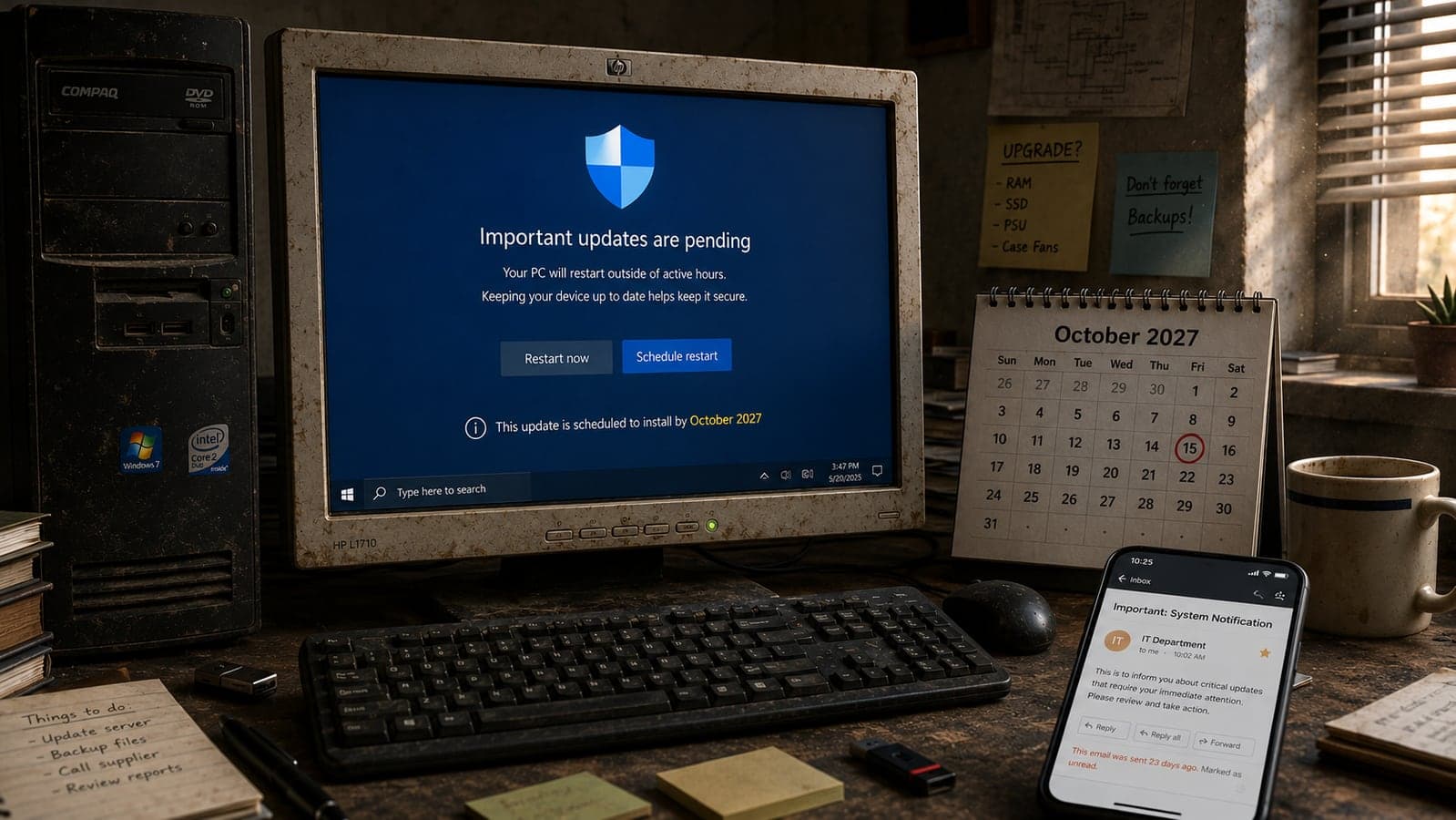
Free security updates for personal Windows 10 PCs now run through October 12, 2027 — a full year beyond the October 2026 cutoff everyone was planning around. There was no press event and no headline announcement. The news appeared on June 25 as an editor's note quietly added to an old Windows blog post, alongside updated support documents. Microsoft did email people about it — but as PCWorld reported, that email ("Stay secure for another year") mostly landed in Outlook's "Other" folder, and it was only sent to people who had already signed up for extended updates in the first place.
The result: a genuinely important free extension that a huge share of the people it affects have never heard of. And it matters more than it sounds, because of the catch buried in the fine print:
- Coverage is not automatic. You must enroll your PC in Microsoft's Extended Security Updates (ESU) program. It's free, it takes about two minutes — and until you do it, your PC receives nothing.
- Unenrolled PCs have been unprotected since October 2025. Every monthly security patch since Windows 10's official end of support has gone only to enrolled devices. Just this week, Microsoft's August Patch Tuesday fixed roughly 400 vulnerabilities, including a zero-day already being exploited in real attacks. Enrolled Windows 10 PCs get the critical fixes; unenrolled ones stay exposed.
- The free extension is for personal PCs only. If your computers are business-managed — joined to a company domain, Microsoft Entra, or any device-management system — the consumer program doesn't apply to you at all, and your deadline math is very different (more on that below, because it involves prices doubling in nine weeks).
This is not a drill and not clickbait: Windows 10 still powered roughly 30% of Windows desktop web traffic in July 2026, per StatCounter — ten months after its official "end." That's an enormous number of machines whose safety now depends on a checkbox most owners don't know exists. Here's how to check yours, in plain language.
First: the 2-minute check
On your Windows 10 PC, open Settings → Update & Security → Windows Update.
- If you see a line saying your device is enrolled in Extended Security Updates — you're done. Your coverage continues automatically to October 12, 2027. No action needed; that's what the missed email was trying to tell you.
- If you see an "Enroll now" link — your PC is eligible but unprotected. Enroll today (steps below).
- If you see neither — first make sure Windows 10 is updated to version 22H2 (the only version ESU supports), then check again. The enrollment prompt rolled out gradually, so an outdated machine may simply not show it yet.
Also run the pending updates while you're there. An enrolled PC that hasn't installed patches is protected only on paper — and enrollment retroactively unlocks the security fixes you've missed since October 2025.
How to enroll — free — in about two minutes
- In Settings → Update & Security → Windows Update, click Enroll now.
- Sign in with a Microsoft account (a local-only account can't enroll — this is the step that trips most people).
- Pick one of three options: back up your PC settings with Windows Backup (free), redeem 1,000 Microsoft Rewards points (free if you have them), or pay a one-time $30.
- Done. One ESU license covers up to 10 devices on the same Microsoft account — so one enrollment can protect the whole household's machines.
Two honest notes on what ESU is and isn't. It delivers only security fixes that Microsoft rates critical or important — no new features, no bug fixes, no technical support. And per Microsoft's own documentation, the consumer program excludes devices joined to Active Directory, Microsoft Entra, or mobile device management. Your home laptop qualifies; the reception PC your IT person manages does not.
Why bother? The numbers unpatched PCs are up against
It's tempting to shrug — Windows 10 has worked fine for a decade. But "no patches" stopped being an abstract risk some time ago:
- One enterprise asset analysis (by Lansweeper, reported in August) counted roughly 1,903 unresolved, actively tracked vulnerabilities affecting Windows 10 — nearly three times the count for Windows 11. Every month without patches widens that gap.
- This week's Patch Tuesday alone addressed ~400 flaws, including three zero-days, one under active exploitation — the kind of vulnerability criminals scan the internet for within days, precisely because they know unpatched machines linger for years.
- Old, unsupported Windows machines are the classic entry point for the ransomware wave currently hitting small businesses hardest — attackers don't need a sophisticated exploit when the victim's operating system stopped receiving fixes a year ago.
Free enrollment removes most of this exposure for a personal PC until late 2027. There is no version of "I'll risk it" that beats a free checkbox.
The business catch: your deadline is October 13 — and then prices double
If you run a business on Windows 10 machines — office PCs, the accounts computer, the till at the counter — the quiet consumer extension has probably given you a false sense of calm. Three things to know:
- The free 2027 extension does not cover business-managed devices. Companies need the commercial ESU program, purchased through volume licensing: $61 per device for Year 1, $122 for Year 2, $244 for Year 3 (through October 2028 at most). Organizations managing devices through Microsoft Intune or Windows Autopatch get Year 1 at $45.
- Year 1 ends October 13, 2026 — and the program is cumulative. Join in Year 2 and you must buy Year 1 retroactively as well. Practically: a business that decides in November to keep ten Windows 10 PCs safe pays for both years at once. Waiting is the expensive option.
- ESU is a bridge, not a strategy. Auditors and cyber-insurance providers increasingly treat ESU-only systems as unsupported. And from October 14, 2026, Microsoft 365 apps on Windows 10 stop receiving feature updates too. The per-device cost doubling every year is Microsoft telling you, politely, to move.
So the business decision tree is short. For each Windows 10 machine: if it's eligible for the free Windows 11 upgrade (check Settings → Update & Security → Windows Update, or run Microsoft's PC Health Check app), schedule the upgrade before October. If the hardware can't run Windows 11 and the machine matters, either budget its replacement or pay for commercial ESU before the Year 1 window closes. If it's a single-purpose machine — a till, a display board, a browser kiosk — consider whether it needs Windows at all: a browser-based tool doesn't care what operating system it runs on, which is exactly why we built our own Tillqorin POS to run entirely in the browser. An aging counter PC, a cheap replacement, or a tablet all work the same — the OS stops being a hostage-taker.
"Should I just upgrade to Windows 11?" — the honest answer
If your PC is eligible, yes — the upgrade is free, and it ends this entire recurring deadline anxiety. The two legitimate reasons people wait: a specific old program that misbehaves on Windows 11 (test it first), and hardware that fails the requirements (Windows 11 demands TPM 2.0 and a relatively recent processor — this is why so many perfectly functional PCs are stuck).
For an ineligible personal PC, the rational path in 2026 is: enroll in free ESU now → use the breathing room until 2027 → replace the machine on your schedule, not Microsoft's. That's the whole point of the extension — Microsoft effectively admitted the forced-migration timeline wasn't working (HP told investors in May that around three in ten PCs in its installed base still run Windows 10). Don't pay a repair shop for an "unsupported upgrade hack," and be wary of anyone selling "Windows 10 support" — the genuine consumer program costs at most $30, directly inside Windows Update.
The checklist, in one place
- Home PCs: Settings → Windows Update → confirm ESU enrollment or click Enroll now (free via settings backup or Rewards points; $30 otherwise; covers 10 devices per account). Coverage then runs to October 12, 2027.
- Update to 22H2 first if the enrollment option doesn't appear, and install all pending updates after enrolling.
- Check Windows 11 eligibility — if it's free and your software works, upgrading beats managing deadlines.
- Business machines: count every Windows 10 device this month. Upgrade the eligible ones, price commercial ESU for the rest before October 13, and put replacement dates on a calendar. Late enrollment costs double-plus-retroactive.
- Single-purpose machines: move the job to a browser-based tool and the OS deadline stops mattering.
The frustrating part of this story isn't the deadline — it's the communication. A free protection program for one of the most-used pieces of software on earth shouldn't be announced in an editor's note and an email that lands next to newsletter spam. Now you know. Two minutes, and this particular worry is off your list until late 2027.
Running a business on aging Windows machines and not sure what to upgrade, replace, or move to the browser? That inventory-and-priorities exercise is something we do with clients regularly — send us a note and we'll help you sort the fleet into "free fix," "worth paying for," and "time to let go." And if the machine in question is your shop's till, Tillqorin was built for exactly that escape route.
Details verified against Microsoft's ESU documentation and reporting by BleepingComputer, PCWorld, and gHacks as of August 12, 2026. Enrollment options, dates, and prices can change — confirm the current terms inside Windows Update or on Microsoft's official ESU page before making purchase decisions.
FAQ
Frequently Asked Questions
Quick answers to common questions about this topic.
Is Windows 10 still getting security updates in 2026?
Only for enrolled PCs. Windows 10's official support ended October 14, 2025, but Microsoft's Extended Security Updates (ESU) program delivers critical and important security fixes to devices that enroll. In June 2026, Microsoft quietly extended the consumer program by a year, so enrolled personal PCs now receive security updates through October 12, 2027. PCs that never enrolled have received no security patches since October 2025.
How do I get the free Windows 10 security updates until 2027?
Open Settings → Update & Security → Windows Update on a PC running Windows 10 version 22H2 and click "Enroll now." Sign in with a Microsoft account, then choose one of three options: back up your PC settings with Windows Backup (free), redeem 1,000 Microsoft Rewards points (free), or pay a one-time $30 fee. One license covers up to 10 devices on the same Microsoft account, and already-enrolled PCs were extended to October 12, 2027 automatically.
Does the free Windows 10 extension apply to business computers?
No. Microsoft's consumer ESU program excludes devices joined to Active Directory, Microsoft Entra, or mobile device management systems. Businesses need commercial ESU through volume licensing: $61 per device for Year 1 (ending October 13, 2026), $122 for Year 2, and $244 for Year 3, with a reduced $45 Year 1 price for devices managed through Intune or Windows Autopatch. The program is cumulative — organizations that join late must also buy the earlier years retroactively — so enrolling before the Year 1 window closes is significantly cheaper.
What happens if I keep using Windows 10 without enrolling in ESU?
The PC keeps working, but it receives no security fixes while attackers keep finding flaws. One enterprise analysis in August 2026 counted roughly 1,900 unresolved tracked vulnerabilities affecting Windows 10 — nearly triple Windows 11's count — and Microsoft's August 2026 Patch Tuesday alone fixed about 400 flaws, including an actively exploited zero-day. Unenrolled machines get none of those fixes, which makes them the preferred entry point for malware and ransomware. Since free enrollment options exist, there is little reason to accept that risk.
Should I upgrade to Windows 11 or stay on Windows 10 with ESU?
If your PC meets Windows 11's requirements (including TPM 2.0), the free upgrade is usually the better choice — it ends the recurring deadline problem entirely. ESU makes sense as a bridge for PCs that can't run Windows 11 or for people who need time to replace hardware: enroll for free, stay protected until October 12, 2027, and replace the machine on your own schedule. For businesses, treat ESU strictly as a transition tool — auditors and cyber-insurance providers increasingly treat ESU-only systems as unsupported.
Why didn't I hear about the Windows 10 extension to 2027?
Microsoft never made a headline announcement. The extension appeared on June 25, 2026 as an editor's note added to an existing Windows blog post and as updates to support documentation. Microsoft did send an email titled "Stay secure for another year," but reporting found it often landed in Outlook's "Other" folder — and it only went to users already enrolled in ESU. If you weren't enrolled, nothing notified you, which is why checking Windows Update manually is the only reliable way to know your PC's status.

 Tayyab Aslam