
 Tillqorin by Taylance Tech
What is a purchase order system — and why do shops need one?
Capture buying needs, receive supplier deliveries into stock, and keep purchases aligned with the products you sell each day — with Tillqorin at pos.taylancetech.com.
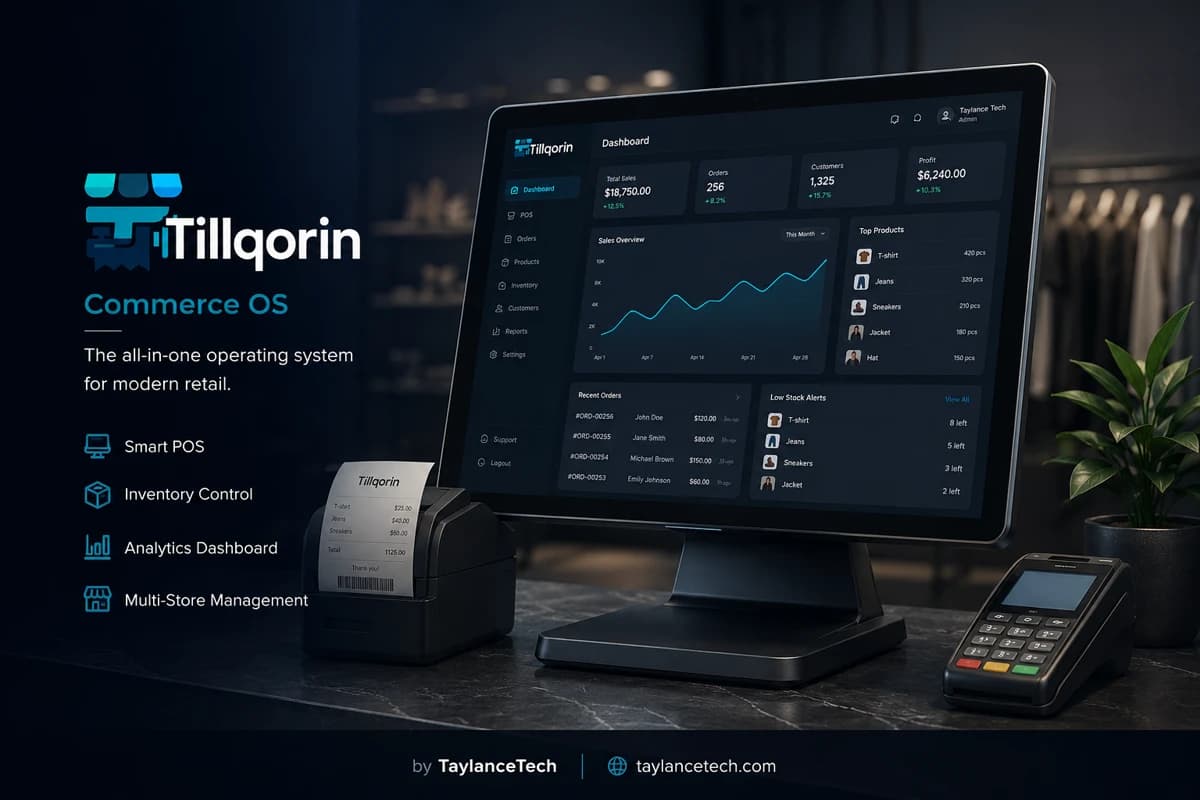
A purchase order system helps a shop plan and record what it buys from suppliers. Instead of relying on phone calls and memory, the business captures required items, places or records purchases, and receives quantities into stock against the same products it sells.
Shops need purchase order software when buying becomes frequent, partial deliveries are common, or stock stays wrong because goods were paid for but never received in the system. The cost shows up as emergency reorders, blocked sales, and supplier arguments about what was actually delivered.
Tillqorin supports purchasing at pos.taylancetech.com with demands for requisition-style lists, purchase documents tied to suppliers, and receiving that increases stock on the shared product catalog. Selling and buying then share one item list instead of two conflicting notebooks.
Strong purchasing control means every important delivery leaves a line-by-line receipt against real products, and every serious shortage can become a demand the buyer actually sees. When that loop runs daily, stock numbers stop being a weekend argument and start being a working tool for buying decisions, selling promises, and supplier follow-up.
What is a PO system
What is a purchase order system?
A purchase order system records what a business intends to buy and what it actually receives.
A purchase order (PO) is a commercial request or record describing products, quantities, and often agreed rates from a supplier. A purchase order system is the software and process that creates those records, tracks them, and connects receiving to inventory.
In small shops, “PO” language is sometimes formal and sometimes practical. The underlying need is the same: stop buying from memory. Whether you issue a formal PO to a supplier or record a purchase as goods arrive, the system should leave a durable line-by-line history.
Purchase software usually includes supplier identity, item lines, quantities, rates, and a receiving step. Strong shop systems also use the same product list as selling, so purchased goods become sellable stock without translation errors.
Tillqorin includes demands for requisition-style needs, purchases for supplier buying, and stock updates when purchases are posted. That chain is the purchase order system in operational form for retail and wholesale counters.
Search terms such as “purchase order software,” “purchase order system,” “purchase management software,” and “PO software for retail” generally mean this buying-and-receiving control, not customer invoicing.
One-line definition: a purchase order system turns buying needs into structured supplier purchases and honest stock receipts.
That definition excludes payment-only diaries. If money moved and quantities did not, purchasing control failed even if the supplier was paid on time.
It also excludes wish lists that never become receiving events. A demand without a later receipt path becomes another place for information to die.
- Capture what must be bought
- Record supplier purchases with item lines
- Receive actual arrivals into stock
- Keep buying aligned with the selling catalog
- Retain history for disputes and review
Why shops need it
Why shops need purchase order software
Purchasing software becomes necessary when buying volume exceeds memory and chat.
You need a purchase order system when stockouts repeat on items you already “meant to order.” Intent without a list is not a purchasing process.
You need it when suppliers deliver short and arguments begin. Structured lines beat recollected conversations.
You need it when payments happen without receiving. Money movement without quantity movement creates fake shortages in software and false confidence on shelves.
You need it when more than one person influences buying. Floor staff, owners, and buyers need a shared request list.
You need it when assortment grows. A hundred SKUs cannot be managed by sticky notes without drift.
If you buy rarely and count obsessively, urgency is lower. As deliveries multiply, purchase records become cheaper than emergency counts and lost sales.
There is also a staff-cost angle. When every delivery turns into an argument about what was ordered, managers burn time that should go to customers and merchandising.
Purchasing software is not glamorous, but it reduces those arguments by giving everyone the same lines to read.
- Fewer forgotten reorders
- Clearer short-delivery handling
- Stock that rises when goods arrive
- Shared demand lists across roles
- History for supplier discussions
Demand lists
Demands and requisitions before purchasing
A demand list turns shelf knowledge into a buyer-ready request.
Floor staff often see shortages first. Without a demand or requisition step, that knowledge dies in hallway talk.
In Tillqorin, demands help capture products and quantities needed before a purchase is finalized. The point is not bureaucracy. The point is completeness.
Good demand discipline includes clear SKUs, realistic quantities, and urgency notes your team understands. Vague requests create vague purchases.
Buyers should review demands against supplier lead times and cash plans. Not every demand must become an immediate purchase, but every serious shortage should be visible.
Close the loop: when a demand becomes a purchase and then a receipt, staff learn that reporting shortages matters. If demands vanish into nowhere, people stop filing them.
- List real SKUs, not vague descriptions
- Quantities the buyer can act on
- Review before converting to purchase
- Receive after arrival to complete the chain
Creating purchases
Creating a purchase against a supplier
A purchase document should be specific enough to receive against.
Select the supplier account so the commercial relationship is explicit.
Add lines from the product catalog you sell. Avoid free-text goods names that cannot update stock cleanly.
Enter quantities you expect and rates you agreed. If rates are unknown at order time, your team still needs quantity clarity for receiving later.
Keep units consistent with how stock is stored. Buying in cartons while stock is in pieces requires a clear conversion rule.
Post purchases through the operational path that receives stock. A purchase that never touches quantities is only a payment diary.
Store enough reference detail for later supplier conversations — dates, lines, and totals your team can reopen.
Receiving
Receiving goods without lying to stock
Receiving is where purchase systems earn trust.
Receive what physically arrived. If twelve cartons were ordered and nine arrived, receive nine. Closing as twelve to tidy paperwork corrupts inventory and future selling.
Count at receiving when values are material. Signing for sealed cartons without checks is a common loss point.
Match received lines to the intended products. Lookalike packaging is how wrong SKUs absorb quantity.
Post receiving the same day goods land whenever possible. Delayed receiving creates the classic “shelf full, system empty” failure during sales.
If damaged goods arrive, record the commercial and quantity outcome honestly according to your process with the supplier. Silent disposal without records creates mystery gaps.
Where two people unload, one should count and one should confirm entry when values are high. Small process friction here prevents large silent loss.
After posting, spot-check one line against the shelf. That thirty-second check teaches staff that receiving is real, not clerical theater.
- Count what arrived
- Receive actual quantities
- Match the correct SKU
- Post receiving promptly
- Document damage or shortages
Partial deliveries
Partial deliveries and backorders in real shops
Most shops live with incomplete deliveries; systems must allow honesty.
Partial delivery is normal, not an exception. Your purchase process should expect it.
Keep open quantities visible in team habits when goods remain due. If your workflow uses follow-up purchases for remainders, make that explicit so nobody assumes the first receipt finished the story.
Communicate with suppliers using the received lines as reference. “You shorted line 3 by four cartons” is actionable. “Something was missing” is not.
Do not let sales staff promise customers arrivals that receiving never confirmed. Purchasing truth should feed selling promises.
Review repeated short suppliers. Pattern shortages are a sourcing issue, not only a receiving paperwork issue.
Payables
Supplier payables and purchase records
Buying creates obligations; records should show them.
A purchase is not only stock in. It is often money owed or money already paid. Supplier accounts help keep that commercial side visible.
When paying suppliers, allocate payments in a way that your team can reconcile against purchase activity. Unallocated payments recreate notebook confusion on the buy side.
Separate “paid” from “received.” You can pay before goods arrive, or receive before final payment, depending on terms. Software and process should not collapse those events into one vague tick mark.
Owners should review supplier balances with the same seriousness as customer dues. Cash pressure often comes from both sides.
Tillqorin keeps supplier-facing purchase activity in the same operational suite as selling, which helps shops avoid isolated payment diaries.
Catalog alignment
Why purchases must use the selling catalog
Translation between buy lists and sell lists is where shops lose control.
If purchasing uses one naming style and the till uses another, receiving staff guess. Guessing creates duplicate products and wrong stock.
Force purchases onto the real SKUs sold at the counter or invoiced to customers. That single rule prevents months of cleanup.
When a supplier uses different codes, map them to your product records deliberately. Do not create a parallel shadow catalog for convenience.
Discontinue old products cleanly rather than recycling records for new goods arriving from suppliers.
Audit the worst-named purchased items quarterly. Purchasing speed improves when names match how staff search.
Buyer habits
Daily and weekly purchasing habits that work
Software fails when purchasing remains batch folklore.
Daily: receive arrivals the day they land.
Daily: capture floor demands while shortages are seen.
Weekly: convert reviewed demands into purchases according to lead time and cash.
Weekly: chase repeated short deliveries with supplier evidence from purchase history.
Weekly: check whether purchased fast movers actually arrived before advertising availability.
Monthly: review suppliers by reliability and shortage patterns, not only by cheapest rate.
Choosing
How to choose purchase order software for a shop
Test buying tools with receiving reality, not order-form cosmetics.
Create a demand list from your real SKUs and convert it into a purchase.
Receive a partial delivery and confirm stock rose only by what arrived.
Pay or balance-check the supplier account and ensure the purchase remains findable.
Ask warehouse or counter staff to receive using the screen without owner supervision.
Confirm purchased products are the same records used in sales.
Tillqorin is built by Taylance Tech for shop operations including demands, purchases, and stock receiving. Validate the chain at pos.taylancetech.com during trial with your suppliers’ real delivery behavior.
Returns to suppliers
Returns to suppliers and purchase corrections
Not every arrival stays. Purchase history must support reverse motion cleanly.
When goods are rejected after receiving, use a controlled correction path so stock and supplier balances do not drift in opposite directions.
Photograph or note damage according to your shop policy when disputes are likely. Records help; chaos notes do not.
Do not “fix” supplier returns by silently lowering stock without commercial context if your process supports proper adjustments.
Train staff that returning goods is a purchasing event, not a private warehouse favor.
Review return reasons monthly. Repeated damage or wrong-item receipts may mean a packaging, labeling, or supplier quality issue.
Multi-supplier
Buying the same SKU from multiple suppliers
Many shops source one product from more than one supplier. Records must stay clear.
Keep one product record for the sellable SKU when the goods are truly interchangeable. Split supplier history through purchases, not through duplicate catalog items.
If quality differs materially between sources, separate products deliberately and price or sell them accordingly.
When switching primary supplier, do not abandon open receiving checks on the old channel until transitions finish.
Compare suppliers on fill rate and shortage frequency using purchase history, not only on quoted rates.
Cheap goods that arrive late or incomplete are not cheap after lost sales.
Emergency buys
Emergency purchases without destroying process
Emergencies happen. They should not permanently replace planning.
Allow a fast path for true stockout emergencies, but still receive into the correct SKU the same day.
Tag or note emergency buys in team habit so you can count how often planning failed.
If emergencies are weekly, the demand review is too late or lead times are ignored.
Never create free-text emergency products for goods that already exist in catalog. That creates duplicates under stress.
After the emergency, add the item to the next planning list so the same fire is less likely next week.
Warehouse desk
Receiving desk setup that prevents mistakes
Physical receiving conditions affect software accuracy.
Give receiving a surface, light, and a device signed into Tillqorin. Posting “later in the office” is how later never comes.
Keep a simple cart or staging area for unchecked goods so nothing is sold before receiving when that risk matters.
Store supplier delivery notes with the day’s receiving batch if your process uses them as cross-check papers.
Avoid receiving during the absolute peak sales rush when possible. Errors rise when attention is split.
If space forces receiving near the till, assign a person whose only job in that window is receiving confirmation.
Myths
Myths about purchase order systems
These myths keep shops on chat-based buying.
Myth: “POs are only for big companies.” Truth: small shops with frequent deliveries need structured receiving even more because they have less slack stock.
Myth: “Paying the supplier finishes purchasing.” Truth: payment without receiving leaves inventory wrong.
Myth: “We remember what we ordered.” Truth: memory fails exactly on busy weeks when buying matters most.
Myth: “Any expense entry is a purchase record.” Truth: expenses without item quantities do not repair stock.
Myth: “Formal PO documents are the whole system.” Truth: the system includes demands, receiving, and catalog alignment.
Myth: “Software will stop supplier shortages.” Truth: software documents shortages; sourcing decisions still belong to the buyer.
Mistakes
Purchase system launch mistakes
Avoid these errors when moving buying into software.
Receiving full ordered quantity every time “to close the PO” despite short delivery.
Creating purchases with free-text items that cannot update stock.
Leaving receiving unassigned so everybody assumes somebody else did it.
Buying under duplicate product names because search felt hard in the moment.
Running supplier chat as the master record beside software with no cutover date.
Ignoring demands from floor staff until stockouts become customer-facing.
Lead times
Lead times, reorder timing, and purchase planning
Purchase timing fails when lead time is ignored.
Know how long each key supplier takes. A same-day demand for a three-day lead item is already late.
Build purchasing reviews early enough for lead time. Low stock that ignores delivery delay becomes empty shelves.
Keep emergency suppliers for true crises, but do not let emergency buying become the default because planning never happens.
When lead times slip, update team expectations and customer promise habits. Purchasing truth should flow outward.
Use purchase history to see which suppliers slip often. Patterns beat anecdotes.
Controls
Approvals and controls on purchasing
Buying spends cash; access should match trust.
Decide who can create purchases and who can confirm receiving. Splitting duties reduces casual errors and casual fraud opportunity.
Tillqorin roles help separate daily operations from administrative control. Use that separation so purchasing rules are not edited casually during a rush.
Large purchases may need owner review even when routine receiving does not. Write the threshold your shop uses.
Review unusual supplier payments and unusual receiving adjustments periodically.
Controls should stay light enough that staff still post promptly. Heavy process that causes delayed receiving is self-defeating.
Professional use
Professional expectations and limits
Clear limits keep purchasing decisions honest.
Purchase order software improves demand capture, supplier purchase history, and stock receiving accuracy. It does not guarantee supplier reliability or eliminate the need for physical checks on valuable goods.
Commercial terms, returns to suppliers, and tax treatment of purchases vary by place and contract. Follow local professional guidance for compliance questions.
Tillqorin is a real operations product from Taylance Tech. Test demands, purchases, and receiving with your actual SKUs and delivery patterns during trial before full cutover.
Do not tell staff that software removes counting. Receiving checks still matter.
First month
First-month purchasing plan
Measure success by same-day receiving and fewer forgotten reorders.
Week one: top purchased SKUs in catalog, suppliers entered, every arrival received in Tillqorin.
Week two: floor demands used daily for shortages on those SKUs.
Week three: stop parallel purchase diaries for migrated suppliers.
Week four: review short-delivery patterns and clean duplicate product records created during buying.
Keep a receiving incident list: wrong SKU, damage, delayed posting. Fix from the list weekly.
If a purchasing document requirement cannot be completed with a real supplier sample, capture that example and discuss it with Taylance Tech.
Supplier talks
Using purchase records in supplier conversations
Evidence changes supplier talks from emotion to facts.
Open the purchase lines when discussing shortages. Point to dates and quantities.
Ask suppliers for credit notes or replacements against documented short receipts, according to your terms.
Share recurring shortage summaries monthly with unreliable suppliers. Patterns are harder to dismiss than one complaint.
Keep tone professional. Clear records allow firmness without chaos.
Internally, praise staff who receive honestly. Punishing short receipts indirectly encourages false full receiving.
Cash and buying
Cash planning around purchasing
Buying decisions are cash decisions.
Before large purchases, review supplier payables and expected customer inflows if you use credit selling. Purchasing in isolation creates avoidable crunches.
Stagger non-critical buys when cash is tight. Purchase systems make planned delay possible because needs are listed rather than forgotten.
Avoid panic over-buying after one stockout without checking movement. One empty shelf is not always a signal to flood inventory.
Track whether purchased goods actually sell. Purchasing success is not receipt volume; it is usable stock that turns.
When cash is abundant, resist trophy buying of slow goods just because a supplier offers a deal. Purchase history plus sales history should challenge vanity orders.
Training
Training staff on purchasing without overwhelming them
Short role-based training beats one long lecture nobody remembers.
Teach floor staff only how to create clear demands for shortages they see.
Teach receivers how to count, select SKUs, and post actual arrivals.
Teach buyers how to convert demands, choose suppliers, and review short deliveries.
Use one real delivery as a live training object. Abstract screenshots teach less than a carton on the floor.
Recheck skills after two weeks with a supervised receiving. Drift appears early and is cheap to correct then.
Owner review
What owners should review in purchasing each week
A short owner review keeps buying aligned with cash and demand.
Look at purchases posted versus goods actually received. Unreceived purchases are warning lights.
Look at repeated short deliveries by supplier. Decide whether to escalate, switch source, or change order timing.
Look at emergency buys. A rising count means planning is late.
Look at duplicate products created during receiving stress and merge or rename them before the catalog decays further.
Look at payables timing against your cash plan. Purchasing volume without cash context creates avoidable pressure.
Keep the review under thirty minutes. Consistency beats occasional deep audits that never happen.
If one supplier dominates both volume and shortages, put that relationship on the agenda deliberately. Avoidance is also a purchasing decision.
The problem
Purchasing problems shops feel before they get a PO system
These buying and receiving failures appear before owners search for purchase order software.
Orders placed by memory after a busy day
Forgotten items return as stockouts within a week.
Supplier delivered less than ordered, nobody recorded it
Paper says complete; shelves say otherwise.
Payment made, stock never received in software
Cash left while quantities stayed frozen and sales plans lied.
Floor staff know shortages, buyer never sees a clean list
Needs stay verbal and incomplete.
Same goods purchased under slightly different names
Duplicates split history and confuse receiving.
Supplier disputes quantities with only chat evidence
No structured purchase record exists to compare.
Tillqorin
How Tillqorin handles purchasing
Demands, supplier purchases, receiving into stock, and shared catalog control.
Demands for what the floor needs
Capture required products and quantities before purchasing.
Purchases linked to suppliers
Record buying against supplier accounts and product lines.
Receiving into stock
Post arrivals so quantities rise on the same catalog used for sales.
Partial delivery honesty
Receive what arrived instead of pretending the full order landed.
Shared SKUs with selling
Buy the products you actually invoice and check out.
Payables visibility beside purchasing
Keep supplier balances connected to purchase activity.
Who it’s for
Who this purchase order system fits
For shops that buy often enough that memory and chat stop being safe.
- Retail buyers tired of verbal reorders
- Wholesale operations receiving frequent supplier shipments
- Owners whose stock stays wrong after payments to suppliers
- Teams that need floor requests converted into purchase lists
- Shops replacing purchase diaries and chat-only ordering
Getting started
How to start purchasing in Tillqorin
Practice the demand → purchase → receive loop before peak buying weeks.
- 1
Open your Tillqorin organization
Create a shop account at pos.taylancetech.com, confirm the owner inbox, and enter the trial with write access enabled.
- 2
Load products you buy repeatedly
Enter SKUs with clear names and units before purchasing volume rises.
- 3
Add supplier accounts
Create the suppliers you pay so purchases have a commercial home.
- 4
Practice demand → purchase → receive
List a need, create a purchase, receive quantities, confirm stock increased.
- 5
Assign who may receive goods
Make receiving a named responsibility, not an optional chore.
Checklist
Purchase system go-live checklist
Complete these steps before you rely on Tillqorin for supplier receiving.
- Enter top purchased products with clear units
- Create supplier accounts you buy from weekly
- Assign who receives goods each day
- Create a practice demand list from real shortages
- Convert it into a purchase and receive a partial arrival correctly
- Confirm stock increased only by received quantity
- Train staff not to free-text purchase lines for stocked SKUs
- Set a same-day receiving rule
- Schedule a weekly short-delivery review
- End parallel purchase diaries for migrated suppliers on a fixed date
Compare
Tillqorin purchasing vs diaries and chats
A direct comparison for shops still buying through memory, messaging apps, or disconnected notebooks.
| Criterion | With Tillqorin | Typical alternative |
|---|---|---|
| Capturing needs | Demands list products and quantities | Verbal reminders that fade by evening |
| Supplier record | Purchase tied to supplier account | Payment note with no item detail |
| Receiving | Posted receipt updates stock | Goods unloaded, software untouched |
| Partial arrivals | Receive actual quantities | Mark full order complete to “close” paper |
| Catalog alignment | Same SKUs as sales | Purchase sheet names that do not match till items |
| Disputes | Structured purchase history | Chat screenshots and conflicting memories |
FAQ
Purchase orders — frequently asked questions
Practical answers about purchase order software and how Tillqorin handles it.
What is a purchase order system?
It is software and process for recording what a shop buys from suppliers and receiving those goods into stock with item-level history.
What is purchase order software used for in a shop?
To capture buying needs, create supplier purchases, receive quantities, and keep purchasing aligned with the products you sell.
Does Tillqorin include purchasing features?
Yes. Demands, purchases, supplier accounts, and stock increases on posted receiving are part of the operational suite.
What is a demand in Tillqorin?
A requisition-style list of products and quantities the floor needs before those needs become a supplier purchase.
How should partial deliveries be handled?
Receive the quantities that actually arrived. Do not mark full receipt to close paperwork if goods are still missing.
Why must purchases use the same products as sales?
So received goods update the same stock records you sell from, avoiding duplicate names and false quantities.
Does paying a supplier update stock automatically?
Payment and receiving are different events. Stock should rise when goods are received, not merely when money is sent.
Can multiple staff take part in purchasing?
Yes. Use roles and clear ownership so requesting, buying, and receiving are not accidental orphans.
Will purchase software stop supplier shortages?
No. It documents shortages and improves follow-up. Sourcing choices remain a buyer responsibility.
Who builds Tillqorin?
Taylance Tech. The live app is at pos.taylancetech.com.
Do small shops need formal PO documents?
They need structured purchase and receiving records. Formal PO style can vary; honesty in quantities cannot.
Does this replace inventory management?
Purchasing feeds inventory. Inventory also needs sales outflow, counts, and catalog care. They work together.
Keep exploring
Related Tillqorin guides
More pages on billing, stock, cloud setup, and small-shop use — same product, different focus.
Inventory management
What inventory management is, why shops need stock control, and how Tillqorin tracks quantities.
Read guideWholesale billing
What wholesale billing is, why traders need it, and how Tillqorin handles account invoices and dues.
Read guideAccounts & ledgers
What accounts ledger software is, why shops need party balances tied to real sales, and how Tillqorin keeps customers, suppliers, cash, and banks clear.
Read guideShop management
What shop management software is, why stores need one daily loop, and how Tillqorin unifies selling, stock, buying, and spending.
Read guideWant to try Tillqorin at your counter?
Start a trial on the live app at $9/month after trial, or contact Taylance Tech if your shop needs a custom setup.