WhatsApp Usernames Are Coming for 3 Billion Users — Reserve Yours, but Learn These 7 Scam Rules First

For its entire history, WhatsApp has treated one piece of information as your identity: your phone number. Later in 2026, that changes.
WhatsApp is introducing usernames for more than three billion users, allowing two people — or a customer and a business — to start a conversation without revealing either phone number. Reservations are opening gradually now, and the obvious names will not wait. But before you race to claim yours, understand the trade: usernames remove a major privacy risk while creating a new test of whom you trust.
That tension is serious enough that India, WhatsApp's largest market, directed the company to pause the launch there until government concerns about phishing, impersonation, and “digital arrest” scams are addressed. WhatsApp says the full messaging feature is not yet live and points to multiple safeguards built into the rollout.
Both positions can be true. Hiding your phone number from a marketplace buyer, delivery driver, customer, or stranger in a group is a genuine privacy improvement. A polished username that resembles your bank is also easier to trust than an unfamiliar international number. The technology changes; the safest response is to understand exactly what it does — and what it can never prove.
What is changing on WhatsApp?
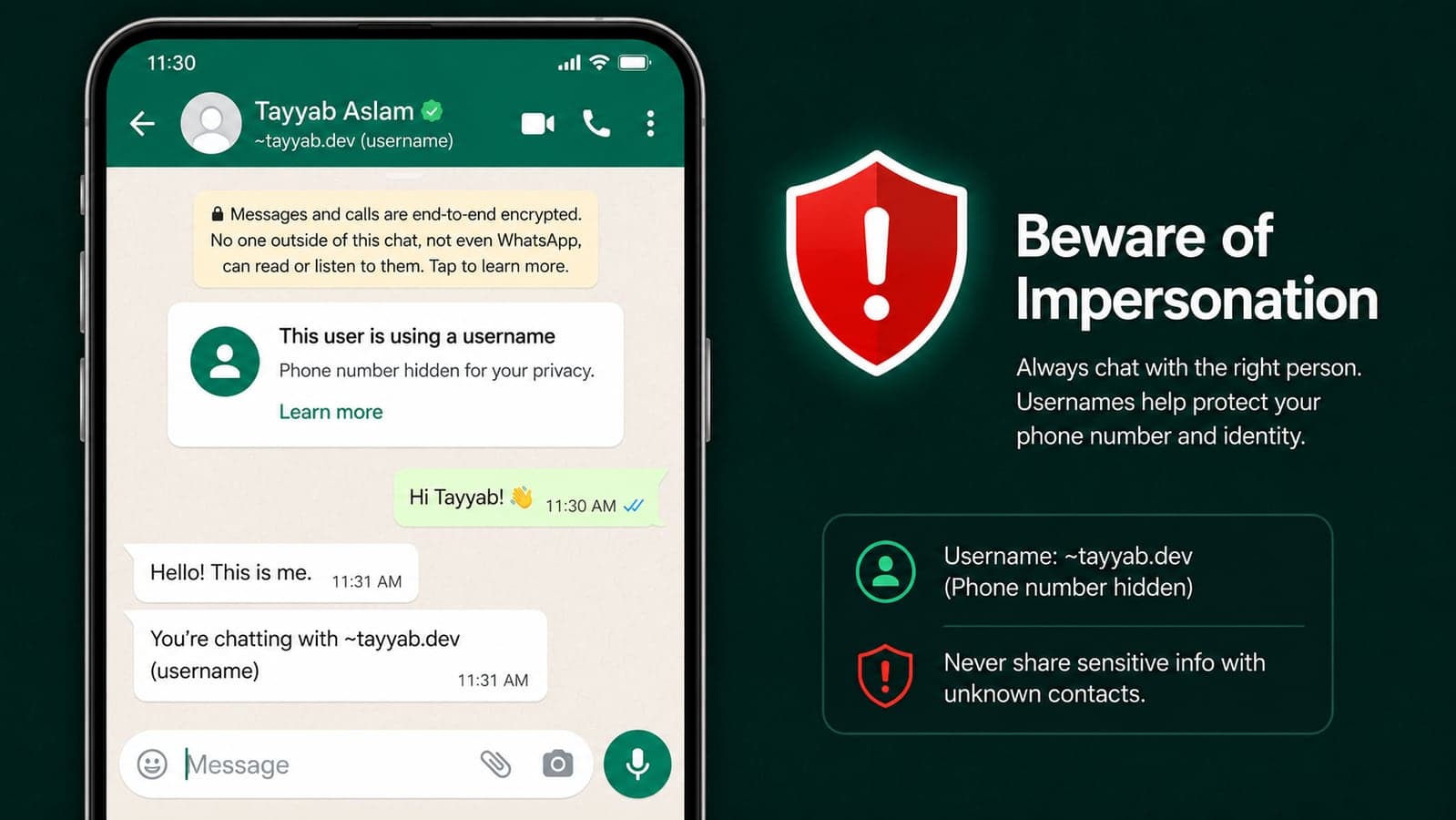
A WhatsApp username will be an optional public handle that lets people contact you without seeing your phone number. You will still need a phone number to create and maintain a WhatsApp account. The username does not replace account registration; it changes what a new contact sees.
According to WhatsApp's official announcement:
- Usernames are optional. You can change or remove yours later.
- There will be no public directory and no account suggestions based on usernames.
- A stranger must know your exact username to contact you for the first time.
- You can add an optional username key — an extra code the sender must also know.
- If usernames are enabled, a person or business you message for the first time will not see your phone number.
- The complete feature will roll out gradually by country later in 2026.
The distinction matters: reserving a username now does not mean username messaging is already active for everyone. WhatsApp is first allocating names, then enabling the communication feature country by country. If a website claims every account can already hide its number, it is ahead of WhatsApp's own published timeline.
How to reserve your WhatsApp username
- Update WhatsApp from the official Apple App Store or Google Play Store.
- Open WhatsApp → Settings → Account → Username.
- Enter the name you want and follow the availability prompts.
- If you are a creator, business, or organization, check whether you can claim the same identity you already use on Instagram or Facebook through Meta's verification flow.
- Save the reservation and wait for WhatsApp's in-app notification when username messaging becomes available in your country.
If “Username” is missing, you have not done anything wrong. The reservation option itself is rolling out gradually. Keep the official app updated and wait for an in-app notice; do not install a modified APK or follow a message claiming it can unlock the feature early. Sticking to official sources matters more than ever now that third-party Android app stores are entering the mainstream — a fake “WhatsApp update” from an unvetted storefront is a classic account-takeover vector.
WhatsApp permits names between 3 and 35 characters and has reserved some identities connected to prominent people and organizations. Choose something you can keep. A business should prioritize its exact trading name over a clever slogan, because consistency across its website, social profiles, and messaging account makes genuine contact easier for customers to verify.
Why hiding your phone number is a real privacy upgrade
A phone number is not merely a way to receive calls. It is often tied to account recovery, two-factor authentication, banking alerts, delivery records, data-broker profiles, and identity checks. Sharing it with one marketplace seller or putting it in a large group can expose more of your identity than the conversation requires.
Usernames introduce useful separation:
- Marketplace transactions: buyers and sellers can coordinate without exchanging permanent phone numbers.
- Communities and large groups: members can interact without every participant receiving a sensitive identifier.
- Creators and freelancers: a public contact channel no longer has to be a private SIM number.
- Small businesses: staff can speak with customers through a recognizable brand identity instead of exposing personal numbers.
- Temporary contact: travel hosts, couriers, event organizers, and service providers get only the information needed for the conversation.
This does not make a WhatsApp account anonymous to WhatsApp. A phone number remains behind the account. It simply stops handing that number to every new person at the front door.
Why governments are worried about impersonation
In July, India's Ministry of Electronics and Information Technology asked WhatsApp not to launch username messaging in the country until consultations were complete. Its concern was straightforward: a scammer could choose a name resembling a bank, official agency, executive, or family member and approach victims without displaying the unfamiliar phone number that might otherwise raise suspicion.
WhatsApp says it is reserving high-profile names, limiting how many new people an account can contact, blocking repeated attempts to guess username keys, and detecting common impersonation patterns. New-contact notices are also expected to provide context such as whether the sender is new, shares a group with you, or may be in another country.
Those controls reduce abuse; they cannot make a username proof of identity. That is the central rule to remember. A handle is an address, not identification. Anyone can print “Bank Support” on an envelope. The label does not prove who placed the letter inside.
The stakes are not theoretical. The US Federal Trade Commission says consumers reported losing $3.5 billion to imposter scams in 2025, nearly three times the reported losses in 2020. Nearly one in three fraud reports involved impersonation. Separate FTC data placed WhatsApp second only to Facebook among social platforms by reported scam losses.
The 7 rules that keep a username from fooling you
1. Never treat a familiar handle as verification
A username can look right while being one character wrong: an extra period, a substituted letter, or a word such as “help” added to the end. Even an exact-looking name should not be enough for a financial or account decision. Verify through a second channel you find independently.
2. Find the official number yourself
If “your bank” messages about suspicious activity, close the chat. Open the bank's official app or type its website address yourself, then call the number printed there or on the back of your card. Never use the phone number, link, or callback instruction supplied by the person whose identity you are trying to verify.
3. Use the optional username key
If you want a username for privacy but do not need strangers to contact you freely, enable the username key when it becomes available. Share the handle and key only with intended contacts. Exact-name matching prevents random discovery; the key adds another barrier against guessing and unsolicited contact.
4. Ignore urgency, secrecy, and “safe account” instructions
Scammers manufacture a deadline because independent verification defeats the story. A bank or government agency will not instruct you over WhatsApp to transfer money into a “safe account,” buy gift cards, disclose a one-time password, install remote-access software, or keep the conversation secret from family and staff.
5. Confirm family requests with a known question or call
“I lost my phone; this is my new account” remains effective because it arrives before the victim has time to think. Call the person's saved number. If that fails, ask a question only the real person would answer — but avoid facts visible on social media. Agree on a family verification phrase before an emergency happens.
6. Never share registration codes, PINs, or your screen
A six-digit WhatsApp registration code can hand over your account. Two-step verification PINs and device-linking QR codes deserve the same protection. WhatsApp support does not need them. Anyone asking you to read a code, scan a QR image sent in chat, or share your screen is trying to cross a security boundary.
7. Slow down before paying from a chat
Investment groups, surprise jobs, parcel fees, romance emergencies, fake invoices, and “guaranteed” returns differ in story but converge on payment. Do not move money solely because a WhatsApp conversation appears convincing. Check the business registration, domain, invoice, and payment recipient outside WhatsApp. If the receiving account name does not match the person or company you independently verified, stop.
What businesses should do before usernames launch
For businesses, usernames are both a branding opportunity and a new impersonation surface. Use this checklist now:
- Reserve the exact brand name early. If WhatsApp offers the option to claim an existing Facebook or Instagram handle, use that verification path.
- Publish the official handle on your own website. Customers need an independent place to verify it. Add it to your contact page, receipts, and verified profiles only after activation.
- Document what staff will never request in chat. State clearly that your team will never ask for passwords, one-time codes, remote access, or transfers to a different personal account.
- Create an impersonation response plan. Decide who collects screenshots, reports fake accounts, warns customers, and updates your channels if a copycat appears.
- Keep business conversations in business systems. A shared inbox or CRM is safer than customer histories scattered across employees' personal phones. Your public identity should not depend on one worker's SIM card.
This is also a product-design lesson. Privacy is strongest when a system reveals only what a task requires: a username for contact, a role-specific view for staff, a payment token instead of card details. At Taylance Tech, that principle shapes the mobile applications and business platforms we build — useful access without unnecessary exposure.
Should you reserve a WhatsApp username?
Yes, if the option is available — especially for a business, creator, freelancer, or anyone who regularly speaks with strangers. Reserving a name protects the identity you want before the full feature launches, and you can change or remove it later. For private users, choose a handle that does not reveal your birth year, workplace, location, or full legal name unless public discoverability is intentional.
Then enable the username key when possible, turn on WhatsApp's two-step verification, review linked devices, and remember the rule that survives every interface change: identity is verified outside the message asking you to trust it.
WhatsApp usernames will make millions of ordinary conversations safer by keeping phone numbers private. Whether they make scams easier depends partly on platform safeguards — and partly on whether users mistake a convincing label for proof. Claim the privacy benefit. Do not outsource your judgment to the handle.
Feature availability and rules can change during a phased rollout. This article reflects WhatsApp's official announcement and public reporting available on August 1, 2026. Use only the official WhatsApp app and in-app notices for account changes.
FAQ
Frequently Asked Questions
Quick answers to common questions about this topic.
How do I reserve a WhatsApp username?
Update the official WhatsApp app, then open Settings, choose Account, and select Username. Enter your preferred name and follow the availability prompts. If the Username option is missing, reservations have not reached your account or country yet; WhatsApp says the rollout is gradual and will notify users in the app. Do not install unofficial APKs or pay anyone claiming they can unlock it early.
Will a WhatsApp username hide my phone number?
Yes, once username messaging launches in your country and you enable it, a person or business you contact for the first time will not see your phone number. You will still need a phone number to create and maintain the WhatsApp account, so usernames change what other users see rather than making the account anonymous to WhatsApp.
Are WhatsApp usernames available now?
Username reservations are rolling out now, but full username-based messaging is scheduled to launch gradually later in 2026. Reserving a handle does not mean every account can already use it to start conversations. WhatsApp will send an in-app notification when the complete feature becomes available in each country.
What is a WhatsApp username key?
A username key is an optional extra code that someone must know in addition to your exact username before messaging you for the first time. It is useful for people who want to hide their phone number without making their account freely contactable by anyone who guesses the handle. WhatsApp says it will also block repeated attempts to guess these keys.
Why did India ask WhatsApp to pause usernames?
India's technology ministry warned that usernames could make phishing, digital-arrest scams, and impersonation easier by letting criminals approach victims without exposing a recognizable phone number. It asked WhatsApp not to launch the feature in India until consultations were complete. WhatsApp says it has reserved prominent identities, limited new-contact activity, added contextual warnings, and built systems to detect impersonation and abuse.
Can I trust a business account because its WhatsApp username looks official?
No. A username is an address, not proof of identity. Lookalike handles can substitute a character or add words such as “support.” For any payment, account warning, or request for sensitive information, leave the chat and contact the organization through its independently verified app, website, or phone number. Never use verification details supplied by the account you are checking.

 Tayyab Aslam