Your App Is Now Being Listed in Stores You Never Approved — and the 30% App Store Tax Quietly Fell to 10%. Here's Your Move Before October 1

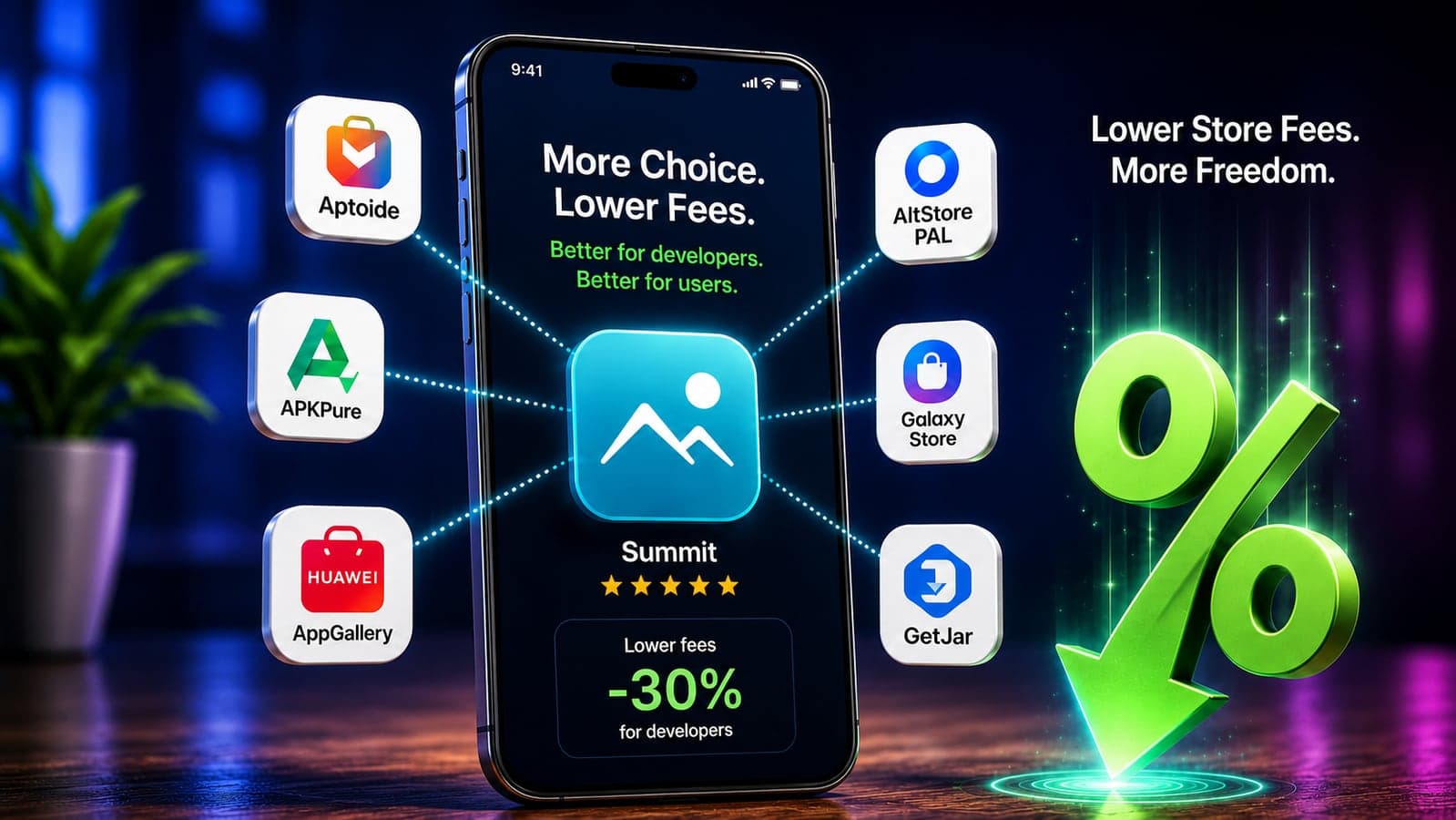
If you have an app on Google Play in the US, something changed on July 22, 2026 that you probably didn't approve, because you didn't have to: Google began making your app's listing — its name, icon, description, screenshots, and videos — available to third-party Android app stores by default. Unless you've visited a settings page most developers have never opened, your app can now be offered through storefronts you've never heard of.
That alone would be the biggest app-distribution story in years. But it's actually the third act of a single summer in which the app economy's money rules got rewritten:
- June 30: Google's new fee structure went live in the US, UK, and Europe — the service fee now starts at 10% on your first $1 million of annual earnings, and developers can use external web links for payments alongside Play distribution.
- July 22: rival app stores gained the right to distribute through Google Play itself, with every US developer's catalog included unless they opt out.
- October 1: per Google's updated program terms, developers using external payment links must begin reporting those transactions and paying fees on them — which makes this summer's zero-fee window a limited-time offer.
All of this is fallout from the Epic v. Google antitrust case, and it lands on top of a 2025 US court ruling that already forced Apple to allow link-outs to web checkout without commission. We build and ship apps for clients, so we've been reading the actual Play Console documentation rather than the headlines. Here's what genuinely changed, what the new math looks like in real money, and the three decisions every app owner should make this quarter.
Change #1: Rival stores can now sell through Google Play — with your app included by default
Under a court injunction, Google launched what it calls the Play Catalog Access Program on July 22. Qualifying third-party app stores — after paying Google an annual access fee that its program documents put at $15,000 (partly credited toward review costs) and passing security reviews — can be distributed through Google Play in the US and can list apps from Play's own catalog.
The part that concerns you directly: participation is opt-out, not opt-in. Google's developer notice is explicit — from July 22, your US listings "will be made available to third-party US Android app stores" unless you choose otherwise in Play Console under Settings → Catalog Settings, where you get three options: publish to all third-party stores, manage stores individually, or opt out entirely.
Before you rush to opt out, understand what actually happens under the hood, because it's less alarming than the headline. When a user installs your app from one of these stores, the download still completes through Google Play, on the same terms as a normal Play install — same delivery infrastructure, same signing, and Google's service fee still applies. Nobody is repackaging your APK. What changes is the shelf your app sits on, not the plumbing behind it.
So the real trade-off is about context, not security:
- Reason to stay in: free distribution. Third-party stores are fighting to build catalogs and audiences; being listed costs you nothing and the install path is still Play's. For most consumer apps, extra shelf space is simply extra reach.
- Reason to manage it: Google's own notice points out that third-party stores "are not governed by Google Play's content and other policies." Your listing can appear next to content Play would never approve, and users confused by a third-party storefront will still send their support complaints to you. Brands that are careful about placement — kids' apps, finance, healthcare — should review store-by-store rather than accepting the blanket default.
Either way, make the choice deliberately. Right now the default is deciding for you.
Change #2: The fee cut is real — here's the actual math
For fifteen years, the resting assumption of app economics was that the store takes 30% (softened in 2021 to 15% on the first $1 million). The structure that took effect June 30 in the US, UK, and EEA replaces that with something more layered, and for small and mid-sized apps, meaningfully cheaper. From Google's published fee tables:
- First $1M of annual earnings: 10%, regardless of how the payment is processed.
- Auto-renewing subscriptions: 10%, at any revenue level — down from 15%.
- Other transactions above $1M: 20% standard (15% if you join Google's new Apps or Games programs).
- The 5% billing fee is now separate — and avoidable. It applies only when you use Google Play's own billing system. Process payments through an alternative system or an external web link and it doesn't apply.
What that means in money a founder can feel: a subscription app doing $20,000 a month paid Google roughly $3,000 monthly under the old 15% subscription rate. Under the new structure, that's $2,000 — $12,000 a year back, for changing nothing. Route those subscriptions through your own web checkout instead of Play Billing and you also sidestep the 5% billing fee that would otherwise stack on top. On Android, the "30% tax" era is genuinely over for most businesses; the honest new number for a typical app under $1M is 10–15%.
Apple, meanwhile, got here by force rather than choice: a 2025 ruling in the Epic v. Apple case barred it from taking commission on purchases made through external links in US apps — which is why Spotify, Kindle, and thousands of smaller apps now show a "buy on our website" button in the US. Regulators in the EU already require link-outs under the DMA, and the UK's competition authority is currently pushing both companies in the same direction. The direction of travel is one-way.
Change #3: The October 1 catch on "free" link-outs
Here's the fine print that most of the celebratory coverage skipped. Since the injunction took effect, US developers have effectively enjoyed zero-fee link-outs on Android — put a link in your app, send users to your website to pay, keep everything minus card processing. Google's July 22 program update sets an expiry on that free ride: developers enrolled in the external links program must start reporting transactions and paying the applicable Play service fee on October 1, 2026. The same documents introduce fixed per-install fees when a link-out leads to an app download ($2.85 for apps, $3.65 for games).
Two honest caveats. First, whether these link-out fees survive is genuinely unsettled — the court's economist flagged the question, and Epic has fought Google over exactly this kind of fee before. Second, even with the fee applied, external payments remain attractive: you avoid the 5% billing fee, you own the customer relationship, and — the part we care about as builders — a customer who pays on your website is a customer whose billing you control: your churn tools, your upgrade paths, your invoices, no store intermediating your revenue.
The practical read: if web checkout makes sense for your app, the economics are best right now, and they'll likely still be good after October 1 — but plan your margins on the documented fees, not the temporary zero.
The three decisions to make this quarter
1. Open Catalog Settings and choose on purpose
Play Console → Settings → Catalog Settings. Consumer app hungry for installs? The default (all stores) is probably fine — it's free reach over Play's own install pipeline. Regulated category, kids' audience, or a carefully positioned brand? Manage store-by-store. The wrong answer is the one you didn't know you'd given.
2. Re-run your monetization math
Price and margin decisions made under 15–30% assumptions deserve a revisit under 10–15% reality. For subscription apps, compare three paths: Play Billing (10% + 5%, zero friction), alternative billing in-app (10%, you handle payments), and web checkout via link-out (10% service fee post-October, no billing fee, full customer ownership). The spread between best and worst case is real money at any scale — and if you're planning a new app, these numbers change the viability calculation we walked through in our build-cost breakdown.
3. If you choose web checkout, build it properly
The link-out path only wins if the page it lands on converts. That means a fast, mobile-first checkout with wallet payments (Apple Pay / Google Pay), a subscription portal where users can upgrade or cancel without emailing you, and entitlement syncing so the app unlocks the moment payment clears. A clunky web checkout can cost you more in abandoned purchases than the store fee it saved — this is the one piece of the new landscape where cutting corners is more expensive than the tax was.
What this means if you're planning an app (or sitting on the fence)
Step back and the summer's changes all push the same direction: the economics of owning an app just improved for the first time in a decade. The platform tax on a typical small app fell by a third to a half. Distribution is opening beyond two gatekeepers, in the US first and — with the EU, UK, and India watching this experiment closely — likely elsewhere next. And the forced coupling between "being in the store" and "paying through the store" is gone on both major platforms in the world's largest app market.
For businesses that shelved an app idea because 30% off the top broke the model — subscriptions, marketplaces, content apps — that math deserves a rerun. And the winning architecture in this new landscape is exactly the one we've always advocated: an app plus a real web platform behind it, sharing one backend, one login, and one payment system, so your business isn't hostage to any single storefront's rules. That's precisely the kind of build we do across mobile app development and web development at Taylance Tech.
Not sure what these changes mean for your app — or for the one you've been putting off? Send us a message. We'll walk through your fee exposure, your Catalog Settings call, and whether a web checkout is worth building for your numbers — plain answers, no obligation.
Fee figures and program terms in this article come from Google's Play Console documentation and developer notices as published in late July 2026; the legal fights around them are ongoing, so verify current terms in your Play Console before making revenue decisions.
FAQ
Frequently Asked Questions
Quick answers to common questions about this topic.
What changed on Google Play on July 22, 2026?
To comply with the Epic v. Google court injunction, Google launched the Play Catalog Access Program: qualifying third-party Android app stores can now be distributed through Google Play in the US and can list apps from Play's catalog. Every US developer's app listings — name, icon, description, screenshots, videos — are shared with these stores by default unless the developer opts out in Play Console under Settings → Catalog Settings. Downloads initiated from third-party stores still complete through Google Play's own infrastructure on standard terms.
Should I opt my app out of third-party app stores?
For most consumer apps, staying in is free extra distribution — the install still runs through Google Play, so security and billing don't change. Consider managing stores individually or opting out if your brand is placement-sensitive: third-party stores aren't governed by Google Play's content policies, so your listing can appear alongside content Play wouldn't allow, and confused users will still bring support issues to you. Whatever you choose, make it a deliberate decision in Play Console rather than accepting the default unknowingly.
What are Google Play's fees in 2026?
Under the structure that took effect June 30, 2026 in the US, UK, and EEA: 10% on your first $1 million of annual earnings regardless of payment method, 10% on auto-renewing subscriptions at any revenue level, and 20% standard on other transactions above $1 million (15% inside Google's Apps or Games programs). A separate 5% billing fee applies only if you use Google Play's own billing system — alternative billing and external web links avoid it. That's down from the long-standing 15/30% regime.
Can I send app users to my website to pay instead of using in-app billing?
Yes, on both major platforms in the US. A 2025 court ruling forced Apple to allow external purchase links in US iOS apps without commission, and Google's external links program allows Android link-outs alongside Play distribution. On Android, note the deadline: per Google's July 22, 2026 program update, enrolled developers must start reporting link-out transactions and paying the applicable service fee on October 1, 2026. Web checkout remains attractive after that — no 5% billing fee, and you own the customer relationship — but budget with the documented fees, not the temporary zero.
Do these changes make building an app more profitable in 2026?
Meaningfully, yes. The platform fee on a typical app under $1 million in annual revenue dropped from 15–30% to 10–15%, subscriptions are 10% flat, and payment can now run through your own web checkout, which improves both margin and customer ownership. A subscription app earning $20,000 a month keeps roughly $12,000 more per year under the new rates alone. For businesses that shelved app ideas because store fees broke the unit economics, the math has genuinely changed and deserves a rerun.
 Tayyab Aslam