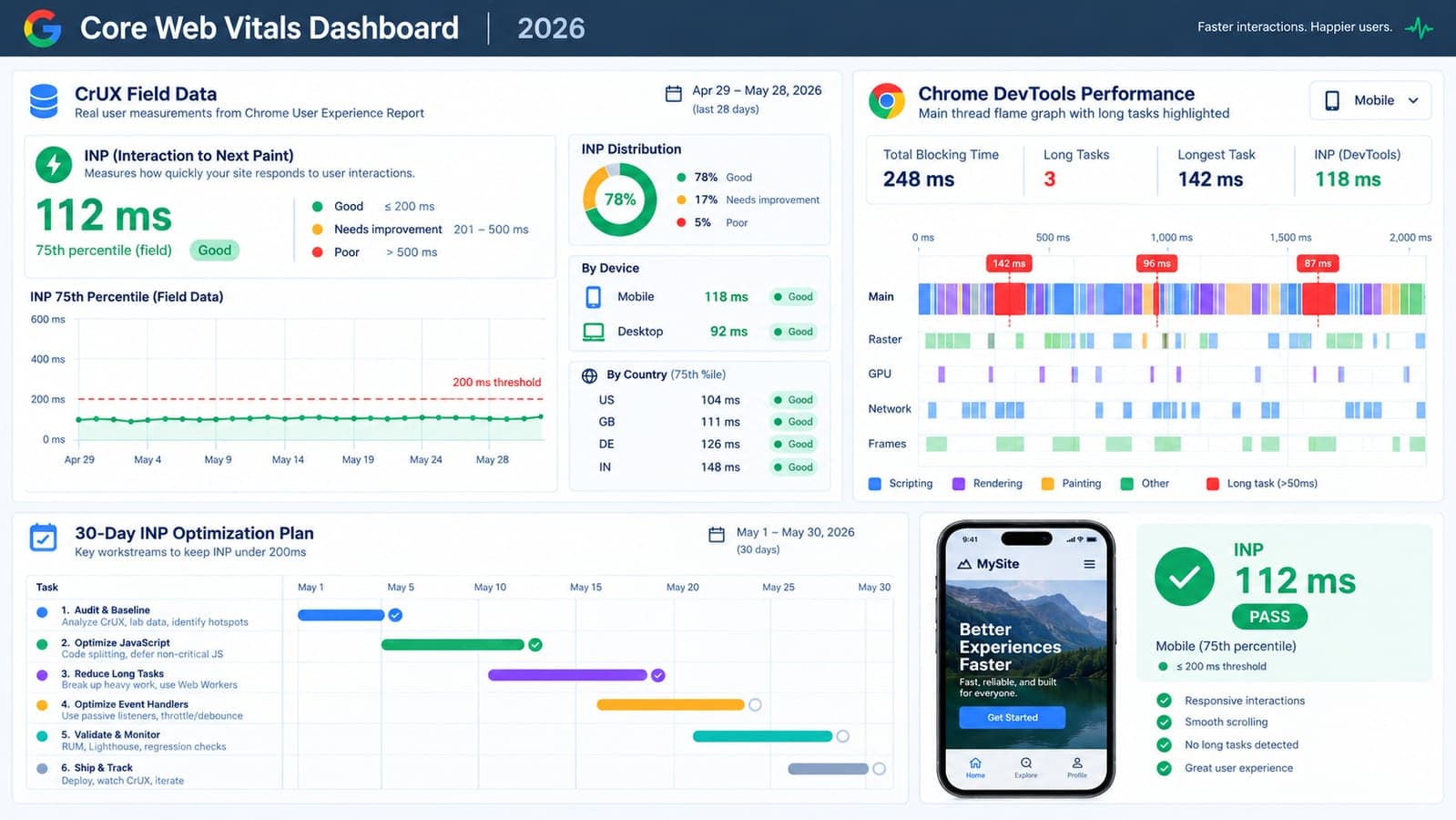
The 2026 JavaScript Rendering & AI Crawler Blindness Study: Why Modern Web Apps Vanish From Search and AI Citations


Open Chrome DevTools on almost any modern React, Next.js, or Vue marketing site and everything looks crisp. Type loads cleanly, cards animate on scroll, and Lighthouse on an M-series MacBook gives you a reassuring 96. Now open your terminal and fetch that same URL with curl -sL.
On a shocking percentage of production web apps, the server responds with 40 lines of boilerplate and an empty <div id="root"></div>—or a statically generated Next.js shell gutted by an accidental <Suspense fallback={null}> bailout. Your human visitors never notice because their browser downloads 630+ KB of compressed JavaScript, parses it, fetches JSON over three waterfalls, and paints the page half a second later.
AI crawlers do not wait half a second. Most of them do not run JavaScript at all.
When a business owner wonders why their agency site or SaaS product vanishes from Google rankings, gets zero citations in ChatGPT or Perplexity, or keeps failing Google AdSense review for "Low Value Content" despite having genuinely helpful copy on screen, the culprit is rarely copywriting alone. More often, the architecture is silently serving an empty husk to the very machines deciding visibility.
Executive Summary — What 2025–2026 Empirical Telemetry Proves:
- Most AI bots are blind to client-side DOM hydration: Vercel and MERJ telemetry confirms
GPTBot(~569M monthly fetches),ClaudeBot(~370M), andPerplexityBot(~24.4M) do not execute JavaScript—even thoughGPTBotandClaudeBotfetch.jsassets in 11.5% and 23.8% of requests respectively.- Bots now outnumber humans on HTML requests: Cloudflare Radar telemetry shows automated traffic reached roughly 54%–57.5% of HTML requests in mid-2026, with Google's crawl-to-refer ratio near 3.8:1–5.5:1 while AI platforms often scrape hundreds to thousands of pages per referred click.
- Mobile JavaScript bloat wrecks field INP: Per the 2025 HTTP Archive Web Almanac, median sites ship ~632 KB of compressed JS on mobile (~697 KB desktop)—enough to drop Next.js's real-world mobile Core Web Vitals pass rate to ~29.3%–31.1% in Chrome CrUX compared to ~48.0% for Astro and ~75%–76% for Shopify.
- Googlebot renders JS, but queues and hydration traps still break indexing: Uncached API waterfalls, soft 404s, hash routing, and App Router
useSearchParams()Suspense fallbacks regularly leave Google's Web Rendering Service (WRS) indexing incomplete shells.- The fix is architectural, not cosmetic: Enforcing >= 90% raw-HTML-to-rendered text parity via Server Components, SSG/ISR, and SSR-safe hooks solves AI crawler blindness, removes WRS queue risk, and cuts mobile main-thread blocking simultaneously.
1. The Two-Tier Web: Who Actually Executes Your JavaScript in 2026?
For nearly a decade, frontend teams repeated a comforting half-truth: "Googlebot runs headless Chromium, so client-side rendering doesn't hurt SEO anymore." Even for Google Search, that claim glossed over render queue delays and budget waste. By 2026, with AI answer engines mediating a growing slice of commercial software and agency discovery, relying on that assumption is operationally fatal.
The clearest empirical evidence comes from Vercel and MERJ's joint study, "The rise of the AI crawler", which analyzed billions of real edge requests across Vercel's network. Their logs uncovered a sharp division between legacy search spiders that afford full browser execution and modern AI retrieval pipelines optimized for speed and throughput.
The JavaScript File Paradox: Fetched Does Not Mean Executed
One of the study's strangest findings directly trips up engineers auditing raw server logs. Looking purely at Nginx or CDN access logs, developers see OpenAI's GPTBot and Anthropic's ClaudeBot requesting _next/static/chunks/*.js files and naturally assume those crawlers are rendering React components. They are not.
According to Vercel and MERJ's request telemetry, GPTBot requests JavaScript bundles in roughly 11.5% of fetches, and ClaudeBot pulls .js assets in roughly 23.8% of fetches. Yet controlled canary tests confirm that neither GPTBot, ClaudeBot, nor PerplexityBot executes JavaScript or builds a hydrated DOM. They download the raw asset stream, possibly scanning static bundles or following naive asset discovery heuristics, and then evaluate only the raw HTML returned on the initial HTTP GET response—virtually identical to curl.
Across Vercel's measured monthly crawler volume, Googlebot still dominates at approximately 4.5 billion monthly fetches, followed by GPTBot (~569 million), ClaudeBot (~370 million), Applebot (~314 million), and PerplexityBot (~24.4 million). Combined, non-Google AI and search crawlers generate roughly 1.3 billion monthly fetches—nearly 28% of Googlebot's volume. Out of that major cohort, only Googlebot and Applebot reliably execute client-side JavaScript.
| Crawler / User-Agent | Primary Platform | Vercel Study Monthly Volume | Fetches .js Files? |
Executes JS DOM? | CSR / Empty-Shell Impact |
|---|---|---|---|---|---|
| Googlebot | Google Search, AI Overviews, Gemini | ~4.5B fetches (baseline) | Yes (queued Chromium WRS) | Yes (with Render Queue) | Delayed indexing, wasted crawl budget, hydration timeouts on slow APIs |
| GPTBot | OpenAI / ChatGPT training & search ecosystem | ~569M fetches | Yes (~11.5% of requests) | No | Reads raw HTML only; client-rendered copy is 100% invisible |
| ClaudeBot | Anthropic / Claude web & corpus ingestion | ~370M fetches | Yes (~23.8% of requests) | No | Downloads static chunks without execution; sees empty CSR shell |
| Applebot | Siri, Spotlight, Apple Intelligence | ~314M fetches | Yes | Yes | Capable of JS rendering, but favors lightweight initial HTML |
| PerplexityBot | Perplexity AI citation & answer engine | ~24.4M fetches | Minimal / selective | No | Fails completely on client-gated text; shows elevated 404 sensitivity |
| Sources: Vercel & MERJ ("The rise of the AI crawler") and Google Search Central documentation. | |||||
That single split creates a massive commercial blind spot. A B2B SaaS comparison table or service landing page built as a client-only dashboard may eventually limp into Google's secondary index days later, while remaining completely unreadable to ChatGPT Search, Claude, and Perplexity—precisely where high-intent buyers increasingly ask for vendor shortlists. Even worse, Vercel and MERJ observed substantially higher 404 error rates among AI crawlers probing poorly structured client routes, burning trust and crawl allocation simultaneously.
2. Bot Traffic Economics & The Crawl-to-Refer Imbalance
To understand why server-side architecture now governs both infrastructure spend and organic acquisition, look beyond individual sites to global edge telemetry from Cloudflare Radar.
By mid-2026, automated traffic officially crossed the majority threshold for HTML HTTP requests tracked across Cloudflare's global edge, reaching roughly 54% to 57.5% automated bot volume compared to 42.5% to 45% human traffic. On the bot side, request shares cluster around Googlebot (roughly 23%–31%), Meta-ExternalAgent (11%–16%), ClaudeBot (11%–13%), GPTBot (10%–12%), Applebot / Applebot-Extended (8%–9%), and Bingbot (7%–8%).
What Cloudflare's Crawl-to-Refer Ratio Exposes
On July 1, 2025, Cloudflare introduced the crawl-to-refer ratio: total HTML page requests made by a platform's crawlers divided by human visitor requests arriving with that platform's Referer header. A ratio of 5:1 means a crawler fetches five pages for every human visitor it sends back.
Traditional Google Search operates within a durable publisher exchange—typically averaging a crawl-to-refer ratio between 3.8:1 and 5.5:1. Generative AI platforms historically operated on an entirely different planet:
- OpenAI (GPTBot / Search): Tracked in the 1,100:1 to 1,200:1 range in mid-2025 before tightening toward roughly 250:1 to 775:1 as live ChatGPT citation links scaled.
- Perplexity: Fluctuated sharply across measurement periods between roughly 290:1 and 4,050:1 depending on retrieval intensity versus direct answer synthesis.
- Anthropic (Claude): Recorded the most extreme asymmetry—peaking near 286,900:1 in January 2025 before plunging to roughly 38,000:1 by July 2025 after shipping cited web search, and continuing down into the hundreds to low thousands (~484:1 to ~1,900:1) through 2026.
| Platform | Tracked Crawl-to-Refer Range (2025–2026) | Dominant Crawl Mode | Architectural Consequence for Site Owners |
|---|---|---|---|
| Google Search | ~3.8:1 to 5.5:1 | Search index + continuous WRS refresh | High reciprocal click return; clean canonicals & fast TTFB protect crawl frequency |
| OpenAI | ~1,100:1–1,200:1 (mid-2025) → ~250:1–775:1 (2026) | Training corpus + ChatGPT Search retrieval | Zero JS execution means CSR pages get scraped without winning cited referrals |
| Perplexity | ~290:1 to ~4,050:1 (period-dependent) | Real-time retrieval & citation synthesis | Un-cached SSR or slow origin APIs trigger incomplete answers and missed citations |
| Anthropic | 286,900:1 (Jan 2025) → ~38,000:1 (Jul 2025) → ~484:1–1,900:1 (2026) | Model training + search citations | Heavy edge hit volume; must cache public SSR/SSG HTML cleanly at CDN edge |
Methodological caveat: Cloudflare notes native mobile and desktop AI apps frequently omit the HTTP Referer header, meaning raw HTTP ratios slightly undercount true human referrals. Over a 12-month Cloudflare sample, training accounted for ~80%–82% of AI crawler requests, narrowing toward ~44%–48% pure training in newer 2026 sub-windows as search retrieval grew. Source: Cloudflare Radar. |
|||
Think carefully about what those economics mean if your site ships bloated dynamic routes. First, if uncached SSR database queries fire on every bot request, Anthropic, OpenAI, and Meta scrapers will happily hammer your Postgres pool hundreds of times before sending a single visitor. Second, if your pages rely on client-side rendering to save server compute, you pay the bandwidth cost on HTML and .js chunks while guaranteeing zero citation return because non-executing AI crawlers cannot read your content. Properly cached Static Generation (SSG) and Incremental Static Regeneration (ISR) invert that curve: CDN edge hits cost virtually nothing while returning complete semantic HTML to every bot on the first byte.
3. The Mobile Hydration Tax: HTTP Archive 2025 & Chrome CrUX Field Data
Even teams that recognize AI crawler blindness often overlook the second way JavaScript destroys organic performance: mobile main-thread starvation. Every extra kilobyte of client JavaScript shipped to fix weak server architecture quietly erodes Core Web Vitals—especially Interaction to Next Paint (INP), which determines how sluggish a site feels when a real user taps a menu, filter, or contact button on a mid-range phone.
Per the 2025 HTTP Archive Web Almanac Page Weight chapter, the median desktop home page transfers roughly 2.86 MB over the wire, while mobile transfers roughly 2.56 MB. Images remain the single heaviest byte category (~1,058 KB desktop, ~911 KB mobile), but JavaScript sits directly behind them at a median of ~697 KB compressed on desktop and ~632 KB compressed on mobile.
That 632 KB number looks deceptive until you remember how compression works. Over Brotli or Gzip, 632 KB of minified bundles easily expands to 1.8 MB–2.5 MB of uncompressed JavaScript that a smartphone browser must decompress, tokenize, compile into bytecode, execute, and hydrate against a live DOM tree before event listeners respond cleanly. Bytes of JPEG decode on separate image threads; bytes of JavaScript lock the exact single main thread handling user taps.
Framework Reality Check: Real-World Chrome CrUX Pass Rates
Across the entire tracked web in Chrome CrUX and the Core Web Vitals Technology Report, only roughly 48% to 56% of mobile origins pass all three Core Web Vitals thresholds simultaneously (LCP <= 2.5s, INP <= 200ms, CLS <= 0.1), rising slightly to ~56% to 61% on desktop. Broken down by technology stack, the architectural spread tells an uncomfortable story for JavaScript-maximalist teams:
| Platform / Framework | Mobile Good CWV Pass Rate | Notable INP / Desktop Context | Primary Architectural Driver |
|---|---|---|---|
| Astro | ~48.0% | ~88.9% good mobile INP | Zero-JS by default; partial "Islands" hydration keeps main thread clear |
| Next.js | ~29.3%–31.1% | ~66.3% good mobile INP; ~55.8% desktop CWV pass | Overuse of root "use client" trees and heavy client hydration bundles |
| WordPress | ~48%–49% (aggregate) | Heavy page-builder installs drop toward ~30% mobile pass | Lean themes perform well; multi-plugin Elementor stacks choke mobile CPU |
| Shopify | ~75%–76% | Consistently high across e-commerce cohort | Managed edge CDN, strict server Liquid HTML, constrained client scripts |
| Wix / Duda | ~80%–87% | Tightly guarded hosted runtimes | Platform-enforced asset ceilings prevent arbitrary third-party bloat |
| Sources: Chrome User Experience Report (CrUX) and Core Web Vitals Technology Report (cwvtech.report). | |||
Look closely at the Next.js vs. Astro spread—because it destroys a common excuse. Next.js itself can ship blazingly fast sites; our own production rebuilds prove it. Why, then, do 69% of Next.js origins fail Core Web Vitals on mobile while Astro hits an 88.9% good mobile INP rate? Because defaults dictate team habits. When engineers carelessly hoist "use client" onto providers, navigation bars, or page wrappers, React ships the entire component tree twice—once as HTML, and again inside serialized Flight payloads plus client JavaScript bundles. On desktop hardware, V8 muscling through that hydration passes 55.8% of the time. On a throttled mid-tier Android device in India, Pakistan, Brazil, or Southern Europe, that same page stalls above 200ms INP and silently loses search priority. If you want the deep breakdown of fixing interaction latency under 200ms, read our 2026 INP < 200ms Core Web Vitals engineering playbook.
4. Inside Google's Web Rendering Service (WRS): Where CSR Still Quietly Breaks
Even if you only cared about Google Search and ignored ChatGPT, Claude, and Perplexity, client-side rendering still introduces systemic failure points documented directly in Google Search Central's JavaScript SEO Basics.
Googlebot processes pages through three distinct stages:
- Crawling: Googlebot issues an HTTP GET request for the raw HTML. Right here—before a single line of JavaScript executes—it inspects HTTP status codes, parses raw
robotsmeta directives, checksrel="canonical", and extracts server-rendered<a href>links. Blocking JS/CSS files inrobots.txtblinds the next stage immediately. - The Render Queue: Because launching headless Chromium across tens of billions of URLs is orders of magnitude more expensive than parsing plain text, Google places pages into an asynchronous render queue. Google explicitly warns that a page "may stay on this queue for a few seconds, but it can take longer."
- Rendering & Indexing: Evergreen Chromium inside the Web Rendering Service (WRS) executes JavaScript, evaluates the post-hydration DOM, and forwards the resulting snapshot for indexing.
Debunking the "5-Second Timeout" Myth—And Explaining What Actually Fails
SEO blogs constantly claim Googlebot cuts off JavaScript execution at exactly 5.0 seconds. That is a myth left over from historical live-test tool limits; Google publishes no fixed 5-second timeout SLA. Instead, real-world WRS indexing fails through four quieter, far more common engineering bugs:
- Uncached client API waterfalls & loading skeletons: WRS does not wait indefinitely for chained browser
fetch()calls, unoptimized third-party widgets, or slow database proxies. If your product card grid renders a pulsing skeleton box while waiting on three sequential browser API calls, Googlebot snapshots the skeleton instead of your content. - Soft 404s disguised as
200 OK: In classic SPAs, nonexistent URLs such as/services/nonexistent-slugstill serveindex.htmlwith HTTP200 OK, then mount a friendly "Page Not Found" React component. Google treats those as Soft 404s, wasting crawl budget and poisoning index hygiene. - Pseudo-links & hash-fragment routing: URLs using
/#/pricinginstead of the HTML5 History API (pushState) get truncated at the#by search crawlers. Similarly, replacing semantic<a href="/services/seo-services">tags with<div onClick={() => router.push(...)}>hides your internal link graph completely during Wave 1 raw HTML discovery. - Server vs. client metadata collisions: If your raw HTML returns a generic fallback
<title>, a site-wide root canonical, or a defaultnoindextag that React only overwrites insideuseEffect, Googlebot can honor the first-wave raw HTML signal and drop the page before WRS ever evaluates the client override.
Why CSR Quietly Triggers Google AdSense "Low Value Content" Rejections: Automated AdSense site-review pipelines evaluate initial HTML structure, unique page-level metadata, textual substance, and topical depth at scale. When dozens of routes return stripped client shells, duplicate fallback titles, placeholder loading text, or thin doorway drafts with broken author/publisher signals, your entire domain is flagged as thin or under construction. Fixing content quality starts with fixing server-rendered HTML parity.
5. Field Postmortem: The Next.js App Router <Suspense fallback={null}> Bailout Bug
This is not theoretical. While auditing real production Next.js App Router codebases—including our own site at Taylance Tech—we caught one of the sneakiest SSR traps in modern React 19 development.
Here is how engineers accidentally sabotage their own SEO in 15 seconds. You build a static or server-rendered page—say, a searchable blog archive at /blog or a service intake page at /contact—and you want to read ?search= or ?service= from the URL query string. You import useSearchParams() inside a client component, run next build, and Next.js throws a build error telling you to wrap the component in a <Suspense> boundary.
So the developer wraps the entire page body in <Suspense fallback={null}>, sees the build turn green, and ships to production.
What actually happened? When Next.js pre-renders that route without dynamic runtime request parameters, React bails out at the Suspense boundary during server rendering and writes the fallback—literally nothing (null)—into the static HTML sent to crawlers. Every single line of copy, every filter link, and every card inside that wrapper vanishes from curl, GPTBot, ClaudeBot, and Google's initial HTML crawl.
Before: The Broken SSR Bailout Pattern
// ANTI-PATTERN: Wrapping a primary content tree in Suspense + useSearchParams()
// bails out SSR/SSG so crawlers receive an empty fallback instead of your content.
"use client";

import { Suspense } from "react";
import { useSearchParams } from "next/navigation";

function BlogDirectoryInner({ posts }: { posts: Post[] }) {
  const searchParams = useSearchParams();
  const query = searchParams.get("search") ?? "";
  const filtered = posts.filter((p) =>
    p.title.toLowerCase().includes(query.toLowerCase()),
  );
  return <PostGrid posts={filtered} />;
}

export function BlogDirectory({ posts }: { posts: Post[] }) {
  return (
    <Suspense fallback={null}>
      <BlogDirectoryInner posts={posts} />
    </Suspense>
  );
}
After: Zero-Bailout SSR with useSyncExternalStore
To keep 100% of your content rendered in raw server HTML while still supporting instant interactive URL filtering—and without causing React hydration mismatches—read URL state on the client via useSyncExternalStore with an empty server snapshot:
// SSR-SAFE PATTERN: Server HTML always renders the full initial post list.
// On the client, React subscribes to URL query updates without hydration errors.
"use client";

import { useSyncExternalStore } from "react";

const URL_CHANGE_EVENT = "app:urlchange";

function subscribeToQuery(callback: () => void) {
  window.addEventListener("popstate", callback);
  window.addEventListener(URL_CHANGE_EVENT, callback);
  return () => {
    window.removeEventListener("popstate", callback);
    window.removeEventListener(URL_CHANGE_EVENT, callback);
  };
}

function getClientSearchSnapshot(): string {
  return window.location.search;
}

function getServerSearchSnapshot(): string {
  return ""; // Guarantees deterministic initial SSR/SSG HTML match
}

export function BlogDirectory({ posts }: { posts: Post[] }) {
  const rawSearch = useSyncExternalStore(
    subscribeToQuery,
    getClientSearchSnapshot,
    getServerSearchSnapshot,
  );

  const query = new URLSearchParams(rawSearch).get("search")?.trim() ?? "";
  const visiblePosts = query
    ? posts.filter((p) => p.title.toLowerCase().includes(query.toLowerCase()))
    : posts;

  function updateQuery(next: string) {
    const params = new URLSearchParams(window.location.search);
    if (next) params.set("search", next);
    else params.delete("search");
    const nextUrl = params.toString()
      ? `${window.location.pathname}?${params.toString()}`
      : window.location.pathname;
    window.history.replaceState(null, "", nextUrl);
    window.dispatchEvent(new Event(URL_CHANGE_EVENT));
  }

  return (
    <section>
      <input
        type="search"
        value={query}
        onChange={(e) => updateQuery(e.target.value)}
        placeholder="Filter technical articles..."
      />
      <PostGrid posts={visiblePosts} />
    </section>
  );
}
The payoff is immediate: curl, GPTBot, ClaudeBot, and Googlebot Wave 1 receive every article card, heading, and internal link straight from cached server HTML, while human visitors clicking filter controls get instant, zero-reload URL updates with zero React hydration warnings.
6. The 10-Minute Crawler Blindness Audit Protocol
You do not need an enterprise SaaS license to diagnose whether your site is hiding from AI engines and delaying Googlebot. Run these four checks across your homepage, top five service or product pages, and highest-value editorial guides.
Check 1: Inspect Raw HTTP Status, Title, Canonical & H1
Run this shell check against any production route to inspect exactly what non-executing crawlers receive in Wave 1:
curl -sIL -D - https://yourdomain.com/services/web-development | grep -iE "^(HTTP/|location:|cache-control:|x-robots-tag:)"
curl -sL https://yourdomain.com/services/web-development | grep -iEo "<title>[^<]+</title>|<link[^>]+canonical[^>]+>|<h1[^>]*>.*?</h1>"
Pass criteria: HTTP 200 OK on canonical URLs (no redirect chains, no Soft 404s on bogus slugs), a unique page-specific <title>, a single self-referencing rel="canonical" matching the final URL, and an exact visible <h1> matching your on-screen headline.
Check 2: Measure Your Raw-to-Rendered Text Parity Ratio
Comparing the word count of raw server HTML against the live rendered DOM exposes silent client-side rendering gaps in seconds. Here is a minimal Node + Playwright diagnostic script you can run locally against any URL:
// check-parity.mjs — Compare raw curl HTML copy vs rendered browser DOM copy
import { chromium } from "playwright";

const url = process.argv[2] || "https://yourdomain.com";
const rawHtml = await fetch(url).then((r) => r.text());

const rawText = rawHtml
  .replace(/<script[\s\S]*?<\/script>/gi, " ")
  .replace(/<style[\s\S]*?<\/style>/gi, " ")
  .replace(/<[^>]+>/g, " ")
  .replace(/\s+/g, " ")
  .trim();

const browser = await chromium.launch();
const page = await browser.newPage();
await page.goto(url, { waitUntil: "networkidle" });
const renderedText = await page.evaluate(() =>
  (document.body.innerText || "").replace(/\s+/g, " ").trim(),
);
await browser.close();

const rawWords = rawText ? rawText.split(" ").length : 0;
const renderedWords = renderedText ? renderedText.split(" ").length : 0;
const parity = renderedWords ? Math.round((rawWords / renderedWords) * 100) : 0;

console.log({ url, rawWords, renderedWords, rawToRenderedParityPercent: parity });
Score every key template using these engineering thresholds:
- 90%+ Raw-to-Rendered Parity: Healthy. AI crawlers and Google Wave 1 extract essentially the full article, pricing context, headings, and internal links immediately.
- 50%–89% Parity: Partial hydration leak. Typically caused by client-fetched comparison tables, tabbed FAQ accordions, or dynamic related-post widgets. Move critical copy and structured sections to server output.
- Below 50% Parity: Critical crawler blindness. Fix rendering architecture before spending another dollar on content marketing or backlinks.
Check 3: Google Search Console URL Inspection Diff
Inside Google Search Console, run Inspect URL → Test Live URL → View Tested Page. Compare the HTML tab against the rendered Screenshot and open More Info → Page Resources / Console Messages. Every blocked third-party script, CORS error on your own API, or timeout inside Chromium WRS leaves fingerprints right there.
7. 2026 Rendering Architecture Decision Matrix
Not every screen belongs in static HTML—an authenticated SaaS billing dashboard behind a login wall gains nothing from SSR SEO. What destroys organic growth is applying a single-page dashboard pattern to public commercial and editorial routes.
| Architecture | Best Production Fit | AI Crawler Visibility | Mobile INP Risk | 2026 Engineering Verdict |
|---|---|---|---|---|
| Pure CSR (SPA) | Authenticated SaaS apps, internal admin portals | Broken (0% on non-JS bots) | High (large bundles + API waterfalls) | Ban on public marketing, service, and editorial URLs |
| Dynamic SSR + Edge Cache / ISR | Service directories, multi-author editorial sites, catalogs | 100% immediate parity | Low–Medium (depends on client island size) | Optimal default for revenue-generating public web apps |
| Static Generation (SSG) | Marketing pages, documentation, high-traffic research essays | 100% immediate parity | Very Low | Unbeatable TTFB and resilient against heavy bot scrape spikes |
| React Server Components / Islands | Interactive guides, calculators paired with rich editorial copy | 100% on server shell; isolate widgets | Very Low when client leaves stay small | Best long-term React architecture—keep "use client" at leaf components |
| Rule of thumb: Keep public URLs >= 90% server-rendered HTML parity and target < 250 KB compressed initial JS per route. | ||||
8. Four-Step Engineering Remediation Roadmap
If your audit just revealed thin raw HTML or poor mobile INP, resist the urge to throw everything away for a total rewrite. Fix visibility in strict order of revenue impact:
- Fix top-20 commercial & cornerstone URLs first: Prioritize your homepage, core service offerings, pricing pages, and flagship guides. Make sure every one returns HTTP
200 OK, accurate canonicals, structured schema, and >= 90% text parity insidecurl. - Push
"use client"down to interactive leaves: Never wrap page layouts, headings, hero copy, or article prose inside client components unless strictly required for browser events. Let Server Components stream clean HTML without forcing React to serialize duplicate copy into hydration chunks. - Eliminate SSR bailouts and soft 404 traps: Audit every
useSearchParams()call, everySuspensefallback, and every dynamic[slug]route. Return real HTTP404via frameworknotFound()helpers instead of rendering client fallback components on invalid URLs, and keep internal navigation in semantic<a href>links. - Cut mobile JavaScript under 250 KB compressed & audit GEO readiness: Defer non-critical analytics, strip unused UI libraries, lazy-load heavy charts only below the fold, and check whether AI answer engines can parse your structured entities. For deeper AI citation structuring once your HTML foundation is solid, see our 2026 Generative Engine Optimization (GEO) citation guide.
When Architecture Becomes a Revenue Bottleneck
Content quality and technical delivery are no longer separate disciplines. You can commission the sharpest editorial copy in your market, yet if your frontend serves an unhydrated shell, stalls on mid-tier Android phones, or breaks canonical consistency between Wave 1 HTML and rendered DOM, both Google's automated reviewers and AI citation engines move right past you.
If you want an engineering-led audit or rebuild of your application's rendering pipeline, Core Web Vitals profile, and search architecture, explore our full-stack web development services and technical SEO engineering services—or benchmark compliance workflows inside our flagship governance platform AuditBloc.
Methodology Notes & Primary Research Sources
All empirical crawler, page-weight, and field-performance metrics cited in this study are drawn from primary 2025–2026 network telemetry and official crawler documentation. Note that browser CrUX numbers reflect 75th-percentile real-world user cohorts (influenced by third-party scripts and developer patterns, not synthetic framework ceilings), and Cloudflare's crawl-to-refer figures undercount referrals from native AI applications that omit HTTP Referer headers.
- Vercel & MERJ — The rise of the AI crawler (monthly AI/search fetch volumes, JavaScript file fetch percentages, JS execution verification, and 404 observations).
- Cloudflare Radar — Cloudflare Radar Automated Traffic & AI Crawler Telemetry (human vs. bot HTML request shares, crawl-to-refer ratios, training vs. retrieval splits, and native-app referrer caveats).
- HTTP Archive — Web Almanac 2025: Page Weight (median desktop and mobile compressed page transfer weights and JavaScript byte budgets).
- Chrome CrUX / Core Web Vitals Technology Report — cwvtech.report (framework-level mobile CWV pass rates and good mobile INP distributions).
- Google Search Central — JavaScript SEO Basics (three-phase Crawl, Render Queue, and Web Rendering Service architecture, Soft 404s, History API, and metadata hygiene).
FAQ
Frequently Asked Questions
Quick answers to common questions about this topic.
Do ChatGPT (GPTBot), Claude (ClaudeBot), and PerplexityBot execute JavaScript in 2026?
No. Empirical HTTP telemetry from Vercel and MERJ demonstrates that OpenAI's GPTBot, Anthropic's ClaudeBot, and PerplexityBot do not execute client-side JavaScript. Even though GPTBot and ClaudeBot fetch external .js files in roughly 11.5% and 23.8% of requests, respectively, neither runs a headless browser DOM to hydrate your UI. If your main copy, headings, and internal links only appear after React, Vue, or Angular mounts on the client, those crawlers read an empty shell.
If Googlebot executes JavaScript, why does client-side rendering still hurt SEO rankings?
Google processes JavaScript in a three-stage pipeline—raw HTML crawl, Render Queue, and headless Chromium execution via the Web Rendering Service (WRS). Pages wait in the render queue until compute resources clear, delaying indexing and link discovery. In addition, slow client-side API waterfalls, soft 404 responses with 200 OK status codes, hash routing, and heavy hydration payloads degrade mobile Interaction to Next Paint (INP) in Chrome CrUX field data, which directly harms real-world search competitiveness.
How can I test in 30 seconds whether my website is invisible to AI crawlers?
Run curl -sL on your target URL and compare the stripped plain-text word count of the raw server HTML against the visible word count inside a real browser DOM. If the raw HTML delivers at least 90% of the visible editorial copy, titles, canonicals, and navigation links, AI retrieval crawlers can index the page reliably. Anything under 50% signals critical crawler blindness caused by client-side rendering or SSR bailouts.
Why does Next.js have a lower mobile Core Web Vitals pass rate than Astro or Shopify in CrUX data?
In Chrome CrUX and Core Web Vitals Technology Report field data, Next.js averages roughly 29% to 31% mobile CWV pass rate (and around 66% good mobile INP), compared to ~48% for Astro (~89% good mobile INP) and ~75% for Shopify. Next.js is not inherently slow; rather, real-world teams frequently ship oversized client hydration bundles, wrap top-level layouts in "use client", and load heavy third-party scripts that stall mid-tier mobile CPUs before first interaction.
What is Cloudflare's crawl-to-refer ratio, and why does it matter for publishers?
Introduced by Cloudflare Radar on July 1, 2025, the crawl-to-refer ratio divides how many HTML pages a platform's crawlers fetch by how many human visitors that platform sends back with a matching Referer header. Traditional Google Search sits near 4:1 to 5.5:1, whereas generative AI platforms historically ranged from hundreds to tens of thousands of scrapes per referral—forcing engineers to ensure high-intent pages return fast, clean HTML without wasting origin bandwidth on unindexed client shells.
Does switching from client-side rendering to SSR/ISR help with Google AdSense approval?
Yes, indirectly and meaningfully. AdSense "Low Value Content" rejections frequently happen when automated initial-pass crawlers inspect pages that return thin HTML shells, placeholder loading states, duplicate default metadata, or sparse editorial substance. Moving to full SSR or static generation guarantees every crawler and automated reviewer immediately receives complete semantic HTML, structured headings, clean canonical metadata, and verifiable publisher authority.
 Tayyab Aslam