Your Bank Did Not Just Text You a New App. India Just Forced Google to Kill Hundreds of the Pages Behind That Trick

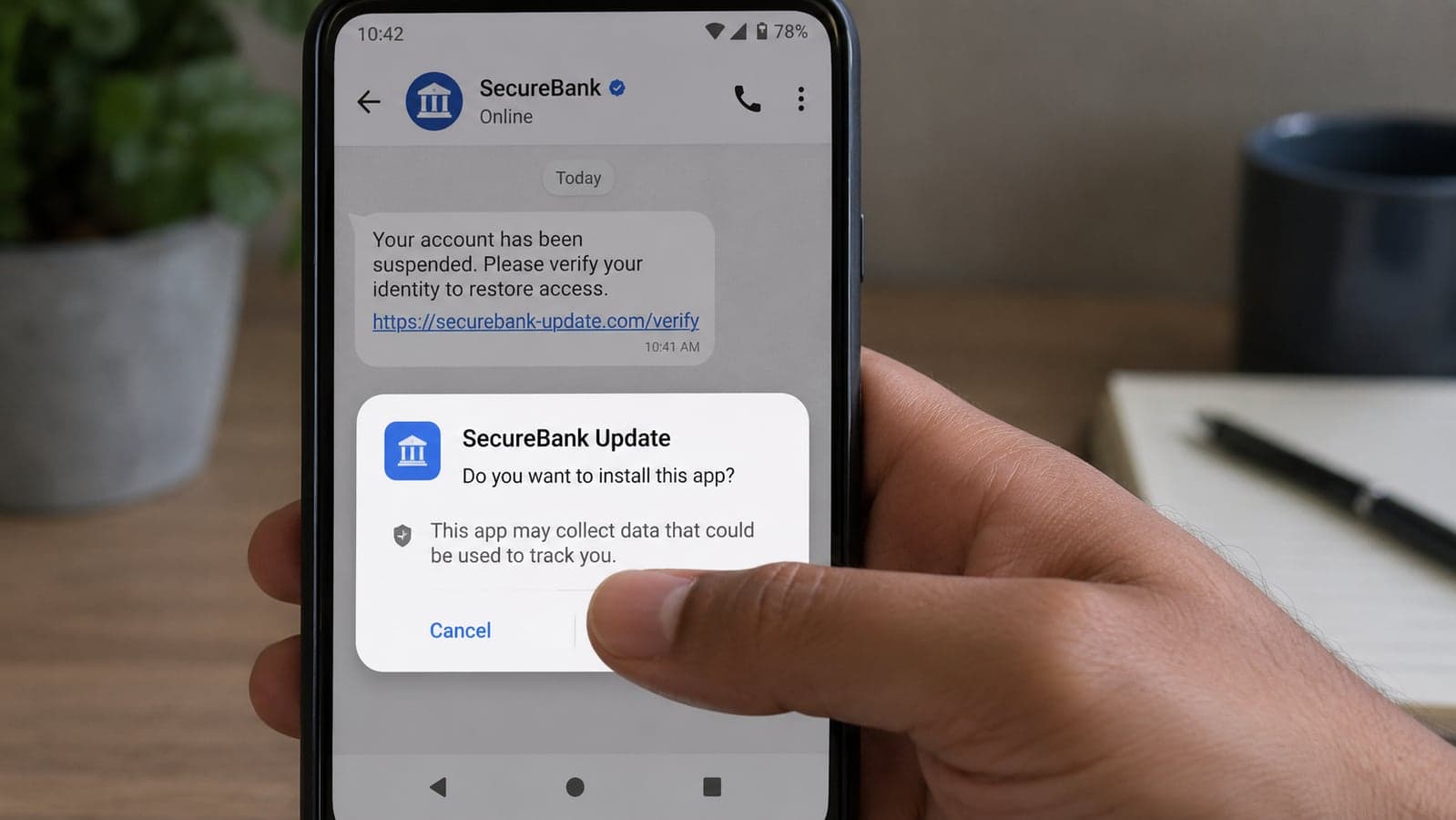
The message usually arrives on a busy afternoon. Credit card limit raised. Reward points are about to expire. Account will be frozen unless you "update the app." There is a link. The page looks like a bank. Android asks whether you really want to install a file from outside the Play Store, and a lot of people tap yes because the warning in the chat was louder than the warning on the screen.
On Friday, Reuters reported that India's cybercrime agency had enough of the infrastructure behind that trick. The Indian Cyber Crime Coordination Centre (I4C) directed Google to shut down hundreds of accounts on Firebase — Google's ordinary tool for hosting websites and app back ends — after investigators found scammers using it to impersonate banks, drop malware on phones, and collect card numbers and one-time passwords. Notices reviewed by Reuters named at least 57 Firebase-hosted sites and databases taken down in August alone. Seven of those pages cloned State Bank of India, ICICI Bank and Axis Bank. Others existed mainly as a quiet mailbox for stolen data.
Google was not accused of running the scams. Firebase is a legitimate developer platform with millions of honest users. The uncomfortable part is simpler: a fraudulent page sitting on Google's cloud looks more trustworthy than a shady domain registered yesterday, which is exactly why the pattern showed up.
Government figures cited in the same reporting put alleged cyber-fraud losses in India at nearly $2.4 billion in 2025. That number is not a forecast, and it is not worldwide. It is a reminder that this class of crime already has a body count in rupees, and that Android users far beyond India see the same script with different bank logos.
What the victim is actually being asked to do
I4C's August 17 notice, as quoted in the Reuters coverage, is blunt about the bait. The malware pretends to be a banking service. The targets are Android users with credit cards. The promotions are new cards, reward redemptions, and credit-limit upgrades.
A second thread, described in a later notice, used PM-KISAN — the Indian programme that pays small farmers about 2,000 rupees every four months. Fake pages offered "help" claiming the payment, then asked for an app install. Once on the phone, that app could send the victim's information to a scammer-controlled Firebase database and, in the worst cases, reach into other apps already sitting on the device.
Researchers have a nickname for the heavily permissioned variants of this family: "Android God Mode." The phrase is dramatic. The mechanism is not magic. The app asks for Accessibility access, SMS reading, or the right to draw over other apps. Grant those, and a stranger can watch logins, intercept OTPs, and tap buttons you think only you can tap. India's government warned about this style of malware in a public advisory in March, without naming Firebase at the time.
None of this requires you to understand cloud architecture. You need one fact: a real bank does not text you an APK. Not on SMS, not on WhatsApp, not on Telegram, not as a "mandatory RBI update" with a two-hour deadline.
Three habits that actually interrupt the scam
Forget a ten-point hygiene sermon. Three refusals cover almost every version of this story.
Refuse the install from the chat. If a message contains a download, it is not your bank. Official apps live on Google Play, the iOS App Store, or a page you typed yourself on the bank's real website. Short links — bit.ly, tinyurl, and their cousins — exist to hide the destination. Treat them as a closed door.
Refuse extra powers for a "simple" app. A card-limit checker does not need to read every SMS, run as a device administrator, or sit on top of other apps. Accessibility is a genuine tool for people who use screen readers. It is also the permission malware wants most. If a download you did not plan this morning is asking for it, stop and uninstall.
Refuse to search your way to the bank. Type the address you already know, or open the app you already installed from the store months ago. Ads and the first Google result are not a verification method. We made the same point about shopping in our fake-store checklist: the link in the message is often the entire attack. Take it out of the decision.
Two extra tells on the page itself, if curiosity gets the better of you before you close it. Many of these hosts still show up as something.web.app or something.firebaseapp.com — Firebase's default addresses. A bank does not run its login on a free project URL. And a padlock in the address bar still means nothing about honesty. Encrypted theft is still theft; we have been saying that about clone shops all month.
If the file is already on the phone
Speed matters more than cleverness.
- Turn on airplane mode so the app cannot keep talking to whoever installed it.
- Uninstall the thing you just added. If you cannot find it, boot into Android Safe Mode (hold the power button, then hold Power off) and uninstall from there.
- Call your bank on the number printed on the card or on the official website — not a number in the same chat that sent the file. Ask them to watch the account, freeze the card if needed, and note a possible malware incident.
- Change the passwords for email and banking from a different device, or after the bad app is gone. Assume any OTP that arrived while it was installed may have been seen.
- Report it. In India, that is the National Cyber Crime Reporting Portal. Elsewhere, use your country's cybercrime desk and the bank's fraud line. Reports are how the next Firebase project gets a takedown notice.
Do not pay a stranger who calls ten minutes later claiming to be "Google security" or "bank cyber cell." That callback is part of the harvest. The same impersonation habit showed up around WhatsApp's username rollout: a real product change, then a flood of people pretending to be the help desk.
If you run an app or a shop, this is your problem on a delay
Customers who get burned by a fake version of your brand do not write a nuanced post about cloud misuse. They write that your app stole their money. Clone pages, look-alike names on Play, and "support" numbers in ads are now a routine cost of having a recognisable product.
The boring defences still work. Register the obvious misspellings. Put the only genuine download link on a site you control and mention that URL in every SMS you actually send. Never ask a customer to sideload a file. If you use Firebase, or any other BaaS platform, lock the project down: open databases are how stolen OTPs get a home. And if you ship an Android app, be explicit in onboarding about which permissions you will never request — so a fake asking for Accessibility looks wrong on sight.
That last part is product work, not a poster. It is the kind of thing we bake in when we build mobile apps for clients: official store listing, no mystery APKs, permission lists that a non-engineer can read.
Keep this, ignore the rest
Banks do not send app files through chat. Accessibility for a random "update" is a hard no. Type the real address yourself. If you already installed it: airplane mode, uninstall, official fraud line, new passwords from a clean device.
The takedowns will continue, and so will the next batch of Firebase projects. The agencies can chase hosting. They cannot tap "Don't install" for you.
If your customers keep getting fake-app texts in your brand's name, or you need a store listing and permission model that does not train people to tap Install anyway, we can look at the real download path with you. Write to us — short note, no pitch deck required.
Details checked on 22 August 2026 against Reuters reporting (carried by Live Mint, Economic Times and others) on I4C notices to Google, including the 17 August takedown language, the count of at least 57 Firebase-hosted sites and databases in August, the named bank clones, the PM-KISAN lure, and the $2.4 billion 2025 loss figure from government data. "Android God Mode" is the researchers' nickname cited in that coverage and in India's March advisory, not an official product name. Takedown lists change; this is not legal advice, and it is not a guarantee that any particular URL is safe or unsafe.
FAQ
Frequently Asked Questions
Quick answers to common questions about this topic.
Did Google's Firebase get hacked?
No. India's I4C found scammers misusing Firebase the way they misuse any cheap hosting: they created their own accounts and put phishing pages and data-collection databases on them. Reuters reported that, in August 2026, notices to Google named at least 57 such sites and databases, part of a wider set of hundreds of account takedowns. The reporting did not accuse Google of running the fraud. Firebase remains a standard developer platform; the issue is that criminals are hiding behind familiar infrastructure.
How do fake Android banking apps usually arrive?
Through a chat or SMS with a deadline. I4C described lures aimed at Android users with credit cards: new-card offers, reward redemptions, credit-limit upgrades. A related scheme copied PM-KISAN payment help and asked farmers to install an app. The file is rarely from Google Play. It is an APK behind a short link. Real banks do not distribute apps that way.
What should I do if I already installed a bank "update" from a message?
Turn on airplane mode, uninstall the app (Safe Mode if it fights you), then call the bank using the number on your card or the official website — not the number in the same chat. Change email and banking passwords from a different device or after the app is gone. Treat OTPs received while it was installed as possibly seen. Report the incident to your bank's fraud desk and your country's cybercrime portal (in India, the National Cyber Crime Reporting Portal). Do not pay or cooperate with anyone who then calls claiming to be "Google" or "cyber cell."
Is a padlock or a "web.app" address a sign the page is safe?
A padlock only means the connection is encrypted. Scam sites have used valid HTTPS for years. Firebase default hosts often end in web.app or firebaseapp.com. A real bank login does not live on a free project URL. The reliable check is still the one that ignores the message: open the bank app you already have from the official store, or type the bank's known website yourself.
What is "Android God Mode" malware?
It is a nickname used by researchers, cited in Indian government warnings, for malicious apps that gain near-total control of a phone — typically after the user grants Accessibility, SMS, overlay, or device-admin permissions. It is not a brand and not a diagnosis you can run from a banner ad. The practical defence is refusing those permissions to any app that arrived through a link, then uninstalling it if you already said yes.
Can this scam hit people outside India?
The takedown notices are Indian, and the cloned brands in the Reuters reporting were Indian banks plus PM-KISAN. The method is not local: a fake offer, an APK outside the store, then permission abuse. Android users anywhere who install a "bank update" from WhatsApp, SMS or Telegram are in the same funnel. The three refusals — no chat installs, no extra powers, no searching your way to the bank — travel.
 Tayyab Aslam