Vibe Coding Is Killing Junior Developers (And Nobody Is Talking About It)

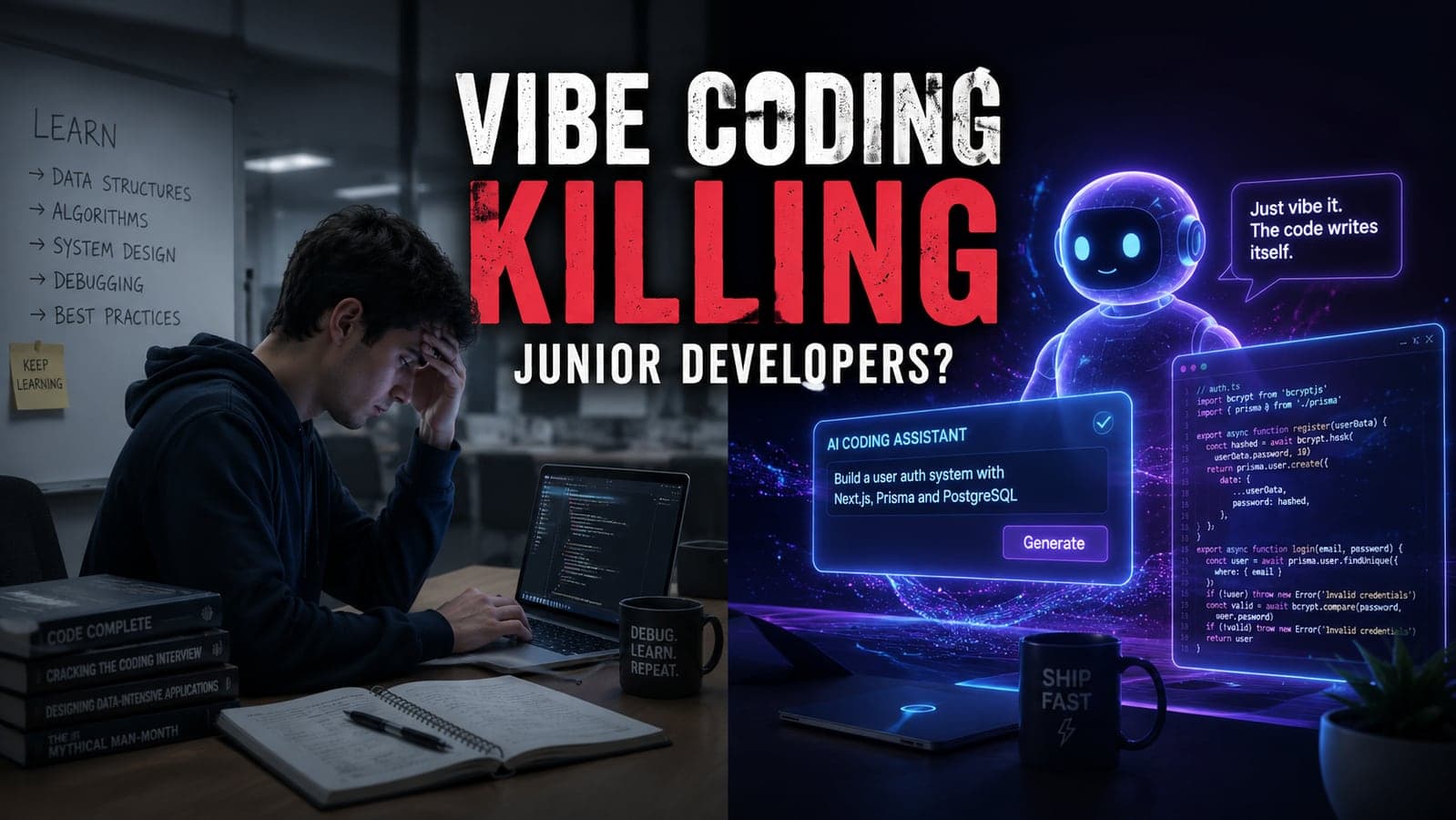
Last updated: June 12, 2026. There's a dirty secret spreading through every Slack channel, every Discord server, and every startup war room in 2025.
Junior developers are shipping faster than ever. Products are launching in days, not months. Founders with zero technical background are building SaaS apps before breakfast.
And somehow — nobody is learning anything.
Welcome to the age of vibe coding: where you describe what you want, an AI writes it, and you deploy it without once understanding what just happened. It sounds like progress. In many ways, it is. But underneath the velocity, something is quietly breaking — and if you're a developer, a founder, or anyone who builds things on the internet, you need to understand what's at stake before you get burned.
What Exactly Is Vibe Coding?
Coined by Andrej Karpathy in early 2025, "vibe coding" describes a mode of software development where a developer uses natural language to describe what they want and lets an AI model — Claude, GPT-4o, Gemini, Cursor, v0 — write the actual code. The developer's job shifts from writing logic to reviewing output, nudging prompts, and clicking "accept."
At its best, it's genuinely magical. At its worst, it's a ticking time bomb wrapped in clean-looking JSX.
The real problem isn't that AI writes code. The real problem is what developers stop doing the moment AI starts doing it for them.
The Hidden Cost of Moving Fast
Here's a scenario that's playing out in real teams right now.
A junior developer joins a startup. They're handed a codebase and asked to add a feature. Instead of reading through the existing architecture, understanding data flows, or thinking through edge cases — they open Cursor, describe the feature, and accept whatever the model generates.
It works. It ships. The team celebrates.
Two sprints later, a bug appears. The junior dev has no idea where to look because they never understood the code they "wrote." The senior developer who reviews it has to untangle spaghetti logic that was never human-authored in the first place. The bug takes four times longer to fix than it would have if someone had just written it properly the first time.
This is the vibe coding tax — and it compounds.
The Three Ways It Breaks Teams
1. Debugging becomes a black box problem.
When you write code, you know where to look when it breaks. When AI writes it, you're debugging someone else's logic — except that "someone" has no memory of why they made certain decisions and will happily suggest a completely different solution next time you ask.
2. Architectural decisions get outsourced to autocomplete.
AI models are trained to generate plausible code, not necessarily correct architecture. They'll suggest patterns that look right but create maintainability nightmares at scale. Junior developers accepting these patterns wholesale are essentially letting a sophisticated autocomplete make structural decisions that affect the product for years.
3. The feedback loop that creates expertise disappears.
You learn to code by making mistakes, tracing errors, and building mental models of how systems work. Vibe coding removes you from that loop almost entirely. Developers who rely on it heavily report feeling less confident, not more — even as their output numbers look great on paper.
But Wait — Isn't This Just How Technology Evolves?
Yes. And that's exactly the point worth sitting with.
Every major productivity leap in software development has come with tradeoffs. Higher-level languages abstracted away memory management — and we lost a generation of developers who truly understood what happens at the hardware level. ORMs abstracted away SQL — and we gained a generation of developers who couldn't write a performant query to save their lives.
Vibe coding is the same pattern, but faster and more pervasive.
The question isn't whether to use AI tools. They're extraordinary, and any developer who refuses to engage with them is going to be outpaced. The question is: what do you choose to understand deeply, and what do you choose to delegate?
That distinction is what separates a developer who uses AI as a force multiplier from one who has become completely dependent on it.
What Senior Developers Are Actually Doing Differently
We've worked with teams across industries, from early-stage startups to mid-size product companies. The developers who are thriving with AI tools share a few consistent habits.
They Use AI for Boilerplate, Not Architecture
Forms, validation schemas, API request wrappers, type definitions — these are boring, repetitive, and well-suited to generation. System design, data modeling, state management decisions? Those stay in human hands. The best developers treat AI like an extremely fast typist, not a system architect.
They Always Read What Gets Generated
This sounds obvious. You'd be amazed how many developers ship code they've never fully read. The rule in high-output teams is simple: if you can't explain every line, you don't merge it. Period.
They Build Without AI Regularly
Intentionally. Deliberately. The same way a professional athlete still does conditioning drills. Keeping the fundamentals sharp means that when something breaks in production at 2 AM and the AI is giving you hallucinated solutions, you can actually debug it yourself.
They Use AI to Learn, Not Avoid Learning
"Explain why this approach is better than what I suggested" gets more value out of an AI model than "just fix this." The developers who are growing fastest are using AI as a Socratic tutor, not a code vending machine.
The Business Risk Nobody Is Calculating
Beyond individual skill development, there's a business risk that founders and CTOs are underestimating.
AI-generated code is pattern-matched from existing code. That means it tends to be generic, tends to favor common patterns over optimized ones, and — critically — tends to introduce the same security vulnerabilities that exist in the training data.
Security researchers have documented that LLMs suggest insecure code patterns at a statistically significant rate. SQL injection risks, improper authentication handling, exposed environment variables in client bundles — these show up in AI-generated code with troubling regularity, especially when the prompt doesn't explicitly ask for security best practices.
When a junior developer vibes their way through an authentication system they don't understand, the risk isn't just "we'll have to refactor later." The risk is "we've shipped a vulnerability into production that we won't find until someone exploits it."
That's not a developer productivity problem. That's a business continuity problem.
The Right Way to Use AI in Your Development Workflow
None of this is an argument against AI tools. It's an argument for using them intelligently. Here's the framework that actually works.
Know your fundamentals first. If you can't build something without AI assistance, spend time building it without AI assistance before you start delegating. You can't evaluate AI output well if you don't know what good output looks like.
Treat every generated file as a pull request from an unknown contributor. Review it critically. Ask questions about choices you don't understand. Reject what doesn't fit the architecture.
Use AI to speed up execution, not replace thinking. Let it generate the implementation once you've already decided the approach. Don't let it decide the approach for you.
Build a testing mindset. AI-generated code needs tests more than any other code. It's wrong in subtle ways that look correct on the surface. Unit tests, integration tests, and edge case coverage aren't optional in a vibe-coded codebase — they're survival.
Document your actual decisions. When you make an architectural decision, write it down. In your codebase, in a README, in your Notion. AI won't remember why you did something a certain way, and neither will you in six months.
What This Means for the Future of Software Development
The developers who will be valuable in five years are not the ones who refused to use AI. They're also not the ones who used AI as a complete replacement for thinking.
They're the ones who stayed curious about how things actually work. Who used AI to go faster without going blind. Who can look at generated code and immediately spot what's wrong — because they spent years understanding what "right" looks like.
The bar for shipping something is lower than it's ever been. The bar for shipping something good — something secure, something maintainable, something that scales — hasn't moved at all.
That gap is the opportunity.
Final Thought
The developers who will win the next decade aren't the fastest prompt writers. They're the ones who understand systems deeply enough to use AI as a true accelerant rather than a crutch.
Vibe coding isn't killing software development. But it is revealing, faster than ever before, who actually understands what they're building — and who is just hoping it works.
The question worth asking yourself today is simple: if the AI tools went away tomorrow, could you still do your job?
If the answer makes you uncomfortable, that's the most useful signal you've gotten all year.
Taylance Tech is a software development agency based in Pakistan, building production-grade digital products for startups and growing businesses. We believe great software starts with developers who actually understand what they're building. Work with us →
FAQ
Frequently Asked Questions
Quick answers to common questions about this topic.
What is vibe coding?
Vibe coding is a style of software development where AI tools generate much of the code from natural language instructions. Developers guide the process by reviewing, testing, and improving the AI's output instead of writing every line manually.
Is vibe coding replacing junior developers?
Not entirely. AI is reducing the amount of repetitive coding work, but companies still need junior developers who understand programming fundamentals, can solve problems, and can verify AI-generated code.
Should beginners learn programming before using AI coding tools?
Yes. Learning programming fundamentals first makes it much easier to understand AI-generated code, identify mistakes, and build reliable applications. AI works best as a learning and productivity tool, not a substitute for technical knowledge.
Can AI coding assistants make experienced developers more productive?
In many cases, yes. AI can help speed up routine tasks such as generating boilerplate code, writing tests, and explaining unfamiliar code. This allows developers to spend more time on architecture, performance, and business logic.
What skills matter most for developers in the AI era?
Strong problem-solving, debugging, system design, version control, testing, security awareness, and communication skills are becoming increasingly valuable. Knowing how to review and improve AI-generated code is also an important advantage.
Is vibe coding suitable for production applications?
It can be, but AI-generated code should always be reviewed, tested, and validated before being deployed. Human oversight remains essential for security, performance, and maintainability.
 Tayyab Aslam