Like a lot of small teams, we were juggling leads in one tool, client notes in another, and project status in a spreadsheet. Nothing talked to each other, follow-ups slipped, and onboarding anyone new meant explaining where everything lived. Off-the-shelf CRMs were either too heavy, too expensive, or built for sales teams ten times our size — pipeline stages nobody fills in, seat licenses we did not need, and reporting we would never open. We wanted one workspace that matched how a small studio actually works day to day: a morning check-in, a quick search before a client call, and a single place to see which projects need attention this week.
Our solution
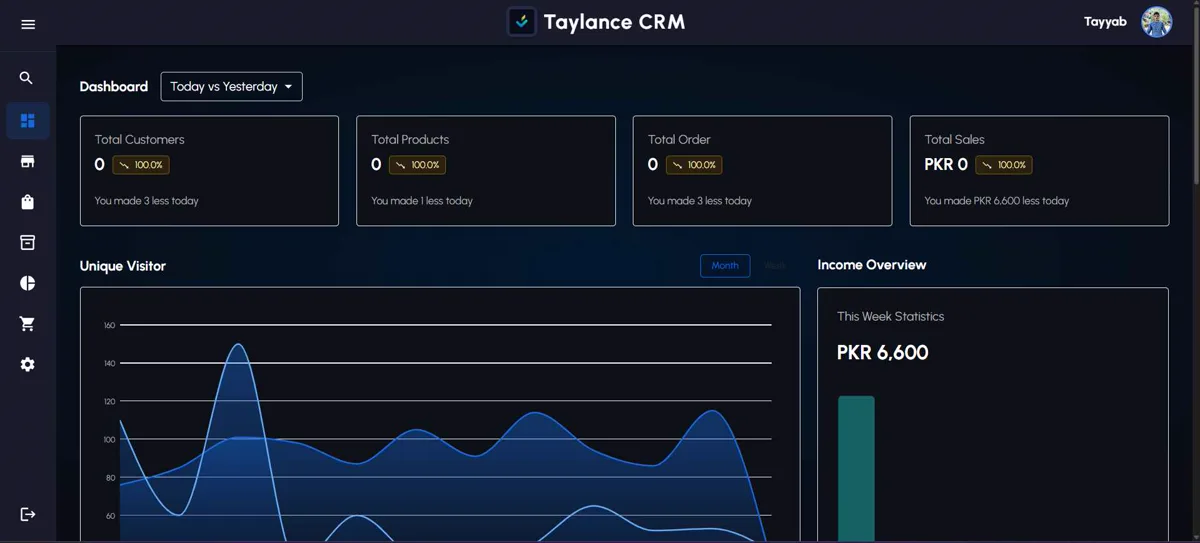
We built Taylance CRM as a full-stack application with three connected modules — leads, clients, and projects — so a prospect can move from first contact to active project without re-entering data. We added authenticated routes, role-aware dashboards so each person sees what's relevant to them, and a REST API underneath so the data stays clean and portable. Search spans leads and clients by company name, contact, or project title. Milestones on active projects surface overdue work on the dashboard without a separate task tool.
How we approached it
We started by mapping the real workflow: inquiry → qualified lead → active client → project with milestones. That flow became the data model instead of forcing generic CRM objects like opportunities and territories we would never maintain.
The UI stayed deliberately minimal — a morning dashboard, fast search, and forms that match how we actually capture information on calls and in email. We avoided custom fields sprawl; every screen answers one question: what needs attention today?
We deployed with proper auth, environment separation, and monitoring so the tool could run as a daily driver, not a side demo. MongoDB indexes back the search patterns we use in production — company name prefix, recent activity, open project status.
The REST API mirrors the UI modules so future integrations (contact form webhooks, invoicing exports) can attach without scraping the database.
Implementation notes
The CRM was designed around how a three-person studio actually works: a morning dashboard, quick search, and forms that match phone-call notes — not enterprise pipeline stages nobody fills in.
We kept the data model shallow on purpose. A lead becomes a client once, then projects attach to that client without duplicate company records. That decision reduced onboarding time for new team members from days to hours.
Material-UI components gave us accessible forms and tables quickly, but we stripped default density settings so list views remain readable on 13-inch laptops — the hardware most studio leads actually use.
Running it daily at crm.taylancetech.com means we feel every friction point ourselves — slow filters, missing fields, permissions that are too broad. Client CRM builds benefit from that feedback loop because we have already solved the small-team permission model in production.
Results
Unified lead, client, and project workflow in one application
Streamlined daily execution from a single dashboard
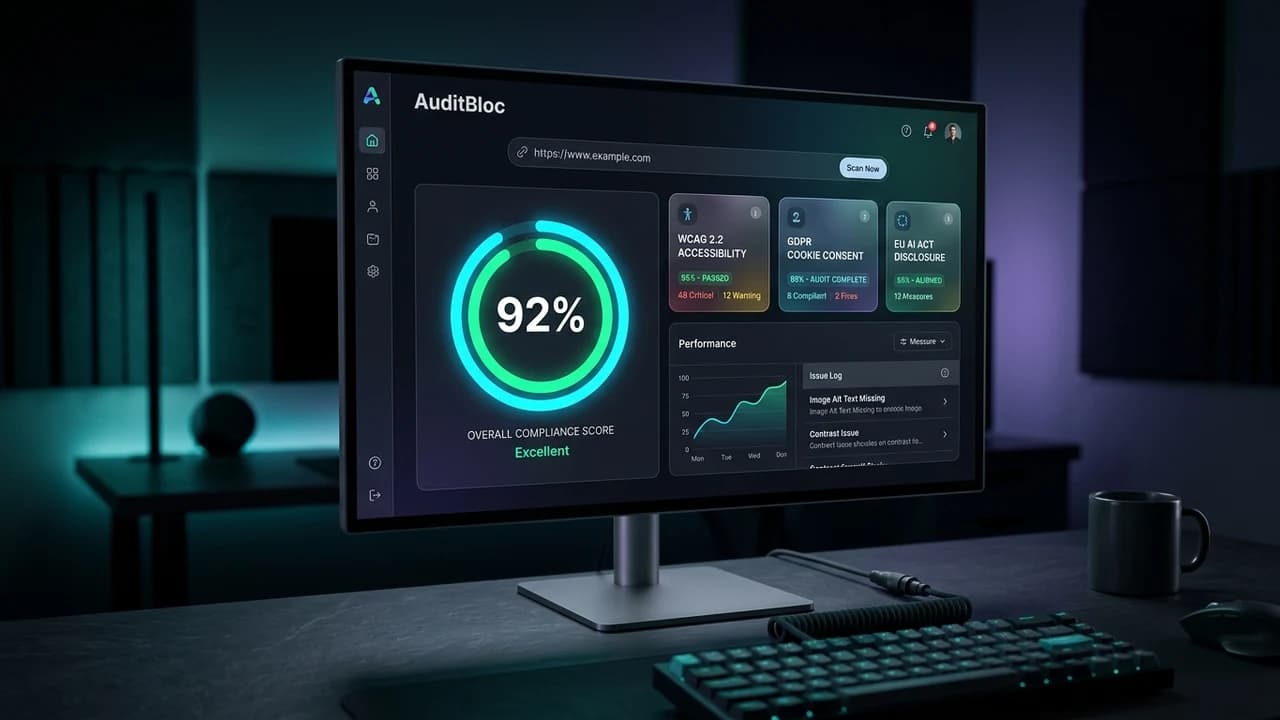
An automated compliance platform scanning URLs for WCAG 2.1/2.2 AA accessibility failures, GDPR cookie consent banners, and EU AI Act disclosures with instant reporting at auditbloc.taylancetech.com.